
ReTrak ETLTCWT
ReTrak Premier Series Retractable Lightning to USB-C Charge and Sync Cable
Посібник користувача
1. Вступ
The ReTrak Premier Series Retractable Lightning to USB-C Charge and Sync Cable is designed for efficient and convenient charging and data transfer. Its retractable design ensures portability and tangle-free storage, making it ideal for on-the-go use. This cable supports 18W high-speed charging when paired with a compatible USB-C Power Delivery charger, allowing for faster device charging.

Image: The ReTrak Premier Series Retractable Lightning to USB-C Charge and Sync Cable in white, shown in its compact, retracted state.
Ключові характеристики:
- 18 Вт високошвидкісна зарядка: Charges devices up to 2.5 times faster than standard cables when connected to a USB-C Power Delivery charger.
- Ultra-Durable Construction: Built with reinforced connectors and a thick cable jacket for enhanced longevity, designed to last significantly longer than standard cables.
- Portable and Tangle-Free: The 2.6-foot (1m) cable retracts for compact and convenient storage, preventing tangles.
- Високошвидкісна передача даних: Facilitates quick transfer of music, movies, and other data between compatible devices.
- Універсальна сумісність: Works seamlessly with any device featuring a Lightning connector, including Apple iPhones and iPads.
2. Налаштування
Extending and Retracting the Cable:
To extend the cable, gently pull both ends simultaneously until the desired length is reached. The cable can extend up to 2.6 feet (1 meter). To retract, pull both ends slightly further, then release. The cable will automatically retract into its housing. Avoid pulling only one end, as this can damage the retraction mechanism.

Image: Illustration showing how to extend the ReTrak cable by pulling from both ends, highlighting the Lightning and USB-C connectors.
Підключення до пристроїв:
- Connect the Lightning connector end of the cable to your Apple device (e.g., iPhone, iPad, AirPods Pro).
- Connect the USB-C connector end of the cable to a compatible USB-C power adapter or a USB-C port on a computer for charging or data transfer.

Image: An iPad displaying a 100% charged battery icon, connected to a power source via the ReTrak USB-C to Lightning cable, illustrating USB Power Delivery capability.
3. Інструкція з експлуатації
Зарядка вашого пристрою:
Once connected, your device will begin charging. For optimal fast charging, ensure your power adapter is an 18W or higher USB-C Power Delivery charger. The cable is designed to deliver efficient power to compatible Apple devices.
Передача даних:
Connect the USB-C end of the cable to a computer with a USB-C port to sync data, transfer files, or update software on your Apple device. The cable supports high-speed data transfer for quick and reliable file управління.
Сумісність:
This cable is Apple MFi certified, ensuring full compatibility and safe operation with all Apple devices that utilize a Lightning connector. This includes various models of iPhone, iPad, and iPod.
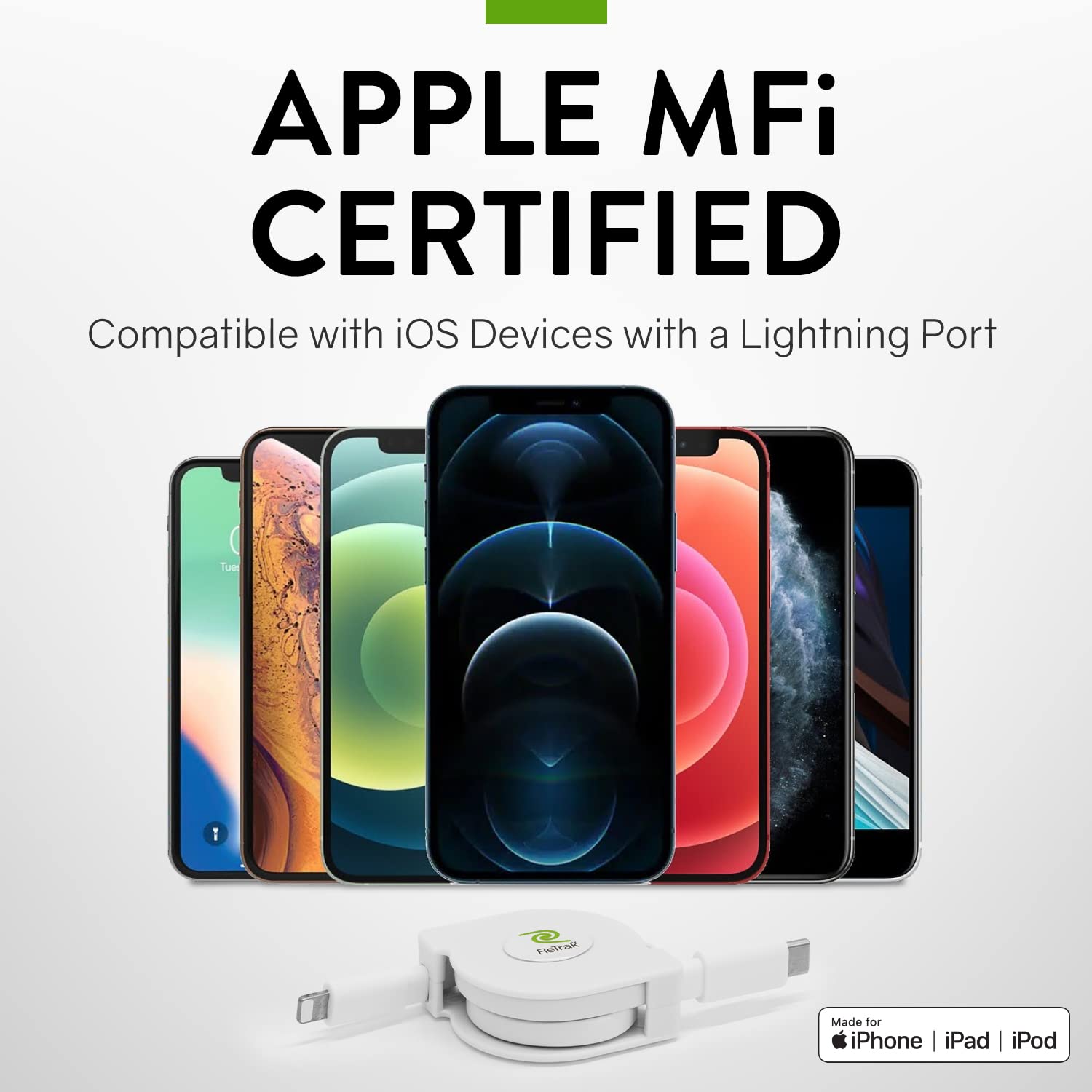
Image: A selection of Apple iPhone models displayed alongside the ReTrak cable, emphasizing its Apple MFi certification and compatibility with iOS devices.
4. Технічне обслуговування
To ensure the longevity and optimal performance of your ReTrak cable, follow these maintenance guidelines:
- Правильне поводження: Always pull both ends of the cable simultaneously when extending or retracting. Avoid pulling only one end or applying excessive force, as this can damage the internal retraction mechanism.
- Зберігання: When not in use, keep the cable fully retracted to protect the connectors and prevent tangles. Store it in a clean, dry place away from extreme temperatures.
- Прибирання: Якщо кабель або роз'єми забруднилися, обережно протріть їх м’якою, сухою тканиною без ворсу. Не використовуйте агресивні хімікати або абразивні матеріали.
- Уникайте перегинів: While the cable is designed to be durable, avoid sharp bends or kinks, especially near the connectors, to prevent internal wire damage.
5. Вирішення проблем
If you encounter issues with your ReTrak cable, please refer to the following common troubleshooting steps:
| проблема | Можлива причина | Рішення |
|---|---|---|
| Cable not charging device. | Loose connection, incompatible power adapter, damaged cable/port. | Ensure both ends are securely connected. Try a different power adapter or USB-C port. Test with another known-good cable to rule out device port issues. Inspect cable for visible damage. |
| Cable not retracting or extending properly. | Internal mechanism jam, improper pulling technique. | Gently pull both ends out completely, then release to allow the mechanism to reset. Ensure you are pulling both ends simultaneously and evenly. Avoid forcing the retraction. |
| Повільна швидкість зарядки. | Power adapter not 18W or higher, device limitations. | Ensure you are using an 18W or higher USB-C Power Delivery adapter. Check if your device supports fast charging. |
| Проблеми з передачею даних. | Loose connection, computer port issue, software conflict. | Verify secure connections. Try a different USB-C port on your computer. Restart your computer and device. Ensure necessary drivers are installed. |
6. Технічні характеристики
Detailed specifications for the ReTrak Premier Series Retractable Lightning to USB-C Charge and Sync Cable:
| Особливість | Деталь |
|---|---|
| Розміри продукту | 1.5 x 0.75 x 4.5 inches (retracted) |
| вага | 2.4 унції |
| Номер моделі | ETLTCWT |
| Бренд | ReTrak |
| Тип роз'єму | Lightning to USB-C |
| Тип кабелю | USB |
| Довжина кабелю | 2.6 фути (1 метр) |
| Особливість | High Speed Charging, Retractable |
| Сумісні пристрої | Apple iPhone (5c, 5s, 6 plus, 6s, 6s plus, 13s, etc.), AirPods Pro, and other Lightning connector devices |
| Виробник | Emerge Tech |
7. Гарантія та підтримка
Інформація про гарантію:
Specific warranty details for this product are not provided in the available information. Please refer to the product packaging or the official ReTrak webсайт для ознайомлення з найактуальнішою гарантійною політикою.
Підтримка клієнтів:
For further assistance, technical support, or inquiries regarding your ReTrak Premier Series Retractable Lightning to USB-C Charge and Sync Cable, please visit the official ReTrak website or contact their customer service department. Contact information is typically available on the product packaging or the brand's official online presence.
Ask a question about this manual
Ask about setup, troubleshooting, compatibility, parts, safety, or missing instructions. Manuals+ will review the question and use this page’s manual context to help answer it.