
1. Вступ
This manual provides essential information for the safe and efficient operation of your Coocaa 43Y72 4K Ultra HD Smart IPS Google LED TV. Please read it thoroughly before using the television and retain it for future reference. This television features a 108 cm (43 inches) frameless 4K Ultra HD IPS display, powered by Google TV, offering a comprehensive entertainment experience.

Image: The Coocaa 43Y72 TV showcasing its Google TV interface with personalized content and app recommendations.
2. Що в коробці
Під час розпакування переконайтеся, що всі наступні предмети присутні:
- 1 x Coocaa 43Y72 LED TV
- 1 x Пульт дистанційного керування
- 1 x шнур живлення
- 1 x Start Guide
- 1 х гарантійний талон
- 2 батарейки типу AAA (для пульта дистанційного керування)
- 1 x Set of Base Stands
- 4 x Screws (for base stands)
3. Налаштування
3.1 Фізичне налаштування
- Розпакування: Обережно вийміть телевізор з упаковки. Рекомендується, щоб цю процедуру виконували двоє людей.
- Монтаж підставки: If using the included base stands, align them with the mounting holes on the bottom of the TV. Secure them using the provided screws. Ensure the TV is placed on a stable, flat surface.
- Настінне кріплення (опціонально): If wall mounting, refer to the instructions provided with your wall mount kit. Ensure the wall mount is compatible with VESA standards for your TV model and installed by a qualified professional.
- Підключення живлення: Connect the power cord to the TV's power input and then to a suitable electrical outlet.
3.2 Початкове ввімкнення
- Натисніть кнопку живлення на телевізорі або на пульті дистанційного керування, щоб увімкнути телевізор.
- Follow the on-screen instructions to complete the initial setup, including language selection, network connection, and Google account sign-in.
4. Підключення
Your Coocaa 43Y72 TV offers multiple connectivity options for various devices.

Зображення: Детальний view of the TV's side panel, illustrating the arrangement of USB, Digital Audio, AV, HDMI, and LAN ports.
4.1 Дротові підключення
- Порти HDMI (3): Підключіть телеприставки, програвачі Blu-ray, ігрові консолі або інші пристрої з підтримкою HDMI.
- Порти USB (2): Підключіть жорсткі диски, USB-флеш-накопичувачі або інші USB-пристрої для відтворення медіафайлів.
- Порт LAN: Для стабільного дротового інтернет-з’єднання.
- Цифровий аудіовихід: Підключіться до зовнішніх аудіосистем для покращеного звуку.
- AV вхід: Для підключення старіших пристроїв за допомогою композитних відео- та стереоаудіокабелів.
- IR Port: To control connected devices like DVD/STB players.
4.2 Бездротові підключення
- Wi-Fi (Dual Band): Підключіться до домашньої мережі для доступу до Інтернету та потокової передачі.
- Bluetooth: Pair with compatible devices such as headphones, speakers, or game controllers.
5. Керування телевізором
5.1 Пульт дистанційного керування
The included remote control allows you to navigate the TV's features. It supports voice commands and has dedicated buttons for popular streaming services.

Image: The Coocaa remote control, highlighting its ergonomic design and dedicated buttons for smart features and streaming services.
- Кнопка живлення: Вмикає або вимикає телевізор.
- Кнопка Google Асистента: Активує голосове керування для пошуку контенту, керування пристроями розумного дому тощо.
- Навігаційна панель: Use the directional buttons and OK button to navigate menus.
- Кнопки гучності/каналів: Регулювання гучності та перемикання каналів.
- Кнопки швидкого доступу: Direct access to Netflix, Prime Video, and YouTube.
5.2 Інтерфейс Google TV
Google TV organizes movies, shows, live TV, and more from your apps and subscriptions into one personalized interface.
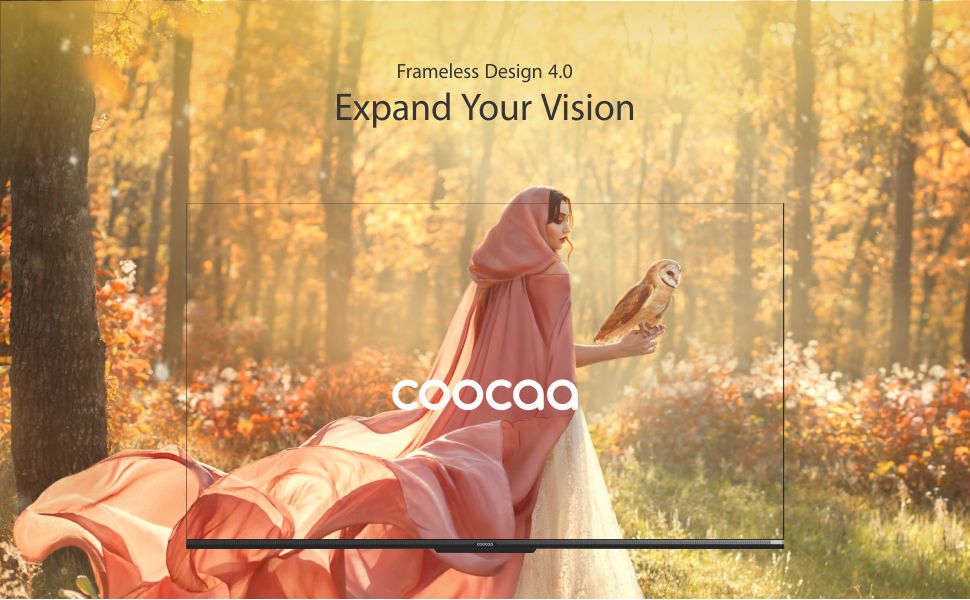
Image: The Google TV home screen, demonstrating personalized content suggestions and easy access to various applications.
- Personalized Homescreen: Content recommendations are tailored to your viewзвичок.
- Content Catalog: Access a vast library of movies and TV shows from services like Prime Video, Netflix, Hotstar, Zee5, Sony LIV, YouTube, and more.
- Google Duo Support: Engage in video calls directly from your TV (requires compatible camera, sold separately).
- Swaiot Home Feature: Integrate and control compatible smart home devices.
- Вбудований Chromecast: Транслюйте контент зі свого смартфона або планшета безпосередньо на телевізор.
- Голосовий помічник Google: Use voice commands for navigation, search, and control.
6. Функції дисплея та аудіо
6.1 Технологія відображення
- 4K HDR (3840 x 2160) Resolution: Delivers sharp, detailed images with vibrant colors.
- Дисплей IPS: Забезпечує широкий viewing angles (178 degrees), ensuring consistent picture quality from various positions.
- Durable A+ Grade DLED Panel: Ensures reliability and consistent performance.
- Ultra Bright Screen: Maintains picture clarity even in well-lit rooms.
- Безкаркасний дизайн: Максимізує простір екрана для захопливого ефекту viewнабутий досвід.
- Chameleon Extreme 2.0 Picture Engine: Enhances picture quality by optimizing color, contrast, and clarity.
- HDR 10 та HLG: Supports high dynamic range content for improved contrast and color accuracy.

Image: The Coocaa TV featuring its frameless design, designed to provide an expansive visual experience.
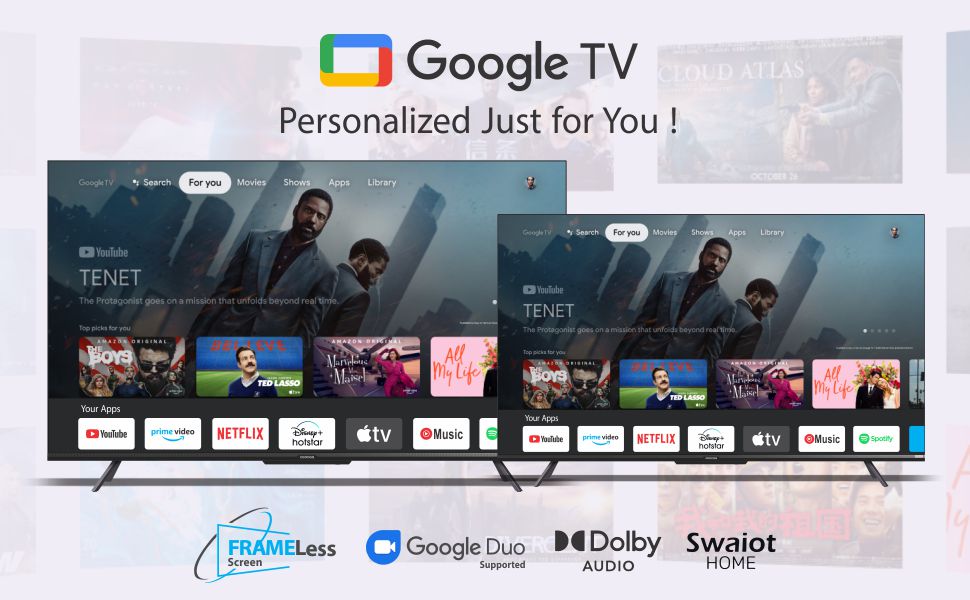
Image: Visual representation of the Chameleon Extreme 2.0 Picture Engine, highlighting its role in bringing out every detail.
6.2 Аудіотехнології
- Вихідна потужність 30 Вт: Забезпечує чіткий та потужний звук.
- Dolby Audio: Delivers rich, clear, and powerful sound for an immersive audio experience.
- DTS Tru Surround: Enhances audio with virtual surround sound for remarkable sound quality.
Image: Logos for Dolby Audio and DTS TruSurround, signifying advanced audio processing for superior sound.
7. Технічні характеристики
Detailed technical specifications for the Coocaa 43Y72 TV:

Image: Technical drawing illustrating the precise dimensions of the Coocaa 43Y72 TV, including screen size, width, height, and depth.
| Особливість | Деталь |
|---|---|
| Модель | 43Y72 |
| Розмір екрана | 108 см (43 дюйма) |
| роздільна здатність | 4K HDR (3840 x 2160) |
| Частота оновлення | 60 герц |
| Viewкут нахилу | 178 градусів |
| Тип дисплея | Світлодіоди IPS |
| Звуковий вихід | 30 Вт |
| Аудіотехнології | Dolby Audio, DTS Tru Surround |
| Операційна система | Google TV (Android) |
| ОЗУ | 2 ГБ |
| Зберігання | 16 ГБ |
| Порти HDMI | 3 |
| USB порти | 2 |
| Бездротове підключення | Dual-band Wi-Fi, Bluetooth |
| Розміри (ДxШxВ) | 95.07 х 19.09 х 56.06 см |
| Вага товару | 6 кг |
| Джерело живлення | Змінний струм 200 вольт, 100 Вт |
8. Вирішення проблем
Якщо у вас виникли проблеми з телевізором, зверніться до наступних поширених проблем та способів їх вирішення:
- Немає живлення:
- Ensure the power cord is securely connected to both the TV and the electrical outlet.
- Перевірте, чи розетка працює, підключивши інший пристрій.
- Натисніть кнопку живлення на самому телевізорі, а не лише на пульті дистанційного керування.
- Без зображення, але звук:
- Перевірте, чи вибрано правильне джерело вхідного сигналу (наприклад, HDMI 1, AV).
- Check cable connections between the TV and external devices.
- Без звуку, але зображення:
- Збільште гучність.
- Перевірте, чи не вимкнено звук телевізора.
- Переконайтеся, що аудіокабелі правильно підключені, якщо використовуються зовнішні динаміки.
- Перевірте налаштування аудіовиходу в меню телевізора.
- Пульт дистанційного керування не працює:
- Replace the batteries (2 AAA batteries).
- Переконайтеся, що між пультом дистанційного керування та ІЧ-датчиком телевізора немає перешкод.
- Re-pair the Bluetooth remote if it's a smart remote.
- Проблеми з підключенням Wi-Fi:
- Перезавантажте маршрутизатор і модем.
- Перевірте пароль Wi-Fi.
- Переконайтеся, що телевізор знаходиться в зоні дії вашого Wi-Fi роутера.
For persistent issues, please contact Coocaa customer support.
9. Технічне обслуговування
Proper maintenance ensures the longevity and optimal performance of your TV:
- Очищення екрану: Використовуйте м’яку тканину без ворсу, спеціально призначену для електроніки. Не використовуйте агресивні хімікати або абразивні матеріали. Злегка протрітьampen the cloth with water if necessary, and wipe gently.
- Очищення організму: Протріть раму та підставку телевізора м’якою сухою тканиною.
- Вентиляція: Забезпечте достатню циркуляцію повітря навколо телевізора. Не блокуйте вентиляційні отвори.
- Вимкнути, коли не використовується: Turn off the TV and unplug it during lightning storms or when leaving it unused for extended periods.
10. Гарантія та підтримка
Your Coocaa 43Y72 TV comes with a standard brand warranty. Please refer to the included Warranty Card for specific terms, conditions, and duration of coverage.
- Гарантійне покриття: Typically covers manufacturing defects and malfunctions under normal use.
- Звернутися в службу підтримки: For warranty claims, technical assistance, or service requests, please refer to the contact information provided on your Warranty Card or the official Coocaa webсайт.
- Підтвердження покупки: Always retain your purchase receipt as proof of purchase for warranty validation.