
1. Вступ
This manual provides essential information for the safe and efficient use of your Coocaa 55Y72 55-inch 4K Ultra HD Smart IPS Google LED TV. Please read these instructions thoroughly before operating your television and retain them for future reference.

Зображення: спереду view of the Coocaa 55Y72 TV displaying the Google TV home screen with various streaming app icons.
2. Налаштування
2.1 Що в коробці
Після розпакування перевірте наявність усіх компонентів:
- 1 x Coocaa 55Y72 LED TV
- 1 x Пульт дистанційного керування
- 1 x шнур живлення
- 1 x Короткий посібник
- 1 х гарантійний талон
- 2 батарейки типу AAA (для пульта дистанційного керування)
- 1 x Set of Base Stands
- 4 x Screws (for base stands)
2.2 Фізичне встановлення
The Coocaa 55Y72 TV supports table mounting. Ensure the TV is placed on a stable, level surface.
- Attach Base Stands: Carefully place the TV screen-down on a soft, clean surface. Align the base stands with the mounting holes on the bottom of the TV. Secure them using the provided screws.
- Позиціонування: Place the TV in your desired location, ensuring adequate ventilation around the unit.

Image: Diagram illustrating the dimensions of the Coocaa 55Y72 TV, including width, height, and depth with stands.
2.3 Підключення периферійних пристроїв
Ваш телевізор пропонує кілька варіантів підключення:
- Порти HDMI (3): Підключіть телеприставки, програвачі Blu-ray, ігрові консолі або інші пристрої з підтримкою HDMI.
- Порти USB (2): Підключіть жорсткі диски, USB-флеш-накопичувачі або інші USB-пристрої для відтворення медіафайлів.
- Порт Ethernet (LAN): Для дротового підключення до Інтернету.
- Цифровий аудіовихід: Для підключення до зовнішніх аудіосистем.
- AV вхід: Для підключення старіших пристроїв за допомогою композитних відео- та стереоаудіокабелів.

Зображення: Збоку view of the Coocaa 55Y72 TV with a detailed diagram of its input and output ports, including USB, Digital Audio, AV, HDMI, and LAN.
2.4 Підключення живлення
Connect the power cord to the TV's power input and then plug it into a standard electrical outlet. The TV will enter standby mode.
3. Інструкція з експлуатації
3.1 Початкове налаштування та Google TV
Upon first power-on, the TV will guide you through the initial setup process, including network connection (Wi-Fi or Ethernet), Google account login, and channel scanning. The Coocaa 55Y72 runs on Google TV, offering a personalized home screen experience.
- Personalized Homescreen: Content recommendations are tailored to your viewзвичок.
- Google Assistant: Use voice commands via the remote control for search, control, and information.
- Вбудований Chromecast: Cast content from compatible mobile devices directly to your TV.
- Display Mirroring: Mirror your compatible device's screen to the TV.
- Google Duos: Supported for video calls (external camera may be required).
- Swaiot Home: Integrate with smart home devices.
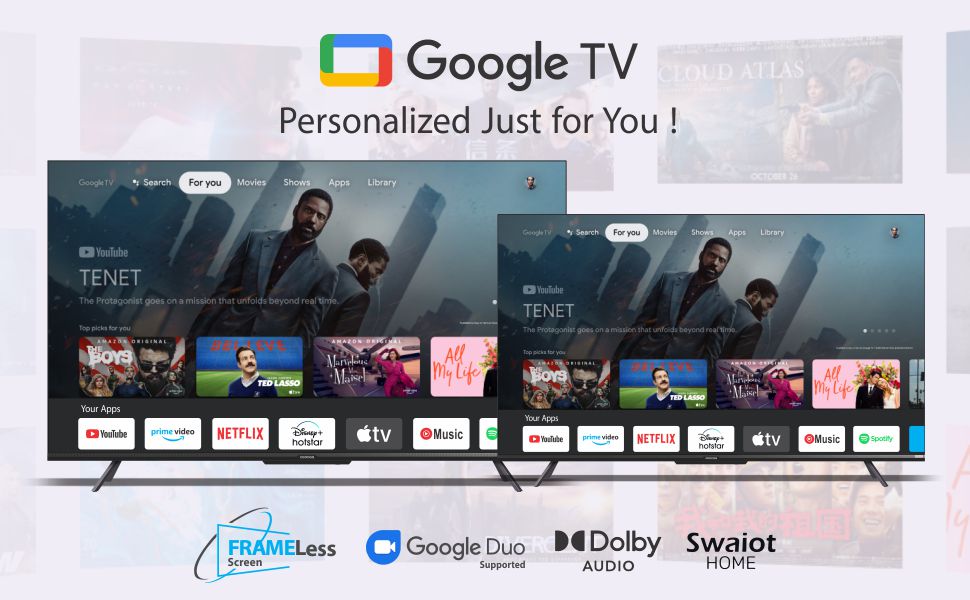
Image: The Google TV interface on the Coocaa TV, showcasing personalized content recommendations and various streaming applications.
3.2 Пульт дистанційного керування
The included remote control uses both IR and Bluetooth technology for versatile operation. It features dedicated buttons for popular streaming services and a one-click Google Assistant button.

Image: The Coocaa TV remote control, featuring a circular navigation pad, volume and channel buttons, and dedicated buttons for Netflix, Prime Video, YouTube, and Google Play.
3.3 Доступ до програм
The Google TV platform provides access to a vast catalog of applications. Popular pre-installed apps include YouTube, Prime Video, Netflix, Hotstar, Zee5, and Sony LIV. More applications can be downloaded from the Google Play Store.

Image: The Coocaa TV screen displaying a selection of available applications, including Netflix, YouTube, Prime Video, Apple TV, HBO Max, Rakuten Viki, YouTube Music, and Spotify.
4. Функції дисплея та аудіо
4.1 Технологія відображення
The Coocaa 55Y72 features a 55-inch Frameless Series 4K Ultra HD IPS LED panel, providing a resolution of 3840 x 2160 pixels. Key display features include:
- 4K HDR: Supports HDR10 for enhanced contrast and color.
- Частота оновлення: 60 герц для плавного руху.
- Viewкут нахилу: Ширина 178 градусів viewкут.
- Chameleon Extreme 2.0 Picture Engine: Optimizes image quality.
- Ultra Bright Screen: Ensures clear visibility even in well-lit rooms.
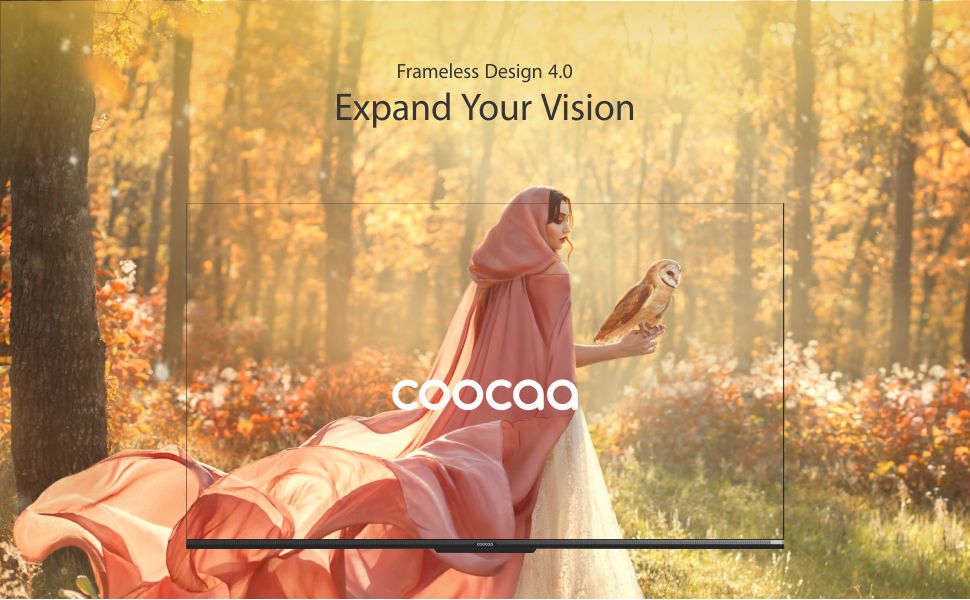
Image: A visual representation of the Coocaa TV's Frameless Design 4.0, emphasizing the expansive screen area.
4.2 Аудіосистема
Experience immersive sound with the TV's integrated audio system:
- Вихід: 30 Watts total audio output.
- Dolby Audio: Enhanced sound quality and clarity.
- DTS TruSurround: Provides a virtual surround sound experience.
Image: Graphic highlighting the Dolby Audio and DTS TruSurround sound technologies integrated into the Coocaa TV.
5. Технічне обслуговування
5.1 Очищення екрана
Щоб очистити екран, обережно протріть його м’якою тканиною без ворсу. Для стійких плям злегка протрітьampen the cloth with water or a specialized screen cleaner. Avoid using harsh chemicals, abrasives, or direct spraying of liquids onto the screen.
5.2 Очищення корпусу телевізора
Wipe the exterior of the TV with a soft, dry cloth. Do not use solvents or alcohol-based cleaners.
5.3 Догляд за пультом дистанційного керування
Keep the remote control dry and clean. Replace batteries (2 x AAA) when necessary. The remote features an antibacterial coating for hygiene.

Image: A child holding the Coocaa TV remote control, illustrating the 'Healthier Smart Life' concept with an antibacterial remote.
6. Вирішення проблем
If you encounter issues with your Coocaa 55Y72 TV, refer to the following common solutions:
- Немає живлення: Ensure the power cord is securely connected to both the TV and the power outlet. Check if the outlet is functioning.
- Немає зображення/звуку: Перевірте, чи вибрано правильне джерело вхідного сигналу. Перевірте всі кабельні з’єднання (HDMI, AV).
- Пульт не відповідає: Замініть батарейки типу AAA у пульті дистанційного керування. Переконайтеся, що між пультом дистанційного керування та ІЧ-датчиком телевізора немає перешкод.
- Проблеми з підключенням до мережі: For Wi-Fi, ensure the router is on and within range. For Ethernet, check the cable connection. Try restarting your router and the TV.
- Проблеми з якістю зображення: Adjust picture settings (brightness, contrast, sharpness) in the TV menu. Ensure the content source is of high quality (e.g., 4K content for 4K resolution).
- Спотворення звуку: Перевірте налаштування звуку. Якщо використовуються зовнішні динаміки, переконайтеся, що вони правильно підключені та налаштовані.
For persistent issues, consult the full user manual available online or contact Coocaa customer support.
7. Технічні характеристики
| Особливість | Специфікація |
|---|---|
| Бренд | какао |
| Модель | 55Y72 |
| Розмір екрана | 55 дюймів (138 см) |
| Технологія дисплея | Світлодіоди IPS |
| роздільна здатність | 4K Ultra HD (3840 x 2160) |
| Частота оновлення | 60 Гц |
| Viewкут нахилу | 178 градусів |
| Підтримка HDR | HDR10 |
| Операційна система | Google TV |
| Пам'ять RAM | 2 ГБ |
| Ємність зберігання | 16 ГБ |
| Аудіовихід | 30 Вт |
| Аудіотехнології | Dolby Audio, DTS TruSurround |
| Порти HDMI | 3 |
| USB порти | 2 |
| Підключення | Wi-Fi (Dual band), Ethernet, Bluetooth |
| Споживання енергії (увімкнено) | 150 Вт |
| Розміри продукту (ДxШxВ) | 122.5 х 23.3 х 77.6 см |
| Вага товару | 10.2 кг |
8. Гарантія та підтримка
8.1 Інформація про гарантію
Your Coocaa 55Y72 TV comes with a 1 роки гарантії from the date of purchase. Please retain your purchase receipt as proof of warranty. The warranty covers manufacturing defects under normal use conditions. For detailed terms and conditions, refer to the warranty card included with your product.
8.2 Підтримка клієнтів
For technical assistance, service requests, or any inquiries regarding your Coocaa TV, please contact the manufacturer:
Виробник: Radiant Appliances and Electronics Pvt Ltd
Адреса: Survey No.111,112, S-2 A1, Ecity, Fabcity, Maheshwaram Mandal, Raviryala Village, Ranga Reddy, Telengana-501141
Please visit the official Coocaa website or your retailer's support page for the most up-to-date contact information and support resources.