
ТОМЛОВ DM10
Інструкція з експлуатації цифрового мікроскопа TOMLOV DM10 10.1"
Модель: DM10
1. Вступ
This manual provides detailed instructions for the setup, operation, and maintenance of your TOMLOV DM10 10.1" Digital Microscope. Please read this manual thoroughly before using the device to ensure proper functionality and to maximize your viewнабутий досвід.
2. Вміст упаковки
Перевірте, чи всі перелічені нижче предмети входять до вашої упаковки. Якщо будь-які предмети відсутні або пошкоджені, зверніться до служби підтримки клієнтів.
- 10.1-Inch Digital Microscope (1)
- Height Adjustable Stand (1)
- 32GB Micro SD Card (1) - Pre-installed in the microscope's Micro SD card slot.
- Пульт дистанційного керування (1)
- USB-кабель (2)

Image: Components included in the TOMLOV DM10 Digital Microscope package.
3. Інструкції з налаштування
3.1 Збірка
- Attach the microscope unit to the height-adjustable stand. Secure it using the provided knob.
- Place the base plate on a stable, flat surface.
- Connect the flexible gooseneck side lights to the base plate, ensuring they are securely fastened.
3.2 Увімкнення
The microscope is equipped with a 3000mAh rechargeable battery. To power on the device, press and hold the power button located on the front panel below the screen. The device can also be powered via USB cable.
3.3 Початкові коригування
- Регулювання висоти: Use the knob on the stand to raise or lower the microscope unit, setting the initial distance between the lens and the object.
- Обертання екрана: The 10.1" IPS screen can be rotated 90 degrees for optimal viewкути.
- Фокусування: Rotate the focus wheel on the microscope body to achieve a clear image of your object on the screen.
- Освітлення: Adjust the brightness of the 8 LED lights around the lens and the 2 flexible gooseneck side lights independently using their respective controls.

Image: A user observing a coin using the TOMLOV DM10 Digital Microscope, highlighting the large 10.1-inch screen.
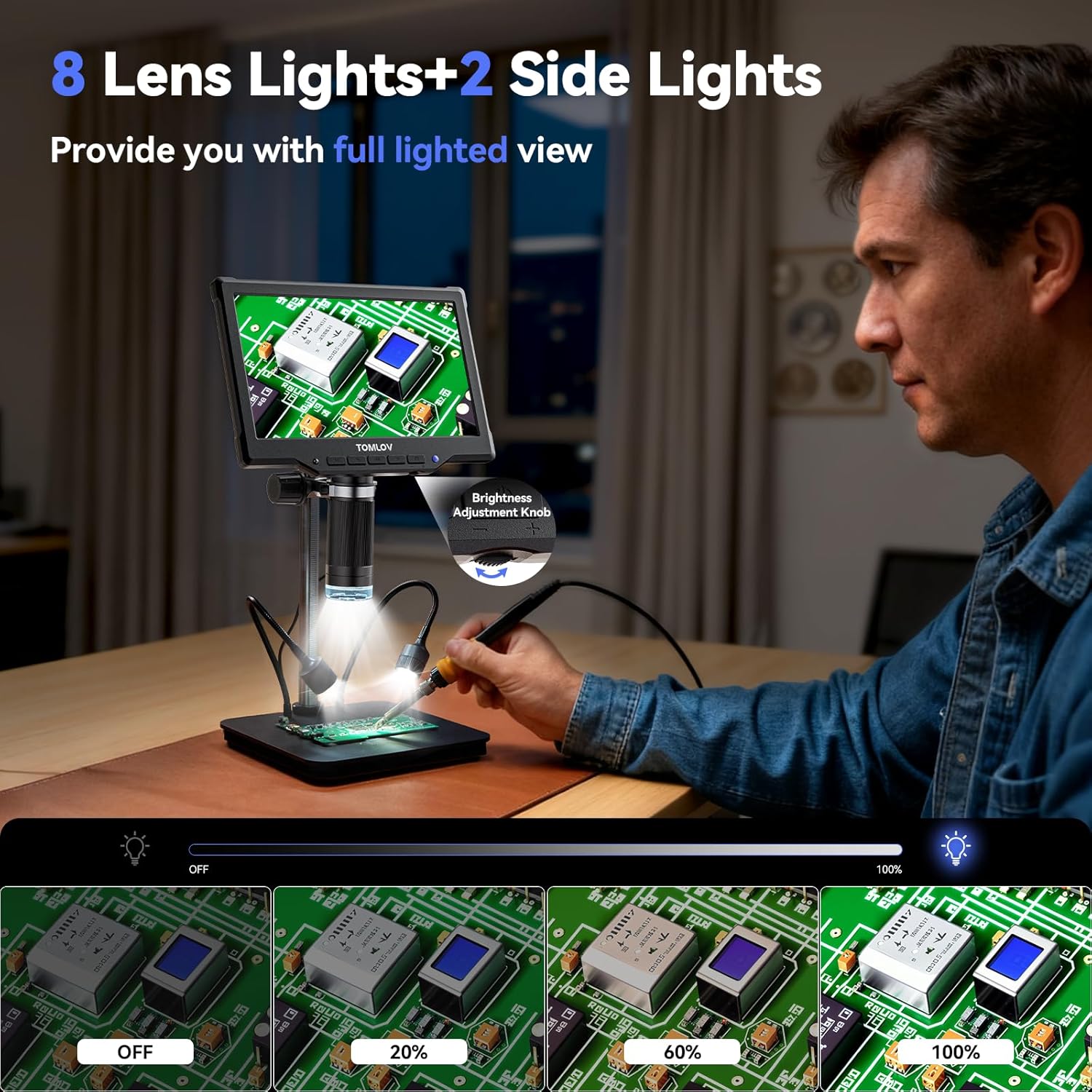
Image: The TOMLOV DM10 Digital Microscope with its 8 lens lights and 2 adjustable side lights providing full illumination for detailed observation.
4. Інструкція з експлуатації
4.1 Збільшення
The TOMLOV DM10 offers a magnification range from 5X to 1200X. Adjust the height of the microscope and rotate the focus wheel to achieve the desired magnification and clarity for your observation.
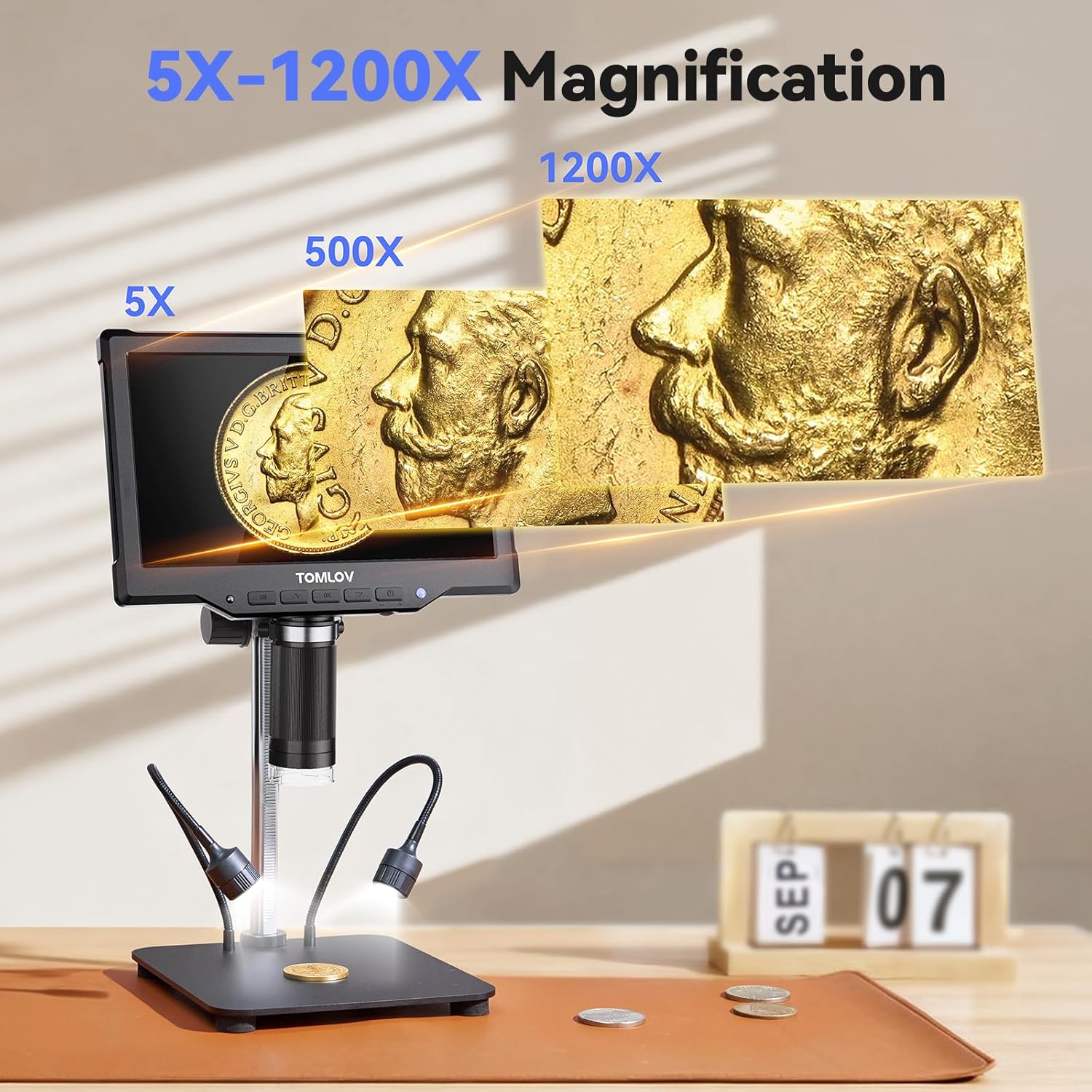
Image: Visual representation of the 5X to 1200X magnification capabilities of the TOMLOV DM10 Digital Microscope, showing a coin at different zoom levels.
4.2 Фото- та відеозйомка
The microscope supports one-touch photo capture and video recording. The pre-installed 32GB Micro SD card provides ample storage for your observations.
- Роздільна здатність фото: 16MP (4608*3456), 12MP (4032*3024), 10MP (3648*2736), 8MP (3264*2448), 5MP (2592*1944), 3MP (2048*1536), 2MP (1920*1080).
- Роздільна здатність відео: 1080FHD (1920*1080), 1080P (1440X1080), 720P (1280*720).
4.3 Робота дистанційного керування
Use the included wireless remote control to capture photos, record videos, and navigate menus. This minimizes device shake and disturbance to the sample during observation.
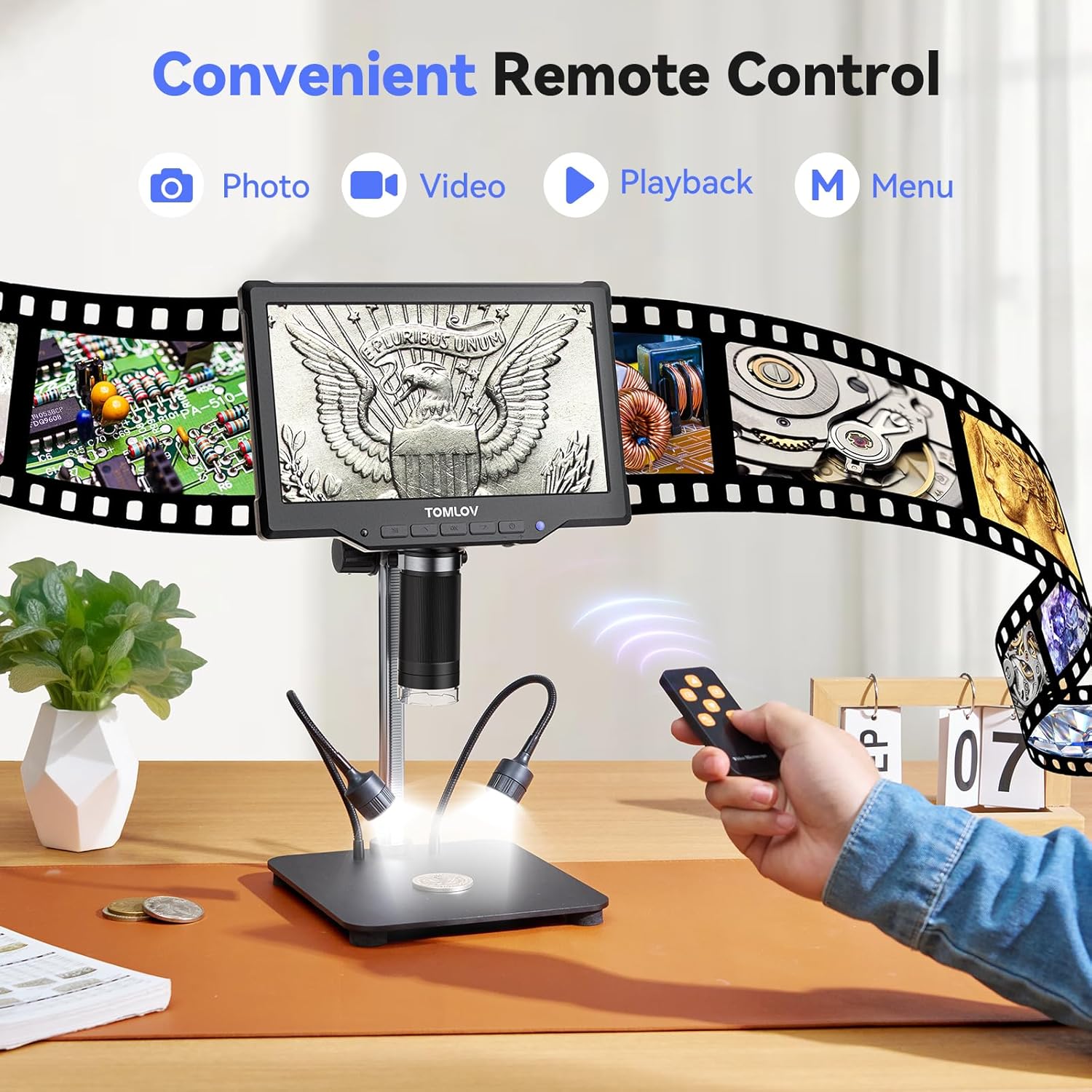
Image: A user operating the TOMLOV DM10 Digital Microscope using the convenient wireless remote control for photo, video, and menu functions.
4.4 PC Connection (USB Output)
Connect the microscope to your computer via USB for a real-time, larger view of your observations. This feature is useful for detailed analysis and sharing with others.

Image: The TOMLOV DM10 Digital Microscope connected to a laptop, displaying a circuit board on both the microscope screen and the computer monitor for an enhanced viewнабутий досвід.
4.5 Додатки
The TOMLOV DM10 Digital Microscope is a versatile tool suitable for various tasks, including:
- Coin collection and error coin examination.
- Soldering PCB boards and inspecting SMD components.
- Watch and jewelry repair.
- Plant and insect inspection.
- General scientific exploration and education.

Image: Various applications of the TOMLOV DM10 Digital Microscope, including coin collection, soldering PCB boards, watch repair, and plant inspection.
Video: An official product video demonstrating the features and usage of the TOMLOV DM10 10.1" Digital Microscope, including its illumination, adjustable height, screen rotation, focusing, and remote control capabilities, as well as its application in soldering.
5. Технічне обслуговування
- Прибирання: Use a soft, dry cloth to clean the microscope body and screen. For the lens, use a specialized lens cleaning cloth and solution. Avoid abrasive materials or harsh chemicals.
- Зберігання: Зберігайте мікроскоп у сухому, безпиловому середовищі, коли він не використовується.
- Догляд за акумулятором: Щоб продовжити термін служби акумулятора, уникайте частого повного розряджання акумулятора. Регулярно заряджайте пристрій, особливо якщо він зберігатиметься протягом тривалого часу.
6. Вирішення проблем
- Немає живлення: Ensure the battery is charged or the device is connected to a power source via USB. Check the power button for proper engagement.
- Розмите зображення: Adjust the height of the microscope and rotate the focus wheel until the image is clear. Ensure the object is within the working distance of the lens.
- Екран не відображається: Check power connection. If connected to PC, ensure the correct display mode is selected on the microscope or computer.
- SD-карта не розпізнана: Ensure the 32GB Micro SD card is properly inserted into the slot. If issues persist, try reformatting the card (this will erase all data) or using a different compatible SD card.
- Пульт дистанційного керування не працює: Check the battery in the remote control. Ensure there are no obstructions between the remote and the microscope's IR receiver.
7. Технічні характеристики
| Особливість | Специфікація |
|---|---|
| Назва моделі | DM10 |
| Розмір екрана | 10.1 дюйма IPS |
| Збільшення | 5X - 1200X |
| Роздільна здатність фото | Up to 16MP (4608*3456) |
| Роздільна здатність відео | Up to 1080FHD (1920*1080) |
| Ємність акумулятора | 3000 мАг літій-іонний |
| Джерело світла | 8 Lens LEDs + 2 Side Gooseneck LEDs |
| Зберігання | Карта Micro SD на 32 ГБ (у комплекті) |
| Вихід | USB for PC View |
| матеріал | Алюмінієвий сплав |
| Розміри продукту | 12.4 x 11.2 x 3.9 дюймів |
| Вага товару | 3.31 фунта (1500 грам) |
8. Гарантія та підтримка
Your TOMLOV DM10 Digital Microscope comes with a manufacturer's warranty. For detailed warranty information, product support, or to inquire about replacement parts, please refer to the warranty card included in your package or visit the official TOMLOV website. Contact information for customer service is typically provided on the product packaging or the manufacturer's webсайт.
Ask a question about this manual
Ask about setup, troubleshooting, compatibility, parts, safety, or missing instructions. Manuals+ will review the question and use this page’s manual context to help answer it.