
Nasuque B09XQL2NJY
Nasuque Bluetooth Keyboard User Manual
Model: B09XQL2NJY
Бренд: Nasuque
вступ
Thank you for choosing the Nasuque Bluetooth Keyboard. This wireless, rechargeable, and ultra-slim keyboard is designed for seamless compatibility with Mac OS and iOS devices, including MacBook Pro/Air, iMac, iPhone, and iPad Pro/Air/Mini. Featuring a full-size layout with a numeric keypad and a stable scissor mechanism beneath each key, it offers a comfortable and precise typing experience. Its multi-device capability allows you to connect and switch between up to three devices effortlessly.

Image: The Nasuque Bluetooth Keyboard in silver, showcasinйого повне макетування та тонкий професійнийfile.
Вміст упаковки
Будь ласка, переконайтеся, що всі предмети присутні у вашій упаковці:
- Nasuque Bluetooth Keyboard
- USB-кабель для зарядки
- Dust Cover (Silicone protector)
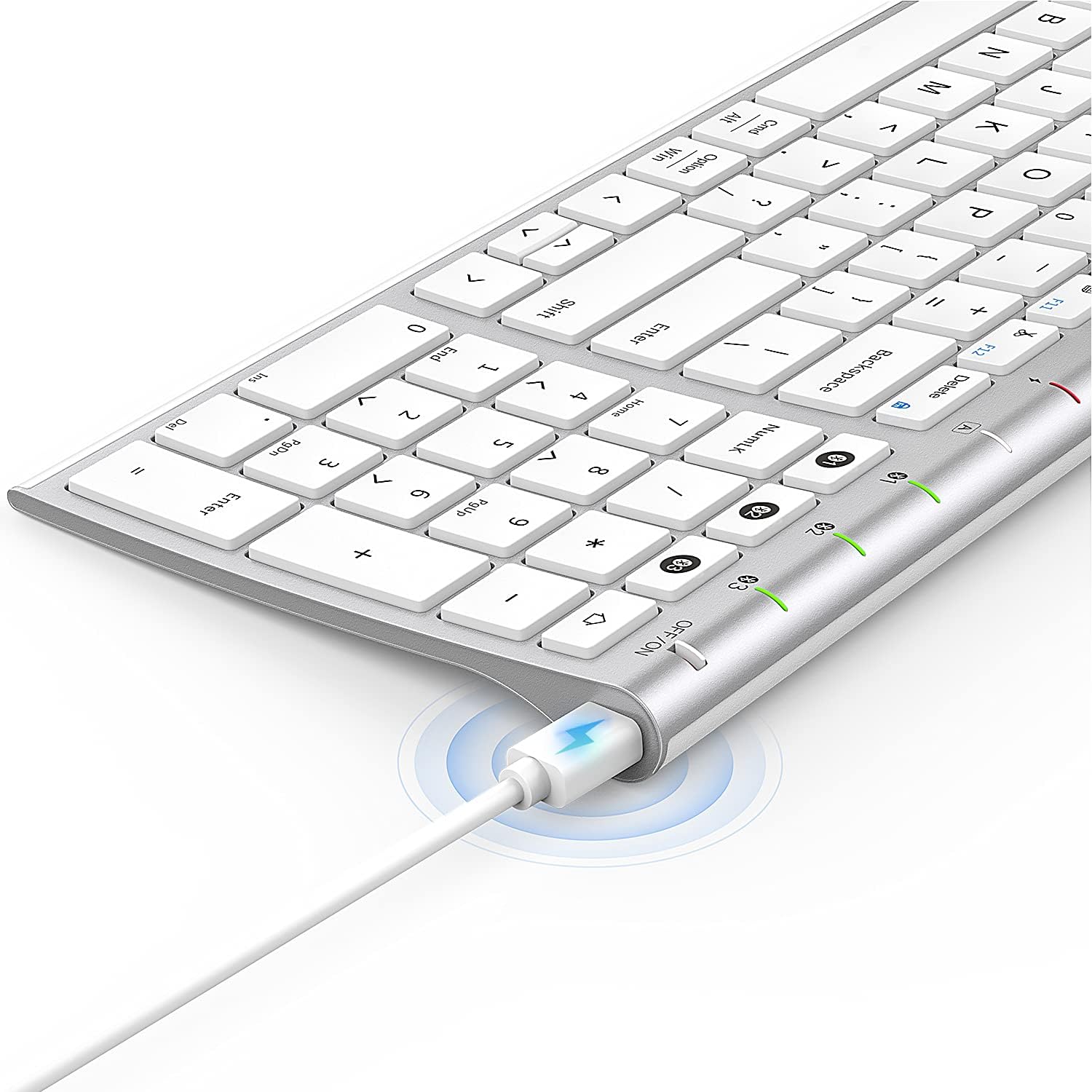
Image: The included USB charging cable, used to recharge the keyboard's built-in battery.
Налаштування та сполучення
Увімкнення/вимкнення
Locate the ON/OFF switch on the top right side of the keyboard. Slide the switch to the "ON" position to power on the keyboard. Slide it to "OFF" when not in use to conserve battery.
Зарядка клавіатури
The keyboard features a built-in rechargeable lithium battery. Connect the included USB charging cable to the charging port on the keyboard and the other end to a USB power source (e.g., computer USB port, USB wall adapter). The charging indicator light will illuminate during charging and turn off when fully charged.
Сполучення кількох пристроїв через Bluetooth
This keyboard supports connection with up to three devices simultaneously. Follow these steps to pair your devices:
- Переконайтеся, що клавіатуру увімкнено.
- Натисніть Fn клавіша та одна з клавіш каналу Bluetooth (1, 2, або 3) simultaneously to select a channel. For first-time pairing, choose an unused channel.
- Тривале натискання Fn key and the selected Bluetooth channel key (1, 2, або 3) for 3-5 seconds until the corresponding channel indicator light (01, 02, або 03) starts blinking rapidly. This indicates the keyboard is in pairing mode.
- On your device (MacBook, iMac, iPhone, iPad, etc.), go to Bluetooth settings and enable Bluetooth.
- шукати available devices. The keyboard will appear as "Nasuque Keyboard" or similar. Select it to connect.
- Після підключення індикатор перестане блимати та світитиметься постійно кілька секунд, перш ніж вимкнеться.
- Repeat these steps for up to two additional devices using the other Bluetooth channels.
To switch between paired devices, simply short press the Fn key and the corresponding Bluetooth channel key (1, 2, або 3).
Системні вимоги: Compatible with Mac OS X 10.12 or higher and Bluetooth 4.0 or higher.

Image: The keyboard's top right corner showing the three Bluetooth channel indicators (01, 02, 03) for multi-device pairing.

Image: An illustration demonstrating the keyboard's ability to easily switch between a laptop, tablet, and smartphone.
Video: A demonstration of the Nasuque Bluetooth Keyboard's multi-device connectivity and ease of use with various Apple devices.
Інструкція з експлуатації
Функціональні клавіші
The keyboard features a row of function keys (F1-F12) that perform various system functions when pressed in combination with the Fn key. These include media controls (play/pause, volume), brightness adjustment, and other shortcuts common to Mac OS.
Цифрова клавіатура
The integrated numeric keypad provides convenient data entry for numbers and calculations. Ensure the Num Lock key is active if needed for specific applications.

Зображення: Крупний план view of the keyboard's compact full-size layout, highlighting the numeric keypad.
Досвід друку
The keyboard utilizes a stable scissor mechanism beneath each key, providing a responsive and comfortable typing experience with a low profile.
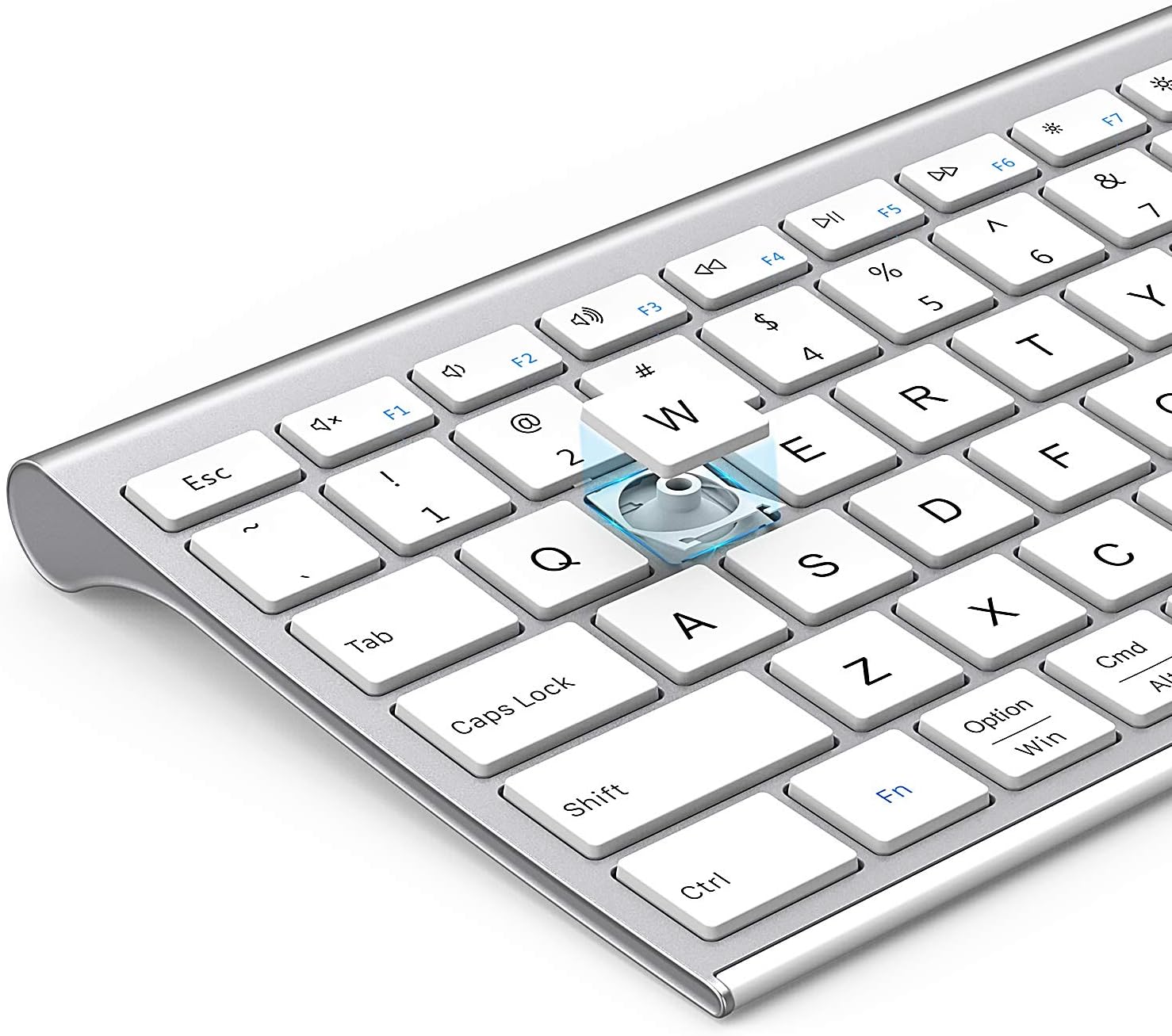
Зображення: Вибух view of a keycap, illustrating the underlying scissor mechanism for stable and precise typing.
Технічне обслуговування
Щоб забезпечити довговічність та оптимальну роботу вашої клавіатури, дотримуйтесь цих рекомендацій щодо технічного обслуговування:
- Прибирання: Використовуйте м’яку, суху тканину без ворсу для протирання поверхні клавіатури. Для стійкого бруду злегкаampПротріть тканину водою або м’яким миючим розчином. Уникайте надмірного зволоження.
- Пилозахисний чохол: Utilize the included silicone dust cover when the keyboard is not in use to protect it from dust, spills, and debris.
- Зберігання: Зберігайте клавіатуру в прохолодному, сухому місці, подалі від прямих сонячних променів та екстремальних температур.
- Уникайте рідин: Do not expose the keyboard to liquids. In case of accidental spills, immediately power off the keyboard and allow it to dry completely before use.
Усунення несправностей
If you encounter issues with your Nasuque Bluetooth Keyboard, please refer to the following common solutions:
| проблема | Можлива причина | Рішення |
|---|---|---|
| Keyboard does not connect or is not detected. | Keyboard is off, low battery, not in pairing mode, or device Bluetooth is off. |
|
| Клавіші не реагують або натискаються неправильно. | Low battery, connection interference, or software issue. |
|
| Складнощі з перемиканням між пристроями. | Incorrect key press or device not properly paired to selected channel. |
|
Технічні характеристики
| Особливість | Деталь |
|---|---|
| Модель | B09XQL2NJY |
| Підключення | Bluetooth (Multi-device support for up to 3 devices) |
| Сумісність | Mac OS X 10.12 or higher, Bluetooth 4.0 or higher (MacBook Pro/Air, iMac, iPhone, iPad Pro/Air/Mini) |
| Розміри (Д x Ш x В) | 14.41 x 4.92 x 0.64 дюймів |
| вага | 1.12 фунта |
| Акумулятор | Літієва акумуляторна батарея |
| Відстань дії | До 8 метрів (26 фути) |
| Ключовий механізм | Ножиці-перемикач |

Image: Diagram illustrating the precise dimensions of the Nasuque Bluetooth Keyboard.
Гарантія та підтримка
For warranty information, technical support, or any inquiries regarding your Nasuque Bluetooth Keyboard, please contact the manufacturer directly through the retailer's platform or the contact information provided with your purchase. Please retain your proof of purchase for warranty claims.
Ask a question about this manual
Ask about setup, troubleshooting, compatibility, parts, safety, or missing instructions. Manuals+ will review the question and use this page’s manual context to help answer it.