
вступ
The Naxa NSH-3001 Wi-Fi Smart Camera provides reliable home security monitoring with 24/7 HD recording capabilities. This camera allows you to check in on your home remotely from anywhere using your smartphone. It features motion detection, two-way audio communication, night vision, and customizable activity alerts.
This manual provides detailed instructions for setting up, operating, and maintaining your Naxa NSH-3001 Wi-Fi Smart Camera to ensure optimal performance and security.
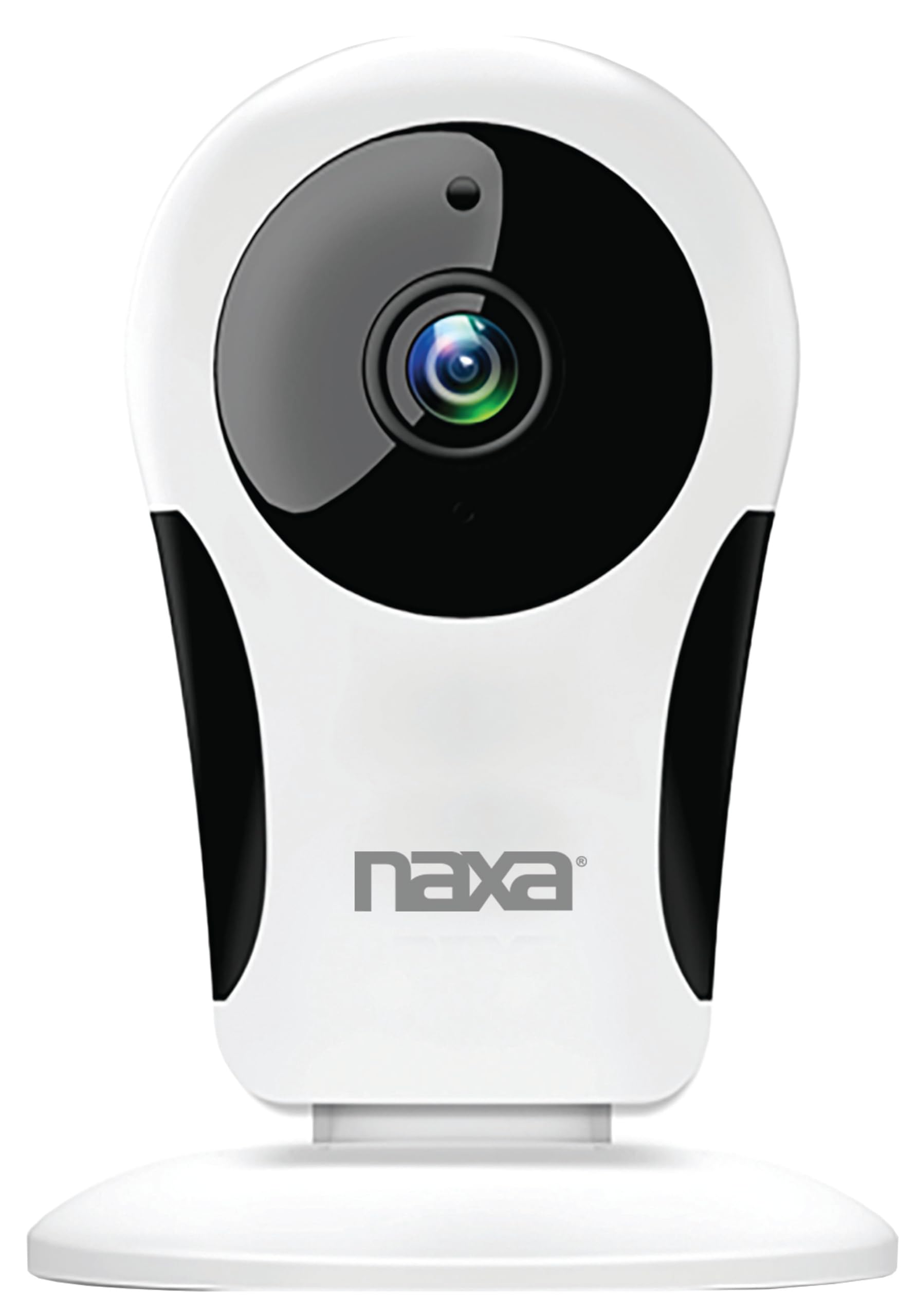
Зображення: спереду view of the Naxa NSH-3001 Wi-Fi Smart Camera, showing the lens and Naxa logo.
Що в коробці
Upon unpacking your Naxa NSH-3001 Wi-Fi Smart Camera, please ensure all the following components are present:
- Розумна камера Wi-Fi
- Адаптер змінного струму
- USB кабель
- Посібник користувача (цей документ)
Продукт закінченийview
Familiarize yourself with the main components of your Naxa NSH-3001 Wi-Fi Smart Camera.

Image: The Naxa NSH-3001 Wi-Fi Smart Camera displayed alongside icons representing its key features: HD Resolution, Encrypted ID, 2-Way Audio, Cloud Service, Motion Detection, IR Night Vision, Time Scheduling, and Hotspot capability.
- Об'єктив камери: Знімає відео footage.
- Інфрачервоні (ІЧ) світлодіоди: Забезпечують можливості нічного бачення.
- Мікрофон: Для аудіовходу та двостороннього зв'язку.
- Доповідач: Для виведення звуку та двостороннього зв'язку.
- Порт Micro USB: Для підключення живлення.
- Кнопка скидання: Використовується для скидання налаштувань камери до заводських.
- Слот для карти Micro SD: Для локального зберігання записаних продуктівtage (Micro SD card not included).
Посібник із налаштування
1. Увімкнення камери
- Connect the provided USB cable to the camera's Micro USB port.
- Підключіть інший кінець кабелю USB до адаптера змінного струму.
- Підключіть адаптер змінного струму до стандартної електричної розетки.
- The camera will power on, and an indicator light will show its status (refer to the camera's LED indicator guide for specific light patterns).
2. Завантаження застосунку Smart Life
The Naxa NSH-3001 camera is controlled via the Smart Life app. Download it to your smartphone:
- For iOS devices, search for "Smart Life" in the Apple App Store.
- For Android devices, search for "Smart Life" in the Google Play Store.
- Install the app and create an account if you don't already have one.

Image: The Naxa NSH-3001 Wi-Fi Smart Camera shown with the Smart Life app logo and icons for the Apple App Store and Google Play, indicating app compatibility.
3. Підключення до Wi-Fi
Ensure your smartphone is connected to a 2.4 GHz Wi-Fi network. The NSH-3001 camera only supports 2.4 GHz Wi-Fi.
- Open the Smart Life app and tap "Add Device" or the "+" icon.
- Виберіть «Безпека та відеоспостереження», а потім «Розумна камера».
- Follow the on-screen instructions in the app to connect your camera to your Wi-Fi network. This typically involves scanning a QR code generated by the app with the camera's lens.
- Once connected, the camera's indicator light will change (refer to the LED indicator guide), and you will see the camera added to your app.
4. Монтаж камери
The NSH-3001 camera is designed for wall mount installation, but can also be placed on a flat surface. Choose a location that provides the desired viewing angle (105 degrees) and is within range of your Wi-Fi signal.

Image: The Naxa NSH-3001 Wi-Fi Smart Camera positioned on a nightstand in a bedroom, demonstrating a typical indoor placement.
- For wall mounting, use appropriate screws and anchors (not included) to secure the camera's base to the wall.
- Відрегулюйте кут камери, щоб охопити потрібну область.
Інструкція з експлуатації
Жити View та віддалений доступ
Once connected, you can access your camera's live feed from anywhere using the Smart Life app on your smartphone.
- Open the Smart Life app and select your NSH-3001 camera from the device list.
- The live video stream will appear.
Двосторонній аудіозв'язок
The camera supports two-way audio, allowing you to hear and speak through the camera.
- У прямому ефірі view interface of the app, tap the microphone icon to speak.
- Торкніться значка динаміка, щоб прослухати аудіо з місця розташування камери.
Виявлення руху та сповіщення
The camera can detect motion and send real-time push notifications to your phone.
- Navigate to the camera settings within the Smart Life app.
- Увімкніть «Виявлення руху» та налаштуйте рівні чутливості за потреби.
- Configure alert schedules and notification preferences.
Нічне бачення
The NSH-3001 features an IR-cut filter for clear night vision, automatically switching between day and night modes based on ambient light.
- Night mode activates automatically in low-light conditions.
- The IR-cut filter ensures optimal clarity in both day and night recordings.
Запис та зберігання відео
The camera supports 24/7 HD recording. Footage can be stored locally or via cloud service (subscription may be required).
- Зберігання карти Micro SD: Insert a compatible Micro SD card (up to 128GB, not included) into the camera's SD card slot for continuous or event-based recording.
- Хмарне сховище: Check the Smart Life app for available cloud storage options and subscription details.
- Review записаний footage directly through the Smart Life app.
Video Tuning
Adjust video parameters directly from your smartphone for optimal image quality.
- Within the Smart Life app, access video settings to adjust contrast, brightness, saturation, and sharpness.
Планування часу
Set schedules for camera operation, recording, or alerts.
- Use the Smart Life app's scheduling feature to define specific times for motion detection, recording, or other functions.
Технічне обслуговування
Proper maintenance ensures the longevity and optimal performance of your Naxa NSH-3001 Wi-Fi Smart Camera.
- Прибирання: Обережно протріть об’єктив та корпус камери м’якою сухою тканиною. Уникайте використання агресивних хімікатів або абразивних засобів для чищення.
- Оновлення програмного забезпечення: Regularly check the Smart Life app for firmware updates for your camera. Keeping the firmware updated ensures you have the latest features and security enhancements.
- Розміщення: Ensure the camera is placed in a stable location and protected from extreme temperatures, direct sunlight, and moisture.
Усунення несправностей
If you encounter issues with your Naxa NSH-3001 Wi-Fi Smart Camera, refer to the following common solutions:
| проблема | Можливе рішення |
|---|---|
| Камера не підключається до Wi-Fi |
|
| Немає відеопотоку в додатку |
|
| Сповіщення про рух не отримано |
|
| Не працює двосторонній звук |
|
If problems persist, please contact Naxa customer support.
Технічні характеристики
| Особливість | Деталь |
|---|---|
| Назва моделі | НШ-3001 |
| Бренд | Накса |
| Технологія підключення | Wi-Fi (2.4 ГГц) |
| Роздільна здатність захоплення відео | 720p |
| Viewкут нахилу | 105 градусів |
| Особливість | Motion Sensor, Night Vision, Two-Way Audio |
| Використання в приміщенні/зовні | Indoor, Outdoor (Note: IP54 rating suggests splash resistance, not full outdoor weatherproofing) |
| Джерело живлення | Провідний електричний |
| Сумісні пристрої | Smartphone (via Smart Life App) |
| Тип монтажу | Настінне кріплення |
| Зберігання | Карта пам'яті Micro SD (до 128 ГБ, не входить до комплекту), хмарне сховище (опціонально) |
| Розміри (Д x Ш x В) | 3.2 x 3.2 x 4.3 дюймів |
| Вага товару | 3.2 унції |
| матеріал | пластик |
| Міжнародний захист рейтингу | IP54 |
Гарантія та підтримка
Naxa Electronics, Inc. manufactures the NSH-3001 Wi-Fi Smart Camera. For specific warranty information, please refer to the warranty card included with your product or visit the official Naxa webсайт.
For technical support, troubleshooting assistance beyond this manual, or inquiries about your product, please contact Naxa customer service. Contact details can typically be found on the Naxa webсайті або на упаковці продукту.
Naxa Official Webсайт: www.naxa.com