
tectake Zola
tectake Zola Electric Height-Adjustable Desk
Модель: 404316
1. Продукт закінчивсяview
The tectake Zola Electric Height-Adjustable Desk is designed to provide a dynamic and ergonomic workspace. Featuring continuous electric height adjustment, a robust particle board tabletop, and a solid steel frame, this desk offers stability and comfort. Its powerful motor ensures smooth transitions between sitting and standing positions, while the flexible frame design maximizes legroom. The integrated touchpad allows for easy height adjustments and memory function for preferred settings. An anti-collision system enhances safety during operation.

Image 1.1: The tectake Zola Electric Height-Adjustable Desk, showcasing its sleek black design and sturdy construction.
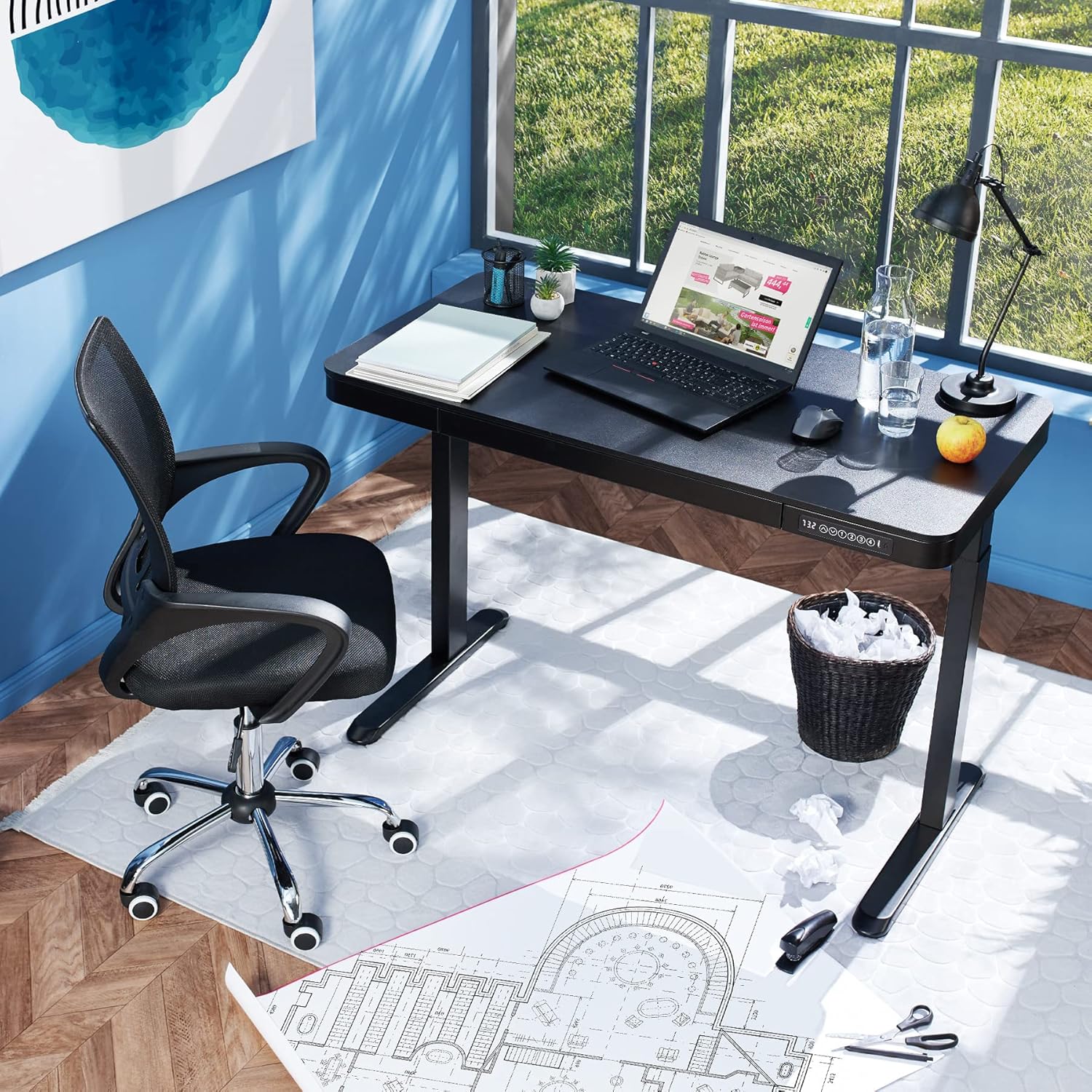
Image 1.2: The desk integrated into a modern office environment, demonstrating its practical use.
2. Техніка безпеки
- Перед складанням і використанням уважно прочитайте всі інструкції.
- Тримайте дітей та домашніх тварин подалі від столу під час роботи.
- Перед використанням переконайтеся, що всі гвинти та болти надійно затягнуті. Періодично перевіряйте та за потреби підтягуйте.
- Do not overload the desk. The maximum load capacity is 45 kg.
- Keep hands and fingers clear of moving parts during height adjustment. The desk is equipped with an anti-collision system, but caution is still advised.
- Використовуйте лише наданий адаптер живлення.
- Do not disassemble or modify the motor or control unit. Contact qualified personnel for repairs.
- Place the desk on a level surface. Adjustable feet can compensate for minor unevenness.
3. Вміст упаковки
Перед початком складання переконайтеся, що всі компоненти є в наявності та не пошкоджені. Якщо якісь деталі відсутні або пошкоджені, зверніться до служби підтримки клієнтів.
- Tabletop with integrated drawer and control panel
- Збірка лівої ноги
- Збірка правої ноги
- Ноги (2x)
- Адаптер живлення та кабель
- Assembly Hardware (screws, Allen key, etc.)
- Інструкція з експлуатації (цей документ)
4. Інструкція зі складання
Assembly is required for this product. It is recommended to have two people for easier and safer assembly. Clear a spacious area for assembly and lay out all components.
Покрокова збірка:
- Attach Leg Assemblies to Tabletop: Carefully place the tabletop upside down on a soft, clean surface to prevent scratches. Align the left and right leg assemblies with the pre-drilled holes on the underside of the tabletop. Secure them using the provided screws and Allen key. Ensure the motor cables are not pinched.
- Attach Feet to Leg Assemblies: Slide the feet onto the bottom of each leg assembly. Secure them with the appropriate screws.
- Підключіть кабель живлення: Locate the power input port on the control unit (usually on the underside of the tabletop near the control panel). Connect the power cable firmly.
- Position the Desk: With assistance, carefully flip the desk upright and move it to its desired location. Adjust the plastic feet at the bottom of the legs to ensure the desk is stable and level on uneven floors.
- Початкове включення: Plug the power adapter into a wall outlet. The control panel display should light up.

Image 4.1: Dimensional drawing of the desk, useful for planning space and assembly.

Зображення 4.2: Збоку view illustrating the robust leg structure and height adjustment mechanism.
5. Інструкція з експлуатації
The tectake Zola desk features an intuitive control panel for easy height adjustment and memory functions.
Функції панелі керування:

Image 5.1: The control panel, showing the digital height display and control buttons.
- Цифровий дисплей: Показує поточну висоту столу в сантиметрах.
- Up/Down Arrows (↑ / ↓): Press and hold to continuously adjust the desk height upwards or downwards. Release the button to stop at the desired height.
- Memory Buttons (1, 2, 3, 4): Ці кнопки дозволяють зберігати та викликати до чотирьох бажаних налаштувань висоти.
- Щоб зберегти висоту: Adjust the desk to your desired height using the up/down arrows. Press and hold one of the memory buttons (1-4) until the display flashes or beeps, indicating the height has been saved.
- Щоб згадати висоту: Simply press the corresponding memory button (1-4). The desk will automatically move to the saved height.
- Система запобігання зіткненням: The desk is equipped with a sensitive anti-collision system. If the desk encounters an obstruction during height adjustment, it will stop and slightly reverse direction to prevent damage.
- Порти USB-A та USB-C: Located on the control panel, these ports can be used to charge small electronic devices.

Image 5.2: Detail of the USB-A and USB-C charging ports for convenient device charging.

Image 5.3: Visual representation of the desk's adjustable height range.
Integrated Drawer:
The desk includes a convenient integrated drawer for storing small office supplies, helping to keep your workspace tidy.

Image 5.4: The desk's integrated drawer, providing discreet storage.

Image 5.5: Detail of the drawer's smooth-gliding mechanism.
6. Технічне обслуговування та догляд
- Прибирання: Wipe the desk surface and legs with a soft, damp тканиною. Уникайте використання агресивних хімікатів або абразивних засобів для чищення, оскільки вони можуть пошкодити покриття.
- Регулярні перевірки: Періодично перевіряйте всі гвинти та з'єднання, щоб переконатися, що вони міцно затягнуті. За потреби підтягніть.
- Управління кабелем: Ensure power cables are not tangled or pinched, which could lead to damage or malfunction.
7. Вирішення проблем
| проблема | Можлива причина | Рішення |
|---|---|---|
| Стіл не рухається. | No power; cable disconnected; motor error. | Check power connection to wall outlet and desk. Ensure all cables are securely connected. Unplug and replug the power cable to reset the system. |
| Стіл рухається нерівномірно або видає незвичайні звуки. | Loose connections; obstruction; uneven load. | Check all assembly screws for tightness. Ensure there are no obstructions under or around the desk. Distribute weight evenly on the tabletop. |
| Anti-collision system frequently activates. | Obstruction; sensitive setting. | Ensure the path of movement is clear. If the issue persists without clear obstruction, consult customer support. |
| Функція пам'яті не працює. | Неправильна процедура збереження. | Refer to 'Operation Guide' section 5 for correct saving procedure (press and hold memory button until confirmation). |
8. Технічні характеристики
| Особливість | Специфікація |
|---|---|
| Номер моделі | 404316 |
| Габаритні розміри (Д x Ш x В) | Approx. 1204 x 604 x 720 - 1220 mm |
| Розміри стільниці (Д x Ш x В) | прибл. 1204 х 604 х 64.5 мм |
| Inner Drawer Dimensions (L x W x H) | Прибл. 60 x 29 x 5 см |
| Lifting Columns per Side | 2 main columns (approx. 4.5 x 7.5 cm) |
| Діапазон регульованих ніжок | прибл. 1.2 см |
| Рівень шуму двигуна | <50 дБ |
| Швидкість підйому | 25 мм/с |
| Потужність двигуна | 52.2 Вт |
| Вхідний об'ємtage | 100-240 В |
| Довжина кабелю | прибл. 310 см |
| Вантажопідйомність | 45 кг |
| Вага продукту | прибл. 32 кг |
| Матеріали | Powder-coated steel, particle board, polychloride, ABS plastic |
9. Гарантія та підтримка
For information regarding warranty terms and conditions, please refer to the purchase documentation or contact your retailer. For technical support or inquiries about replacement parts, please visit the official tectake webсайт або зверніться до їхнього відділу обслуговування клієнтів. Зберігайте чек про покупку як підтвердження покупки.
Виробник: тектаке
Бренд: ТекТейк
Ask a question about this manual
Ask about setup, troubleshooting, compatibility, parts, safety, or missing instructions. Manuals+ will review the question and use this page’s manual context to help answer it.