
вступ
This manual provides essential information for the safe and efficient operation of your Westinghouse 43-inch 4K Ultra HD Certified Android LED TV, model WH43UD10. Please read these instructions thoroughly before using your television and retain them for future reference.
Важлива інформація з безпеки
- Не піддавайте телевізор впливу дощу або вологи, щоб запобігти пожежі або ураженню електричним струмом.
- Не відкривайте шафу. Звертайтеся до обслуговування лише кваліфікованим персоналом.
- Забезпечте належну вентиляцію. Не блокуйте вентиляційні отвори.
- Захищайте шнур живлення від наступання або защемлення.
- Від’єднуйте телевізор від мережі під час грози або якщо він не використовується протягом тривалого часу.
- Використовуйте лише насадки/аксесуари, зазначені виробником.
Налаштування
Розпакування та початковий огляд
Carefully remove the television and all accessories from the packaging. Inspect for any damage. Keep packaging materials for potential future transport.
Варіанти монтажу
Your television supports both table-top and wall-mount installations.
- Кріплення на стіл: Attach the included stands to the bottom of the TV using the provided screws. Ensure the TV is placed on a stable, level surface.
- Настінне кріплення: For wall mounting, use a VESA compatible bracket (200 x 200 mm). Consult a professional for wall mounting to ensure safety and proper installation.

Зображення: Спереду та збоку view of the Westinghouse 43-inch TV with detailed dimensions in centimeters and inches.
Підключення периферійних пристроїв
Connect your external devices to the appropriate ports on the television.
- HDMI: Connect up to 3 HDMI devices (e.g., set-top box, gaming console, Blu-ray player).
- USB: Connect USB storage devices for media playback (2 USB ports available).
- Ethernet: Для дротового підключення до Інтернету.
- допоміжний: Для аудіовходу.
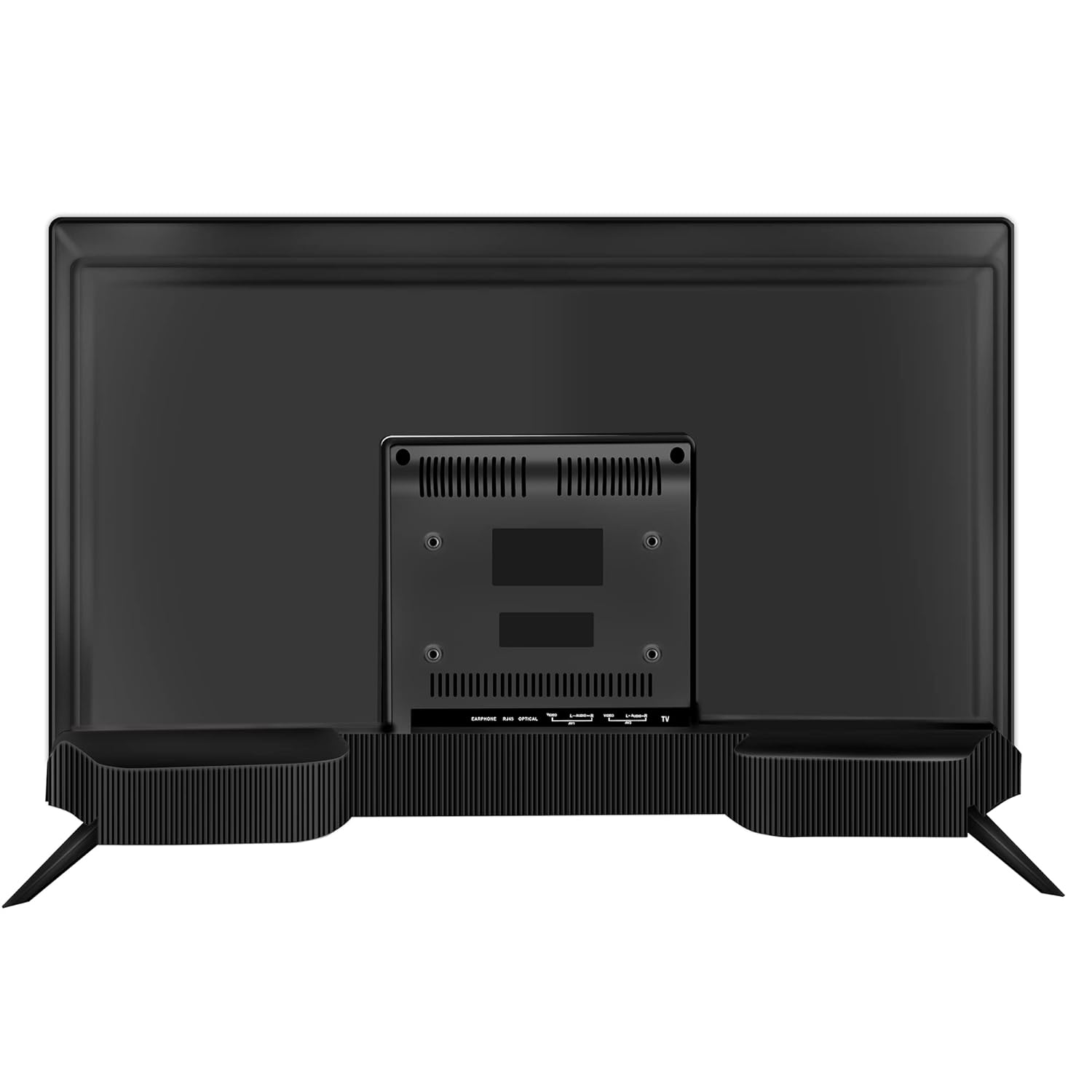
Зображення: Задня частина view of the Westinghouse 43-inch TV showing various input/output ports including HDMI, USB, and Ethernet.

Зображення: Збоку view of the Westinghouse 43-inch TV highlighting the accessible HDMI and USB ports.
Налаштування дистанційного керування
Insert the two AAA batteries (included) into the remote control, observing polarity. The remote supports both IR and Bluetooth connectivity. For Bluetooth functions like Google Voice Assistance, pair the remote with the TV during initial setup or via the TV's settings menu.
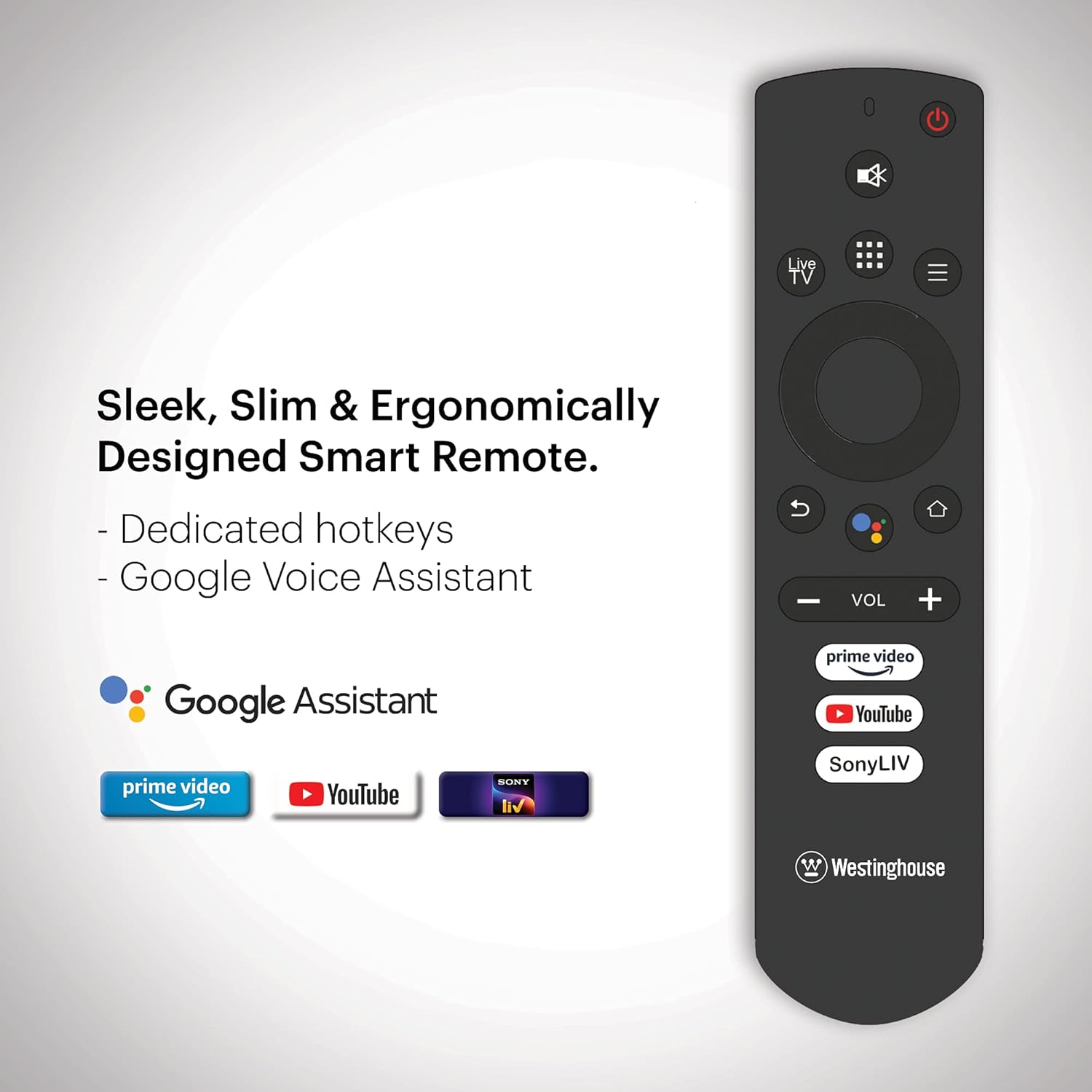
Image: Ergonomically designed smart remote control for the Westinghouse TV, featuring dedicated hotkeys for popular streaming services and Google Voice Assistant button.
Initial Power On and Android TV Setup
After connecting the power cord, press the power button on the remote or TV. Follow the on-screen instructions to complete the initial setup, which includes:
- Вибір мови.
- Мережеве підключення (Wi-Fi або Ethernet).
- Google account sign-in for Android TV features.
- Scanning for channels (if using an antenna).
- Pairing the Bluetooth remote control.
Інструкція з експлуатації
Увімкнення/вимкнення живлення
Натисніть потужність button on the remote control to turn the TV on or off. The TV enters standby mode when turned off.
Навігація по Android TV
Використовуйте напрямну панель та OK button on your remote to navigate the Android TV interface. The home screen provides access to installed apps, inputs, and settings.

Image: The Westinghouse Android TV home screen displaying various streaming applications and content recommendations.
Використання Google Assistant
Натисніть Google Assistant button on your remote and speak into the microphone to control your TV, search for content, get answers, and more.
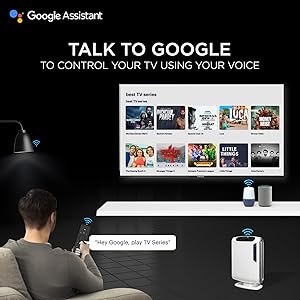
Image: A user interacting with the TV using Google Assistant voice commands via the remote control.
Applications and Streaming
Access a wide range of applications through the Google Play Store. Pre-installed applications include Amazon Prime Video, Sony Liv, Disney+Hotstar, Zee5, YouTube, and MX Player. You can download additional apps and games to enhance your entertainment experience.

Image: A collage of various popular streaming service logos and app icons available on the Android TV platform.
Вбудований Chromecast
Use the built-in Chromecast feature to cast content from your compatible mobile devices or computer directly to your TV screen.
Функції аудіо
The TV is equipped with powerful 40W speakers for an immersive audio experience. Adjust volume using the ГУЧНІСТЬ +/- buttons on the remote. You can also connect external audio devices via Bluetooth for a personalized sound setup.

Image: A couple enjoying music from the TV, illustrating the powerful 40-watt speakers and immersive sound experience.
Технічне обслуговування
Чистка телевізора
- екран: Обережно протріть екран м’якою тканиною без ворсу. Для стійких плям злегка протрітьampПротріть тканину водою або спеціалізованим засобом для чищення екранів. Не розпилюйте рідину безпосередньо на екран.
- Кабінет: Протирайте корпус телевізора м’якою сухою тканиною. Уникайте використання абразивних засобів для чищення або розчинників.
Оновлення програмного забезпечення
Your Android TV may receive periodic software updates. Ensure your TV is connected to the internet to receive these updates, which can improve performance and add new features. You can check for updates manually in the TV's settings menu.
Загальний догляд
- Уникайте розміщення телевізора під прямими сонячними променями або поблизу джерел тепла.
- Не ставте важкі предмети на телевізор.
- Тримайте телевізор подалі від сильних магнітних полів.
Усунення несправностей
| проблема | Можливе рішення |
|---|---|
| Немає живлення | Перевірте, чи шнур живлення надійно підключено до телевізора та розетки. Переконайтеся, що розетка справна. |
| Немає зображення, але звук є | Перевірте джерело вхідного сигналу. Переконайтеся, що підключений пристрій увімкнено та працює належним чином. Спробуйте інший кабель HDMI. |
| Звуку немає, але зображення є | Check the volume level. Ensure the TV is not muted. Check audio settings and external audio connections. |
| Пульт не працює | Замініть батарейки. Переконайтеся, що між пультом дистанційного керування та телевізором немає перешкод. За потреби повторно підключіть пульт Bluetooth. |
| Проблеми з мережевим підключенням | Check your Wi-Fi router or Ethernet cable. Restart your router. Re-enter Wi-Fi password in TV settings. |
| Програми працюють повільно або аварійно завершують роботу | Clear app cache or data in TV settings. Ensure sufficient storage space. Restart the TV. |
Скидання до заводських налаштувань
If issues persist, a factory reset may resolve them. This will erase all personal data and settings. Navigate to Settings > Device Preferences > Reset і дотримуйтеся вказівок на екрані.
Технічні характеристики
| Особливість | Деталь |
|---|---|
| Бренд | Westinghouse |
| Номер моделі | WH43UD10 |
| Розмір екрана | 43 дюймів (108 см) |
| Технологія дисплея | LED |
| роздільна здатність | 4K Ultra HD |
| Частота оновлення | 60 Гц |
| Операційна система | Android 9.0 Pie |
| Ємність пам'яті | 8 ГБ |
| Технологія підключення | Ethernet, HDMI, USB, Wi-Fi, Bluetooth |
| Загальна кількість портів HDMI | 3 |
| Загальна кількість портів USB | 2 |
| Аудіовихід | 40 Watts (Speakers) |
| Час відгуку | 8 мілісекунд |
| Viewкут нахилу | 178 градусів |
| Розміри продукту (Д x Ш x В) | 23 Г x 97 Ш x 62 В сантиметрів |
| Вага товару | 6.4 кілограма |
| Стандарт кріплення VESA | 200 х 200 мм |
| Підтримується формат HDR | IPS |
| Maximum Display Brightness | 500 Candela Per Square Meter |
| Коефіцієнт контрастності | 5000:1 |
Гарантія та підтримка
Інформація про гарантію
This product comes with a 1-year warranty provided by the manufacturer from the date of purchase. Please retain your invoice as proof of purchase.
Підтримка клієнтів
For assistance, please contact the brand's toll-free number: 1800-103-3036. When contacting support, provide the product's model name (WH43UD10) and the seller's details as mentioned on your invoice. The service center will schedule a convenient service slot.
Контактна інформація виробника: SPPL B-29,30&31 Sector 81 Noida UP-201305