
1. Вступ
This manual provides essential instructions for the proper use and maintenance of your LOTUS Smartwatch Model 50003/A. Please read this guide thoroughly before using your smartwatch to ensure optimal performance and longevity.
The LOTUS Smartwatch 50003/A features an intuitive interface and elegant design, offering a variety of smart functions. It is equipped with Bluetooth connectivity, allowing seamless synchronization with your mobile devices. This synchronization enables features such as call and message notifications, music control, and other practical functions for daily life.
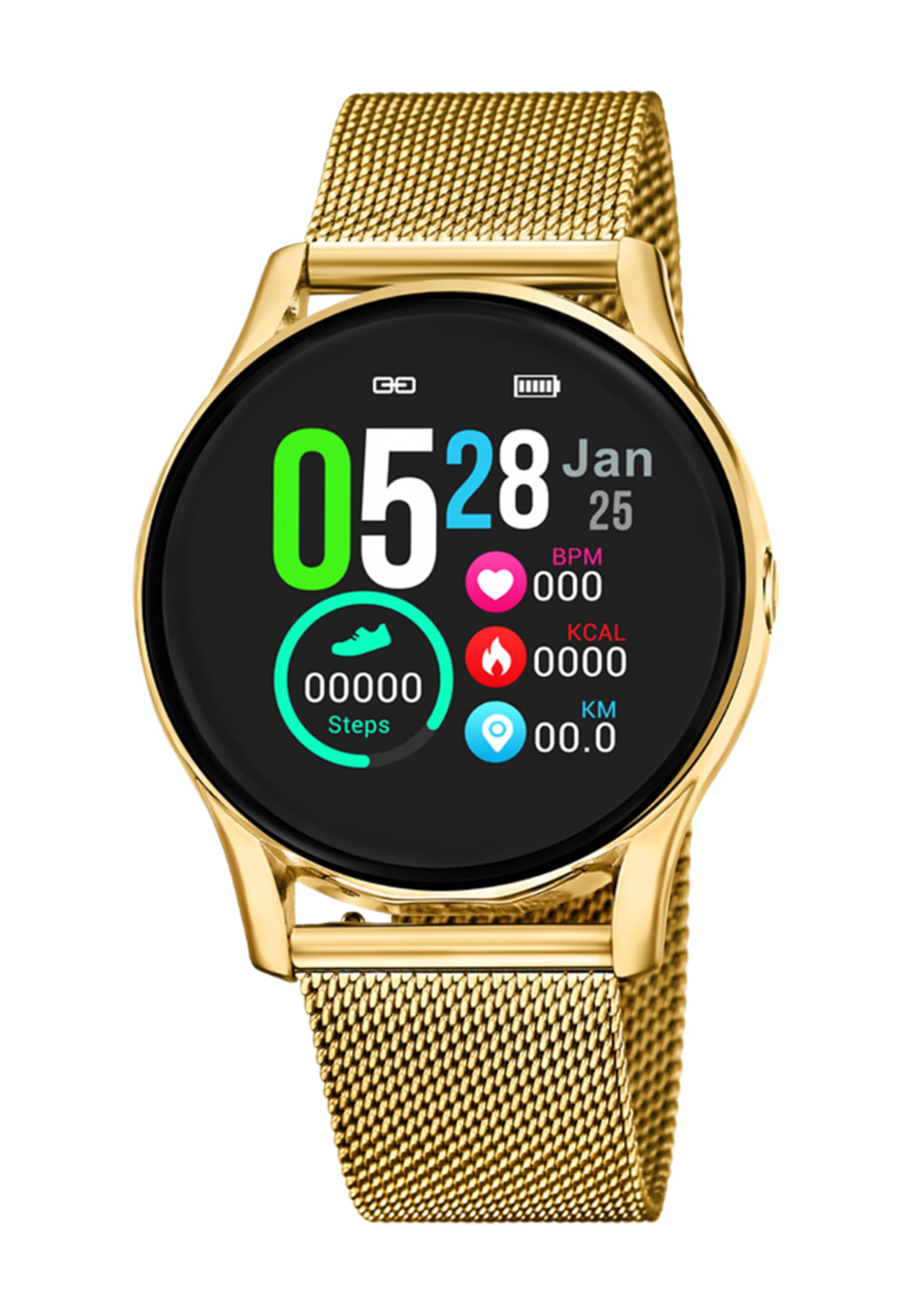
Зображення 1.1: спереду view of the LOTUS Smartwatch 50003/A.
2. Вміст упаковки
Please check the package contents upon unboxing. The standard package for the LOTUS Smartwatch 50003/A should include:
- LOTUS Smartwatch 50003/A
- Зарядний кабель
- Посібник користувача (цей документ)
3. Посібник із налаштування
3.1. Заряджання смарт-годинника
Before initial use, fully charge your smartwatch.
- Підключіть зарядний кабель до зарядного порту на задній панелі смарт-годинника.
- Підключіть інший кінець зарядного кабелю до USB-адаптера живлення (не входить до комплекту) або USB-порту комп’ютера.
- Дисплей годинника показуватиме стан заряджання. Повна зарядка може зайняти приблизно 2-3 години.
3.2. Встановлення супутньої програми
To unlock all features and synchronize your smartwatch with your smartphone, you need to install the official LOTUS Connected app.
- Scan the QR code provided in the watch packaging or search for "LOTUS Connected" in your smartphone's app store (Google Play Store for Android, Apple App Store for iOS).
- Завантажте та встановіть додаток.
- Дотримуйтесь інструкцій на екрані, щоб створити обліковий запис або увійти.

Image 3.2: Synchronizing the smartwatch with the companion app on a smartphone.
3.3. Сполучення зі смартфоном
Ensure Bluetooth is enabled on your smartphone and the smartwatch is charged.
- Open the LOTUS Connected app on your smartphone.
- Follow the app's instructions to add a new device.
- The app will search for available smartwatches. Select "LOTUS 50003/A" from the list.
- Підтвердьте запит на сполучення як на смартфоні, так і на смарт-годиннику, якщо буде запропоновано.
- Після сполучення годинник синхронізує час і дані з вашим телефоном.
4. Інструкція з експлуатації
4.1. Основна навігація
- Сенсорний екран: Проведіть пальцем ліворуч/праворуч, вгору/вниз, щоб переходити між меню та функціями. Торкніться, щоб вибрати.
- Бічні кнопки: The smartwatch may have one or more physical buttons. Typically, one button serves as a power on/off, back, or home button. Refer to the on-screen prompts for specific button functions.

Зображення 4.1: Наприкладample of a smartwatch display showing activity data.
4.2. Ключові характеристики
- Сповіщення: Receive alerts for incoming calls, messages, and app notifications directly on your wrist. Manage notification settings via the LOTUS Connected app.
- Керування музикою: Control music playback on your connected smartphone (play, pause, skip tracks, adjust volume).
- Відстеження активності: Monitor steps, distance, calories burned, and sleep patterns. View detailed statistics in the companion app.
- Водонепроникність: The smartwatch is water resistant. Avoid prolonged submersion or use in hot water/steam. Refer to specifications for exact water resistance rating.
5. Технічне обслуговування
5.1. Очищення смарт-годинника
- Протріть екран та корпус годинника м’якою тканиною без ворсу.
- Для стійкого бруду злегкаampпрополощіть тканину водою. Уникайте агресивних хімікатів або абразивних матеріалів.
- Перед заряджанням переконайтеся, що зарядні контакти чисті та сухі.
5.2. Догляд за акумулятором
- Charge the smartwatch regularly. Avoid letting the battery completely drain for extended periods.
- Do not expose the smartwatch to extreme temperatures, as this can affect battery life and performance.
- Якщо годинник не використовуватиметься протягом тривалого часу, зарядіть його приблизно до 50% перед зберіганням.
6. Вирішення проблем
6.1. Поширені проблеми та їх вирішення
- Годинник не вмикається: Переконайтеся, що годинник повністю заряджений. Підключіть його до зарядного пристрою та зачекайте кілька хвилин, перш ніж намагатися ввімкнути.
- Не вдається з’єднати пристрій зі смартфоном:
- Переконайтеся, що Bluetooth увімкнено на вашому смартфоні.
- Переконайтеся, що смарт-годинник знаходиться в зоні дії вашого телефону.
- Перезавантажте і смартфон, і смарт-годинник.
- Спробуйте розірвати та повторно підключити пристрій через додаток.
- Не отримано сповіщень:
- Check notification settings in the LOTUS Connected app.
- Ensure the app has necessary permissions on your smartphone.
- Verify that the smartwatch is properly connected via Bluetooth.
- Короткий час автономної роботи:
- Зменшити яскравість екрана.
- Disable unnecessary notifications or features.
- Перед використанням переконайтеся, що годинник повністю заряджений.
6.2. Скидання до заводських налаштувань
If issues persist, a factory reset may resolve them. This will erase all data on the smartwatch and restore it to its original settings.
- Navigate to the "Settings" menu on your smartwatch.
- Look for an option like "System," "Reset," or "Factory Reset."
- Підтвердьте скидання, коли буде запропоновано.
- After resetting, you will need to re-pair the smartwatch with your phone and set it up again.
7. Технічні характеристики
| Особливість | Деталь |
|---|---|
| Бренд | ЛОТОС |
| Номер моделі | 50003/A |
| Колір | чорний |
| Сумісність операційної системи | Android, iOS |
| Розмір екрана | 39.65 міліметрів |
| Особливості | Водостійкий |
| Сумісні пристрої | Смартфон |
| Склад батареї | Металевий літій |
| Наявність запасних частин | 5 років |
8. Гарантія та підтримка
Your LOTUS Smartwatch 50003/A comes with a manufacturer's warranty. Please refer to the warranty card included in your product packaging for specific terms and conditions.
Запасні частини для цієї моделі доступні протягом 5 років з дати покупки.
For technical support, service, or warranty claims, please contact LOTUS customer service through their official webсайт або контактну інформацію, зазначену у вашій гарантійній документації.