
1. Вступ
The SONOFF S-MATE Switch Mate is designed to transform your existing ordinary wall switch into a smart scene switch. It enables wireless control of smart devices without requiring a neutral wire in the mounting box. The S-MATE works in conjunction with SONOFF MINI R3 or other smart switches that feature the eWeLink-Remote gateway function, providing flexible control options for your smart home system.
2. Продукт закінчивсяview
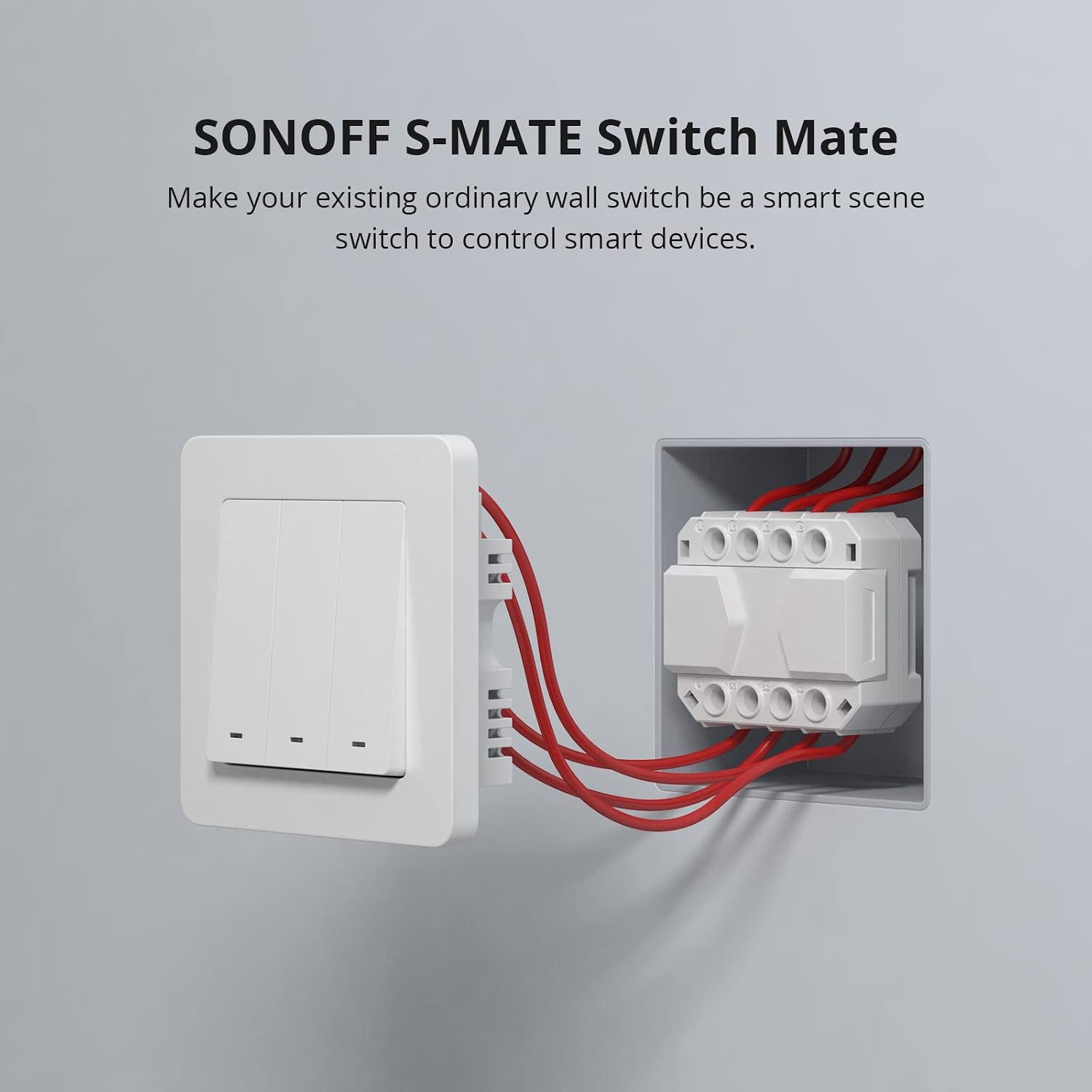
Image: The SONOFF S-MATE Switch Mate module, designed to fit into a standard wall switch box.
The S-MATE is a compact module that connects to traditional wall switches (pulse switch, rocker switch) to enable smart control. It is battery-powered, eliminating the need for a neutral wire, which simplifies installation in various electrical setups.
3. Налаштування та встановлення
3.1 Що в коробці
- SONOFF S-MATE Switch Mate
- Посібник користувача (цей документ)
- Монтажні аксесуари (якщо входять до комплекту)
3.2 Схема підключення

Image: Detailed wiring diagram showing the connection of SONOFF S-MATE to a traditional switch and its communication with a SONOFF MINI R3. Note that L/L1/L2/L3 on S-MATE are used as terminal blocks for easier installation; leave them out if not needed.
The S-MATE connects to your existing wall switch. It communicates wirelessly with a SONOFF MINI R3 or other eWeLink-Remote gateway devices. Ensure all power is off before performing any wiring.
3.3 Короткий посібник

Image: Visual quick start guide showing the steps from app download to smart scene setup.
- Завантажте додаток eWeLink: шукати "eWeLink" in your mobile app store and download the application.
- Connect S-MATE: Physically connect the S-MATE module to your ordinary wall switch according to the wiring diagram.
- Add S-MATE to eWeLink-Remote Gateway: In the eWeLink app, navigate to the settings page of your MINI R3 or other eWeLink-Remote gateway device. Add the S-MATE as a remote control.
- Set Smart Scene: Configure smart scenes within the eWeLink app to define what actions the S-MATE will trigger on other smart devices.
Important Note: Update the eWeLink firmware to the latest version before use to ensure full compatibility and functionality.
4. Інструкція з експлуатації

Image: Diagram illustrating the wireless communication between SONOFF MINI R3 and S-MATE for eWeLink-Remote control.
After successfully pairing the S-MATE with an eWeLink-Remote gateway device like the MINI R3, you can utilize two primary control methods:
- Local Control (No Internet): The S-MATE can directly control devices built into the eWeLink-Remote gateway even when there is no internet connection. This ensures basic functionality remains available.
- Smart Scene Control (With Internet): When a network connection is available, the S-MATE can activate other smart devices through predefined smart scenes in the eWeLink app. This allows for complex automation and integration with your broader smart home ecosystem.

Image: Diagram showing the two control methods of S-MATE: direct control via eWeLink-Remote gateway (up to 50m through a common wall) and cloud-based control for smart scenes.
5. Технічне обслуговування
To ensure the longevity and optimal performance of your SONOFF S-MATE, please follow these maintenance guidelines:
- Зберігати сухим: Avoid exposing the device to moisture or humidity.
- Обережно очищайте: Використовуйте м’яку суху тканину для очищення пристрою. Не використовуйте агресивні хімікати або абразивні засоби для чищення.
- Уникайте екстремальних температур: Do not operate or store the device in environments with extremely high or low temperatures.
- Заміна батареї: The S-MATE is battery-powered. If the device becomes unresponsive, consider replacing the internal battery. Refer to the product packaging or SONOFF support for battery specifications.
6. Вирішення проблем
If you encounter issues with your SONOFF S-MATE, please refer to the following common troubleshooting steps:
- Пристрій не відповідає:
- Check the physical wiring of the S-MATE to your wall switch. Ensure all connections are secure.
- Verify the battery in the S-MATE. Replace if necessary.
- Ensure the SONOFF MINI R3 or eWeLink-Remote gateway device is powered on and functioning correctly.
- Проблеми зі сполученням:
- Make sure the eWeLink app and the firmware of your eWeLink-Remote gateway device (e.g., MINI R3) are updated to the latest version.
- Bring the S-MATE closer to the eWeLink-Remote gateway device during the pairing process.
- Follow the pairing instructions in the eWeLink app carefully.
- Smart Scene Not Triggering:
- Check your internet connection if the smart scene relies on cloud services.
- Review the smart scene configuration in the eWeLink app to ensure it is set up correctly.
- Verify that the target smart devices are online and responsive.
If problems persist, please contact SONOFF customer support for further assistance.
7. Технічні характеристики
| Режим роботи | Увімкнено-вимкнено-увімкнено |
| Номінальний струм | 16 Ampere |
| Робочий випtage | 230 Вольт |
| Тип контакту | Нормально відкритий |
| Бренд | SONOFF |
| Тип перемикача | Кнопка |
| Термінал | Гвинт |
| матеріал | Мідь |
| Розміри виробу (ДхШхВ) | 5.3 х 4.4 х 2.4 см |
| Тип схеми | 3 шлях |
8. Гарантія та підтримка
8.1 Інформація про гарантію
For detailed warranty information regarding your SONOFF S-MATE Switch Mate, please refer to the warranty card included with your product packaging or visit the official SONOFF webсайт. Гарантійні умови можуть відрізнятися залежно від регіону та місця придбання.
8.2 Підтримка клієнтів
If you require technical assistance, have questions about installation, or need further support, please contact SONOFF customer service through their official webсайт або контактну інформацію, надану в документації до вашого продукту. Ви також можете відвідати Магазин SONOFF на Amazon для отримання додаткової інформації про продукт і ресурсів.


