
DOQAUS HM1
DOQAUS Indoor Thermometer Hygrometer HM1 User Manual
Model: HM1 | Brand: DOQAUS
вступ
Thank you for choosing the DOQAUS Indoor Thermometer Hygrometer HM1. This device provides accurate and rapid measurements of indoor temperature and humidity, helping you maintain a comfortable and healthy environment. Its compact design and clear LCD display make it suitable for various indoor settings.
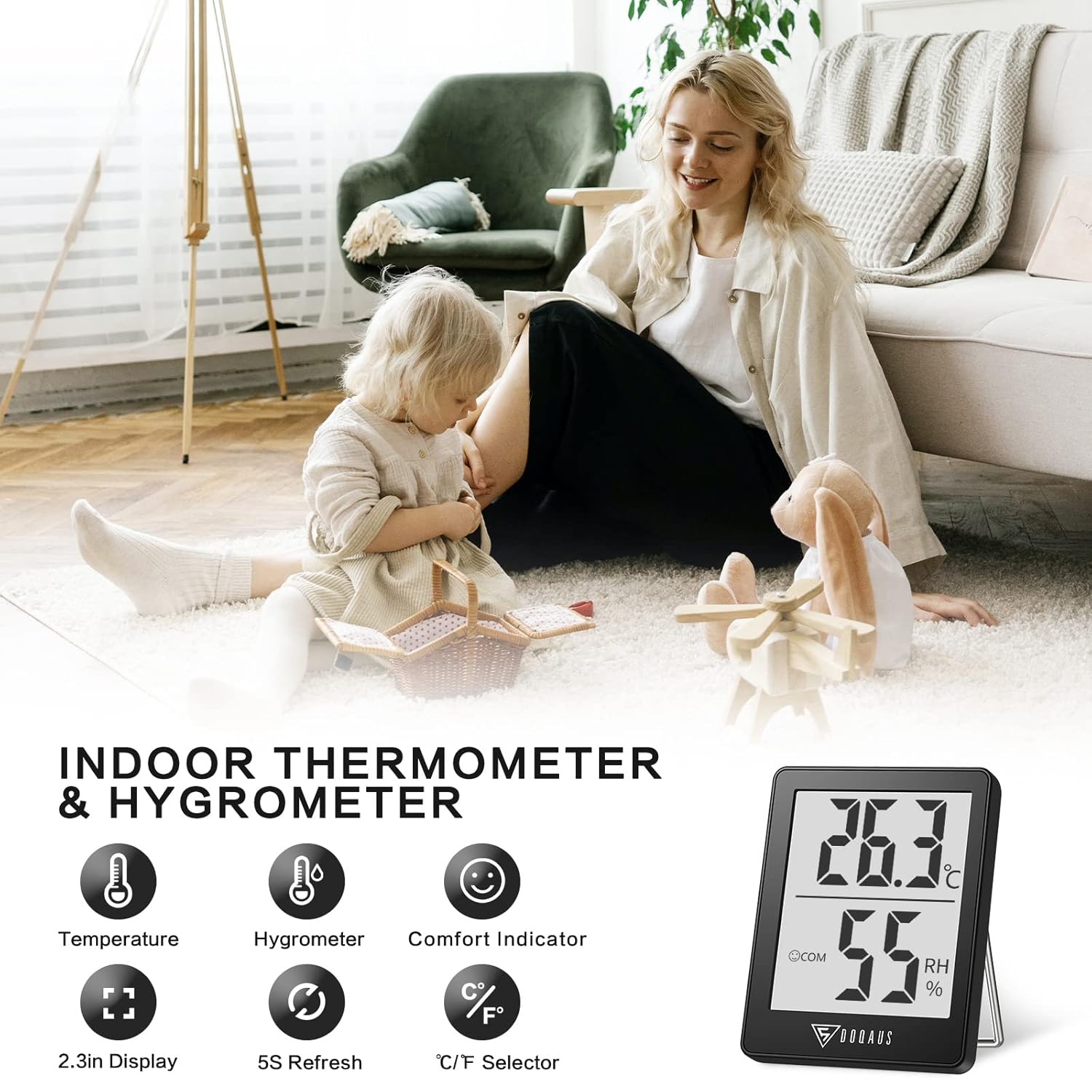
Image: The DOQAUS Indoor Thermometer Hygrometer HM1 displaying temperature and humidity readings on its screen.

Image: The DOQAUS HM1 thermometer hygrometer shown in diverse application environments, including a living room, school, office, and warehouse.
Ключові характеристики
- Fast Response & High Precision: Updates readings every 5 seconds for accurate temperature and humidity monitoring.
- Широкий діапазон вимірювання: Temperature range of -50°C to 70°C (-58°F to 158°F) and humidity range of 10%RH to 99%RH.
- Індикатор комфорту: Displays DRY, COM (Comfort), or WET icons to quickly indicate ambient conditions.
- Перемикані одиниці: Easily switch between Celsius (°C) and Fahrenheit (°F) with a single button.
- Чіткий РК-дисплей: Large, bright LCD screen for easy readability from a distance.
- Універсальні варіанти монтажу: Features a table stand, wall-hanging hole, and magnetic back for flexible placement.
- Компактний і портативний: Small and lightweight design for space-saving and easy transport.

Image: The comfort indicator feature on the DOQAUS HM1, illustrating DRY, COM, and WET icons based on humidity levels.

Image: A graph demonstrating the fast 5-second response time of the DOQAUS HM1 when measuring humidity changes.
Вміст упаковки
Після розпакування переконайтеся, що всі предмети присутні:
- 1 x DOQAUS Indoor Thermometer Hygrometer HM1
- 1 x CR2032 Battery (pre-installed in the device)
- 1 х посібник користувача
Налаштування
1. Встановлення батареї
The DOQAUS HM1 comes with a CR2032 battery pre-installed. If the display is not active, or if you need to replace the battery:
- Знайдіть батарейний відсік на задній панелі пристрою.
- Використовуйте невелику викрутку, щоб відкрити кришку батарейного відсіку.
- Вставте нову батарейку CR2032 позитивним (+) полюсом догори.
- Надійно закрийте кришку батарейного відсіку.
2. Варіанти розміщення
The device offers multiple placement options for your convenience:
- Настільна підставка: Extend the integrated stand on the back to place the device on any flat surface, such as a desk or shelf.
- Кріплення на стіні: Use the hanging hole on the back to mount the device on a wall using a nail or hook.
- Магнітне кріплення: The strong magnet on the back allows you to attach the device to metallic surfaces like refrigerators.

Image: Illustrations of the DOQAUS HM1's versatile mounting options, including a hanging hole, strong magnet, and a 45-degree table stand.
Інструкція з експлуатації
1. Увімкніть живлення
Once the battery is correctly installed, the device will automatically power on and begin displaying temperature and humidity readings. The indoor temperature will adjust automatically within 30 seconds after power-on.
2. Перемикання одиниць вимірювання температури (°C/°F)
To switch between Celsius (°C) and Fahrenheit (°F), press the "°C/°F" button located on the back of the device. The display will instantly change to the selected unit.
3. Understanding the Comfort Indicator
The device features a comfort indicator with three icons to represent the current humidity level:
- СУХИЙ: Вологість повітря нижче 40%.
- COM (Comfort): Вологість повітря становить від 40% до 60%.
- МОКРИЙ: Вологість повітря вище 60%.
This indicator provides a quick visual reference for indoor air quality.
Технічне обслуговування
- Прибирання: Regularly clean the product with a soft, dry cloth. Do not use abrasive cleaners or immerse the device in water.
- Заміна батареї: Replace the CR2032 battery when the display becomes dim or stops functioning. Refer to the "Battery Installation" section for instructions.
- Зберігання: If storing the device for an extended period, remove the battery to prevent leakage. Store in a cool, dry place.
Усунення несправностей
| проблема | Можлива причина | Рішення |
|---|---|---|
| Немає дисплея або дисплей тьмяний | Батарея розряджена або неправильно встановлена. | Replace the CR2032 battery or ensure it is installed correctly with the positive (+) side up. |
| Неточні показання | Device placed near heat/cold sources or in direct sunlight. | Relocate the device to a central area away from direct sunlight, vents, or extreme temperature sources. Allow 30 minutes for readings to stabilize. |
| Мерехтіння дисплея | Низький заряд батареї або несправність пристрою. | Replace the battery. If the issue persists, contact customer support. |
Технічні характеристики
| Особливість | Деталь |
|---|---|
| Номер моделі | HM1 |
| Розміри (Д x Ш x В) | 4.5 x 1.8 x 5.8 см (1.77 x 0.71 x 2.28 дюйма) |
| вага | 40 грамів (1.41 унцій) |
| Джерело живлення | 1 x CR2032 Battery (DC 3V) |
| Діапазон температур | Від -50°C до 70°C (від -58°F до 158°F) |
| Точність температури | ±0.5°C (±1°F) for 10°C to 40°C (50°F to 104°F); ±1°C (±1.8°F) outside this range. |
| Температурна роздільна здатність | 0.1°C (0.1°F) |
| діапазон вологості | Від 10% RH до 99% RH |
| Точність вологості | ±3% RH for 40% to 80% RH; ±5% RH outside this range (20%-40% RH or 80%-95% RH). |
| Дозвіл вологості | 1% відносної вологості |
| Частота оновлення | Кожні 5 секунд |
| Дисплей | ЖК |

Image: Multiple DOQAUS HM1 units undergoing accuracy testing in a controlled environment, showing consistent readings.
Гарантія та підтримка
DOQAUS products are designed for reliability and performance. For warranty information or technical support, please refer to the warranty card included with your product or visit the official DOQAUS webсайт.
If you encounter any issues not covered in the troubleshooting section, please contact DOQAUS customer service for assistance.
Ask a question about this manual
Ask about setup, troubleshooting, compatibility, parts, safety, or missing instructions. Manuals+ will review the question and use this page’s manual context to help answer it.