
ABASK J05
Abask Dashcam J05 User Manual
Comprehensive instructions for your Abask Dual 1080P Dashcam
вступ
Thank you for choosing the Abask Dashcam J05. This manual provides detailed instructions on how to set up, operate, and maintain your dashcam to ensure optimal performance and safety. Please read this manual thoroughly before using the device.
Вміст упаковки
Після відкриття упаковки, будь ласка, перевірте наявність та стан усіх перелічених нижче предметів:
- Abask Dashcam J05 Unit
- Присоска для лобового скла
- Автомобільний зарядний пристрій (адаптер для прикурювача)
- Карта Micro SD на 32 ГБ
- Посібник користувача (цей документ)

Image: The Abask Dashcam J05 unit, including the main camera, suction cup mount, and a 32GB Micro SD card.
Продукт закінченийview
The Abask Dashcam J05 features dual cameras for simultaneous front and interior recording, a compact design, and essential safety features.
Ключові компоненти:
- Передня лінза: Знімає дорогу попереду (широкий кут 170°).
- Внутрішня лінза: Records the vehicle cabin (140° wide angle) with IR night vision.
- Екран дисплея: 1.5-дюймовий екран для прямого ефіру view і навігація по меню.
- Кнопки управління: Power, Menu, OK, Up/Down navigation.
- Мікрофон: Records audio inside the cabin.
- Доповідач: For playback audio and alerts.
- Слот для карти Micro SD: Supports up to 64GB (32GB card included).
- Порт Mini USB: Для живлення.
Інструкції з налаштування
- Вставте картку Micro SD: Gently insert the provided 32GB Micro SD card into the card slot until it clicks into place. Ensure the card is inserted correctly to avoid damage.
- Прикріпіть присоску: Secure the suction mount to the dashcam unit. Choose a location on your windshield that does not obstruct your view of the road. Press the suction cup firmly against the glass and flip the lever to lock it in place.
- Підключіть живлення: Plug the car charger into your vehicle's cigarette lighter socket. Connect the Mini USB cable from the charger to the dashcam's Mini USB port. The dashcam will automatically power on and begin recording when the vehicle's ignition is turned on.
- Відрегулюйте кут камери: Adjust the front and interior lenses to ensure they cover the desired viewing areas. The front lens should capture the road ahead, and the interior lens should cover the cabin.

Image: Illustration of the dashcam mounted on the windshield and the power cable routed neatly along the car's interior.
Важлива примітка: The dashcam requires continuous power from the car's cigarette lighter to function correctly during driving. The built-in 200mAh battery is for emergency power only (1-2 minutes) and not for continuous operation.
Інструкція з експлуатації
Основна операція:
- Увімкнення/вимкнення живлення: The dashcam powers on automatically with vehicle ignition and powers off when the ignition is turned off. You can manually power on/off by pressing and holding the Power button.
- Запис: Once powered on, the dashcam automatically starts recording. A red indicator light or icon on the screen typically confirms recording is active.
- Навігація по меню: Натисніть МЕНЮ button to access settings. Use the ВГОРУ/ВНИЗ кнопки для навігації та OK для підтвердження вибору.
- Відтворення: У режимі очікування натисніть МЕНЮ button to enter playback mode. Select the desired video file і натисніть OK грати.
Dual Camera Recording:
The Abask J05 records simultaneously from both the front and interior cameras, providing a comprehensive view of your journey and cabin activity.

Image: A visual representation of the dual 1080p HD video recording capability, capturing both the road ahead and the vehicle's interior.
Пояснення ключових характеристик
Супер нічне бачення:
Equipped with 1080p recording and HDR technology, the dashcam ensures clear and accurate video quality even in low-light conditions. The interior camera features 4 discreet infrared (IR) lights to capture clear video inside the cabin during darkness, making it suitable for night driving.

Image: Depiction of the dashcam's Super Night Vision feature, showing clear video capture in a dark environment with IR LED lights, dual 1080p, and HDR icons.
Ширококутний кут огляду 310° View:
The front lens offers a 170-degree wide-angle view, covering both sides of the front of the car without blind spots. The interior lens provides a 140-degree view, sufficient to capture the entire cabin and its occupants.

Image: A diagram illustrating the 310° total wide-angle field of view, composed of a 170° front camera view and a 140° interior camera view.
Циклічний запис та G-сенсор:
- Циклічний запис: The dashcam continuously records video. When the Micro SD card is full, it automatically overwrites the oldest unlocked video files, щоб звільнити місце для нових записів.
- G-сенсор: The built-in G-sensor detects sudden impacts or collisions. In such an event, it automatically locks the current video segment, preventing it from being overwritten by loop recording. These locked files serve as crucial evidence.

Image: A visual explanation of G-Sensor and Loop Recording, showing how video files are overwritten, and important files are locked during an impact.
24-Hour Parking Monitoring & Motion Detection:
With parking monitoring activated, the dashcam can record when your car is parked and detects an impact or motion. This feature helps protect your vehicle from vandalism or hit-and-runs while unattended.
Примітка: To utilize the 24-hour parking monitoring feature, a separate "Dash Cam Hardwire Kit Mini USB" is required (not included) to provide continuous power to the dashcam when the vehicle is off.
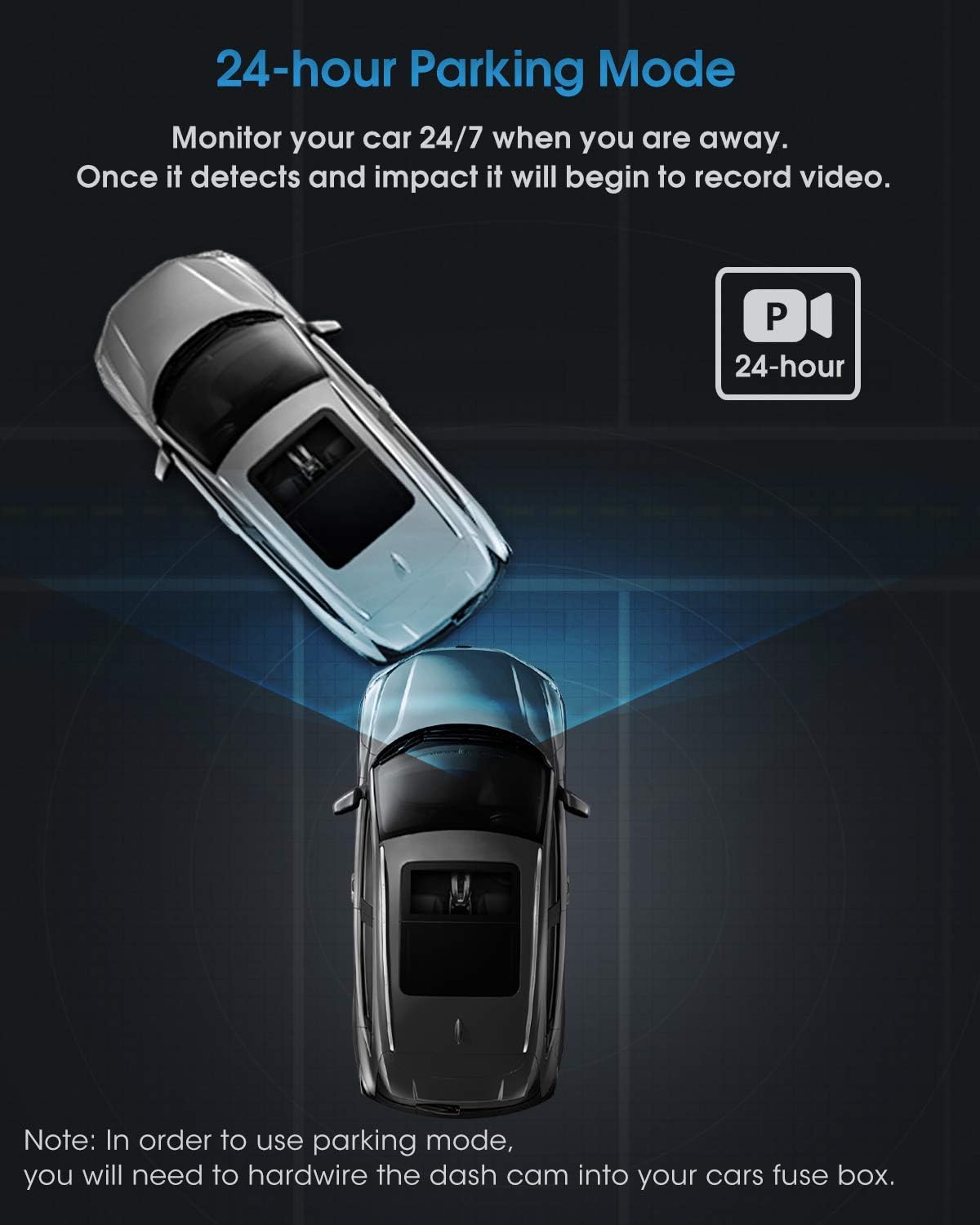
Зображення: Вид зверху view illustrating the 24-hour parking mode, showing the dashcam monitoring the vehicle for impacts.
Технічне обслуговування
- Чисті лінзи: Регулярно протирайте об’єктиви камери м’якою тканиною без ворсу, щоб забезпечити чітку якість відео. Уникайте абразивних матеріалів.
- Micro SD Card: Format the Micro SD card periodically (e.g., once a month) through the dashcam's menu to maintain optimal recording performance and prevent data corruption. Back up any important files перед форматуванням.
- температура: Уникайте тривалого впливу екстремальних температур на відеореєстратор, оскільки це може вплинути на термін служби батареї та продуктивність пристрою.
- Оновлення прошивки: Check the official Abask webсайт для отримання будь-яких доступних оновлень прошивки для покращення продуктивності та додавання нових функцій.
Усунення несправностей
| проблема | Можлива причина / рішення |
|---|---|
| Відеореєстратор не вмикається. |
|
| Запис зупиняється або зависає. |
|
| Якість відео погана або розмита. |
|
| Parking Monitor does not work. |
|
Технічні характеристики
| Бренд | АБАСК |
| Номер моделі | J05 |
| Колір | чорний |
| Розмір екрана | 1.5 дюймів |
| Роздільна здатність відео | Dual 1080p (Front & Interior) |
| Front Lens Field of View | 170 градусів |
| Interior Lens Field of View | 140 градусів |
| Особливості | G-Sensor, Night Vision (IR), Loop Recording, Parking Monitor, Motion Detection |
| Зберігання | Supports Micro SD card up to 64GB (32GB included) |
| Акумулятор | Built-in 200mAh Lithium-ion (for emergency power) |
| Тип монтажу | Присоска для лобового скла |
Інформація про безпеку
- Do not operate the dashcam or adjust settings while driving. Always pull over safely before making any adjustments.
- Ensure the dashcam is installed in a location that does not obstruct your view of the road or interfere with airbag deployment.
- Use only the original car charger provided or a compatible Mini USB hardwire kit for power. Using incompatible chargers may damage the device.
- Keep the device away from water, moisture, and direct sunlight for prolonged periods.
- Do not attempt to disassemble or repair the dashcam yourself. Contact customer support for assistance.
Гарантія та підтримка
Abask products come with a standard manufacturer's warranty. For specific warranty details, technical support, or service inquiries, please refer to the warranty card included in your package or visit the official Abask website. Please have your model number (J05) and purchase information ready when contacting support.
Виробник: АБАСК
ASIN: B09PBS7DSP