
1. Вступ
Дякуємо за покупкуasing the Final UX3000 Bluetooth Wireless Headphones. These headphones are designed to deliver premium Hi-Fi sound quality with hybrid noise-cancelling technology, ensuring an immersive audio experience. With long battery life and versatile connectivity options, the UX3000 is ideal for music listening, movies, and gaming.
Please read this manual thoroughly before using the product to ensure proper operation and to maximize your listening enjoyment.

Image: The Final UX3000 headphones in black, showcasinїхній елегантний дизайн.
2. Вміст упаковки
Переконайтеся, що всі наступні предмети входять до вашого пакету:
- Final UX3000 Headphone
- Зарядний кабель USB-C
- М'який чохол для перенесення
- 3.5mm Cable for Wired Connection
- Посібник користувача (цей документ)
Note: A USB charger is not included in the package.
3. Продукт закінчивсяview
3.1 Компоненти навушників
Familiarize yourself with the various parts and controls of your Final UX3000 headphones.

Зображення: Детальний view of the control buttons located on the ear cup.
Елементи керування та індикатори:
- Кнопка живлення: Використовується для ввімкнення/вимкнення навушників та ініціювання сполучення Bluetooth.
- Кнопки регулювання гучності + / -: Регулює гучність звуку.
- Багатофункціональна кнопка: Controls playback (play/pause), call management (answer/end calls), and activates voice assistant.
- Кнопка ANC: Toggles Active Noise Cancelling on/off.
- Bluetooth / ANC Status Indicator: LED light indicating power, pairing status, and ANC status.
- Порт зарядки USB-C: Для зарядки навушників.
- 3.5 мм аудіороз’єм: Для дротового підключення.

Image: Diagram showing the Power Button and Status Indicator.

Image: Diagram showing the Volume Up and Volume Down buttons.
4. Налаштування
4.1 Заряджання навушників
Before first use, fully charge your UX3000 headphones. Connect the supplied USB-C charging cable to the headphone's USB-C port and the other end to a USB power source (e.g., computer USB port, USB wall adapter). The LED indicator will show charging status and turn off when fully charged.
- Час зарядки: Приблизно 2.5 години для повної зарядки.
- Термін служби батареї: До 35 годин відтворення музики.
4.2 Створення пари Bluetooth
Щоб бездротово підключити навушники до пристрою:
- Переконайтеся, що навушники вимкнено.
- Натисніть і утримуйте кнопку живлення приблизно 5 секунд, доки світлодіодний індикатор не почне блимати синім і червоним кольором, що вказує на режим сполучення.
- На вашому пристрої (смартфоні, планшеті, комп’ютері) увімкніть Bluetooth та знайдіть доступні пристрої.
- Select "Final UX3000" from the list of found devices.
- Once connected, the LED indicator will flash blue slowly. A voice prompt will confirm "Device Connected".

Image: The UX3000 headphones positioned beside a smartphone displaying its Bluetooth connection settings.
Багатоточкове підключення:
The UX3000 supports multipoint connection, allowing you to connect to two Bluetooth devices simultaneously. For example, you can be connected to your smartphone and your laptop at the same time, seamlessly switching audio sources.
4.3 Дротове підключення
For a wired audio experience or when the battery is depleted, use the supplied 3.5mm audio cable.
- Connect one end of the 3.5mm cable to the audio jack on the headphones.
- Підключіть інший кінець до 3.5-мм аудіовиходу вашого пристрою.
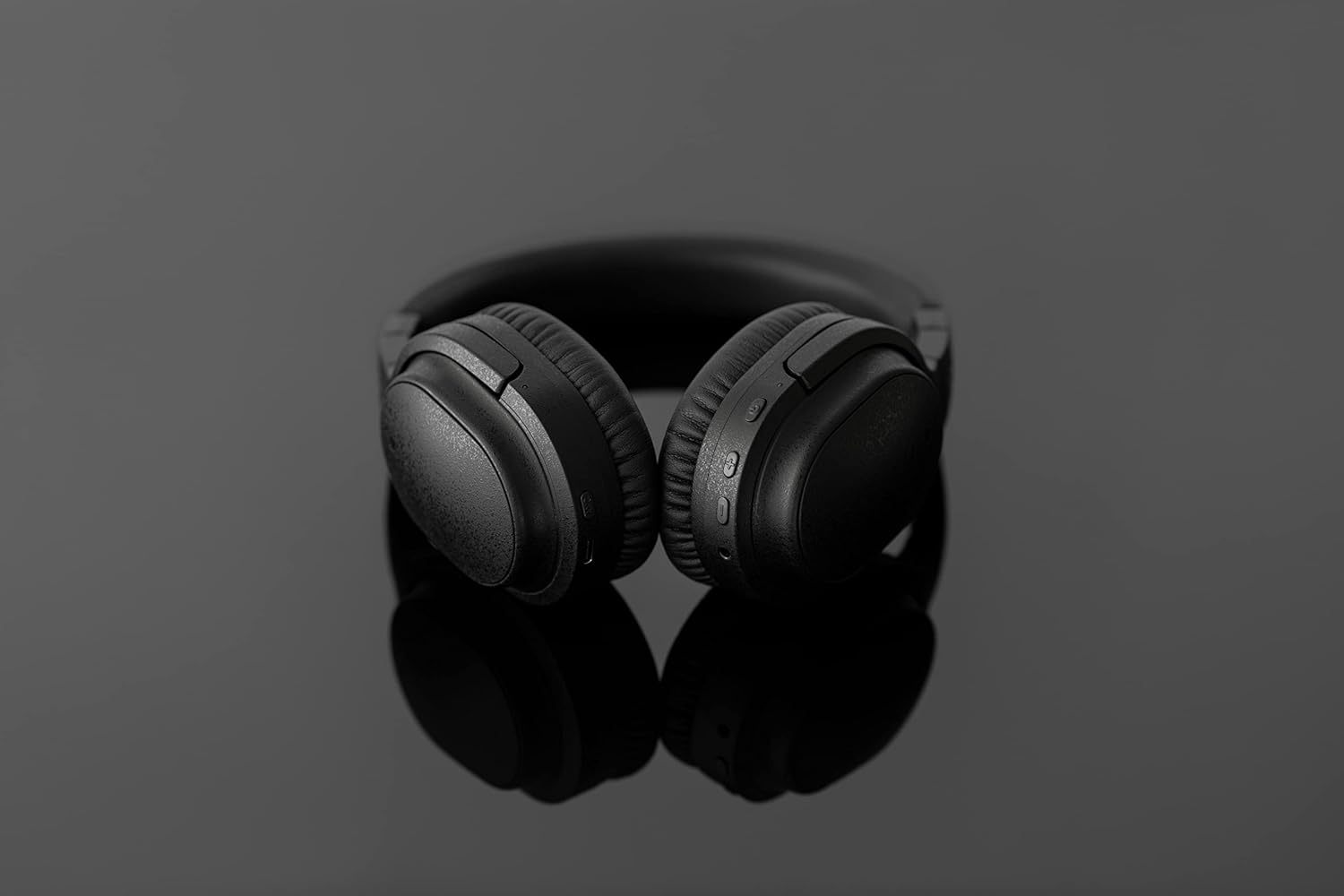
Image: The UX3000 headphones connected to a digital audio player using the 3.5mm audio cable.
5. Інструкція з експлуатації
5.1 Увімкнення/вимкнення живлення
- Увімкнення: Натисніть і утримуйте кнопку живлення протягом 2 секунд. Світлодіодний індикатор блиматиме синім кольором.
- Вимкнення живлення: Натисніть і утримуйте кнопку живлення протягом 3 секунд. Світлодіодний індикатор вимкнеться.
5.2 Відтворення музики
- Відтворення/пауза: Натисніть багатофункціональну кнопку один раз.
- Наступний трек: Натисніть і утримуйте кнопку збільшення гучності протягом 2 секунд.
- Попередній трек: Натисніть і утримуйте кнопку гучності - протягом 2 секунд.
- Збільшення гучності: Press the Volume + button briefly.
- Зменшення гучності: Press the Volume - button briefly.
5.3 Hybrid Noise Cancelling (ANC)
The UX3000 features Hybrid Active Noise Cancelling, utilizing two microphones per ear cup to effectively reduce ambient noise. One microphone collects external noise, and the other collects sound from the driver unit, allowing for highly accurate anti-noise signal generation.
- Активація/деактивація ANC: Press the ANC button once. A voice prompt will confirm the status.

Image: A schematic diagram explaining how the Hybrid Noise Cancelling technology works with external and internal microphones.
5.4 aptX Low Latency Support
The UX3000 supports aptX Low Latency, which minimizes audio delay and ensures proper synchronization with visuals. This feature provides an optimal experience for watching movies and playing games, preventing noticeable lag between audio and video.

Image: A user wearing the UX3000 headphones, engaged with a laptop, highlighting their suitability for media and communication.
5.5 Функції виклику
- Відповісти/закінчити виклик: Натисніть багатофункціональну кнопку один раз.
- Відхилити виклик: Натисніть і утримуйте багатофункціональну кнопку протягом 2 секунд.
- Активувати голосового помічника: Двічі натисніть багатофункціональну кнопку.
6. Технічне обслуговування
To ensure the longevity and optimal performance of your Final UX3000 headphones, follow these maintenance guidelines:
- Прибирання: Wipe the headphones with a soft, dry cloth. Do not use abrasive cleaners, solvents, or strong chemicals.
- Зберігання: When not in use, store the headphones in the provided soft carrying pouch to protect them from dust and scratches. The headphones are foldable for compact storage.
- Уникайте вологи: Тримайте навушники подалі від води, вологи та екстремальних температур.
- Зарядка: Do not leave the headphones connected to a charger for extended periods after they are fully charged.

Image: The UX3000 headphones shown in their folded configuration, ready for compact storage or travel.
7. Вирішення проблем
If you encounter issues with your Final UX3000 headphones, refer to the following common problems and solutions:
| проблема | Можлива причина | Рішення |
|---|---|---|
| Навушники не вмикаються. | Низький заряд батареї. | Повністю зарядіть навушники. |
| Не вдається з’єднати пристрій. | Headphones not in pairing mode; device's Bluetooth is off; too many paired devices. | Ensure headphones are in pairing mode (flashing red/blue). Turn on Bluetooth on your device. Forget previous pairings on your device and try again. |
| Немає звуку або гучність низька. | Гучність занадто низька; навушники не підключені; на пристрої вибрано неправильний аудіовихід. | Increase volume on both headphones and device. Reconnect headphones. Check audio output settings on your device. |
| Noise Cancelling not effective. | ANC not activated; environmental noise too high for full cancellation. | Ensure ANC is activated. ANC is most effective for low-frequency, constant noises. |
| Voice prompts (e.g., "Battery Low") occur frequently even when charged. | Potential firmware issue or specific device interaction. | Ensure headphones are fully charged. If issue persists, contact customer support. |
8. Технічні характеристики
| Особливість | Деталь |
|---|---|
| Назва моделі | UX3000 BLK |
| Технологія підключення | Бездротовий (Bluetooth), дротовий (роз'єм 3.5 мм) |
| Технологія бездротового зв'язку | Bluetooth 5.0 |
| Діапазон Bluetooth | 10 метрів |
| Контроль шуму | Гібридне шумозаглушення |
| Тип аудіо драйвера | Динамічний драйвер |
| Діапазон частот | 20 Гц-20 кГц |
| Термін служби батареї | До 35 годин |
| Час зарядки | 2.5 години |
| Вага товару | 260 грамів (9.2 унції) |
| Розташування вуха | Над вухом |
| Форм-фактор | Над вухом |
| Сумісні пристрої | Bluetooth-enabled devices supporting HFP, HSP, A2DP, and AVRCP profiles, and specifically compatible with SBC, AAC, aptX, and aptX low latency codecs |
| Конкретне використання продукту | Фільми та ігри |
| Виробник | Остаточний звук |
| Дата першої доступності | 14 грудня 2021 р |
9. Гарантія та підтримка
The Final UX3000 headphones come with Final's 12 Month Worry-Free Warranty. This warranty covers defects in materials and workmanship under normal use for a period of 12 months from the date of original purchase.
For warranty claims, technical support, or any inquiries regarding your product, please contact Final customer service through the official Final website or your point of purchase. Please have your proof of purchase ready when contacting support.
Final is committed to providing friendly and responsive customer service to ensure your satisfaction.