
1. Важлива інформація з безпеки
Please read all safety and operating instructions carefully before using this television. Keep this manual for future reference. Always follow basic safety precautions to reduce the risk of fire, electric shock, and injury.
- Не піддавайте цей прилад впливу дощу або вологи.
- Не блокуйте вентиляційні отвори. Встановлюйте відповідно до інструкцій виробника.
- Не встановлюйте поблизу будь-яких джерел тепла, таких як радіатори, обігрівачі, печі або інші пристрої (включаючи ampліфікатори), які виробляють тепло.
- Захистіть шнур живлення від натягування або защемлення, особливо біля вилок, розетки та місця, де вони виходять з приладу.
- Використовуйте лише насадки/аксесуари, зазначені виробником.
- Зверніть усі послуги до кваліфікованого обслуговуючого персоналу. Технічне обслуговування вимагається, якщо прилад будь -яким чином пошкоджений.
2. Що в коробці
Carefully unpack your new Sansui TV and ensure all items listed below are present.
- 1 x Sansui 4K Ultra HD Android LED TV (JSW50ASUHD)
- 2 x Основа настільної підставки
- 1 x Wall Mounting Set
- 4 x Screws for stand/mount
- 1 х посібник користувача
- 1 х гарантійний талон
- 1 x Пульт дистанційного керування
- 2 батарейки типу AAA (для пульта дистанційного керування)
- 1 x шнур живлення
- 1 х міні AV-кабель
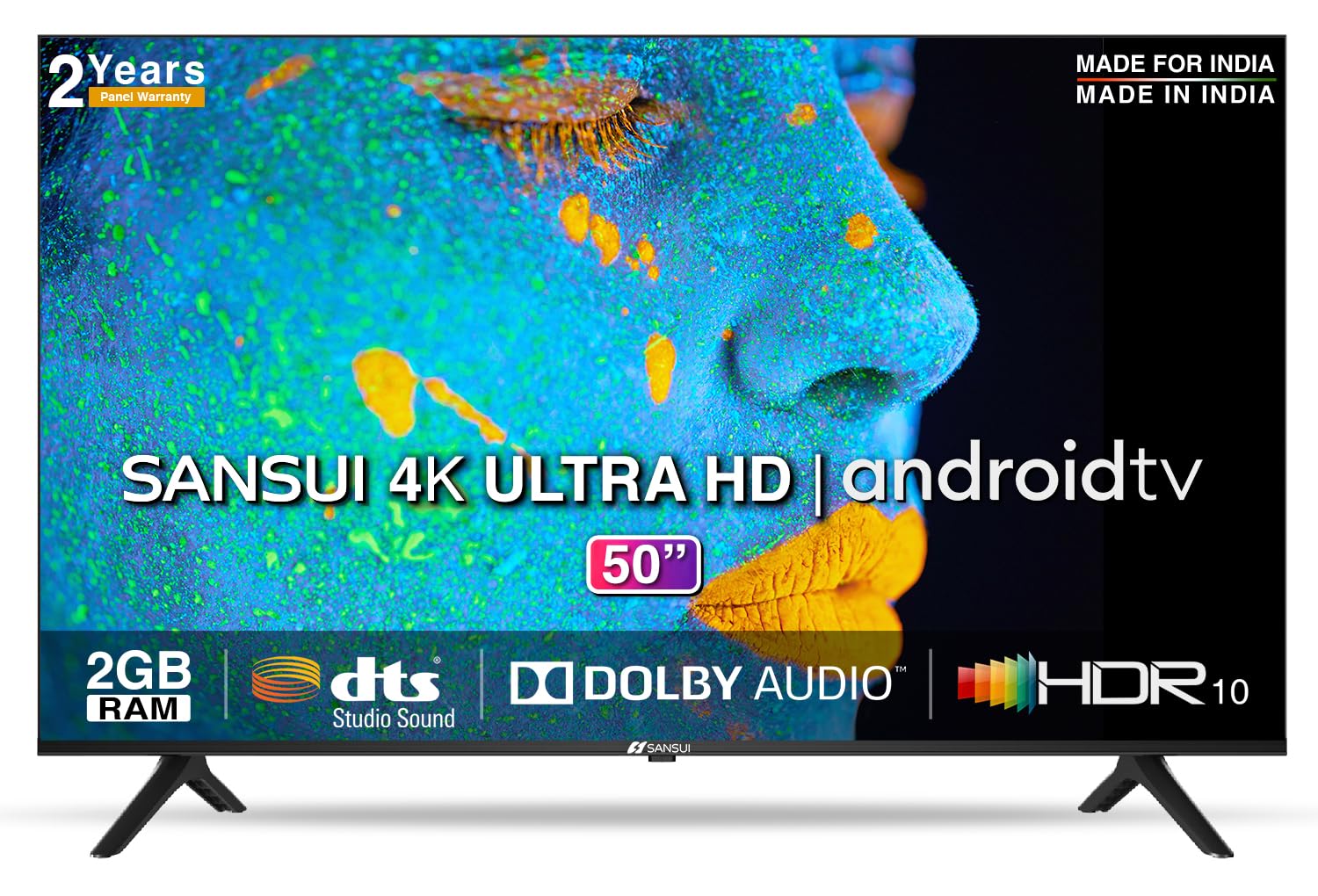
Image: Sansui 50-inch 4K Ultra HD Android LED TV with its table stand.
3. Продукт закінчивсяview
3.1. Ключові характеристики
- Дисплей: 4K Ultra HD (3840x2160) resolution, 60Hz refresh rate, Wide Viewing Angle, A+ Grade Panel, Wide Colour Gamut, HDR 10, Crystal Clear Display, High Brightness, Bezel-less Design.
- Аудіо: Dolby Audio, DTS Studio Sound, 20 Watts Audio Output.
- Функції Smart TV: Android 10.0 (Certified by Google), Google Assistant, Alexa Enabled Support, Built-in Chromecast, CA53 Quad Core Processor, 2GB RAM, 8GB ROM.
- Підтримувані програми: Prime Video, Netflix, Disney + Hotstar, YouTube, Google Play.
- Підключення: 3 HDMI ports, 2 USB ports, 3.5mm audio jack, Bluetooth, Wi-Fi, RJ45 (Ethernet), Antenna.

Image: Visual representation of the TV's main features and capabilities.
3.2. Розміри
The TV features a 50-inch screen (127 cm diagonal) with a bezel-less design for an immersive viewнабутий досвід.

Image: Detailed dimensions of the Sansui 50-inch TV, including width, height, and depth with and without the stand.
4. Налаштування
4.1. Встановлення настільної підставки
- Покладіть телевізор екраном вниз на м’яку рівну поверхню, щоб запобігти пошкодженням.
- Вирівняйте основи настільної підставки з відповідними пазами внизу телевізора.
- Secure the bases using the provided screws. Ensure they are tightened firmly.
4.2. Настінне кріплення (додатково)
If you choose to wall mount your TV, please use the provided wall mounting set and screws. The VESA mount standard is 800 x 400 mm. It is recommended to seek professional assistance for wall mounting to ensure proper and safe installation.
4.3. Підключення пристроїв
The TV offers various connectivity options for your external devices.
- Потужність: Підключіть шнур живлення до входу живлення телевізора, а потім до розетки.
- HDMI: Use HDMI cables to connect devices like set-top boxes, gaming consoles, or Blu-ray players to the 3 HDMI ports.
- USB: Connect USB drives or other USB devices to the 2 USB ports for media playback.
- Аудіо вихід: Use the 3.5mm jack to connect headphones or external audio systems.
- Ethernet (RJ45): Для стабільного інтернет-з’єднання підключіть кабель Ethernet від маршрутизатора до порту RJ45.
- Антена: Connect your antenna cable to the RF input for terrestrial broadcasting.
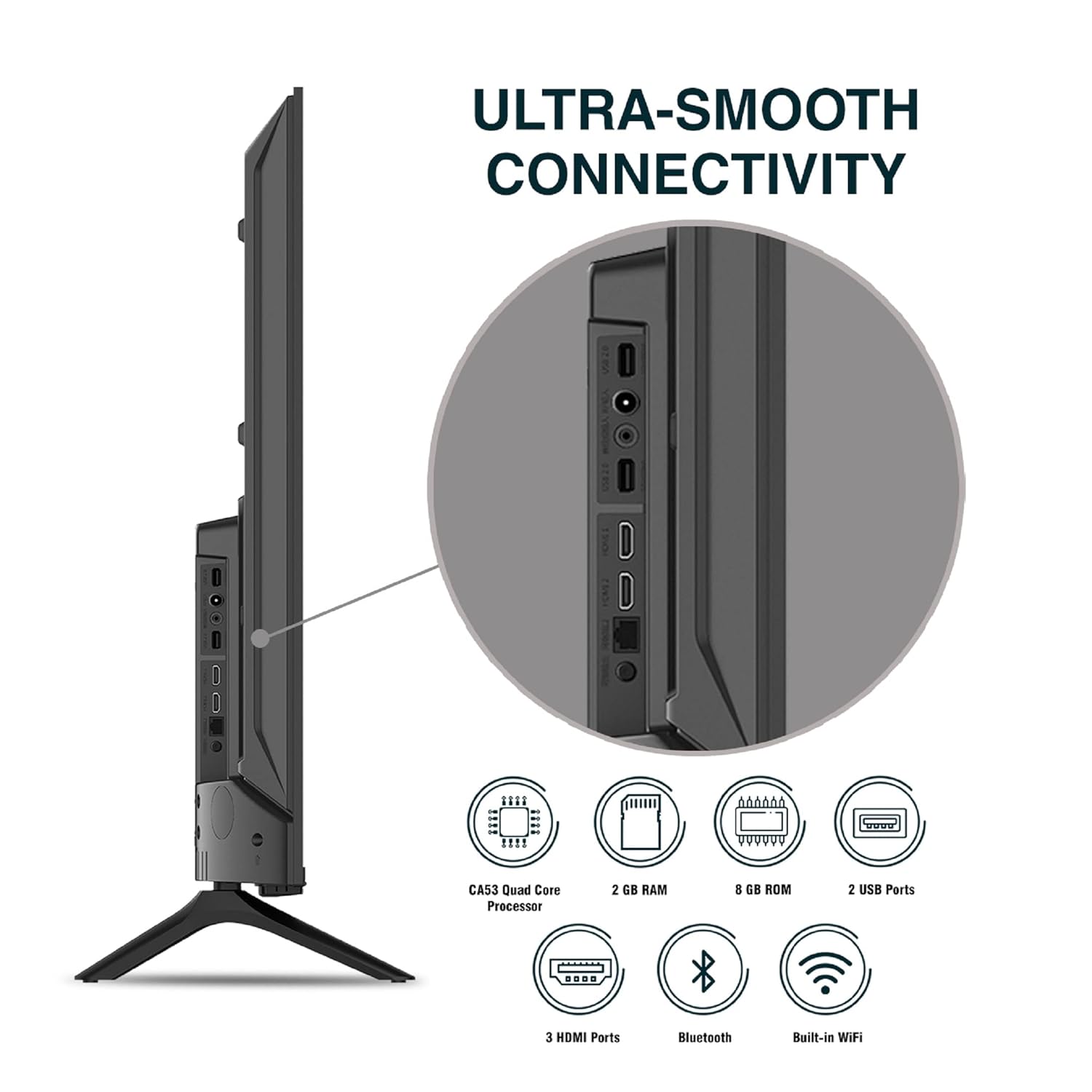
Зображення: Детальне view портів підключення телевізора.
5. Інструкція з експлуатації
5.1. Основна операція
- Увімкнення/вимкнення живлення: Натисніть кнопку живлення на пульті дистанційного керування або на телевізорі, щоб увімкнути або вимкнути його.
- Початкове налаштування: Upon first power-on, follow the on-screen instructions to set up language, network connection, and Google account.
- Джерело введення: Press the 'Input' button on the remote to select between HDMI, AV, TV, or other connected sources.
- Регулювання гучності: Використовуйте кнопки збільшення/зменшення гучності на пульті дистанційного керування.
5.2. Використання Smart Remote
The included remote control features voice control and dedicated hotkeys for quick access to popular streaming services.
- Голосове керування: Press the Google Assistant button (microphone icon) and speak your commands to search for content, control smart home devices, or ask questions.
- Гарячі клавіші: Directly launch Netflix, Prime Video, YouTube, and Google Play with a single press.
- Навігація: Use the directional pad and 'OK' button to navigate the Android TV interface.

Image: Sansui Smart Remote Control with voice control and app hotkeys.
5.3. Android TV Interface and Smart Features
Your Sansui TV runs on Android 10.0, providing access to a wide range of apps and smart functionalities.
- Головний екран: The home screen displays your favorite apps, recommended content, and input sources.
- Магазин Google Play: Download and install additional apps, games, and content from the Google Play Store.
- Вбудований Chromecast: Cast content (videos, photos, music) from your smartphone, tablet, or computer directly to the TV.
- Google Assistant/Alexa: Use voice commands via the remote or a compatible Alexa device to control your TV and other smart home devices.

Image: Android TV home screen showing available applications.
6. Технічне обслуговування
Proper care and maintenance will extend the life of your TV.
- Очищення екрану: Обережно протріть екран м’якою тканиною без ворсу. Для стійких плям використовуйте засіб для чищення екранів, спеціально розроблений для телевізорів, наносячи його на тканину, а не безпосередньо на екран.
- Прибирання шафи: Використовуйте м’яку суху тканину для протирання корпусу телевізора. Не використовуйте абразивні засоби для чищення або розчинники.
- Вентиляція: Переконайтеся, що вентиляційні отвори чисті від пилу та сміття, щоб запобігти перегріву.
- Шнур живлення: Regularly check the power cord for any damage. If damaged, replace it with an authorized part.
7. Вирішення проблем
Якщо у вас виникли будь-які проблеми, зверніться до наступних поширених проблем та рішень.
| проблема | Можлива причина | Рішення |
|---|---|---|
| Немає живлення | Шнур живлення відключено; проблема з розеткою | Перевірте підключення шнура живлення; протестуйте розетку з іншим пристроєм. |
| No Picture, Only Sound | Неправильне джерело вхідного сигналу; проблема із зовнішнім пристроєм | Select correct input source; Check external device connection and power. |
| No Sound, Only Picture | Volume muted/low; External audio system issue | Unmute or increase volume; Check external audio system connections. |
| Пульт дистанційного керування не працює | Розряджені батарейки; Перешкода між пультом дистанційного керування та телевізором | Замініть батарейки; видаліть будь-які перешкоди. |
| Проблеми з підключенням Wi-Fi | Неправильний пароль; Проблеми з маршрутизатором; Перешкоди сигналу | Re-enter password; Restart router; Move TV closer to router or use Ethernet. |
Якщо проблема не зникає після спроби цих рішень, зверніться до служби підтримки клієнтів.
8. Технічні характеристики
Detailed technical specifications for the Sansui JSW50ASUHD TV.
| Особливість | опис |
|---|---|
| Назва моделі | SANSUI LED - JSW50ASUHD |
| Розмір екрана | 50 дюймів (127 см) |
| Технологія дисплея | LED |
| роздільна здатність | 4K Ultra HD (3840x2160) |
| Частота оновлення | 60 Гц |
| Операційна система | Android 10.0 (Certified by Google) |
| Процесор | Чотириядерний CA53 |
| ОЗУ | 2 ГБ |
| ПЗП (сховище) | 8 ГБ |
| Аудіовихід | 20 Вт |
| Звукові технології | Dolby Audio, DTS Studio Sound |
| Порти HDMI | 3 |
| USB порти | 2 |
| Бездротове підключення | Wi-Fi, Bluetooth |
| Інші підключення | Ethernet (RJ45), 3.5mm Audio Jack, Antenna |
| Підтримка HDR | HDR10 |
| Тип монтажу | Настінне та настільне кріплення |
| Стандарт кріплення VESA | 800 х 400 мм |
| Споживана потужність | 120 Вт |
| Вага товару | 9650 грамів |
| Колір | Mystique Black |
9. Гарантія та підтримка
Your Sansui TV comes with a comprehensive warranty and dedicated customer support.
- Гарантія: 1 year comprehensive warranty and 1 year additional on panel from the date of purchase.
- Гарантійна підтримка: For warranty-related queries, please contact Sansui Toll Free No.: 1800-419-3777.
- Контакт імпортера: Jaina India Pvt Ltd., D170, Okhla Industrial Area, Phase-1, New Delhi-110020 INDIA | Email: sansuicare@jainaindia.com.
Будь ласка, збережіть чек про покупку для гарантійних претензій.