
BLAUX 30888
BLX Earbuds - Wireless Bluetooth 5.1 Earbuds User Manual
Model: 30888 | Brand: BLAUX
1. Вступ
Thank you for choosing BLX Earbuds. These True Wireless Stereo (TWS) earbuds are designed to provide a seamless and high-quality audio experience with the convenience of Bluetooth 5.1 technology. This manual will guide you through the setup, operation, and maintenance of your new earbuds to ensure optimal performance and longevity.
2. Що в коробці
Будь ласка, перевірте вміст упаковки, щоб переконатися, що всі елементи присутні:
- BLX Wireless Earbuds (Left and Right)
- Чохол для бездротової зарядки
- Зарядний кабель Micro USB
- Силіконові вушні насадки (малі, середні, великі)
- Посібник користувача
3. Продукт закінчивсяview
The BLX Earbuds offer a compact and ergonomic design for comfortable, all-day wear. The included charging case provides extended battery life and convenient storage.
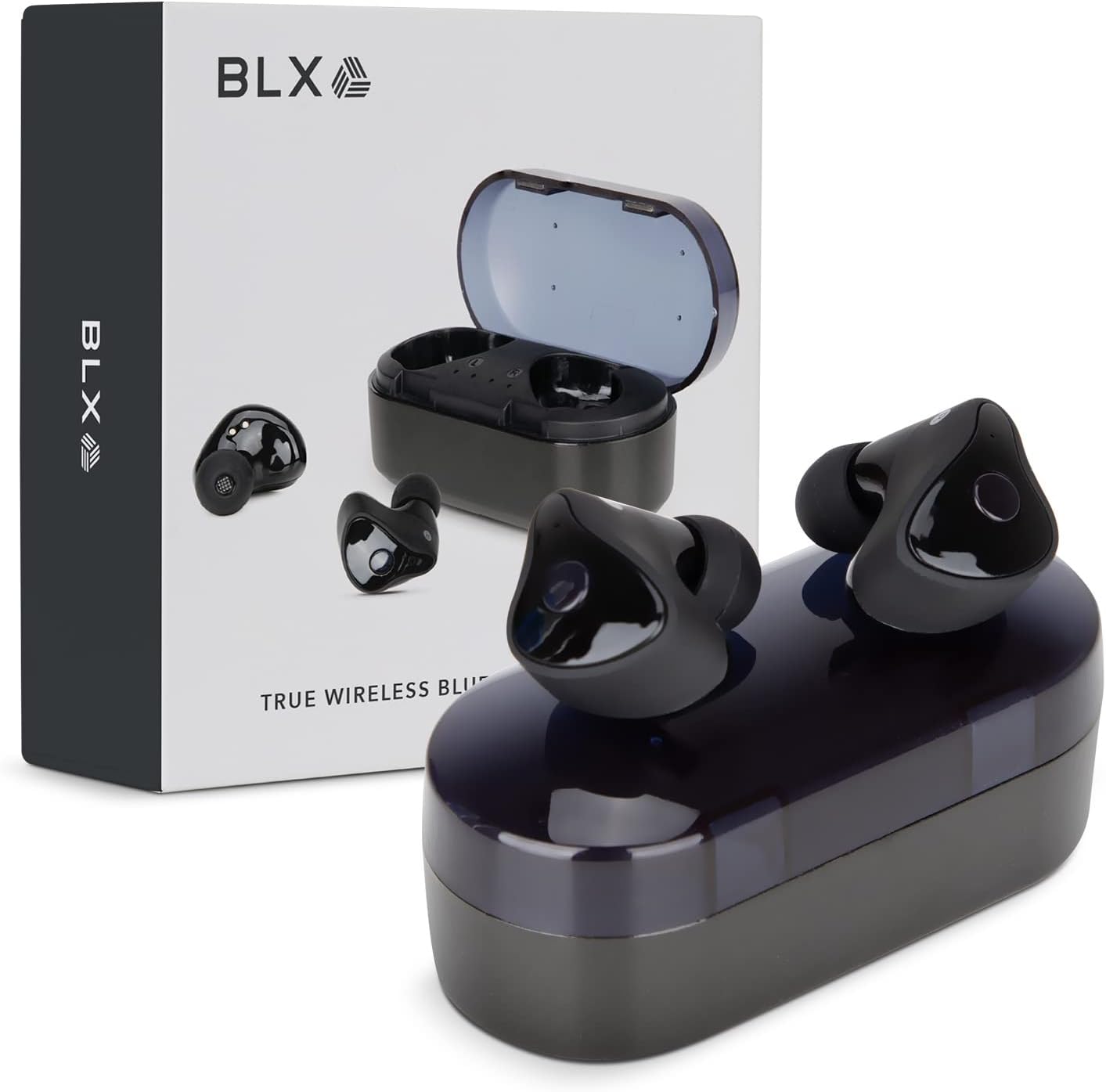
Image: BLX Earbuds, charging case, and product packaging.
3.1 Основні характеристики
- Справжнє бездротове стерео (TWS): Enjoy a completely wireless audio experience with independent earbuds.
- Технологія Bluetooth 5.1: Provides a stable and efficient wireless connection with a range of up to 10 meters.
- Швидке сполучення: Earbuds automatically connect to your device once removed from the charging case.
- Інтуїтивно зрозуміле сенсорне керування: Manage music playback, calls, and voice assistants with simple taps.
- Водонепроникність IPX4: Designed to withstand sweat and splashes, making them suitable for workouts and outdoor activities.
- Вбудований мікрофон: Enables hands-free calling and voice assistant interaction.

Image: BLX Earbuds demonstrating true wireless freedom with Bluetooth 5.1, fast pairing, and a 10-meter range.

Зображення: Детальне view of a BLX Earbud highlighting its smart touch control capabilities for various functions.

Image: A person running while wearing BLX Earbuds, emphasizing their IPX4 water resistance for sweat and splashes, and the portability of the compact charging case.

Image: A woman wearing a BLX Earbud, with an illustration of the three included silicone ear tip sizes (11mm, 12mm, 13mm) to help users find their perfect fit.

Image: A woman enjoying music with BLX Earbuds, illustrating the battery performance: 4.5 hours of listening time, up to 18 hours with the charging case, and a 1-hour full charge time for the case.

Image: A close-up of a BLX Earbud, emphasizing its clear immersive audio quality with a frequency response range of 20Hz to 20KHz.

Image: BLX Earbuds depicted with icons for Google Assistant and Siri, along with a built-in microphone icon, indicating hands-free voice assistant capabilities.
4. Налаштування
4.1 Заряджання навушників та футляра
Before first use, fully charge the BLX Earbuds and their charging case.
- Вставте навушники в зарядний футляр. Переконайтеся, що вони правильно встановлені у відповідних гніздах (лівий для лівого, правий для правого).
- Connect the Micro USB charging cable to the charging port on the case and the other end to a USB power source (e.g., computer, wall adapter).
- The indicator lights on the charging case will illuminate to show charging status. A full charge for the case takes approximately 1 hour.
- Once fully charged, disconnect the charging cable. The earbuds will charge automatically when placed in the powered case.
4.2 Сполучення з вашим пристроєм
BLX Earbuds feature auto-pairing technology for quick and easy connection.
- Ensure the charging case is charged and your device's Bluetooth is enabled.
- Відкрийте зарядний футляр. Навушники автоматично увімкнуться та перейдуть у режим сполучення.
- On your device (smartphone, tablet, laptop), go to the Bluetooth settings and search for available devices.
- Select "BLX Earbuds" from the list of found devices.
- Once connected, your device will confirm the pairing, and the earbuds will be ready for use.
- Для наступного використання навушники автоматично підключатимуться до останнього сполученого пристрою після виймання з кейса.
4.3 Finding the Perfect Fit
A proper fit is crucial for sound quality and comfort. Experiment with the included silicone ear tips (Small, Medium, Large) to find the size that best seals your ear canal.
- Обережно вставте навушник у слуховий прохід.
- Twist slightly to secure it in place. The earbud should feel snug and comfortable without causing pressure.
- If the sound quality is poor or the earbuds feel loose, try a different size ear tip.
5. Operating Your BLX Earbuds
The BLX Earbuds utilize touch controls for easy management of audio and calls.
5.1 Увімкнення/вимкнення живлення
- Увімкнення: Відкрийте зарядний футляр, і навушники автоматично ввімкнуться.
- Вимкнення живлення: Помістіть навушники назад у зарядний футляр і закрийте кришку. Вони автоматично вимкнуться та почнуть заряджатися.
5.2 Відтворення музики
| Дія | КОНТРОЛЬ |
|---|---|
| Відтворення/Пауза | Один раз торкніться будь-якого навушника |
| Наступний трек | Двічі торкніться правого навушника |
| Попередній трек | Двічі торкніться лівого навушника |
5.3 Керування викликами
| Дія | КОНТРОЛЬ |
|---|---|
| Відповісти/закінчити виклик | Один раз торкніться будь-якого навушника |
| Відхилити виклик | Натисніть і утримуйте будь-який навушник протягом 2 секунд |
5.4 Голосовий помічник
| Дія | КОНТРОЛЬ |
|---|---|
| Активуйте голосового помічника (Siri, Google Assistant тощо) | Потрійне торкання будь-якого навушника |
5.5 Регулювання гучності
Volume control is managed directly through your connected device (phone, tablet, laptop).
6. Технічне обслуговування
Proper care and maintenance will extend the life of your BLX Earbuds.
6.1 Очищення
- Використовуйте м’яку, суху тканину без ворсу для очищення навушників та зарядного футляра.
- Щодо вушних насадок, зніміть їх з навушників і за потреби очистіть м’яким мильним розчином, потім ретельно промийте та повністю висушіть перед тим, як знову прикріпити їх.
- Не використовуйте абразивні засоби для чищення, спирт або хімічні розчинники.
- Переконайтеся, що зарядні контакти на навушниках і в футлярі чисті та не містять сміття.
6.2 Зберігання
Коли навушники не використовуються, завжди зберігайте їх у зарядному футлярі, щоб захистити їх від пилу, пошкоджень та щоб вони залишалися зарядженими.
6.3 Водостійкість (IPX4)
Your BLX Earbuds are rated IPX4, meaning they are resistant to splashing water from any direction. This makes them suitable for:
- Sweaty workouts
- Light rain or splashes
Важлива примітка:
- IPX4 rating does NOT mean the earbuds are waterproof. Do not submerge them in water.
- Do not wear them while swimming, showering, or in heavy rain.
- If the earbuds get wet, wipe them dry immediately before placing them back in the charging case.
7. Вирішення проблем
If you encounter issues with your BLX Earbuds, try the following solutions:
7.1 Навушники не сполучаються або не підключаються
- Переконайтеся, що обидва навушники заряджені.
- Переконайтеся, що на вашому пристрої ввімкнено Bluetooth.
- Помістіть навушники назад у футляр, закрийте кришку, зачекайте кілька секунд, а потім знову відкрийте кришку, щоб знову увійти в режим сполучення.
- Forget/delete "BLX Earbuds" from your device's Bluetooth list and try pairing again.
- Перемістіть навушники ближче до свого пристрою (до 10 метрів).
7.2 Немає звуку або низька гучність
- Перевірте рівень гучності на підключеному пристрої.
- Переконайтеся, що навушники правильно підключені до вашого пристрою.
- Очистіть сітку динаміка навушника від будь-якого сміття.
- Спробуйте відтворити аудіо з іншої програми або джерела.
7.3 Один навушник не працює
- Помістіть обидва навушники назад у зарядний футляр, закрийте кришку, а потім знову відкрийте її.
- Переконайтеся, що обидва навушники заряджені.
- Спробуйте скинути налаштування навушників (див. інструкцію виробника website or support for specific reset instructions if needed).
7.4 Charging Case Not Charging
- Переконайтеся, що зарядний кабель надійно підключений як до кейса, так і до джерела живлення.
- Спробуйте інший USB-порт або адаптер для розетки.
- Переконайтеся, що зарядний кабель не пошкоджений.
8. Технічні характеристики
| Особливість | Деталь |
|---|---|
| Назва моделі | 30888 |
| Технологія підключення | Бездротовий зв'язок (Bluetooth 5.1) |
| Дальність бездротового зв'язку | До 10 метрів |
| АЧХ | 20 Гц - 20 000 Гц |
| Термін служби батареї (навушники) | Approx. 4.5 Hours (listening time) |
| Термін служби батареї (із зарядним футляром) | Approx. 18 Hours total |
| Час заряджання (корпус) | прибл. 1 година |
| Рівень водонепроникності | IPX4 (водонепроникність) |
| мікрофон | Built-In, Bidirectional |
| Тип управління | Сенсорне керування |
| Сумісні пристрої | Cellphones, Tablets, Laptops (iOS, Android, PC) |
| матеріал | пластик |
| Вага товару | 44 грамів |
| Розміри продукту | 9.9 х 9.9 х 3.8 см |
9. Гарантія та підтримка
BLAUX products are manufactured to high standards and undergo rigorous testing. For information regarding warranty coverage, technical support, or service inquiries, please visit the official BLAUX webсайт або зверніться безпосередньо до служби підтримки клієнтів.
Ви можете знайти більше інформації та підтримки на BLAUX Store on Amazon.
Ask a question about this manual
Ask about setup, troubleshooting, compatibility, parts, safety, or missing instructions. Manuals+ will review the question and use this page’s manual context to help answer it.