
1. Вступ
Thank you for choosing the Tunturi C60 Performance Crosstrainer. This manual provides essential information for the safe and effective use of your new fitness equipment. Please read this manual thoroughly before assembly and use, and keep it for future reference.
The Tunturi C60 is a professional elliptical trainer designed for comprehensive cardiovascular workouts. It features a 5.5-inch LCD display, 32 resistance levels, and 24 training programs. Key components include a 32 kg flywheel, 40 cm stride length, and an EMS brake system. It also includes pulse sensors and is compatible with a chest strap for heart rate monitoring. For enhanced training experiences, the C60 is compatible with Tunturi Routes, iConsole+, and Kinomap applications.
2. Важливі інструкції з техніки безпеки
- Проконсультуйтеся з лікарем перед початком будь-якої програми вправ.
- Використовуйте обладнання лише за призначенням, як описано в цьому посібнику.
- Тримайте дітей і домашніх тварин подалі від обладнання під час використання.
- Place the crosstrainer on a stable, level surface with adequate clearance around it.
- Перед кожним використанням перевіряйте обладнання на наявність зношених або нещільно прикріплених деталей. Не використовуйте, якщо воно пошкоджене.
- Одягайте відповідний одяг та взуття для тренувань.
- Не перевищуйте максимальну вагу користувача 135 кг.
- Негайно припиніть тренування, якщо ви відчуваєте слабкість, запаморочення або біль.
3. Налаштування та складання
The Tunturi C60 Performance Crosstrainer requires assembly. Please follow the separate assembly guide provided with your product for detailed step-by-step instructions. Ensure all components are present and undamaged before beginning assembly.
3.1 Розпакування
Carefully remove all components from the packaging. Verify that all parts listed in the assembly guide are included. Keep packaging materials until assembly is complete in case of returns or missing parts.
3.2 Розміщення
Place the crosstrainer on a firm, level surface. Ensure there is sufficient space around the equipment for safe operation and movement. A minimum of 0.6 meters (2 feet) of clear space is recommended around the entire unit.
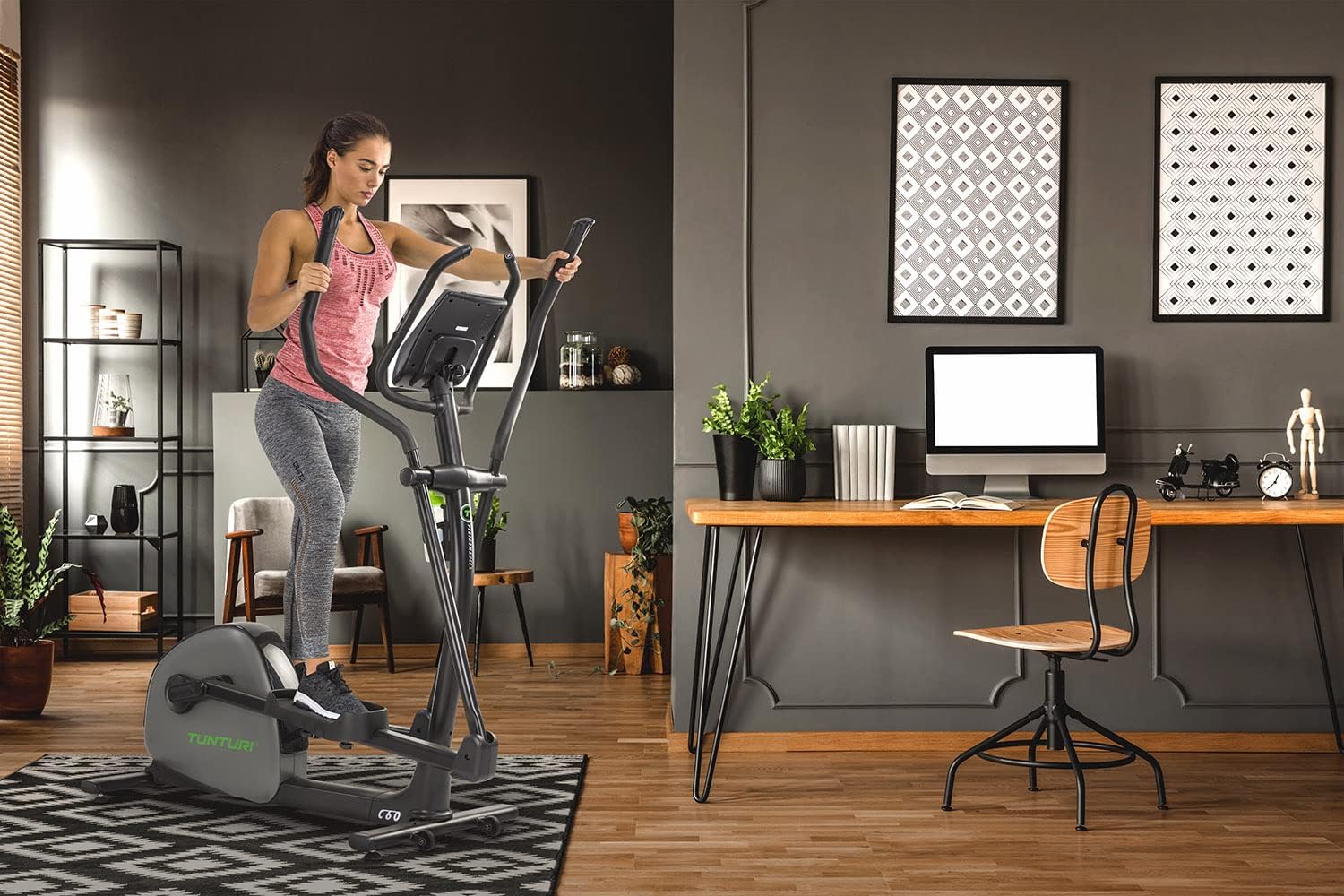
Image: The Tunturi C60 Performance Crosstrainer positioned in a home environment, demonstrating typical usage space.
3.3 Підключення живлення
Connect the power adapter to the crosstrainer and then to a suitable wall outlet. Ensure the power cable is not a tripping hazard and is not pinched by the equipment.
4. Інструкція з експлуатації
4.1 Консоль поверхview
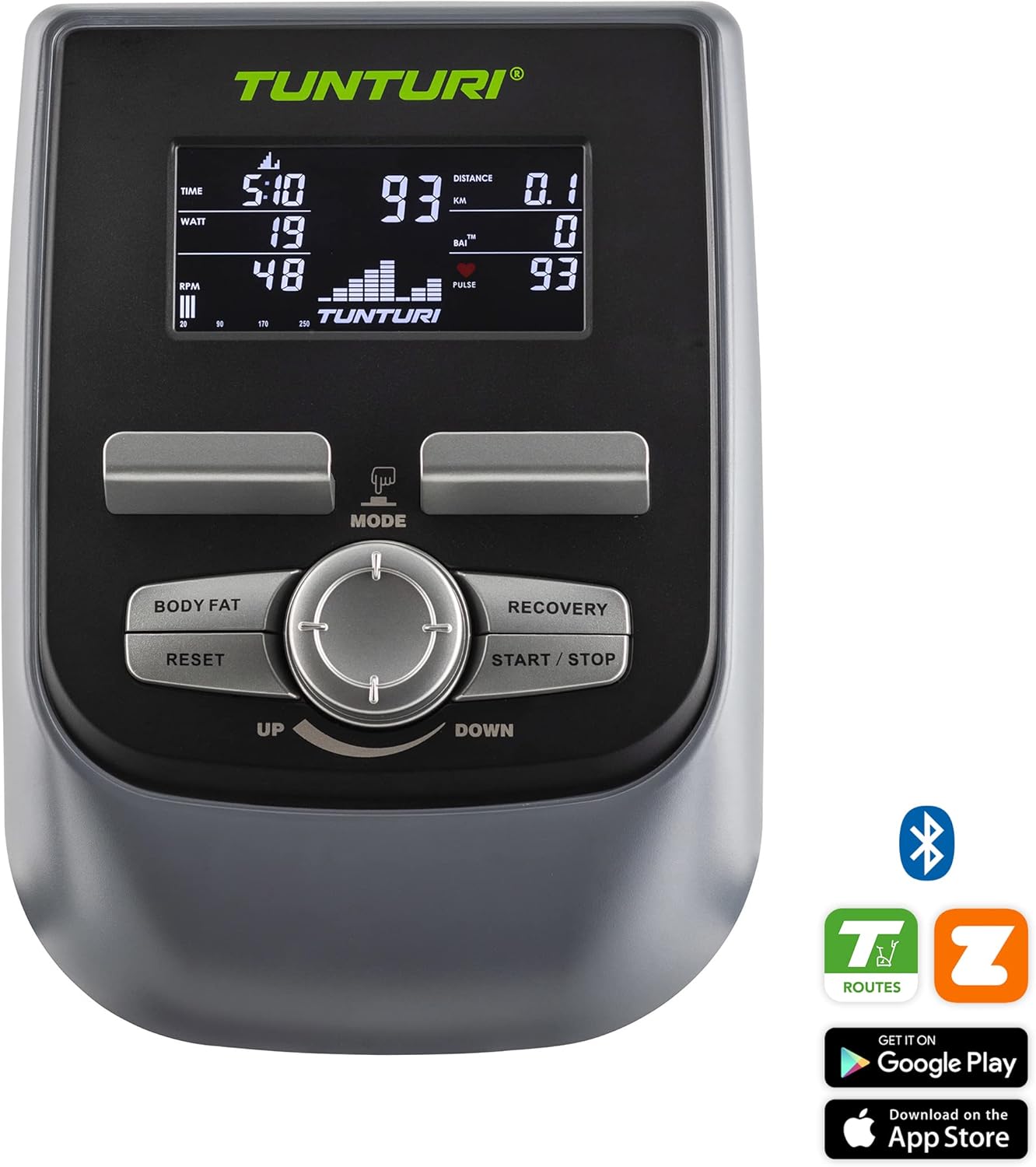
Зображення: Детальне view of the Tunturi C60 console, showing the 5.5-inch LCD display and control buttons.
The Tunturi C60 features a 5.5-inch LCD display that shows key workout data such as time, distance, speed, calories, watts, RPM, and pulse. The console includes buttons for MODE, BODY FAT, RECOVERY, RESET, START/STOP, and a central dial for UP/DOWN adjustments.
4.2 Початок тренування
- Step onto the crosstrainer, placing your feet firmly on the pedals.
- Grasp the moving handlebars or the stationary pulse sensors.
- Натисніть ПУСК/СТОП button to begin a quick start workout, or use the РЕЖИМ button and UP/DOWN dial to select a program.
- Adjust the resistance level using the UP/DOWN dial during your workout. The C60 offers 32 levels of resistance.
4.3 Навчальні програми
The C60 Performance Crosstrainer comes with 24 pre-set training programs designed for various fitness goals. Use the РЕЖИМ button to navigate through program options and the UP/DOWN dial to select your desired program. Follow the on-screen prompts to set your workout parameters.
4.4 Моніторинг ЧСС
The crosstrainer is equipped with hand pulse sensors on the stationary handlebars. For more accurate and continuous heart rate monitoring, the C60 is compatible with a wireless chest strap (not included). Your heart rate will be displayed on the console.
4.5 Підключення програми
Enhance your training experience by connecting your Tunturi C60 to compatible fitness applications via Bluetooth. The crosstrainer supports Tunturi Routes, iConsole+, and Kinomap.

Image: The Tunturi C60 console with a tablet mounted, showing the Tunturi Routes application in use, offering interactive training.
- Tunturi Routes: Offers real-world video routes, challenges, and online coaching. Download from your device's app store.
- iConsole+: Provides various training programs and allows you to track your progress.
- Кіномапа: Interactive video training app that syncs with your equipment.
Refer to the specific app's instructions for pairing and usage.
5. Технічне обслуговування
Regular maintenance ensures the longevity and optimal performance of your Tunturi C60 Crosstrainer.
5.1 Очищення
- Wipe down the equipment after each use with a damp тканину для видалення поту та пилу.
- Не використовуйте абразивні засоби для чищення або розчинники, оскільки вони можуть пошкодити покриття та електронні компоненти.
- Keep the display clean and dry.
5.2 Перевірка
- Періодично перевіряйте затягнутість усіх болтів і гайок. За потреби підтягуйте.
- Inspect moving parts, such as pedals and handlebars, for any signs of wear or damage.
- Ensure the power cable is in good condition and free from kinks or cuts.
5.3 Зберігання
Store the crosstrainer in a dry, clean environment, away from direct sunlight and extreme temperatures.
6. Вирішення проблем
| проблема | Можлива причина | Рішення |
|---|---|---|
| Консоль не вмикається. | Адаптер живлення не підключений або несправний. | Check power cable connection to the unit and wall outlet. Ensure outlet is functional. |
| Без зміни опору. | EMS brake system issue or console malfunction. | Ensure power is connected. Restart the console. If problem persists, contact customer support. |
| Inaccurate heart rate reading. | Hands not properly placed on sensors; dry hands; interference. | Ensure full contact with hand pulse sensors. Moisten hands slightly. Avoid strong electromagnetic fields. Consider using a compatible chest strap. |
| Незвичайний шум під час роботи. | Loose bolts or components; internal friction. | Check and tighten all visible bolts and nuts. If noise persists, discontinue use and contact customer support. |
7. Технічні характеристики

Image: Diagram illustrating the dimensions of the Tunturi C60 Performance Crosstrainer: 144 cm (56.7 inch) length, 67 cm (26.4 inch) width, and 164 cm (64.6 inch) height.
| Особливість | Деталь |
|---|---|
| Назва моделі | Tunturi C60 Performance Crosstrainer |
| Номер моделі | 20TCR60000 |
| Розміри (Д x Ш x В) | 144 x 67 x 164 см (56.7 x 26.4 x 64.6 дюйма) |
| Вага продукту | 65.9 кг (145.3 фунта) |
| Максимальна вага користувача | 135 кг (297.6 фунта) |
| Вага маховика | 32 кг |
| Рівні опору | 32 |
| Гальмівна система | EMS (Electro Magnetic System) |
| Довжина кроку | 40 см |
| Дисплей | 5.5-дюймовий РК-дисплей |
| Програми | 24 |
| Моніторинг ЧСС | Hand pulse sensors, chest strap compatible |
| Підключення | Bluetooth, compatible with Tunturi Routes, iConsole+, Kinomap |
| матеріал | Алюміній |
| Колір | чорний |
8. Гарантія та підтримка
For information regarding the warranty period and terms for your Tunturi C60 Performance Crosstrainer, please refer to the warranty card included with your product or visit the official Tunturi webсайт.
If you encounter any issues not covered in the troubleshooting section or require further assistance, please contact Tunturi customer support. Have your model number (20TCR60000) and purchase details ready when contacting support.
You can often find support contact information on the Tunturi webсайті або в документації до вашого продукту.