
вступ
The havit GK58B is a USB plug-and-play gaming microphone designed for clear voice communication. It features omnidirectional sound pickup, a flexible gooseneck, a stable base, and unique RGB lighting effects. This manual provides instructions for setup, operation, maintenance, and troubleshooting to ensure optimal performance.
особливості
- USB-підключення та відтворення: Simple connection without driver installation.
- Всенаправлений знімач: Captures sound from all directions for clear communication.
- Гнучка гусяча шия: Adjustable microphone position for optimal voice capture.
- Стабільна база: Ensures the microphone remains securely in place.
- RGB освітлення: Integrated lighting for an enhanced aesthetic.
Вміст упаковки
The havit GK58B package includes:
- 1 x havit GK58B USB Gaming Microphone
- 1 x Посібник користувача (цей документ)

Зображення: спереду view of the havit GK58B USB Gaming Microphone retail packaging.

Зображення: Спина view of the havit GK58B USB Gaming Microphone retail packaging, showing product specifications.
Налаштування
- Розпакуйте мікрофон: Carefully remove the havit GK58B microphone from its packaging.
- Розташуйте мікрофон: Place the microphone on a stable, flat surface. Adjust the flexible gooseneck to position the microphone head optimally for your voice, typically 15-30 cm (6-12 inches) from your mouth.
- Підключення до комп'ютера: Plug the USB connector of the microphone cable into an available USB port on your computer.
- Встановлення драйвера: The microphone is plug-and-play and does not require additional driver installation. Your operating system should automatically detect and configure the device.
- Вибрати як пристрій за замовчуванням:
- Windows: Перейти до Налаштування звуку > Панель керування звуком > Запис tab. Select "havit GK58B" or similar as your default recording device.
- macOS: Перейти до Системні налаштування > Звук > Введення tab. Select "havit GK58B" or similar as your input device.
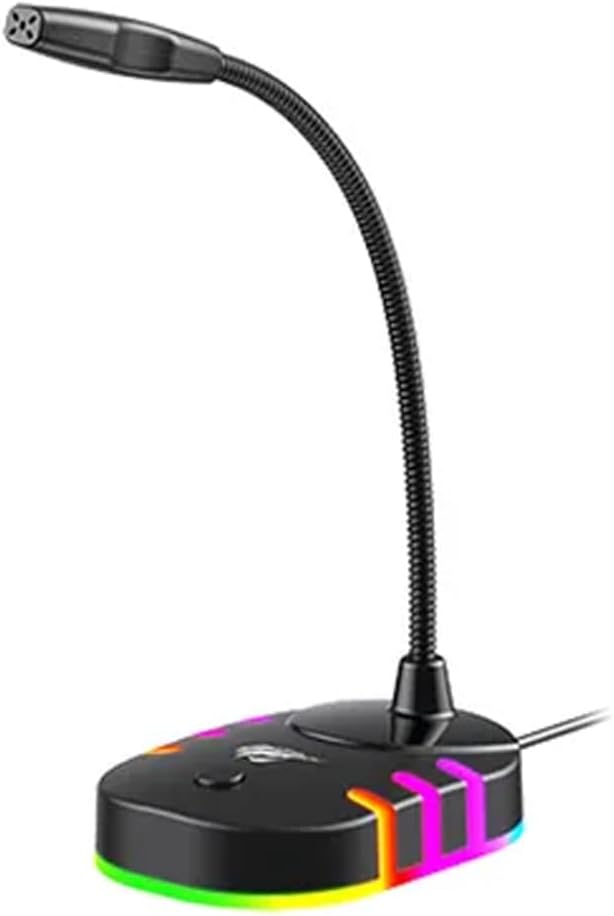
Зображення: Лицьова сторона view of the havit GK58B USB Gaming Microphone, showing the gooseneck and base with RGB lighting.
Інструкція з експлуатації
- Активація мікрофона: Once connected and selected as the default input device, the microphone is ready for use. The RGB lighting on the base will illuminate, indicating it is powered on.
- Регулювання гучності: Microphone input volume can be adjusted through your computer's sound settings or within the specific application you are using (e.g., game chat, communication software).
- Всенаправлений знімач: The GK58B features an omnidirectional polar pattern, meaning it picks up sound equally from all directions. This is suitable for capturing ambient sound or multiple speakers around the microphone. For best voice clarity, speak directly towards the microphone head.
- Керування освітленням RGB: The microphone base features RGB lighting. While specific controls are not detailed, typically these lights cycle automatically or can be toggled via a button on the base if present. Refer to the product's physical buttons for any lighting control options.
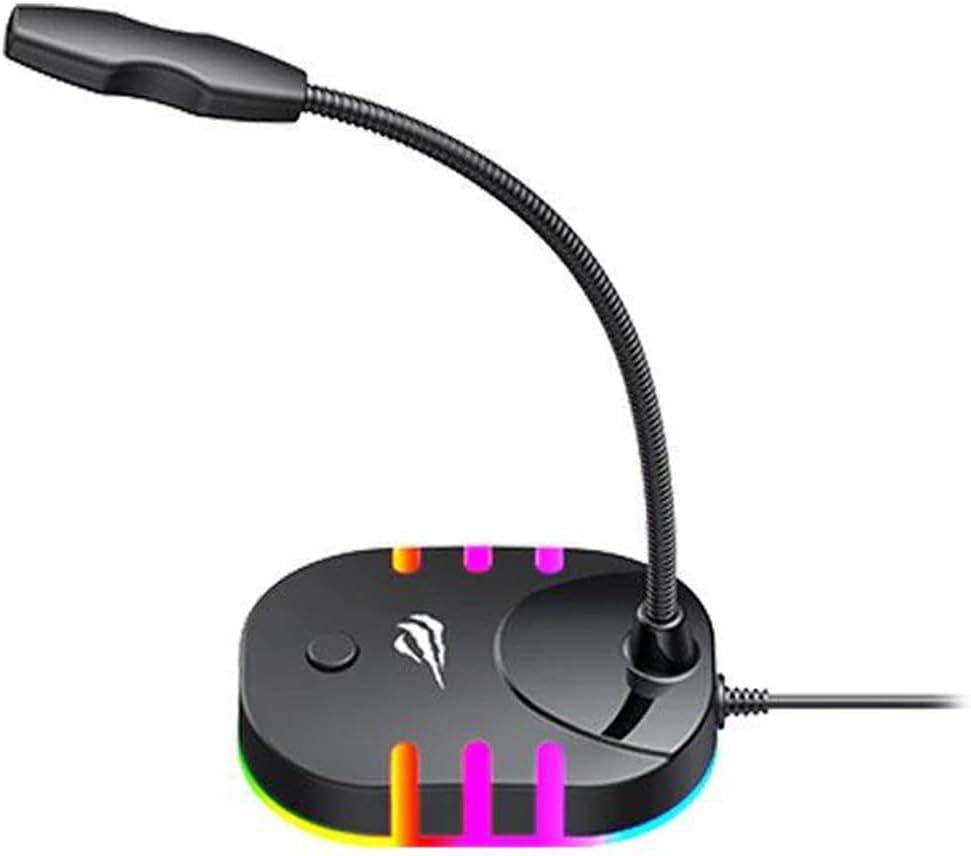
Image: Back-side view of the havit GK58B USB Gaming Microphone, showing the USB cable connection point and the base with RGB lighting.
Технічне обслуговування
- Прибирання: Use a soft, dry cloth to wipe the microphone and its base. Avoid using liquid cleaners or abrasive materials, as these can damage the device.
- Зберігання: When not in use, store the microphone in a clean, dry environment away from direct sunlight and extreme temperatures.
- Догляд за кабелем: Do not bend or crimp the USB cable excessively. Always grasp the plug, not the cable, when disconnecting.
Усунення несправностей
| проблема | Можлива причина | Рішення |
|---|---|---|
| Microphone not detected / No sound input |
|
|
| Низька гучність мікрофона |
|
|
| Не працює RGB освітлення |
|
|
Технічні характеристики
| Назва моделі | GK58B |
| Технологія підключення | USB |
| Тип роз'єму | USB Type-A |
| Полярний візерунок | Всеспрямований |
| Чутливість | -36 ± 3dB |
| Імпеданс | 2.2kΩ |
| АЧХ | 30 Гц – 16 кГц |
| Довжина кабелю | 1.5м |
| Робочий випtage | 5.0 В |
| Робочий струм | 90 мА |
| Розміри мікрофона | φ6*5 мм |
| Розміри продукту | 7.5 х 13 х 11 см |
| Вага товару | 2 г |
| Сумісні пристрої | Ноутбук, персональний комп'ютер |
| Особливість | Stand, RGB Lighting |
Гарантія та підтримка
For warranty information and technical support, please refer to the official havit webсайт або зверніться до місцевого продавця. Зберігайте чек про покупку для гарантійних претензій.
Виробник: Хавіт