
1. Вступ
This instruction manual provides essential information for the safe and effective use of your Hubble Connected View Pro Twin 5-inch Video Baby Monitor. Please read this manual thoroughly before operating the device and retain it for future reference.
The Hubble Connected View Pro Twin is designed to help you monitor your baby with its dual camera system, 5-inch color display, and various features including two-way talk, night vision, and room temperature monitoring. This device operates on a secure, non-WiFi connection for enhanced privacy.
2. Налаштування
2.1. Вміст упаковки
Переконайтеся, що всі предмети присутні в упаковці:
- 1 x Nursery View Pro Parent Unit
- 2 x Nursery Cameras
- 2 х адаптери живлення
- Короткий посібник
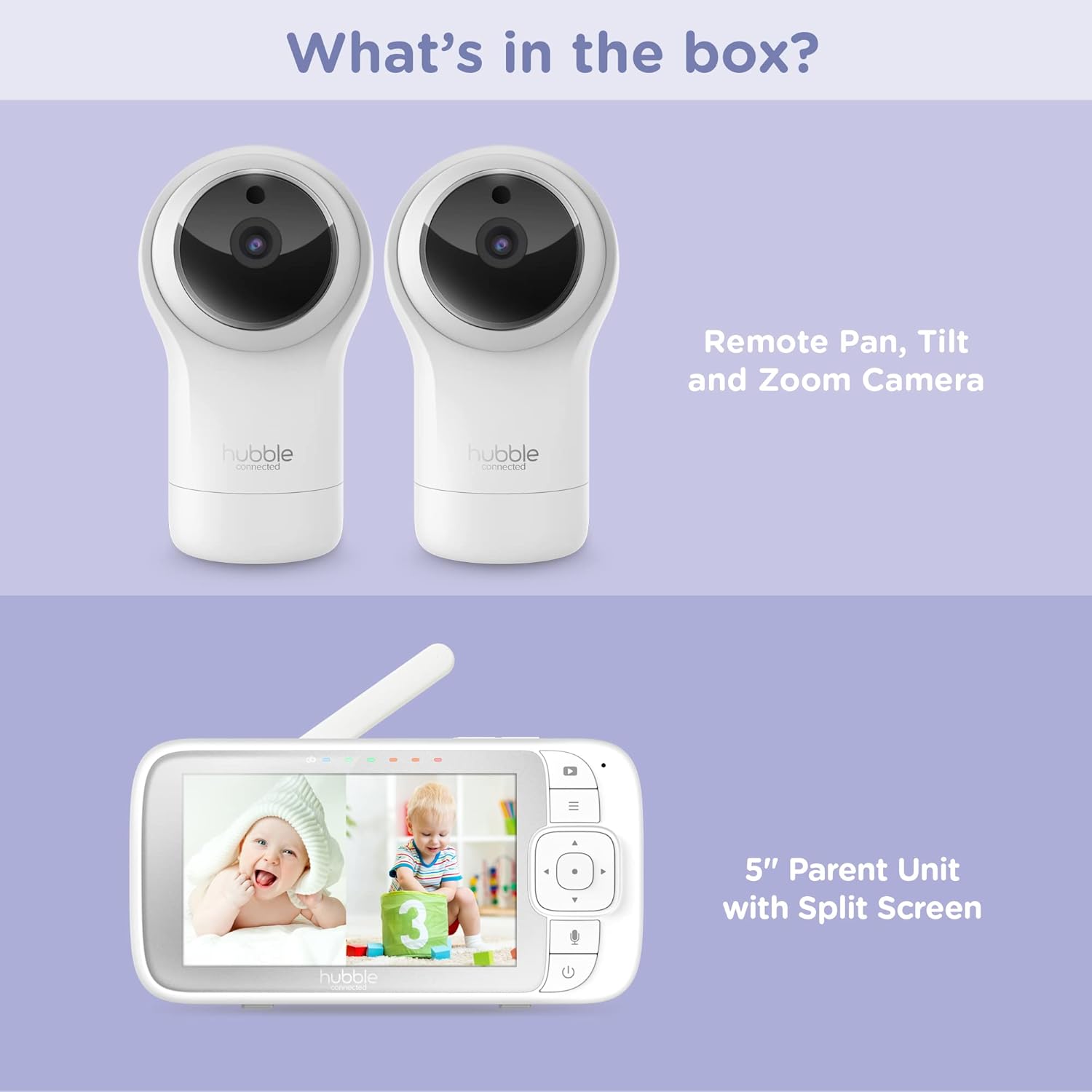
Figure 2.1: Package Contents - Parent Unit and Two Cameras
2.2. Powering On and Initial Placement
- Connect each camera to a power outlet using the provided power adapters.
- Connect the Parent Unit to a power outlet using its dedicated power adapter. The Parent Unit contains a rechargeable battery for portable use.
- Press and hold the Power button on the Parent Unit until the screen turns on.
- Place the cameras in a secure location within the baby's room, ensuring a clear view of the crib or play area. Avoid placing cameras within reach of children or near heat sources.

Figure 2.2: Hubble Connected View Pro Twin Monitor and Cameras
3. Експлуатація монітора
3.1. Елементи керування батьківським блоком
The Parent Unit features a 5-inch color display and intuitive buttons for navigation and control:
- Напрямна панель: Used to navigate menus and control camera pan/tilt/zoom.
- Кнопка меню: Доступ до налаштувань та функцій.
- Talk Button (Microphone icon): Activates two-way talk.
- Кнопка живлення: Вмикає/вимикає пристрій.
- Кнопки регулювання гучності (+/-): Регулює гучність звуку.

Figure 3.1: Parent Unit Displaying Split Screen
3.2. Viewрежими роботи
Your monitor supports multiple viewваріанти:
- Одна камера View: Displays the feed from one camera at a time. Use the menu to switch between cameras.
- Розділений екран View: Simultaneously displays feeds from both cameras on the 5-inch screen. This allows for monitoring two areas at once.
- Режим сканування: The monitor can automatically cycle through the camera feeds periodically.
3.3. Camera Control (Pan, Tilt, Zoom)
Use the directional pad on the Parent Unit to remotely adjust the camera's view:
- Пан: Move the camera horizontally (left/right).
- Нахил: Move the camera vertically (up/down).
- Масштаб: Enlarge or reduce the image.
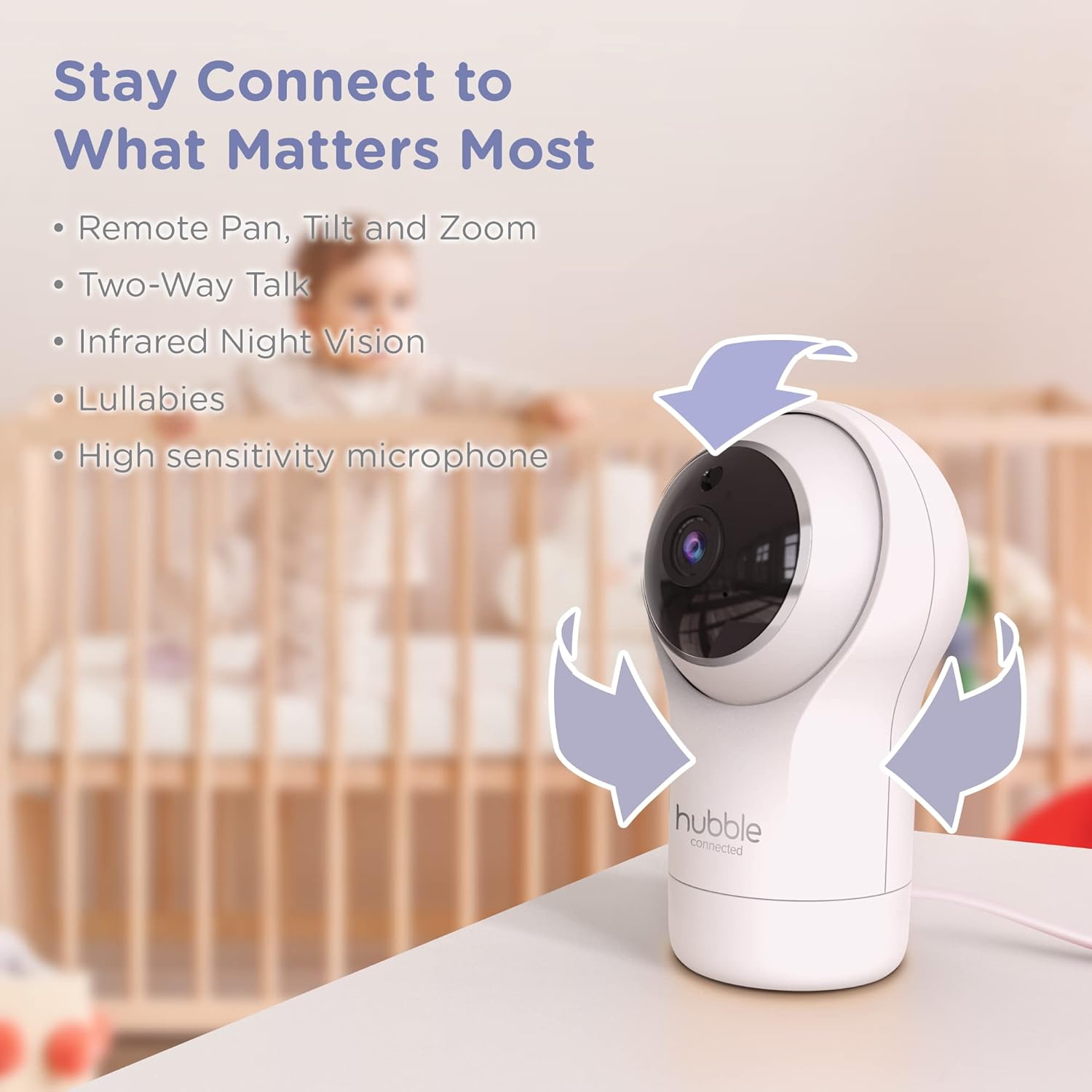
Figure 3.2: Camera Pan, Tilt, and Zoom Functionality
3.4. Двостороння розмова
To communicate with your baby, press and hold the microphone button on the Parent Unit and speak. Release the button to hear your baby's response.
3.5. Нічне бачення
The cameras are equipped with infrared night vision, which automatically activates in low-light conditions, providing a clear black-and-white image of your baby.

Figure 3.3: Infrared Night Vision in Operation
3.6. Lullabies and Room Temperature Monitoring
The monitor includes preloaded lullabies to soothe your baby. Access these through the Parent Unit's menu. The system also continuously monitors the room temperature, displayed on the Parent Unit, to ensure a comfortable environment for your child.

Рисунок 3.4: Ключові характеристикиview
3.7. Офіційне відео продукту
Відео 3.1: Кінецьview of the Nursery View Pro Twin features, including split screen, pan/tilt/zoom, two-way talk, night vision, and lullabies.
4. Технічне обслуговування
4.1. прибирання
To clean the monitor and cameras, use a soft, dry cloth. Do not use abrasive cleaners or solvents. Ensure the devices are unplugged before cleaning.
4.2. Зберігання
Якщо монітор і камери не використовуються протягом тривалого часу, зберігайте їх у прохолодному, сухому місці, подалі від прямих сонячних променів та екстремальних температур.
5. Вирішення проблем
5.1. No Signal/Poor Image
- Ensure both the Parent Unit and cameras are powered on and within range.
- Check for obstructions between the Parent Unit and cameras that might interfere with the signal.
- Relocate the Parent Unit or cameras to improve reception.
5.2. Battery Not Charging/Low Battery Alert
- Verify that the power adapter is securely connected to the Parent Unit and a working power outlet.
- Allow sufficient time for the battery to charge.
- Якщо проблема не зникне, зверніться в службу підтримки.
6. Технічні характеристики
| Особливість | Деталь |
|---|---|
| Назва моделі | Розплідник View Pro Twin |
| Номер моделі | HCNVPRO2 |
| Розмір екрана | 5-inch Diagonal Color Screen |
| Технологія підключення | Wireless (Non-WiFi) |
| Діапазон | До 1,000 футів / 300 м |
| Роздільна здатність захоплення відео | 720p |
| Особливості | Night Vision, Two-Way Talk, Soothing Nature Sounds, Room Temperature Monitoring |
| Джерело живлення | Battery Powered (Parent Unit), AC Adapter (Cameras) |
| Акумулятори | Потрібні 3 літій-іонні батареї (у комплекті) |
| Вага товару | 2 фунта |
| Розміри продукту | 2.8 x 2.7 x 4.8 дюймів |
7. Гарантія та підтримка
7.1. Інформація про гарантію
Your Hubble Connected View Pro Twin is covered by a One (1) year Limited Warranty from the date of purchase. Please retain your proof of purchase for warranty claims.
7.2. Підтримка клієнтів
For technical assistance, troubleshooting, or warranty inquiries, please contact Hubble Connected customer support. Visit the official Hubble Connected Store для отримання додаткової інформації та ресурсів підтримки.