
1. Продукт закінчивсяview

Передня верхня частина view of the SUNMI 80mm Kitchen Cloud Receipt Printer, showcasing its compact black design with orange accents and control panel.
The SUNMI 80mm Kitchen Cloud Receipt Printer (Model C04000069) is a compact and efficient thermal printer designed for various environments, particularly suited for kitchen and point-of-sale applications. It offers reliable, high-speed printing for receipts and orders.
Ключові характеристики:
- Compact 130mm square design for space-saving installation.
- High-performance Seiko thermal print head.
- Fast printing speed of 165mm/s for 80mm receipts.
- Easy internet connectivity via LAN cable.
- Supports 80mm paper format.
2. Вміст упаковки
Будь ласка, поставте позначку у відповідному полі для наступних пунктів:
- SUNMI 80mm Kitchen Cloud Receipt Printer (Model C04000069)
- Адаптер живлення
- Thermal Paper Roll (for initial setup)
- Посібник користувача (цей документ)
3. Посібник із налаштування
3.1 Підключення живлення
- Переконайтеся, що принтер розміщено на стійкій, рівній поверхні.
- Connect the power adapter to the printer's power input port.
- Підключіть адаптер живлення до відповідної електричної розетки.
- Натисніть кнопку живлення, щоб увімкнути принтер. Індикатор живлення засвітиться.
3.2 Встановлення рулону паперу

Відкритий view of the SUNMI printer's interior, revealing the paper roll compartment and the high-performance Seiko thermal print head, capable of 165mm/s printing speed.
- Open the printer's top cover by pressing the release latch.
- Insert the 80mm thermal paper roll into the compartment, ensuring the paper feeds from the bottom and the leading edge is straight.
- Витягніть невеликий шматок паперу повз різак.
- Щільно закрийте верхню кришку, доки вона не зафіксується почутим клацанням.

Two sequential images: one showing a hand inserting a receipt into the printer's output slot, and another showing a hand replacing the thermal paper roll inside the printer's open compartment.
3.3 Мережеве підключення
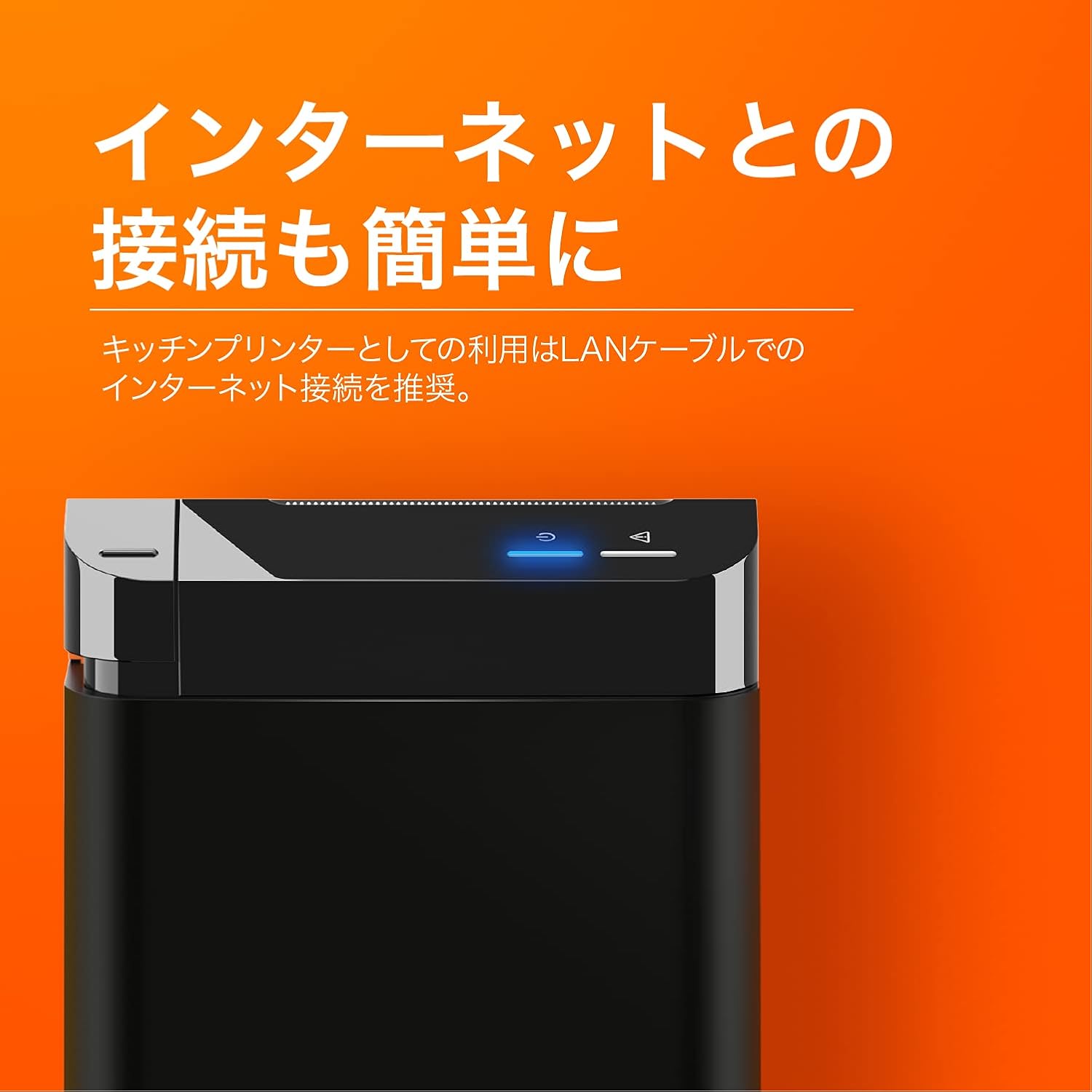
The SUNMI printer with a blue illuminated status light, highlighting its easy internet connectivity via LAN cable, recommended for kitchen printer use.
For optimal performance, especially in kitchen environments, a wired LAN connection is recommended.
- Connect one end of an Ethernet (LAN) cable to the printer's LAN port.
- Підключіть інший кінець кабелю Ethernet до мережевого маршрутизатора або комутатора.
- The network indicator light on the printer will show connection status (e.g., solid blue for connected).
4. Інструкція з експлуатації
4.1 Базовий друк
Once the printer is powered on and connected to your network, it is ready to receive print commands from compatible software or systems (e.g., POS software, kitchen display systems).
- Ensure your printing application is configured to use the SUNMI 80mm Kitchen Cloud Printer.
- Initiate a print job from your application.
- The printer will automatically feed and cut the receipt after printing.

A view of two SUNMI 80mm Kitchen Cloud Printers side-by-side, with one actively printing a receipt, demonstrating its operational use.
4.2 Індикатори стану
The printer features indicator lights on its control panel to provide status information:
- Індикатор живлення: Solid light indicates the printer is on.
- Індикатор помилки: Flashing or solid light indicates an error (e.g., paper out, cover open). Refer to the Troubleshooting section.
- Індикатор мережі: Indicates network connectivity status.
5. Технічне обслуговування
5.1 Очищення принтера
Регулярне очищення допомагає підтримувати якість друку та подовжує термін служби принтера.
- Перед чищенням вимкніть принтер та від’єднайте його від мережі.
- Злегка протріть м’якою тканиною без ворсу dampened with water or isopropyl alcohol to wipe the exterior.
- Gently clean the thermal print head with a cotton swab dipped in isopropyl alcohol. Allow it to dry completely before use.
- Remove any paper dust or debris from the paper path.
5.2 Заміна рулону паперу
When the paper roll is nearing its end, the printer may indicate a paper-low error or print faint lines. Follow the steps in Section 3.2 to replace the paper roll.
6. Вирішення проблем
If you encounter issues with your SUNMI printer, refer to the table below for common problems and solutions.
| проблема | Можлива причина | Рішення |
|---|---|---|
| Принтер не вмикається | No power, faulty adapter | Check power cable connection; ensure outlet is working; try a different adapter if available. |
| No printing / Error light on | Paper out, cover open, paper jammed | Replace paper roll; ensure cover is closed properly; clear any paper jams. |
| Faint or blank prints | Incorrect paper type, dirty print head, paper loaded incorrectly | Ensure thermal paper is used; clean the print head (Section 5.1); check paper orientation. |
| Не вдається підключитися до мережі | Loose LAN cable, network configuration issue | Check LAN cable connection; verify network settings on your router/system. |
7. Технічні характеристики

The SUNMI 80mm Kitchen Cloud Printer, demonstrating its compact 130mm square footprint, ideal for space-saving installations.
| Особливість | Специфікація |
|---|---|
| Номер моделі | C04000069 |
| Бренд | САНМІ |
| Тип принтера | Термопринтер чеків |
| Швидкість друку | 165 мм/с |
| Ширина паперу | 80 мм |
| Технологія підключення | USB, LAN (Ethernet) |
| Колір | Multicolor (primarily black with orange accents) |
| Розміри продукту | 13 x 13 x 13 см (приблизно 5.1 x 5.1 x 5.1 дюймів) |
| Вага товару | 1.32 кілограма (приблизно 2.91 фунта) |
| Максимальна місткість подачі аркушів | 100 sheets (referring to paper roll length equivalent) |
| Двосторонній друк | No (single-sided receipt printing) |
| Підтримувані носії | Thermal Labels/Receipt Paper |
8. Гарантія та підтримка
This product is covered by the standard manufacturer's warranty. For specific warranty terms and conditions, please refer to the documentation provided at the time of purchase or contact your retailer.
For technical support, troubleshooting assistance beyond this manual, or service inquiries, please contact SUNMI customer support or your authorized dealer. Keep your purchase receipt and product model number (C04000069) ready when contacting support.