
Turonic PH950
Turonic PH950 Air Purifier and Humidifier Combo User Manual
Модель: PH950
вступ
This user manual provides detailed instructions for the safe and efficient operation, maintenance, and troubleshooting of your Turonic PH950 Air Purifier and Humidifier Combo. Please read this manual thoroughly before using the appliance and retain it for future reference.
The Turonic PH950 is designed to improve indoor air quality by combining advanced 8-stage air purification with humidification, suitable for large rooms up to 4200 sq ft. It features a True HEPA 13 filter, UV light, ionizer, smart auto mode, and Wi-Fi control for convenient operation.
Важливі інструкції з безпеки
- Завжди ставте пристрій на тверду, рівну поверхню.
- Не блокуйте отвори для входу або випуску повітря.
- Від’єднайте прилад від мережі перед чищенням або будь-яким технічним обслуговуванням.
- Keep out of reach of children and pets. The unit features a child safety lock.
- Не працюйте з пошкодженим шнуром або вилкою.
- Refer to the full user guide for comprehensive safety information.
Налаштування
Розпакування та початкове розміщення
Carefully remove the Turonic PH950 from its packaging. Ensure all packing materials are removed from the unit, especially around the filters and air vents. Place the unit on a stable, flat surface in the desired room, ensuring adequate space around it for optimal air circulation.

Figure 1: Turonic PH950 Air Purifier and Humidifier Combo. The unit is white with a grey top panel and a circular control display.
Установка фільтра
Before first use, remove all protective packaging from the filters. The PH950 utilizes an 8-stage purification system. Open the filter compartment, typically located on the side or back of the unit, and insert the filters according to the markings. Ensure they are securely in place before closing the compartment.
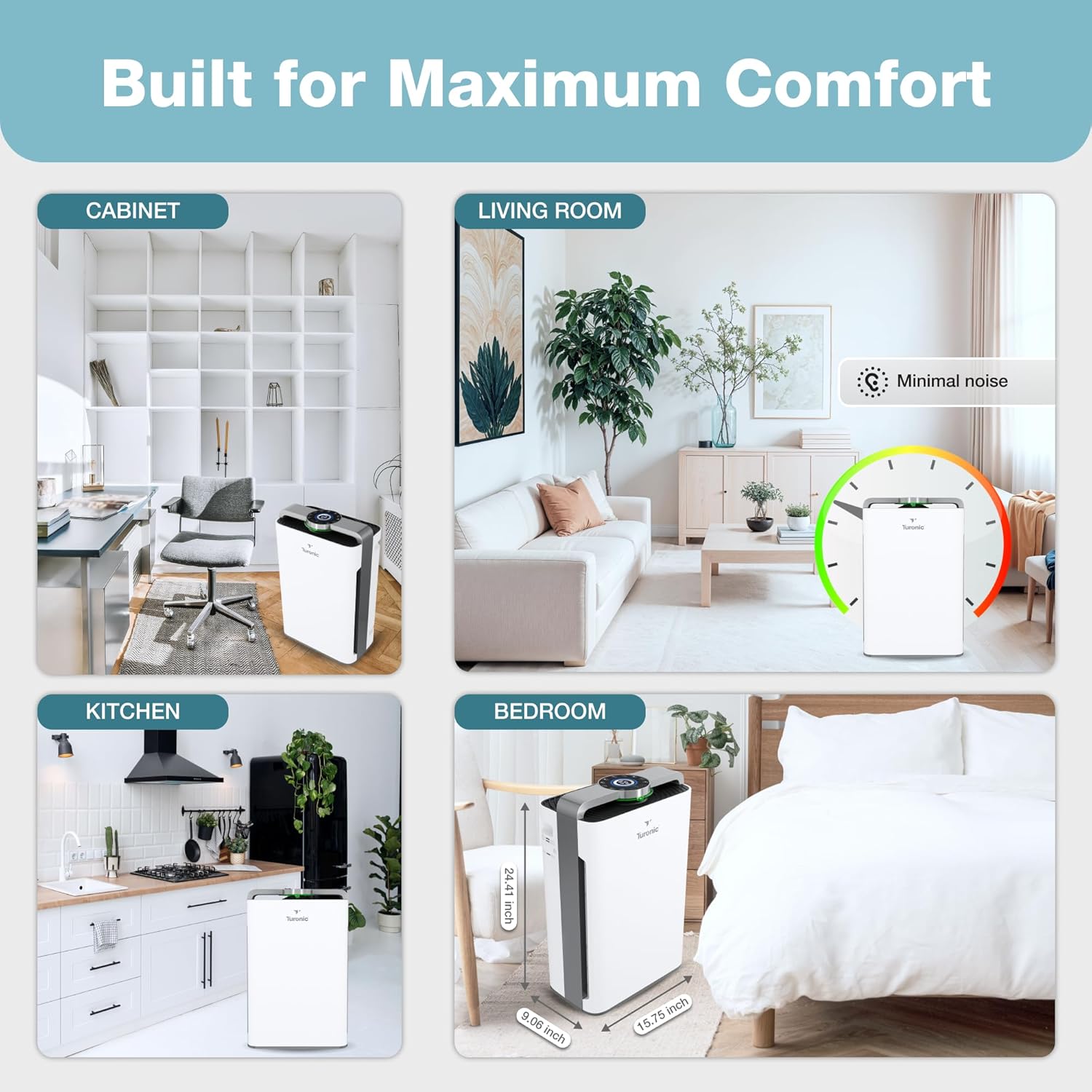
Рисунок 2: Діаграма, що ілюструє 8-тіtage purification system, including Ionizer, HEPA 13, Cotton Filter, Activated Carbon, Cold Catalyst, Humidifying Filter, UV Light, and Water Cleaning Balls.
Filling the Water Tank (Humidifier Function)
Locate the water tank, usually at the bottom or side of the unit. Remove the tank, fill it with clean, cool tap water, and securely replace the cap. Insert the filled water tank back into the unit until it clicks into place. Do not overfill.
Інструкція з експлуатації
Панель керування та пульт дистанційного керування
The Turonic PH950 can be operated via its intuitive touch control panel located on the top of the unit or using the included remote control. Both offer access to all functions.
Малюнок 3: Детально view of the control panel with touch buttons for UV, Ionizer, Timer, Auto, On/Off, Water Tank, Change Filter, Child Lock, Sleep, and Reset. A remote control is also shown.
Увімкнення/вимкнення живлення
Натисніть Увімкнення/вимкнення button on the control panel or remote to power the unit on or off. The unit will typically start in Auto Mode.
Вибір режиму
- Автоматичний режим: The unit automatically adjusts fan speed based on detected air quality. Air quality is indicated by a color-changing light (Green: Excellent, Blue: Good, Orange: Medium, Red: Poor).
- Режим сну: Reduces fan speed to the lowest setting (36 dB) and dims display lights for quiet operation during sleep. An ambient light sensor can automatically activate this mode in dark conditions.
- Ручне керування швидкістю: Adjust fan speed from 1 to 8 levels using the speed control buttons.

Figure 4: The PH950 operates quietly in Sleep Mode, with noise levels as low as 36 dB, suitable for bedrooms.
Спеціальні функції
- УФ-світло: Activates the UV-C lamp for enhanced sterilization.
- Іонізатор: Releases negative ions to help capture airborne particles.
- Таймер: Set the unit to operate for a specific duration (e.g., 1-12 hours) before automatically turning off.
- Блокування від дітей: Press and hold the Child Lock button to disable the control panel, preventing accidental changes by children or pets. Repeat to unlock.

Figure 5: The Child Safety Lock feature prevents unintended operation by children or pets, ensuring safe use in family environments.
Wi-Fi управління
The Turonic PH950 supports Wi-Fi connectivity for remote control via a dedicated mobile application. Refer to the separate "User Guide (PDF)" document for detailed instructions on connecting your device to Wi-Fi and using the app features.
Технічне обслуговування
Regular maintenance ensures optimal performance and extends the lifespan of your air purifier and humidifier.
Заміна та очищення фільтрів
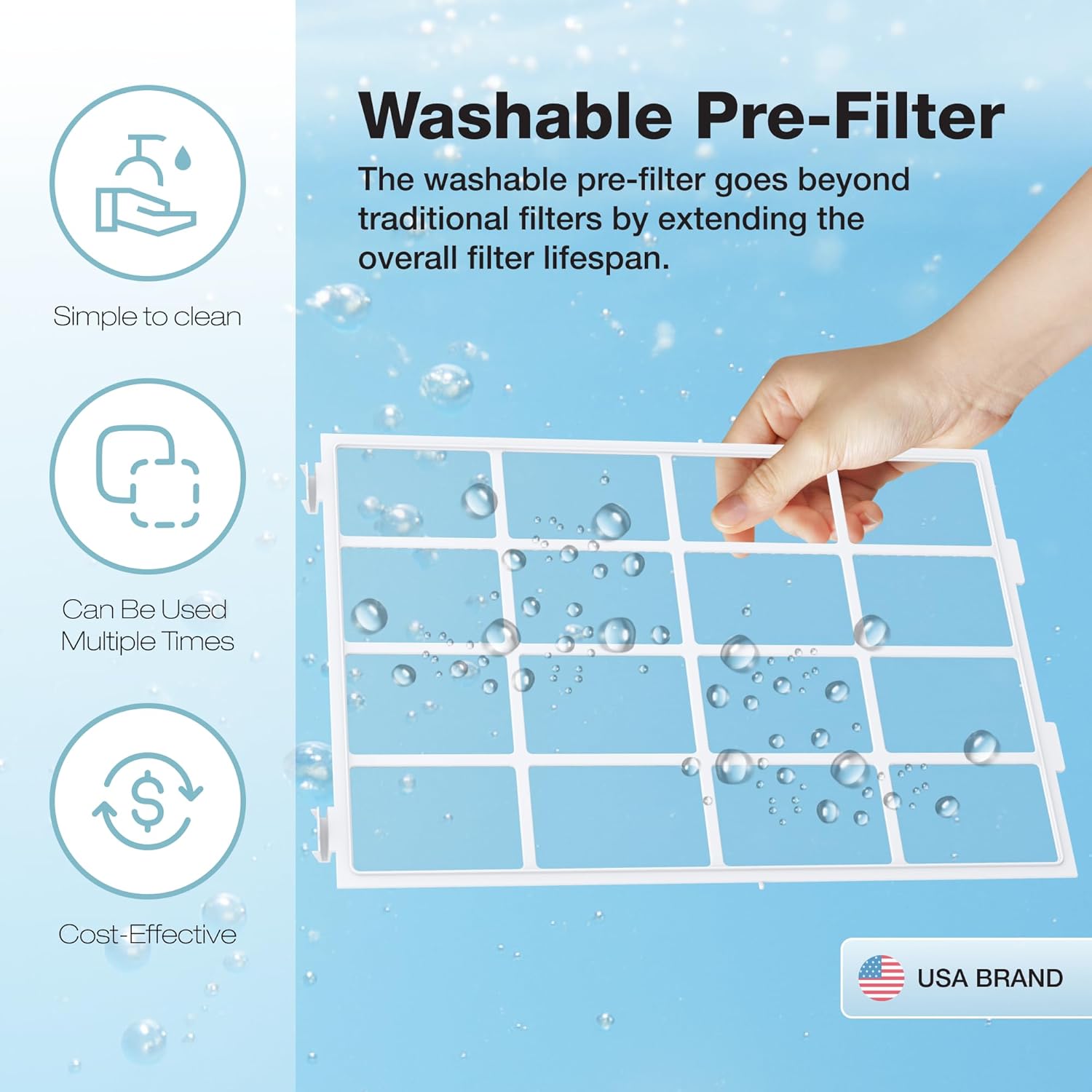
The unit features a filter health indicator. When the "Change Filter" light illuminates, it's time to inspect or replace the filters. The washable pre-filter can be cleaned with water and reused, extending the overall filter lifespan.
Figure 6: The control panel includes a "Change Filter" indicator to alert users when filter maintenance is required.

Figure 7: The washable pre-filter is designed for easy cleaning and multiple uses, contributing to cost-effectiveness and extended filter life.
Очищення бака з водою
Regularly clean the water tank to prevent mineral buildup and maintain hygienic humidification. Use a soft brush and mild detergent, then rinse thoroughly. Ensure the tank is completely dry before refilling.
Зовнішнє прибирання
Протріть зовнішню поверхню пристрою м’якою, damp тканина. Не використовуйте абразивні засоби чи розчинники.
Усунення несправностей
| проблема | Можлива причина | Рішення |
|---|---|---|
| Пристрій не включається. | Не підключено; живлення відключеноtage; main power switch off. | Переконайтеся, що шнур живлення надійно підключено до робочої розетки. Перевірте головний вимикач живлення. |
| Без туману/зволоження. | Water tank empty; water tank not properly installed; humidifying filter clogged. | Refill water tank. Reinstall water tank correctly. Clean or replace humidifying filter. |
| Слабкий потік повітря або погане очищення. | Фільтри брудні або засмічені; заблоковані вхідні/вихідні отвори для повітря. | Clean or replace filters. Ensure no obstructions are blocking air vents. |
| Незвичайний шум. | Unit not on a level surface; foreign object in fan; filter not installed correctly. | Place unit on a flat, stable surface. Check for and remove any foreign objects. Reinstall filters properly. |
| Проблеми з підключенням до Wi-Fi. | Incorrect Wi-Fi password; unit too far from router; app not updated. | Verify Wi-Fi password. Move unit closer to router. Update the mobile application. Refer to the separate User Guide for detailed Wi-Fi setup. |
If the problem persists after attempting these solutions, please contact Turonic Customer Support.
Технічні характеристики
| Особливість | Деталь |
|---|---|
| Номер моделі | PH950 |
| Бренд | Турон |
| Розміри продукту | 9.06" Г x 15.75" Ш x 24.41" В |
| вага | 23.6 фунта |
| Зона покриття | Up to 4200 Sq Ft (in 2 hours) / 2100 Sq Ft (in 1 hour) |
| Рівень шуму | Всього 36 дБ |
| Очищення Сtages | 8-Stage (True HEPA 13 Filter, UV Light, Ionizer, Cotton Filter, Activated Carbon, Cold Catalyst, Humidifying Filter, Water Cleaning Balls) |
| Споживана потужність | 95 Вт |
| Колір | Білий |
| Параметри керування | Touch Panel, Wi-Fi App, Remote Control |
Гарантія та підтримка
For warranty information, product registration, or technical support, please visit the official Turonic website or contact their customer service. You can also refer to the "User Manual (PDF)" or "User Guide (PDF)" available on the product page for more detailed information.
- Official Turonic Store: Visit the Turonic Store on Amazon
- Інструкція користувача (PDF): Завантажити PDF
- Посібник користувача (PDF): Завантажити PDF
Statements regarding dietary supplements have not been evaluated by the FDA and are not intended to diagnose, treat, cure, or prevent any disease or health condition. This product is from a small business brand. Support small.
Відео про продукт
Офіційних відео від продавця про продукт для вбудовування в цей посібник немає.