
1. Вступ
The ZKTeco LX50 is a compact and efficient fingerprint time attendance device designed for small to medium-sized businesses. It utilizes advanced biometric technology to accurately record employee attendance, providing a reliable solution for workforce management. This manual will guide you through the setup, operation, and maintenance of your LX50 device.
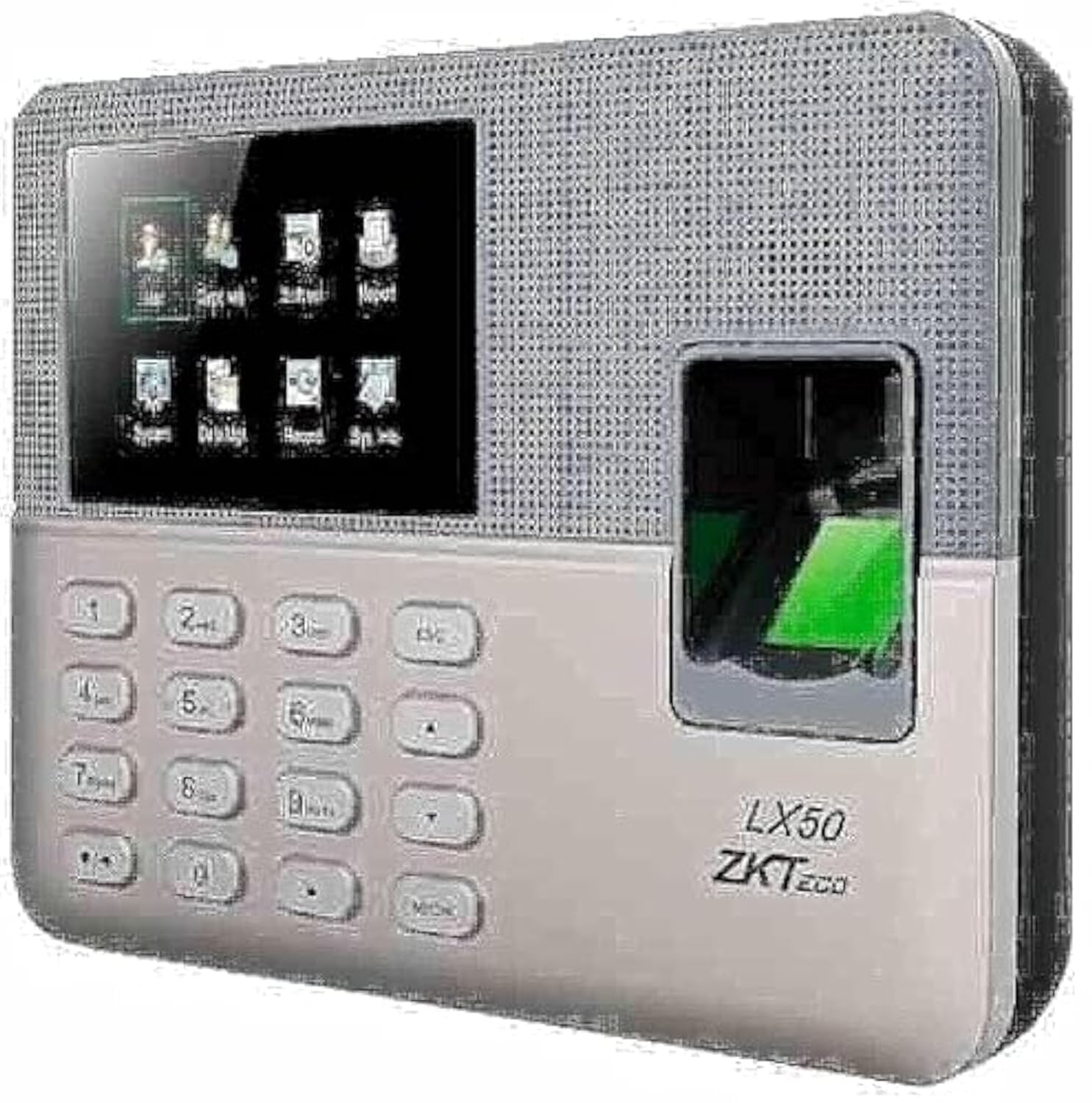
Figure 1: ZKTeco LX50 Fingerprint Time Attendance Device. This image shows the front view of the device, highlighting its compact design and fingerprint sensor.
2. Вміст упаковки
Перш ніж розпочати, перевірте вміст упаковки, щоб переконатися, що всі елементи присутні:
- ZKTeco LX50 Device
- Адаптер живлення
- Монтажні аксесуари (шурупи, дюбелі)
- Короткий посібник
- USB кабель
3. Налаштування
3.1 Монтаж пристрою
- Choose a suitable location for installation, ensuring it is easily accessible for users and protected from direct sunlight or moisture.
- Use the provided mounting template (if available) to mark the drilling points on the wall.
- Просвердліть отвори та вставте дюбелі.
- Закріпіть пристрій на стіні за допомогою наданих гвинтів.
3.2 Підключення живлення
Підключіть адаптер живлення до вхідного порту живлення пристрою, а потім підключіть його до стандартної електричної розетки. Пристрій увімкнеться автоматично.
3.3 Початкова конфігурація
Upon first power-on, the device may prompt you to set the date, time, and administrator fingerprint. Follow the on-screen instructions.
- Setting Administrator: It is crucial to register at least one administrator fingerprint for device management.
- Дата і час: Ensure the date and time are set correctly for accurate attendance records.
4. Інструкція з експлуатації
4.1 Реєстрація користувача
Щоб зареєструвати нового користувача:
- Access the main menu using the administrator fingerprint or password.
- Перейдіть до Керування користувачами > Новий користувач.
- Enter the user's 9-digit ID. The device supports T9 input for alphanumeric characters if needed.
- Register the user's fingerprint by placing their finger on the sensor multiple times as prompted.
- Save the user information. The device has a capacity for 500 users and 500 fingerprints.
4.2 Облік відвідуваності
Users can record their attendance by simply placing their registered finger on the fingerprint sensor. The device will confirm the successful punch with an audible and visual indicator.
- The device uses the ZKFinger VX 10.0 algorithm for fast and accurate fingerprint recognition.
- It can store up to 50,000 transaction records.
4.3 Data Download
Attendance data can be downloaded via the USB host port.
- Insert a USB flash drive into the device's USB port.
- Access the main menu using the administrator fingerprint or password.
- Перейдіть до Управління даними > Download Attendance Data.
- Select the desired date range and confirm the download.
- The data will be saved to the USB flash drive in a compatible format (e.g., Excel).
4.4 Запланований дзвінок
The LX50 features a scheduled bell function. You can configure specific times for the device to sound an alarm, useful for marking shift changes or breaks.
- Доступ до головного меню.
- Перейдіть до Налаштування системи > Розклад дзвінків.
- Set the desired times and days for the bell to ring.
5. Технічне обслуговування
- Прибирання: Regularly clean the fingerprint sensor and screen with a soft, dry cloth. Avoid using abrasive cleaners or liquids directly on the device.
- Резервне копіювання даних: Periodically download and back up attendance data to prevent loss.
- Оновлення програмного забезпечення: Перевірте виробника webсайт для отримання будь-яких доступних оновлень прошивки, щоб забезпечити оптимальну продуктивність і безпеку.
- Умови навколишнього середовища: Зберігайте пристрій у сухому середовищі, подалі від екстремальних температур та прямих сонячних променів.
6. Вирішення проблем
- Пристрій не вмикається:
Переконайтеся, що адаптер живлення надійно підключено як до пристрою, так і до справної розетки. Перевірте, чи розетка справна.
- Відбиток пальця не розпізнано:
Ensure the finger is clean and dry. Place the finger flat on the sensor, covering the entire surface. If issues persist, re-register the fingerprint.
- Cannot download data to USB:
Ensure the USB flash drive is formatted correctly (FAT32 is recommended) and has sufficient free space. Try a different USB flash drive. Ensure you are performing the download operation from the administrator menu.
- Пристрій не підключається до мережі:
The ZKTeco LX50 model primarily uses a USB host for data communication and does not support direct network (Ethernet/Wi-Fi) connectivity for data transfer. Data must be manually pulled via a USB flash drive.
7. Технічні характеристики
| Особливість | Деталь |
|---|---|
| Виробник | ZKTeco |
| Бренд | ZKTeco |
| Модель | LX50 |
| Версія алгоритму | ZKFinger VX 10.0 |
| Ємність користувача | 500 |
| Ємність відбитків пальців | 500 |
| Ємність транзакцій | 50,000 |
| спілкування | USB-хост |
| Стандартні функції | Scheduled Bell, Self-Learning Report, 9-digit User Registration, T9 Input |
| Розміри упаковки | 30.2 х 21.7 х 7.6 см |
| Вага товару | 680 г |
| Колір | Багатобарвність |
| Дата першої доступності | 27 липня 2021 р |
8. Гарантія та підтримка
The ZKTeco LX50 device comes with a standard manufacturer's warranty against defects in materials and workmanship. Please refer to the warranty card included in your package for specific terms and conditions, including the warranty period and coverage details.
For technical support, troubleshooting assistance, or warranty claims, please contact ZKTeco customer service or your local distributor. Contact information can typically be found on the manufacturer's official webсайту або в упаковці продукту.
Важливо: Зберігайте чек про покупку як підтвердження покупки для гарантійних цілей.


