
JCB 21-MS-210-C
Інструкція з експлуатації торцювальної пилки JCB 210 мм
Model: 21-MS-210-C | Brand: JCB
Продукт закінченийview
The JCB 210mm Mitre Saw is a powerful and versatile tool designed for precise cutting of various materials including steel, aluminum, wood (with embedded nails), and plastic. It features an 1100W motor, a 210mm 24T carbide tipped (TCT) blade, and a laser guide for enhanced accuracy and safety. The saw is equipped with 4 mitre cut settings and a dust collection feature for a cleaner working environment.

Малюнок 1: Закінченоview of the JCB 210mm Mitre Saw, showing the main unit, blade guard, and dust collection bag.
Важливі інструкції з безпеки
Always follow basic safety precautions when using this power tool to reduce the risk of fire, electric shock, and personal injury. Read all instructions before operating.
- Безпека на робочому місці: Тримайте робоче місце чистим і добре освітленим. Засмічені або темні місця сприяють нещасним випадкам. Не використовуйте електроінструменти у вибухонебезпечних середовищах, наприклад, у присутності легкозаймистих рідин, газів або пилу.
- Електрична безпека: Вилки електроінструментів повинні відповідати розетці. Ніколи не модифікуйте вилку жодним чином. Не піддавайте електроінструменти впливу дощу або вологи.
- Особиста безпека: Завжди використовуйте засоби захисту очей (захисні окуляри або захисні окуляри) та засоби захисту слуху. Використовуйте пилозахисну маску, якщо під час роботи утворюється пил. Одягайтеся належним чином; уникайте вільного одягу або ювелірних виробів.
- Використання та догляд за інструментом: Не застосовуйте силу до електроінструменту. Використовуйте правильний електроінструмент для вашого застосування. Від’єднайте штекер від джерела живлення, перш ніж виконувати будь-які налаштування, змінювати аксесуари або зберігати електроінструменти.
- Лазерна безпека: The laser wavelength is 650nm. Avoid direct eye exposure to the laser beam. Do not stare into the laser aperture.
Налаштування та збірка
Перед першим використанням переконайтеся, що всі компоненти присутні та правильно зібрані. Зверніться до схеми нижче для ідентифікації компонентів.

Figure 2: Key features of the JCB Mitre Saw, including laser guide, maximum cutting depth, aluminum guard, bevel range, and blade diameter.
- Розпакування: Carefully remove the mitre saw and all accessories from the packaging. Inspect for any shipping damage.
- Монтаж: Secure the mitre saw to a stable workbench using appropriate clamps or bolts through the base mounting holes. Ensure the saw is level and stable.
- Кріплення для пилозбірника: Attach the provided dust bag to the dust port located at the rear of the blade guard assembly. Ensure it is securely fastened to collect sawdust effectively.
- Blade Installation (if not pre-installed): Ensure the saw is unplugged. Follow the instructions in the blade replacement section to safely install the 210mm TCT blade.
- Підключення живлення: Connect the saw to a suitable 240V AC power outlet. Ensure the power switch is in the OFF position before plugging in.
Інструкція з експлуатації
Основна операція
- Розміщення матеріалу: Place the workpiece firmly against the fence and the saw base. Use clamps to secure smaller pieces.
- Увімкнення живлення: Depress the trigger switch on the handle to start the motor. Allow the blade to reach full speed before beginning the cut.
- Зробити розріз: Slowly lower the blade through the workpiece with a steady, controlled motion. Do not force the saw.
- Вимкнення живлення: Release the trigger switch to stop the motor. Wait for the blade to come to a complete stop before raising the blade or removing the workpiece.
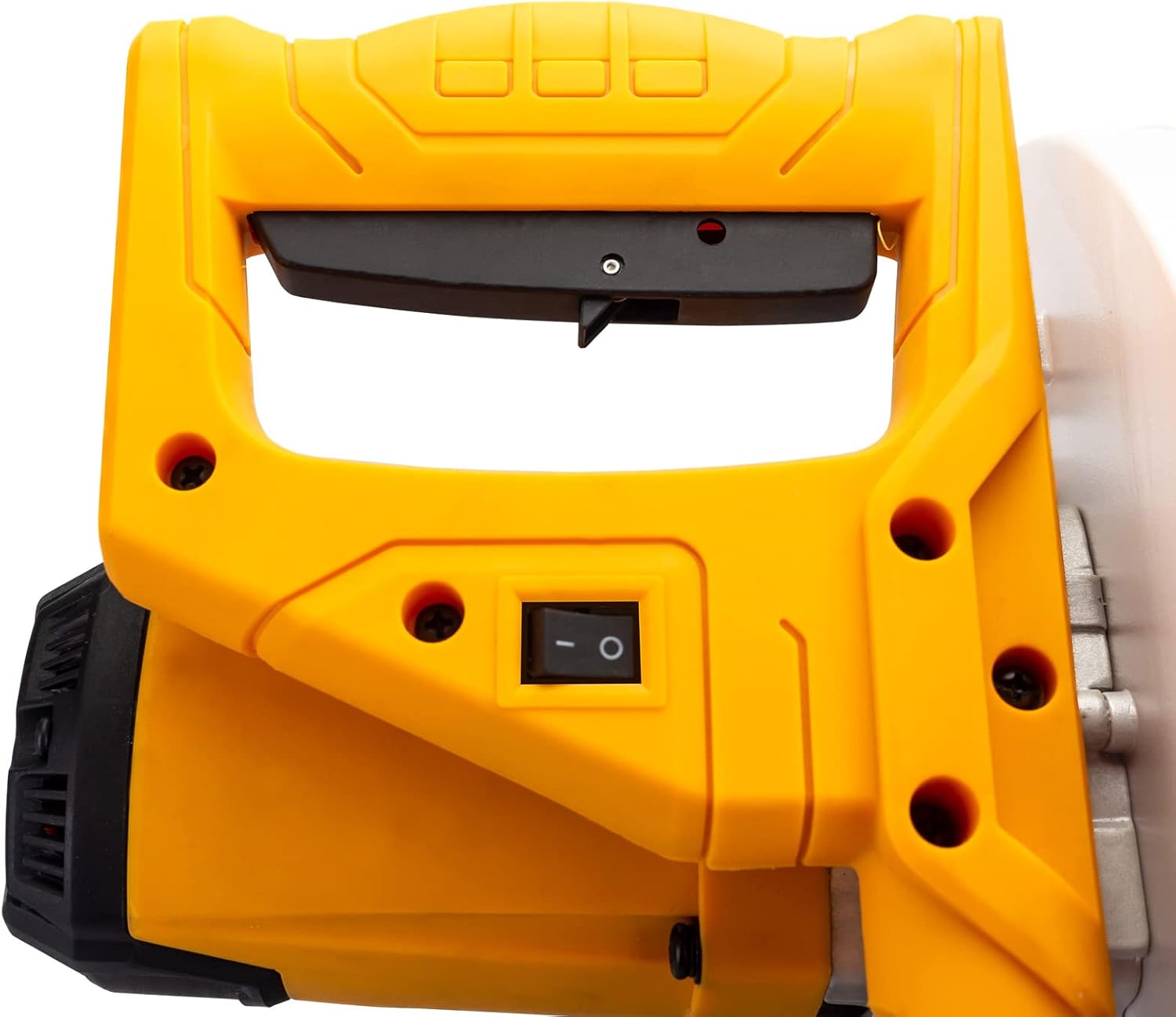
Figure 3: The ergonomic handle and power switch for operating the mitre saw.
Laser Guide Operation
The integrated laser guide projects a line onto the workpiece, indicating the exact cutting path of the blade. This enhances accuracy and allows for precise alignment before cutting.
- The laser guide is powered by the mains via a safety isolating transformer.
- To activate the laser, ensure the saw is plugged in and the laser switch (if separate) is turned on.
- Align the projected laser line with your desired cut mark on the workpiece.
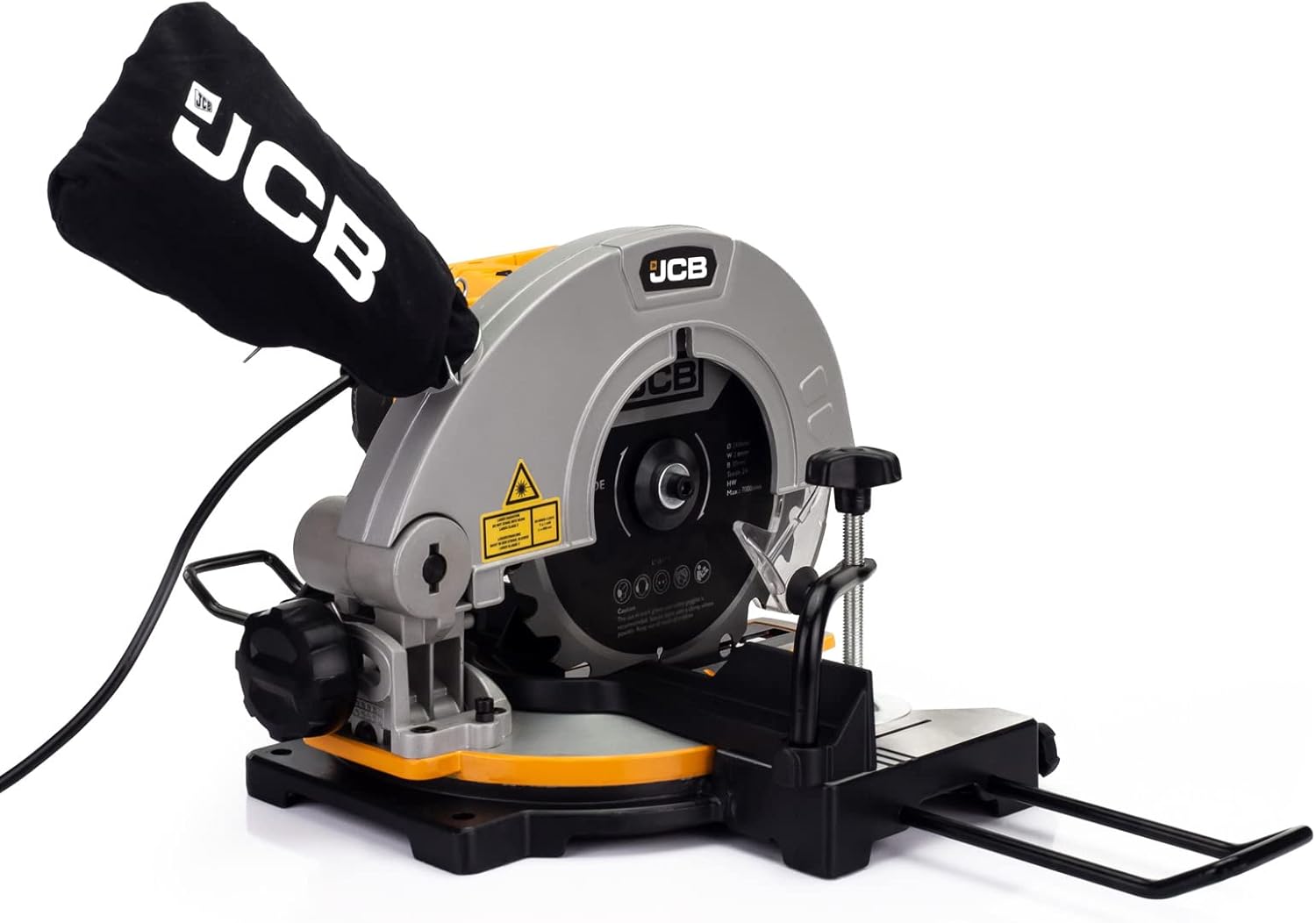
Figure 4: The laser guide mechanism, which projects a precise cutting line onto the workpiece.
Регулювання кутів нахилу
The saw offers a cut range of -45° / 0° / +45° for various mitre cuts.
- Loosen the mitre lock knob located on the front of the saw base.
- Rotate the turntable to the desired angle indicated on the mitre scale.
- Tighten the mitre lock knob firmly to secure the turntable in position before making a cut.
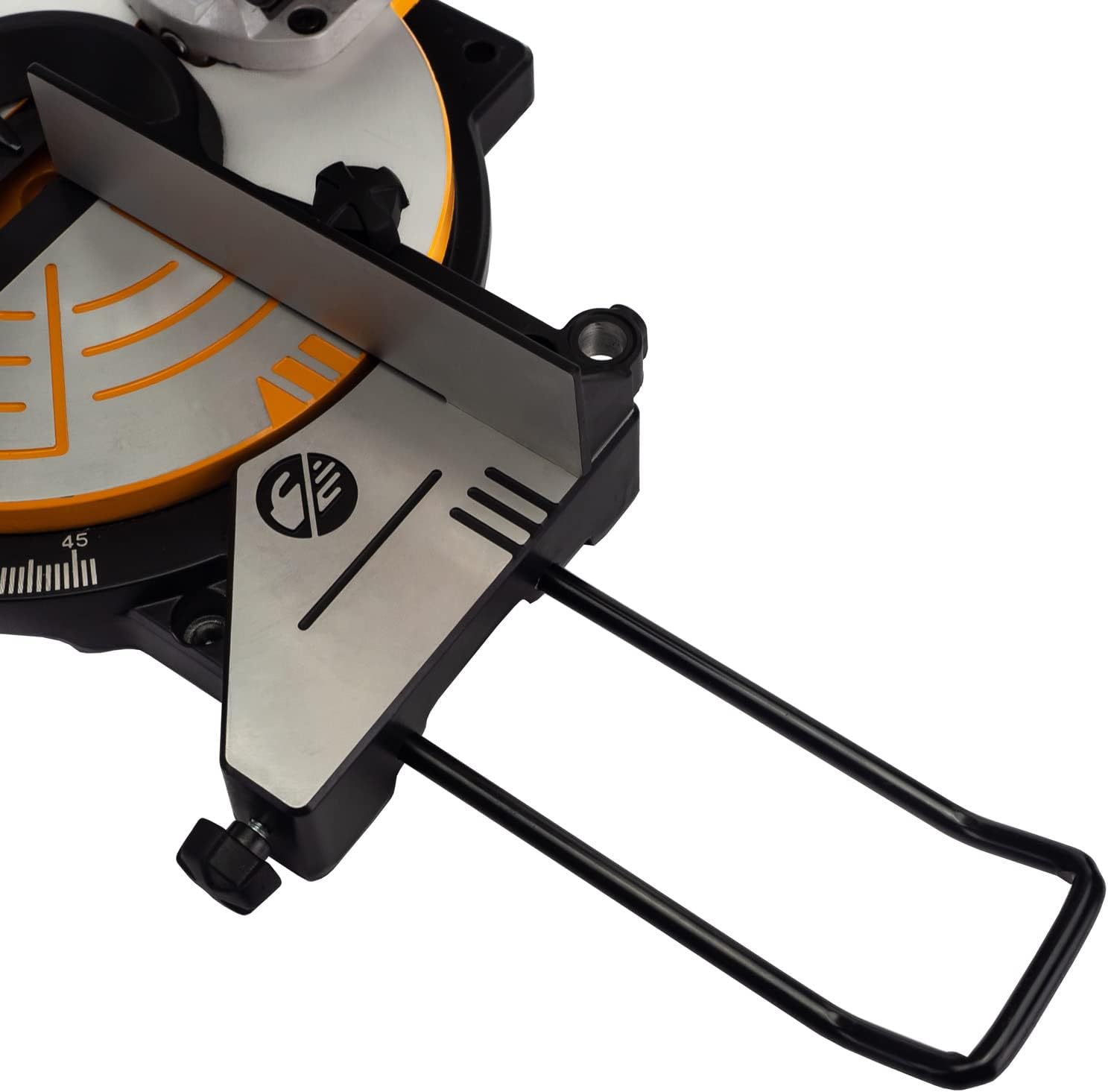
Малюнок 5: Детально view of the saw base, showing the mitre angle scale and locking mechanism for precise adjustments.
Технічне обслуговування
Regular maintenance ensures the longevity and optimal performance of your JCB Mitre Saw. Always unplug the saw before performing any maintenance.
- Прибирання: After each use, clean the saw thoroughly. Remove sawdust and debris from the blade guard, motor vents, and base. Use a soft brush or compressed air.
- Мішок для пилу: Empty the dust bag regularly to maintain effective dust collection. Clean the bag periodically to prevent clogging.
- Перевірка леза: Inspect the blade for sharpness, damage, or missing teeth before each use. A dull or damaged blade can cause kickback and poor cuts.
- Заміна леза: To replace the blade, ensure the saw is unplugged. Use the provided wrench to loosen the arbor nut while holding the blade lock button. Carefully remove the old blade and install the new 210mm blade, ensuring the teeth are oriented correctly. Tighten the arbor nut securely.
- Змащення: Periodically apply a light coat of machine oil to moving parts and pivot points to ensure smooth operation.
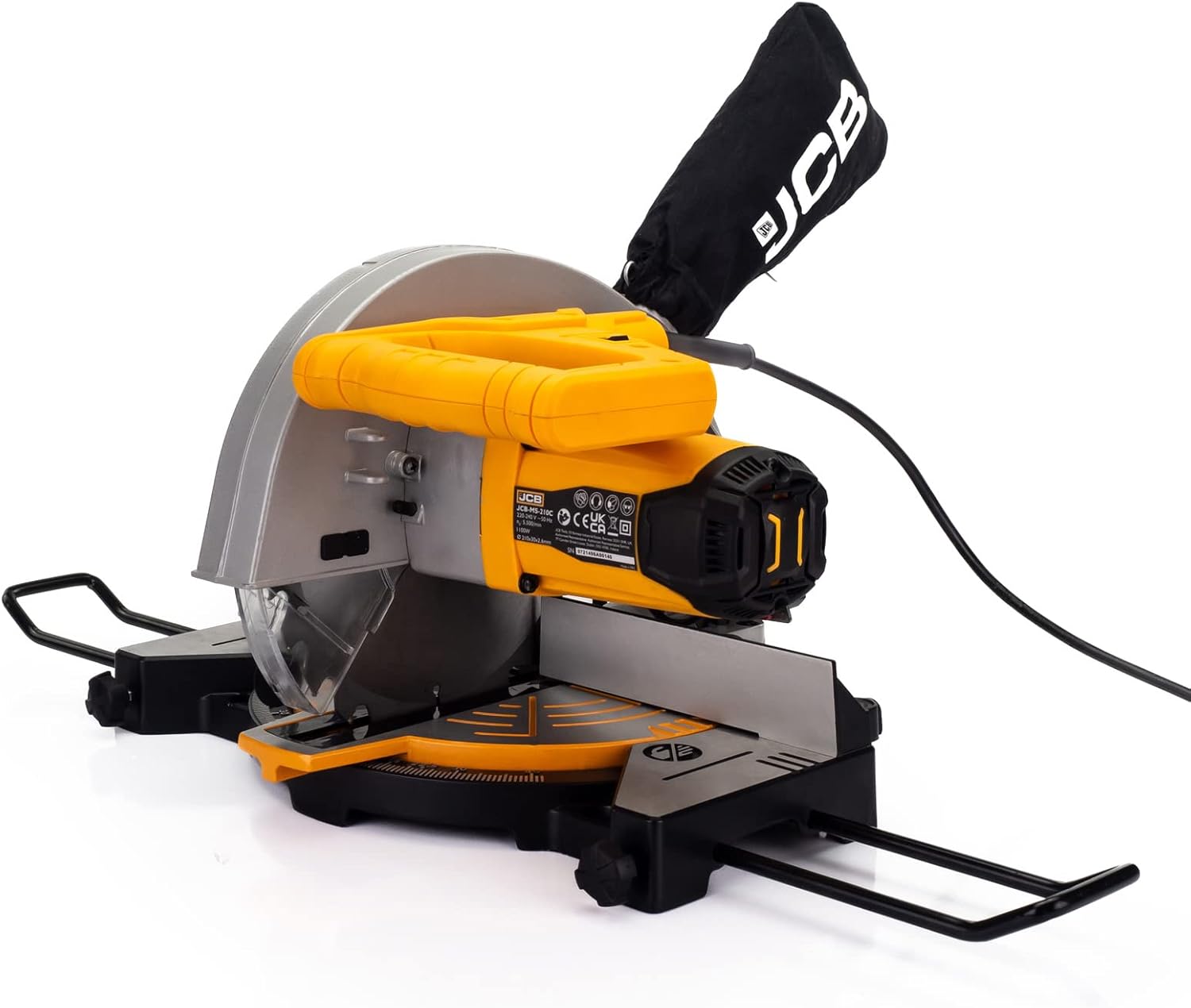
Figure 6: The dust collection bag attached to the mitre saw, essential for maintaining a clean work environment.
Усунення несправностей
This section addresses common issues you might encounter with your JCB Mitre Saw.
| проблема | Можлива причина | Рішення |
|---|---|---|
| Пила не запускається | Немає живлення; несправний вимикач; перевантаження двигуна. | Check power cord and outlet. Ensure switch is fully engaged. Allow motor to cool if overheated. |
| Blade not cutting cleanly | Dull or damaged blade; Incorrect blade for material; Blade installed backward. | Replace blade. Ensure correct blade type for material. Check blade orientation. |
| Надмірна вібрація або шум | Нещільне кріплення леза; Пошкоджене лезо; Нестабільне кріплення. | Tighten blade arbor nut. Replace damaged blade. Securely mount saw to workbench. |
| Лазерний напрямник не видно | Laser switch off; Dirty laser lens; Bright ambient light. | Turn on laser switch. Clean laser lens. Reduce ambient light if possible. |
| Погане збирання пилу | Dust bag full; Dust port clogged; Dust bag not properly attached. | Empty dust bag. Clear any clogs from dust port. Re-attach dust bag securely. |
Технічні характеристики
| Специфікація | Деталь |
|---|---|
| Номер моделі | 21-MS-210-C |
| Джерело живлення | Провідний електричний |
| томtage | 240 вольт |
| Wattage | 1100 Вт |
| Діаметр леза | 210 мм |
| Отвір леза | 30 мм |
| Товщина леза | 2.6 мм |
| Number of Teeth (Blade) | 24T (TCT) |
| Швидкість без навантаження | 5500 RPM (max 7000/min) |
| Mitre Cut Range | -45° / 0° / +45° |
| Довжина хвилі лазера | 650 нм |
| Вага товару | 9 г |
| Розміри упаковки | 48.4 х 32.2 х 29 см |
Гарантія та підтримка
This JCB Mitre Saw is backed by a JCB 3 Year Warranty. Ця гарантія поширюється на дефекти матеріалів і виготовлення за нормального використання.
For warranty claims, technical assistance, or spare parts, please contact JCB customer support. UK support is available to assist with any queries or issues you may encounter.
Будь ласка, збережіть чек про покупку для підтвердження гарантії.
Ask a question about this manual
Ask about setup, troubleshooting, compatibility, parts, safety, or missing instructions. Manuals+ will review the question and use this page’s manual context to help answer it.