
вступ
Thank you for choosing the Cellularline CORE True Wireless Bluetooth Earphones. These earphones are designed to provide a seamless audio experience with advanced features such as a charging case with an LED display, touch controls, and automatic pairing. This manual will guide you through the setup, operation, and maintenance of your new earphones.
Що в коробці
- Cellularline CORE True Wireless Bluetooth Earphones (Left and Right)
- Зарядний футляр зі світлодіодним дисплеєм
- Зарядний кабель USB-C
- Посібник користувача
Продукт закінченийview
The Cellularline CORE earphones feature a compact design and a charging case with an integrated LED display to show the remaining battery percentage. They offer up to 16 hours of total play time with the charging case.

Image: Cellularline CORE True Wireless Bluetooth Earphones and Charging Case. The earphones are white and sit in an open white charging case.

Image: A close-up of the Cellularline CORE charging case with an LED display showing '100', indicating full battery. The earphones are inside the case.
The LED display on the charging case provides real-time battery status, ensuring you are always aware of the remaining charge.
Налаштування
1. Заряджання навушників та чохла
- Помістіть обидва навушники в зарядний футляр. Переконайтеся, що вони правильно встановлені у відповідних гніздах.
- Connect the provided USB-C cable to the charging port on the case and plug the other end into a USB power adapter (not included) or a computer's USB port.
- Світлодіодний дисплей на зарядному футлярі показуватиме поточний відсоток заряду батареїtage during charging. A full charge typically takes approximately 4 hours for the case and earphones.
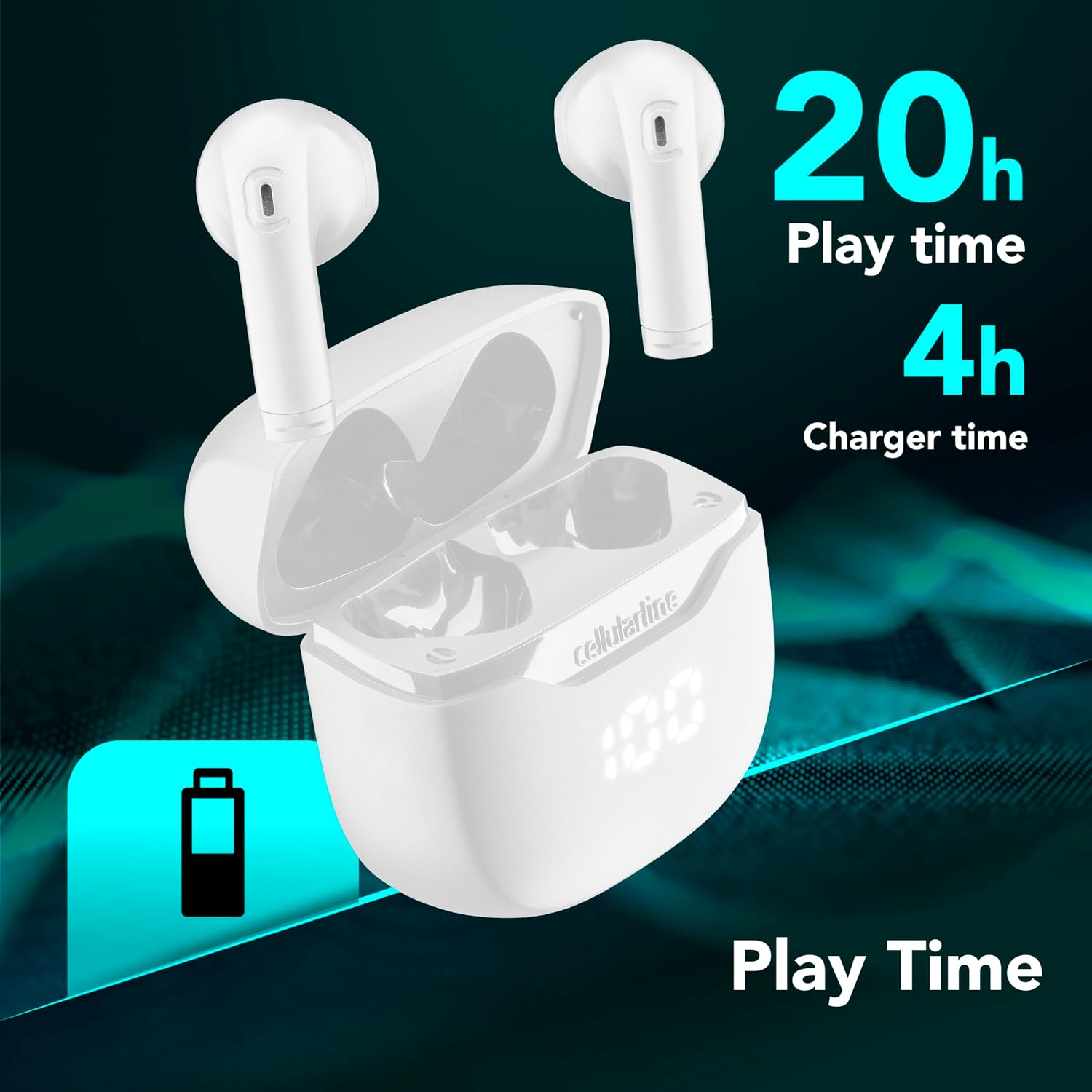
Image: The Cellularline CORE earphones and charging case, highlighting 20 hours of total play time and 4 hours of charging time for the case.
2. Initial Pairing (Autopairing)
- Переконайтеся, що навушники заряджені.
- Відкрийте зарядний футляр. Навушники автоматично увімкнуться та перейдуть у режим сполучення.
- На смартфоні або пристрої з підтримкою Bluetooth перейдіть до налаштувань Bluetooth.
- шукати available devices and select "Cellularline CORE" from the list.
- Після підключення ви почуєте звукове підтвердження, і навушники будуть готові до використання.

Image: Cellularline CORE earphones and charging case next to a smartphone displaying a music application, with a Bluetooth icon indicating successful pairing.
The Autopairing function ensures that once paired, the earphones will automatically connect to your last paired device when removed from the case.
Інструкція з експлуатації
Сенсорне керування
The Cellularline CORE earphones feature intuitive touch controls on each earbud for managing calls, music, and voice assistant functions.
| функція | Дія |
|---|---|
| Відтворення/призупинення музики | Один раз торкніться будь-якого навушника |
| Наступний трек | Двічі торкніться правого навушника |
| Попередній трек | Двічі торкніться лівого навушника |
| Відповісти/закінчити виклик | Один раз торкніться будь-якого навушника |
| Відхилити виклик | Натисніть і утримуйте будь-який навушник протягом 2 секунд |
| Активуйте голосовий помічник | Потрійне торкання будь-якого навушника |
| Збільшення гучності | Натисніть і утримуйте правий навушник |
| Зменшення гучності | Натисніть і утримуйте лівий навушник |
Double Master Function
The Double Master function allows you to use either the left or right earbud independently for calls. Simply remove one earbud from the case, and it will automatically connect. You can answer calls by tapping the active earbud.
Технічне обслуговування
прибирання
- Регулярно протирайте навушники та зарядний футляр м’якою, сухою тканиною без ворсу.
- Не використовуйте абразивні засоби для чищення, розчинники або аерозольні спреї.
- Переконайтеся, що зарядні контакти як на навушниках, так і на футлярі чисті та не містять бруду, щоб забезпечити належне заряджання.
Зберігання
- Коли навушники не використовуються, зберігайте їх у зарядному футлярі, щоб захистити їх та підтримувати зарядженими.
- Зберігайте пристрій у прохолодному, сухому місці, подалі від екстремальних температур та прямих сонячних променів.

Image: A hand placing the compact Cellularline CORE charging case into the pocket of a pair of jeans, demonstrating its portable size.
Усунення несправностей
| проблема | Можливе рішення |
|---|---|
| Навушники не вмикаються. | Ensure the earphones and charging case are fully charged. Place earphones in the case and close it, then open it again. |
| Навушники не сполучаються з пристроєм. | Make sure Bluetooth is enabled on your device. Forget the device in your Bluetooth settings and try pairing again. Ensure earphones are in pairing mode (LED indicator blinking). |
| Працює лише один навушник. | Place both earphones back into the charging case, close the lid, wait a few seconds, then open it again. This should re-sync them. If the issue persists, try resetting the earphones (refer to manufacturer's webсайт для отримання конкретних інструкцій зі скидання, якщо їх немає в інструкції). |
| Низька гучність або погана якість звуку. | Adjust the volume on both your device and the earphones. Ensure the earphones are clean and properly seated in your ears. Check for any obstructions in the earbud speakers. |
| Charging case LED display is not working. | Ensure the charging cable is securely connected and the power source is active. If the issue persists, contact customer support. |
Технічні характеристики
- Назва моделі: BTCORETWSW
- Бренд: клітинна лінія
- колір: Білий
- Розташування вуха: Внутрішні
- Форм-фактор: Внутрішні
- Технологія підключення: Бездротовий
- Бездротова технологія: Bluetooth
- Версія Bluetooth: 5.0
- Імпеданс: 16 Ом
- Контроль шуму: Звукоізоляція
- АЧХ: 20 Гц - 20 000 Гц
- Чутливість: 100 дБ
- Тип управління: Дотик
- Тип драйвера: Динамічний драйвер
- матеріал: пластик
- Середній термін служби батареї: 16 годин (із зарядним футляром)
- Рівень водонепроникності: Waterproof (Note: Refer to product packaging for specific IP rating if available)
- особливості: True Wireless Technology, Automatic Pairing, Touch Controls, LED Display
- Сумісні пристрої: Пристрої з підтримкою Bluetooth
- Країна походження: Китай
Інформація про гарантію
The Cellularline CORE True Wireless Bluetooth Earphones come with a 2-річна гарантія виробника з дати покупки. Ця гарантія поширюється на дефекти матеріалів та виготовлення за умов нормального використання. Вона не поширюється на пошкодження, спричинені неправильним використанням, нещасними випадками, несанкціонованими модифікаціями або нормальним зносом.
Please retain your proof of purchase for warranty claims. For detailed warranty terms and conditions, please visit the official Cellularline webсайту або зв’яжіться зі службою підтримки клієнтів.
Підтримка
For further assistance, technical support, or warranty inquiries, please contact Cellularline customer service through their official webсайт:
Webсайт: www.cellularline.com
You may also find FAQs and additional support resources on their webсайт.