
1. Продукт закінчивсяview
The MediaCom MCI SB01 is a versatile Bluetooth soundbar designed to enhance your audio experience. It features an elegant wooden casing and comes equipped with dual microphone inputs, making it suitable for various entertainment and communication needs. With multiple connectivity options, it seamlessly integrates with a wide range of devices.
Ключові характеристики:
- Elegant wooden casing for enhanced aesthetics and sound quality.
- Two dedicated microphone inputs for karaoke or public speaking.
- 30W RMS output power for clear and robust audio.
- Bluetooth connectivity for wireless streaming from smartphones, tablets, and laptops.
- Multiple input options: Bluetooth, Optical, SD card, and AUX (RCA/3.5mm).
- Universal compatibility with various television models.
2. Інформація про безпеку
Будь ласка, уважно прочитайте всі інструкції з техніки безпеки перед використанням цього виробу. Зберігайте цей посібник для подальшого використання.
- Джерело живлення: Використовуйте лише зазначений адаптер живлення. Переконайтеся, що гучністьtagсумісний з вашим регіоном.
- Вентиляція: Не блокуйте вентиляційні отвори. Встановлюйте відповідно до інструкцій виробника.
- Вода і вологість: Не піддавайте цей прилад впливу дощу або вологи. Не ставте на пристрій предмети, наповнені рідинами, такі як вази.
- Тепло: Не встановлюйте поблизу будь-яких джерел тепла, таких як радіатори, обігрівачі, печі або інші пристрої (включаючи ampліфікатори), які виробляють тепло.
- Прибирання: Чистіть тільки сухою ганчіркою.
- Обслуговування: Не намагайтеся самостійно обслуговувати цей виріб. Зверніть усі послуги до кваліфікованого обслуговуючого персоналу.
3. Вміст упаковки
Перевірте наявність усіх елементів в упаковці:
- MediaCom MCI SB01 Soundbar
- Wired Microphones (x2)
- Адаптер живлення
- Посібник користувача
- Пульт дистанційного керування (якщо є)
- Audio Cables (e.g., Optical, AUX - if included)
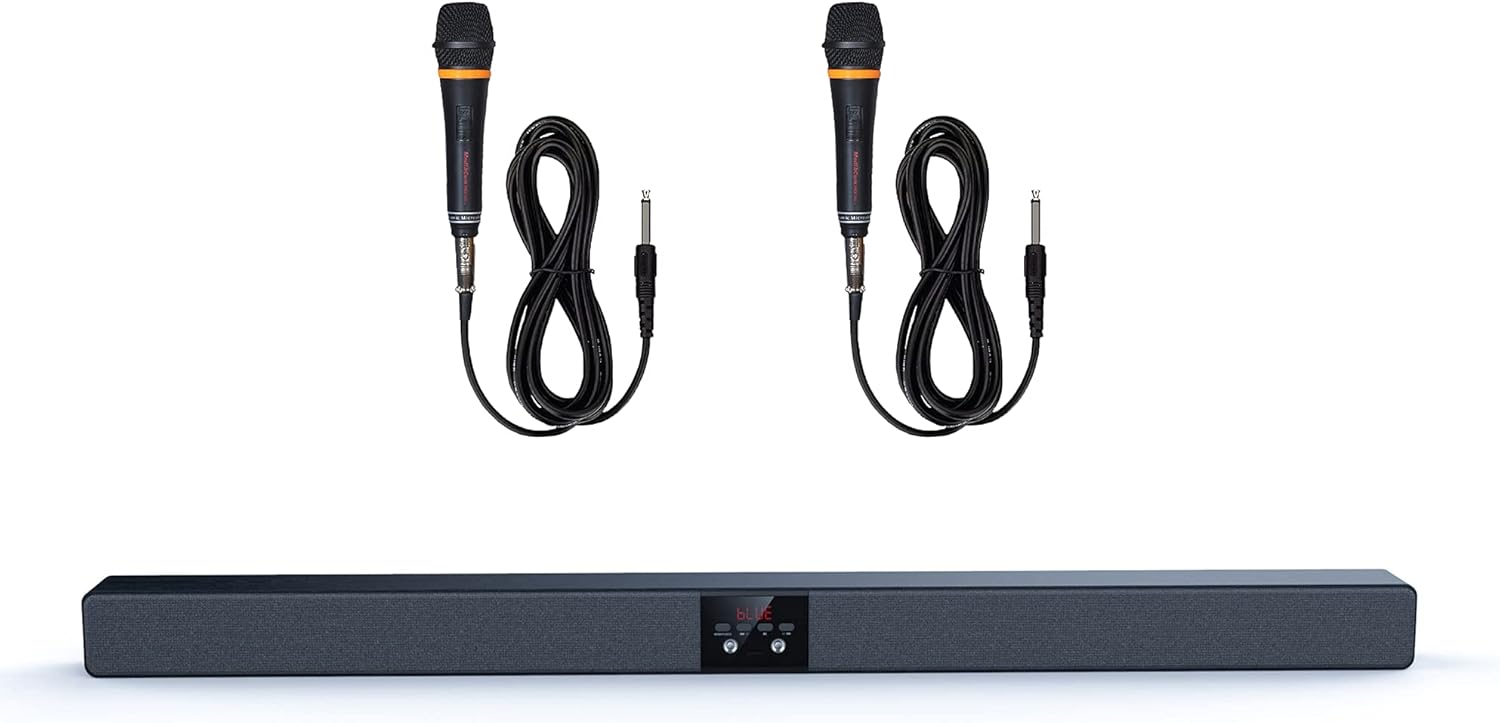
Image 1: The MediaCom MCI SB01 Soundbar shown with its two accompanying wired microphones.
4. Налаштування
4.1 Підключення звукової панелі
Choose one of the following methods to connect your soundbar to a TV or other audio source:
- Оптичне підключення: For the best audio quality, connect an optical cable (not always included) from your TV's Optical Out port to the soundbar's Optical In port. Select 'Optical' input on the soundbar.
- AUX (RCA/3.5mm) Connection: Use an AUX cable to connect your TV's Audio Out (RCA L/R or 3.5mm headphone jack) to the soundbar's AUX In port. Select 'AUX' input on the soundbar.
- Підключення Bluetooth: Power on the soundbar and switch to Bluetooth mode. On your device (smartphone, tablet, laptop), enable Bluetooth and search for 'MCI SB01'. Pair with the soundbar.
- SD-карта: Insert an SD card with audio files into the designated slot on the soundbar. The soundbar will automatically switch to SD card mode and begin playback.
4.2 Увімкнення
Connect the power adapter to the soundbar's DC input and then to a wall outlet. Press the Power button on the soundbar or remote control to turn it on.

Зображення 2: Кутовий view of the soundbar, highlighting its wooden top panel and front speaker grille.

Image 3: A different angled perspective of the soundbar, featuring the MediaCom brand logo on the right end.
5. Інструкція з експлуатації
5.1 Основні елементи керування
- Кнопка живлення: Вмикає або вимикає звукову панель.
- Кнопка введення/режиму: Cycles through available input modes (Bluetooth, Optical, AUX, SD).
- Збільшення/зменшення гучності: Регулює головний рівень гучності.
- Відтворення/пауза: Controls playback in Bluetooth or SD card mode.
- Попередній/наступний трек: Skips to the previous or next track in Bluetooth or SD card mode.
5.2 Using Microphones
Connect the wired microphones to the designated microphone input jacks on the soundbar. Adjust the microphone volume using the dedicated controls on the soundbar or remote (if available). Ensure the soundbar's main volume is set to a comfortable listening level before using the microphones.
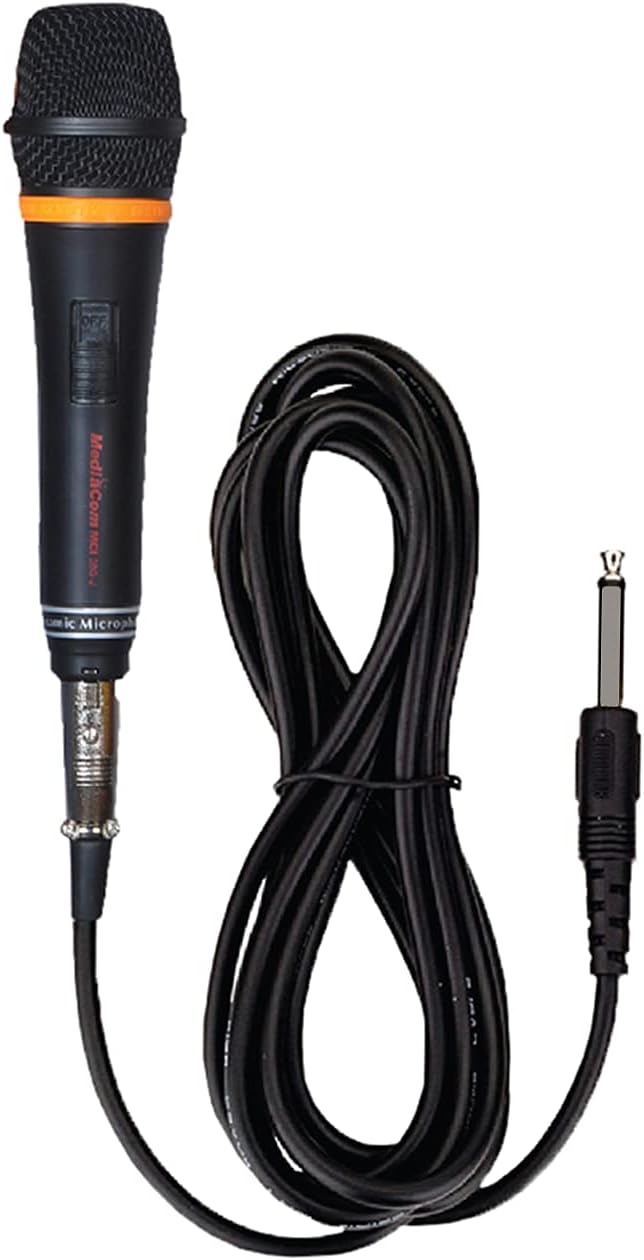
Зображення 4: Детальний view of one of the wired microphones included with the soundbar, showing its cable and audio jack.
6. Технічне обслуговування
Правильний догляд забезпечить довговічність вашої саундбарної панелі:
- Прибирання: Wipe the soundbar with a soft, dry cloth. Do not use liquid cleaners or aerosol sprays.
- Зберігання: Якщо ви зберігатимете протягом тривалого часу, від’єднайте його від мережі та зберігайте у прохолодному, сухому місці.
- Уникайте перешкод: Do not place objects on top of the soundbar that could block the speakers or ventilation.
7. Вирішення проблем
Якщо у вас виникли проблеми, зверніться до наступних поширених проблем та способів їх вирішення:
| проблема | Можлива причина | Рішення |
|---|---|---|
| Немає живлення | Кабель живлення не підключено; розетка не працює | Переконайтеся, що кабель живлення надійно підключено. Спробуйте іншу розетку. |
| Ні звуку | Incorrect input mode; volume too low; cable issues | Select the correct input mode. Increase volume. Check audio cables for secure connection. |
| Помилка з’єднання Bluetooth | Soundbar not in pairing mode; device too far | Ensure soundbar is in Bluetooth mode and discoverable. Move device closer to soundbar. |
| Мікрофон не працює | Microphone not connected; microphone volume low | Ensure microphone is fully plugged in. Increase microphone volume. |
8. Технічні характеристики
Detailed technical specifications for the MediaCom MCI SB01 Soundbar:
- Назва моделі: MCI SB-01
- Бренд: MediaCom
- Тип динаміка: Саундбар
- Технологія підключення: Bluetooth, Optical Fiber, RCA, Auxiliary
- Максимальна вихідна потужність динаміка: 30 Вт
- Режим аудіовиходу: Стерео
- матеріал: Деревина
- Тип монтажу: Wall Mount (hardware not always included)
- Розміри продукту: 100 х 75 х 65 см
- Вага товару: 5 кг
- Особливості: Bluetooth, Integrated Speakers, Dual Microphone Inputs
- Рекомендоване використання: Smartphones, Tablets, Laptops, Televisions

Зображення 5: спереду view of the soundbar, visually confirming key features such as dual microphone inputs, wooden construction, and speaker configuration.
9. Гарантія та підтримка
For warranty information and customer support, please refer to the warranty card included with your product or visit the official MediaCom webсайт. Зберігайте чек про покупку як підтвердження покупки для гарантійних претензій.
For technical assistance or inquiries, please contact MediaCom customer service through the contact details provided on their official webсайт або упаковка продукту.