
1. Вступ
Thank you for choosing the Baseus Smart Eye-Caring Desk LampЦей портативний світлодіодний ліхтар, що перезаряджаєтьсяamp is designed to provide optimal illumination for various tasks, featuring intelligent auto-dimming, adjustable color temperature, and a flexible, space-saving design. This manual provides detailed instructions for setup, operation, maintenance, and troubleshooting to ensure you get the most out of your device.
2. Техніка безпеки
- Do not disassemble, repair, or modify the product. Unauthorized disassembly may cause electric shock or fire.
- Не піддавайте lamp to water or high humidity. This product is designed for indoor use only.
- Уникайте розміщення lamp in direct sunlight or near heat sources to prevent damage to internal components.
- Use only the specified charging cable and adapter. Incorrect charging may lead to battery damage or fire.
- Зберігати в недоступному для дітей місці.
- Якщо lamp exhibits abnormal behavior, such as smoke or unusual odors, immediately unplug it and contact customer support.
3. Вміст упаковки
Будь ласка, перевірте упаковку на наявність наступних предметів:
- 1 x Baseus Smart Eye-Caring Desk Lamp
- 1 x USB-C зарядний кабель
- 1 x Посібник користувача (цей документ)

Figure 3.1: Product packaging showing the desk lamp.
4. Продукт закінчивсяview
The Baseus Smart Eye-Caring Desk Lamp features a sleek, minimalist design with intuitive controls and advanced lighting technology.
4.1 Компоненти
- Світловий бар: Houses the LED light source.
- Регульована рука: Connects the light bar to the base, allowing 0-180° rotation.
- база: Provides stability and contains the battery, control panel, and charging port.
4.2 Елементи керування та функції
- Сенсорна панель управління: Located on the top of the base for power, brightness, and color temperature adjustments.
- Датчик зовнішнього освітлення: Automatically adjusts brightness based on surrounding light conditions.
- Вмикання/вимкнення: A physical switch located on the bottom of the base to enable or disable the ambient light sensor.
- Порт зарядки USB-C: Located at the back of the base for convenient charging.

Малюнок 4.1: Спереду view of the Baseus Smart Eye-Caring Desk Lamp.

Figure 4.2: Detail of the touch control panel and ambient light sensor on the lamp база.

Figure 4.3: Bottom of the lamp base with the physical on/off switch for the ambient light sensor.
5. Налаштування
- Розпакувати: Обережно зніміть лamp та всі аксесуари з упаковки.
- Початкова оплата: Перед першим використанням повністю зарядіть lamp using the provided USB-C cable and a compatible power adapter (not included). The charging indicator on the base will show charging status.
- Розміщення: Розмістіть lamp on a stable, flat surface. Ensure the physical switch on the bottom of the base is in the 'ON' position to enable the ambient light sensor for automatic brightness adjustment.
6. Інструкція з експлуатації
6.1 Увімкнення/вимкнення живлення
- Увімкнути: Tap the touch control button on the base.
- Вимикати: Tap the touch control button again.
6.2 Регулювання яскравості
- Ручне налаштування: Long press the touch control button to continuously adjust the brightness level. Release when the desired brightness is reached.
- Automatic Adjustment (Auto-Dimming): With the physical switch on the bottom set to 'ON', the built-in ambient light sensor will automatically detect surrounding light and adjust the lamp's brightness accordingly. This feature helps prevent eye strain by optimizing illumination for the environment.

Рисунок 6.1: Ілюстрація lamp's smart recognition and auto-dimming feature in different ambient light conditions.
6.3 Налаштування колірної температури
- Режими циклу: У той час як лamp is on, short press the touch control button (do not long press) to cycle through the three available color temperature modes:
- 6000K (White Light): Bright, cool light suitable for focused work.
- 4500K (Mixed Light): Neutral light for general use.
- 3000K (тепле світло): Soft, warm light ideal for relaxation or reading.
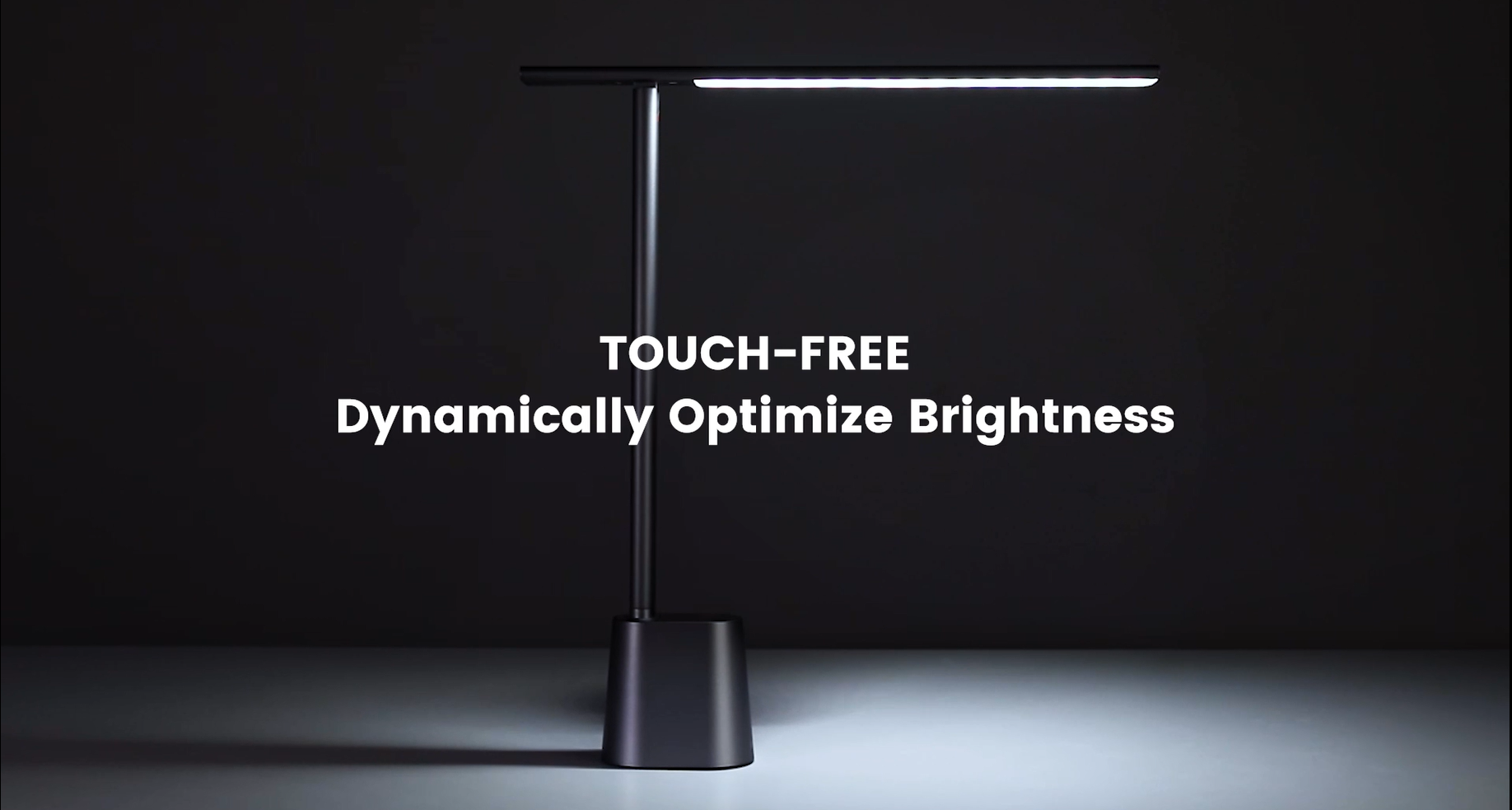
Video 6.1: Official demonstration of the auto-dimming and three color temperature modes (6000K, 4500K, 3000K) of the Baseus Desk Lamp.
6.4 XNUMX лamp Регулювання руки
- Lamp arm can be manually adjusted from 0° to 180° to direct light precisely where needed. This flexibility allows for various lighting angles, including direct downward illumination for desktops or upward for ambient room lighting.
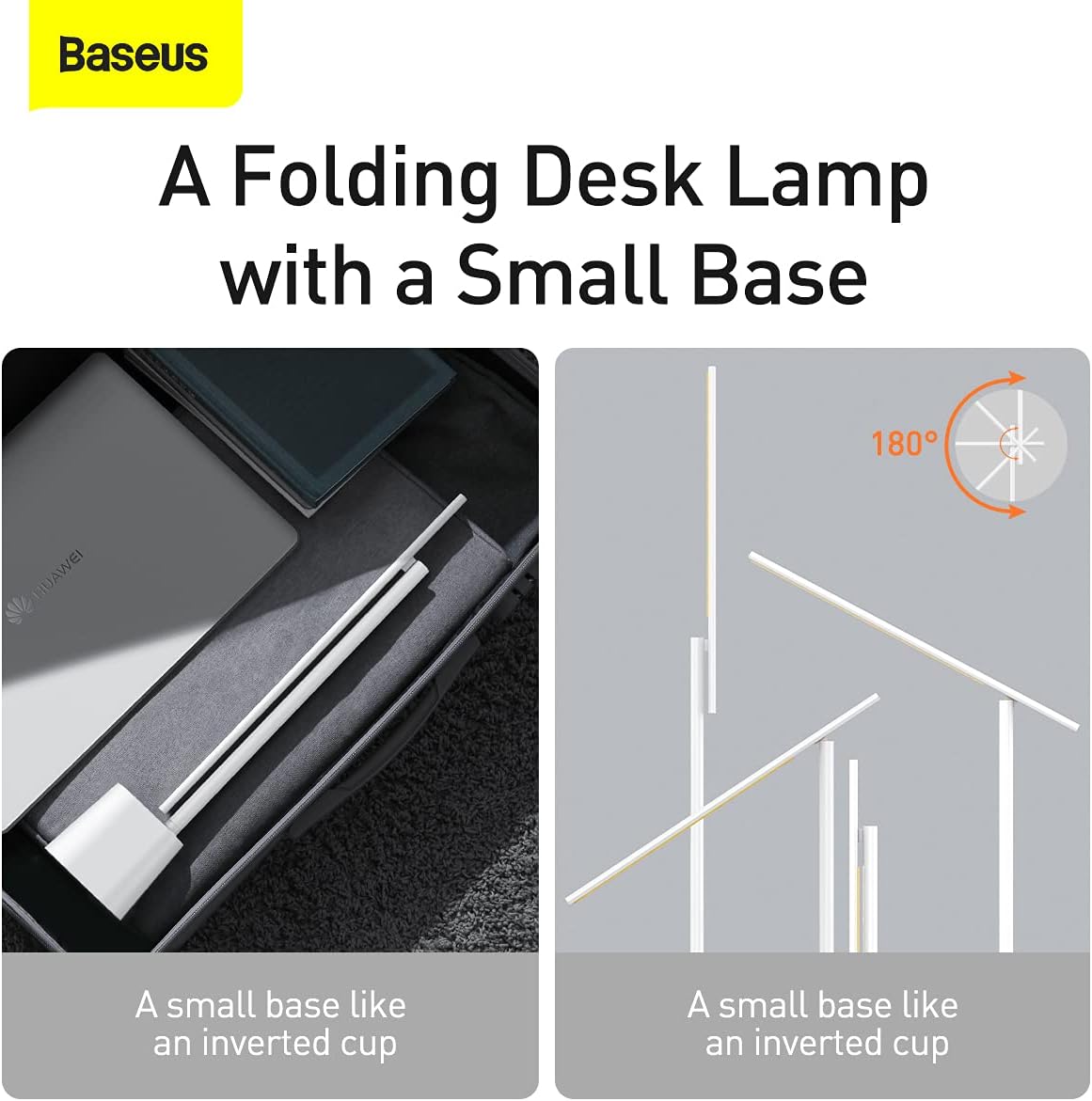
Малюнок 6.2: lamp's foldable design and 180-degree adjustable arm for versatile positioning.
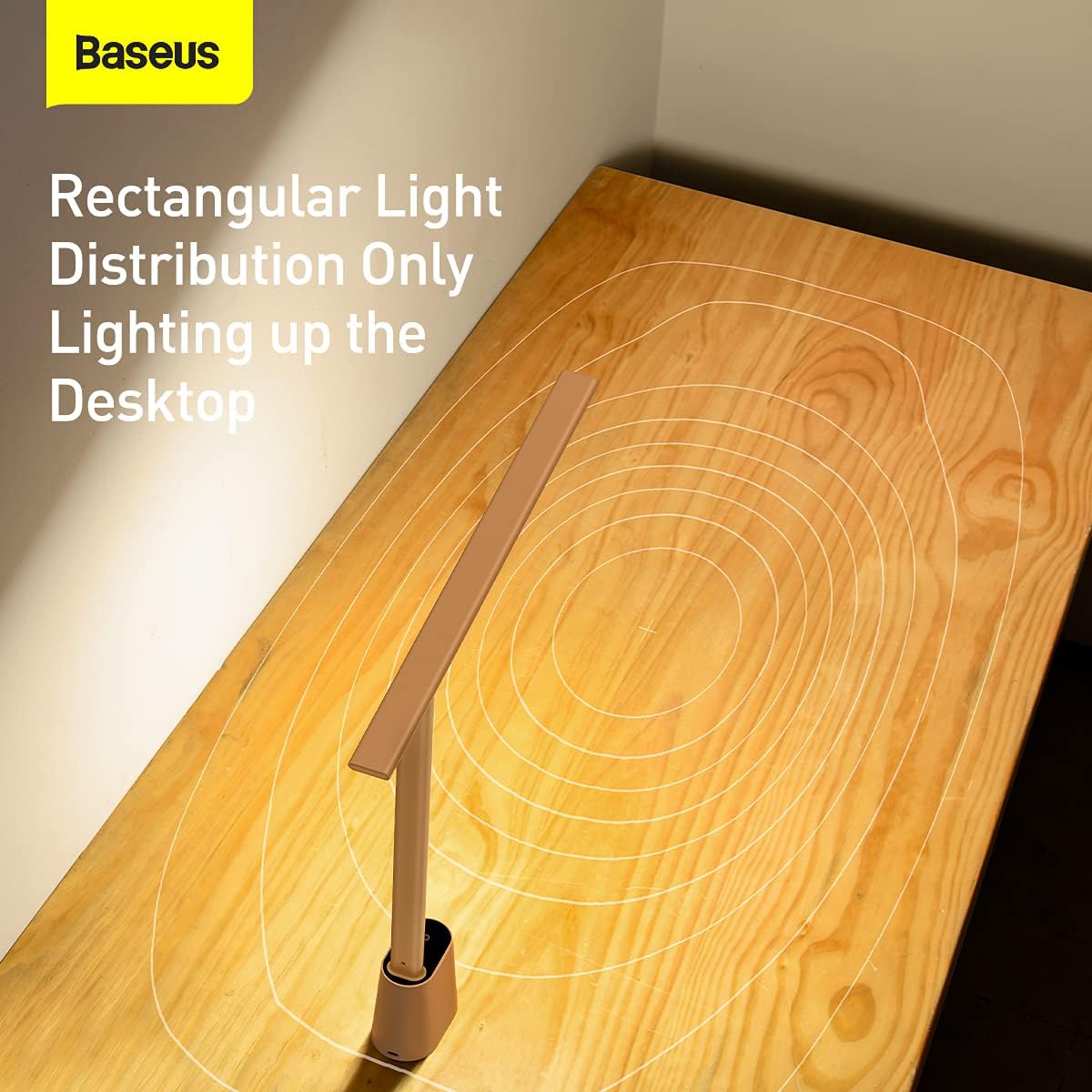
Малюнок 6.3: lamp provides a rectangular light distribution, focusing illumination specifically on the desktop area.
7. Зарядка
The Baseus Smart Eye-Caring Desk Lamp is equipped with a built-in rechargeable Lithium-Ion battery (2200mAh capacity).
- Порт зарядки: Connect the provided USB-C cable to the charging port on the back of the lamp base and to a USB power source.
- Індикатор зарядки: The indicator light on the base will illuminate to show charging status (e.g., red for charging, green for fully charged).
- Термін служби батареї: A full charge provides approximately 3-4 hours of use at maximum brightness and up to 10 hours at the lowest brightness setting.
8. Технічне обслуговування
- Прибирання: Протріть лamp м’якою сухою тканиною. Не використовуйте абразивні засоби для чищення або розчинники.
- Зберігання: Якщо виріб не використовується протягом тривалого часу, зберігайте йогоamp in a cool, dry place. It is recommended to fully charge the battery every 3 months to maintain battery health.
9. Вирішення проблем
| проблема | Можлива причина | Рішення |
|---|---|---|
| Lamp не включається. | Акумулятор розрядився. | Зарядіть лamp повністю. |
| Physical switch on bottom is OFF. | Flip the physical switch on the bottom of the base to the 'ON' position. | |
| Brightness adjustment is not working. | Not long-pressing the touch control. | Ensure you are long-pressing the touch control button for continuous adjustment. |
| Color temperature is not changing. | Not short-pressing the touch control. | Ensure you are short-pressing the touch control button to cycle modes. |
| Auto-dimming feature is not working. | Physical switch on bottom is OFF. | Flip the physical switch on the bottom of the base to the 'ON' position. |
| Ambient light sensor is obstructed. | Ensure the ambient light sensor on the base is not covered. |
10. Технічні характеристики
- Номер моделі: DGZG-02
- Бренд: Baseus
- Lamp тип: Письмовий стіл Lamp
- Тип джерела світла: LED
- Кількість джерел світла: 32
- Wattage: 5 Вт
- томtage: 6 вольт
- Джерело живлення: Живлення від батареї (перезаряджається)
- Акумулятори: Потрібні 2 літій-іонні батареї (у комплекті)
- Ємність батареї: 2200 мАг (приблизно)
- Технологія підключення: USB (для зарядки)
- Метод контролю: Дотик
- матеріал: Алюміній, Метал
- Тип обробки: Пофарбований
- колір: Білий
- Розміри продукту: 13.78 x 2.08 x 15.15 inches (approx. when unfolded)
- Вага товару: 1.87 фунта (0.85 кілограма)
- Особливості: Full Spectrum, Adjustable (0-180°), Auto-Dimming, Eye-Caring
- Внутрішнє/зовнішнє використання: закритий
- Рівень водонепроникності: Не водостійкий
11. Гарантія та підтримка
Baseus products are manufactured to the highest quality standards. For information regarding warranty coverage, technical support, or service inquiries, please refer to the warranty card included with your purchase or visit the official Baseus webсайт. Зберігайте чек про покупку як підтвердження покупки для гарантійних претензій.
For additional resources, you may find the official User Manual PDF тут.