
DELTACO GAMING DM210
Інструкція користувача надлегкої ігрової миші DELTACO GAMING DM210 з RGB-підсвічуванням
Model: DM210 (GAM-108)
1. Вступ
Thank you for choosing the DELTACO GAMING DM210 Ultralight RGB Gaming Mouse. This manual provides essential information for setting up, operating, and maintaining your new gaming mouse. The DM210 is designed for performance, featuring an ultralight construction, customizable RGB lighting, and programmable buttons to enhance your gaming experience.
2. Вміст упаковки
- 1x DELTACO GAMING DM210 Ultralight RGB Gaming Mouse
- 1x Посібник користувача
3. Продукт закінчивсяview
The DELTACO GAMING DM210 mouse features an ergonomic design with a honeycomb shell for reduced weight and improved airflow. It includes 7 buttons for versatile control and customizable RGB lighting.
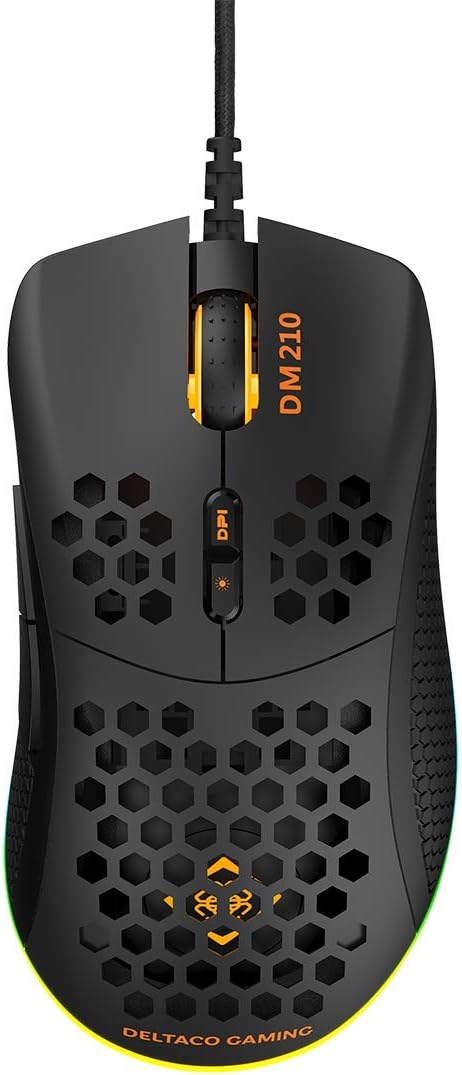
Зображення 3.1: Топ view of the DM210 mouse. This image displays the left and right click buttons, the scroll wheel, and the two DPI adjustment buttons located below the scroll wheel. The ultralight honeycomb shell design is visible across the top surface of the mouse.
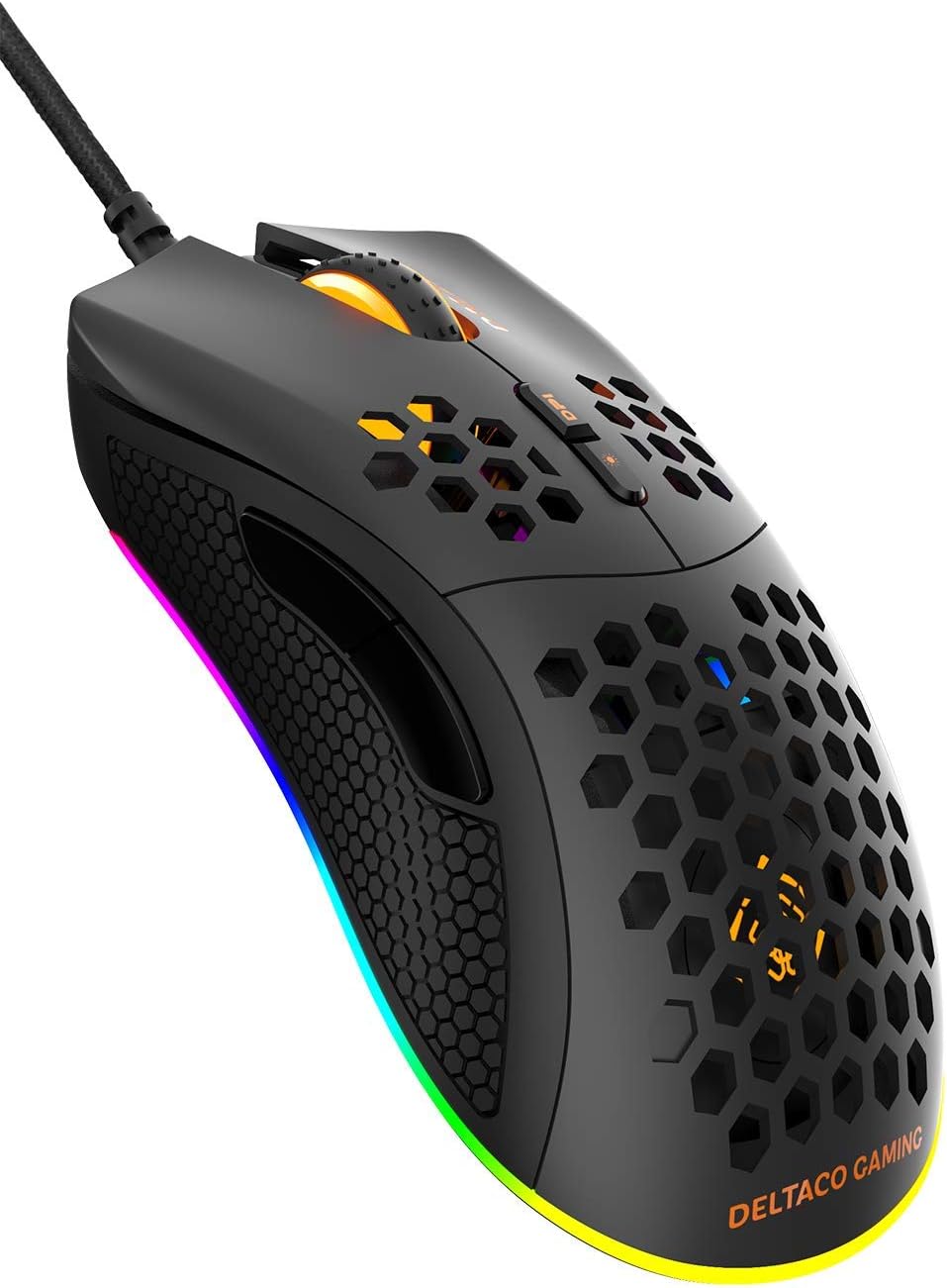
Зображення 3.2: Під кутом view of the DM210 mouse from the front-right. This image highlights the two side buttons (forward and back) located on the left side of the mouse, designed for easy thumb access. The RGB lighting strip along the base of the mouse is also visible.
Функції кнопок:
- Ліва кнопка миші: Стандартна функція первинного клацання.
- Клацніть правою кнопкою миші: Стандартна функція вторинного клацання.
- Колесо прокрутки: Для прокручування документів та web сторінки. Також функціонує як кнопка середнього клацання.
- Кнопка DPI+: Збільшує чутливість DPI.
- Кнопка DPI: Decreases the DPI sensitivity. (Note: The product description mentions a single DPI button and a separate LED button. For this model, the two buttons below the scroll wheel are typically for DPI adjustment.)
- Кнопка вперед: Переміщується вперед web браузери або програми.
- Кнопка Назад: Переміщується назад web браузери або програми.
4. Налаштування
- Підключіть мишку: Plug the USB connector of the DELTACO GAMING DM210 mouse into an available USB port on your computer.
- Встановлення драйвера: Your operating system (Windows 7/8/10) will automatically detect and install the necessary drivers. This process may take a few moments.
- Встановлення програмного забезпечення (додатково): For advanced customization, including programmable buttons and RGB lighting effects, download the DELTACO GAMING software. Refer to the product packaging or the official DELTACO GAMING website for the software download link.
5. Інструкція з експлуатації
5.1. Налаштування роздільної здатності
The DM210 mouse features multiple DPI (Dots Per Inch) settings, allowing you to adjust cursor sensitivity on the fly. Use the DPI buttons (located below the scroll wheel) to cycle through the available DPI levels:
- 400 DPI
- 800 DPI
- 1200 DPI
- 1600 DPI
- 3200 DPI
- 6400 DPI
Each DPI level may be indicated by a specific LED color or pattern, depending on the current RGB settings.
5.2. Керування RGB-підсвічуванням
The mouse features dynamic RGB lighting. While some basic lighting modes might be accessible via a dedicated button (if present, often combined with DPI control), full customization of the RGB loop and logo lighting is achieved through the DELTACO GAMING software. The software allows you to select from 16 million colors and various lighting effects.
5.3. Програмовані кнопки та програмне забезпечення
The 7 buttons on the DM210 mouse are programmable using the DELTACO GAMING software. This software allows you to:
- Remap button functions to suit your preferences.
- Create macros for complex in-game actions.
- Adjust polling rate (up to 1000 Hz).
- Налаштуйте ефекти та кольори RGB-підсвічування.
Install the software from the official DELTACO GAMING website for access to these advanced features.
6. Технічне обслуговування
To ensure the longevity and optimal performance of your DELTACO GAMING DM210 mouse, follow these maintenance guidelines:
- Прибирання: Використовуйте м’який, злегка damp cloth to clean the surface of the mouse. Avoid using harsh chemicals, abrasive cleaners, or solvents, as these can damage the finish and internal components.
- Догляд за кабелем: Уникайте різких згинів або надмірного натягування USB-кабелю. Зберігайте кабель акуратно, коли він не використовується, щоб запобігти його заплутуванню та пошкодженню.
- Середовище: Keep the mouse away from extreme temperatures, direct sunlight, and excessive moisture.
7. Вирішення проблем
If you encounter issues with your DELTACO GAMING DM210 mouse, refer to the following common solutions:
- Миша не реагує:
- Переконайтеся, що USB-кабель надійно підключено до робочого USB-порту вашого комп’ютера.
- Спробуйте підключити мишу до іншого USB-порту.
- Перезавантажте комп'ютер.
- Перевірте мишу на іншому комп’ютері, щоб визначити, чи проблема в самій миші, чи у вашій системі.
- DPI не змінюється:
- Переконайтеся, що ви натискаєте правильні кнопки налаштування DPI.
- If using the software, check if DPI settings have been reconfigured or if a specific profile є активним.
- RGB-підсвічування не працює/неправильно:
- Перевірте, чи правильно підключено мишу.
- Check the DELTACO GAMING software for lighting settings and ensure they are configured as desired.
- Переконайтеся, що програмне забезпечення оновлене.
- Кнопки працюють неправильно:
- If using the DELTACO GAMING software, check button assignments to ensure they haven't been accidentally remapped.
- Test the mouse on another computer to rule out software conflicts on your primary system.
8. Технічні характеристики
| Бренд | DELTACO GAMING |
| Модель | DM210 (GAM-108) |
| Підключення | USB |
| Налаштування DPI | 400 / 800 / 1200 / 1600 / 3200 / 6400 |
| Швидкість опитування | 1000 Гц |
| кнопки | 7 (програмованих) |
| вага | 70г |
| Освітлення | RGB (16 мільйонів кольорів) |
| Сумісність | Windows 7/8/10 |
| Колір | чорний |
9. Інформація про гарантію
The DELTACO GAMING DM210 Ultralight RGB Gaming Mouse comes with a Гарантія 5 рік from the date of purchase. This warranty covers manufacturing defects and ensures the product meets its specified performance. Please retain your proof of purchase for warranty claims. For detailed warranty terms and conditions, refer to the official DELTACO GAMING webсайту або зв’яжіться зі службою підтримки клієнтів.
10. Підтримка
For further assistance, software downloads, frequently asked questions (FAQs), and the latest product information, please visit the official DELTACO GAMING website. You can also contact DELTACO GAMING customer support for technical issues or warranty inquiries.
Ask a question about this manual
Ask about setup, troubleshooting, compatibility, parts, safety, or missing instructions. Manuals+ will review the question and use this page’s manual context to help answer it.