
1. Вступ
The Thomson WEAR7701 Bluetooth HiFi Earbuds provide a wireless audio experience with high-fidelity sound. Designed for comfort and convenience, these lightweight in-ear headphones feature touch controls, voice assistant compatibility, and IPX4 splash protection, making them suitable for various activities, including sports.
This manual provides detailed instructions for setting up, operating, and maintaining your WEAR7701 earbuds to ensure optimal performance and longevity.

2. Вміст упаковки
Будь ласка, перевірте наявність усіх предметів у упаковці:
- 1x Thomson WEAR7701 Bluetooth Earbuds
- 1x зарядний футляр
- 3x Pairs of Silicone Ear Tips (Sizes S, M, L)
- 1x кабель для зарядки Micro USB
- 1x Посібник користувача
3. Налаштування
3.1 Початкове заряджання
Перед першим використанням повністю зарядіть навушники та зарядний футляр.
- Connect the supplied Micro USB cable to the charging port on the charging case and to a suitable USB power source.
- Place the earbuds into the charging case. Ensure they are correctly seated; indicator lights on the earbuds or case will confirm charging status.
- Повна зарядка кейса займає приблизно 3 години. Навушники заряджаються всередині кейса.
The charging case provides up to 3 additional full charges for the earbuds, extending their usage time.
3.2 Сполучення з пристроєм Bluetooth
For the first connection, it is crucial to remove both earbuds from the charging case simultaneously to ensure proper stereo pairing with your smartphone.
- Ensure your smartphone's Bluetooth function is enabled.
- Вийміть обидва навушники з зарядного футляра. Вони автоматично увімкнуться та перейдуть у режим сполучення.
- On your smartphone, search for available Bluetooth devices.
- Select "Thomson WEAR7701" (or similar name) from the list of found devices.
- Once connected, your device will indicate successful pairing.
Важлива примітка: If only one earbud connects, place both earbuds back into the charging case, close the lid, wait a few seconds, then remove both simultaneously and repeat the pairing process.

4. Інструкція з експлуатації
4.1 Увімкнення/вимкнення живлення
- Увімкнення: Навушники автоматично вмикаються після виймання з зарядного футляра.
- Вимкнення живлення: The earbuds automatically power off when placed back into the charging case and the lid is closed.
4.2 Сенсорне керування
The earbuds feature intuitive touch controls for managing music playback and calls.
- Відтворення/пауза музики: Один раз торкніться будь-якого навушника.
- Наступний трек: Двічі торкніться правого навушника.
- Попередній трек: Двічі торкніться лівого навушника.
- Відповісти/закінчити виклик: Один раз торкніться будь-якого навушника.
- Відхилити виклик: Натисніть і утримуйте будь-який з навушників протягом 2 секунд.
- Активуйте голосовий помічник (Siri/Google Assistant): Тричі торкніться будь-якого навушника.

4.3 Носіння навушників
Select the ear tips that provide the most comfortable and secure fit. The package includes three sizes (S, M, L) of Mushroom-shaped silicone ear tips to ensure a proper seal for optimal sound quality and stability, even during physical activity.
- Обережно вставте навушник у слуховий прохід.
- Злегка поверніть навушник, доки він не буде надійно та комфортно закріплений.
- If the fit is not ideal, try a different size of ear tip.
5. Технічне обслуговування
5.1 Очищення
- Регулярно протирайте навушники та зарядний футляр м’якою, сухою тканиною без ворсу.
- Зніміть вушні насадки та помийте їх м’яким милом і водою, потім ретельно висушіть перед тим, як знову прикріпити.
- Не використовуйте абразивні засоби для чищення, спирт або хімічні розчинники.
5.2 Водостійкість (IPX4)
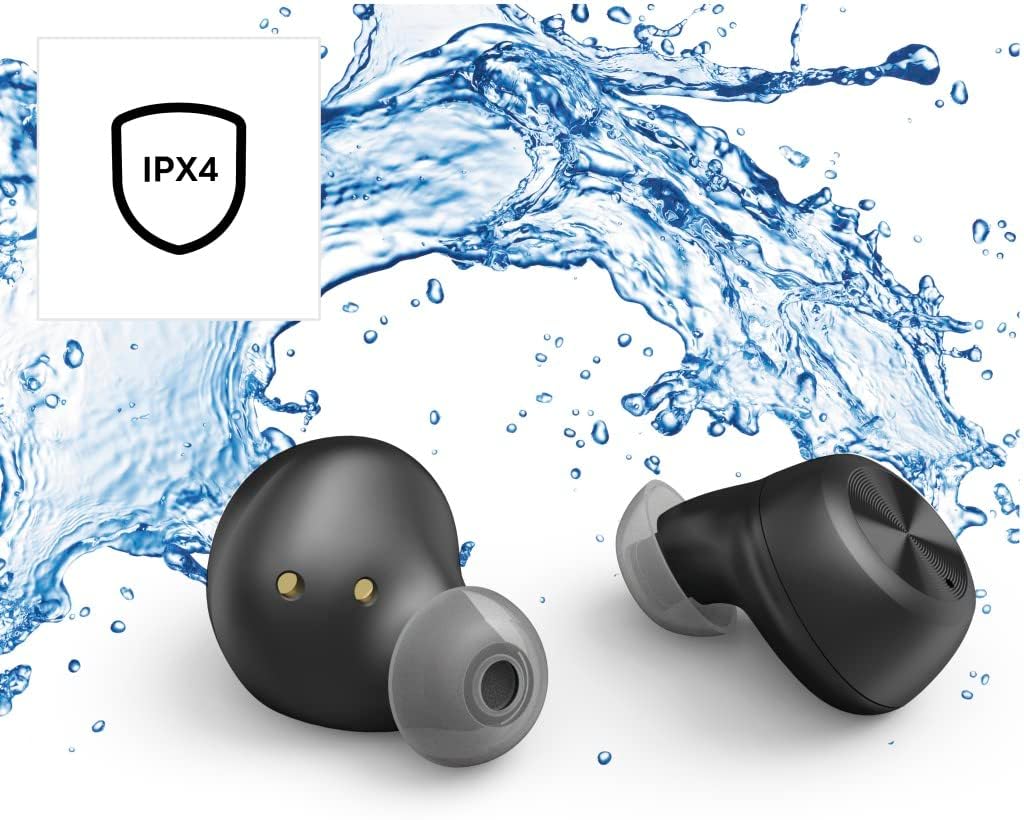
The Thomson WEAR7701 earbuds are rated IPX4, meaning they are protected against splashing water from any direction. This makes them suitable for use during workouts or in light rain.
- Не занурюйте навушники у воду.
- Не піддавайте їх впливу води під тиском або води з високою швидкістю, наприклад, під час прийняття душу або плавання.
- Переконайтеся, що навушники сухі, перш ніж поміщати їх назад у зарядний футляр, щоб запобігти пошкодженню зарядних контактів.
5.3 Зберігання
Коли навушники не використовуються, зберігайте їх у зарядному футлярі, щоб захистити їх та підтримувати зарядженими.
6. Вирішення проблем
6.1 Earbuds Not Pairing or Only One Earbud Connects
- Переконайтеся, що обидва навушники повністю заряджені.
- Place both earbuds back into the charging case, close the lid, wait a few seconds, then remove both simultaneously.
- Delete the earbuds from your device's Bluetooth list ("Forget Device") and attempt to pair again from scratch.
- Ensure the earbuds are within Bluetooth range of your device (up to 10 meters).
6.2 Немає звуку або низька гучність
- Перевірте рівень гучності як на підключеному пристрої, так і на навушниках.
- Ensure the earbuds are properly seated in your ears and that the ear tips provide a good seal.
- Повторно підключіть навушники до пристрою.
- Очистіть динаміки навушників від будь-якого сміття.
6.3 Проблеми заряджання
- Переконайтеся, що зарядний кабель надійно підключений як до кейса, так і до джерела живлення.
- Verify that the power source is functional.
- Очистіть зарядні контакти на обох навушниках та всередині зарядного футляра.
- Try a different Micro USB charging cable.
7. Технічні характеристики
| Назва моделі | WEAR7701 |
| Номер моделі | 132568 |
| Колір | чорний |
| Підключення | Bluetooth 5.0 |
| Клас Bluetooth | 2 клас |
| Діапазон частот | 2402-2480 МГц |
| Earbud Frequency Range | 20 Гц - 20 кГц |
| Діапазон частот мікрофона | 100 Гц - 5 кГц |
| Earbud Impedance | 32 Ом |
| Опір мікрофона | 2.2 кОм |
| Відстань передачі | 10 м |
| Earbud Sensitivity | 92 дБ +/- 3 дБ |
| Чутливість мікрофона | -42 дБ ± 3 дБ |
| Макс. час розмови | 4 години |
| Max. Music Playback Time | 4 години |
| Макс. Час очікування | 150 години |
| Заряджання зарядного футляра | До 3 разів |
| Average Charging Time (Case) | 3 години |
| Тип зарядки | Micro USB |
| Позиція мікрофона | Інтегрований |
| Тип мікрофона | Всеспрямований |
| Голосове керування | Apple Siri / Google Assistant |
| Підтримується Bluetooth Profiles | A2DP V1.3/AVRCP V1.6/HFP V1.7/SPP V1.2 |
| Особливості | Finger-Touch Sensor, QuickPair, Call Answer Button, True Wireless |
| Рейтинг водонепроникності | IPX4 (захист від бризок) |
| Вага (на один навушник) | 4 г |
| Загальна вага | 41 g (earbuds + case) |
| Рекомендоване використання | спорт |
8. Гарантія та підтримка
Thomson products are manufactured with attention to quality and performance. For information regarding warranty coverage, please refer to the warranty card included with your product or visit the official Thomson webсайт.
For technical support, troubleshooting assistance, or to inquire about replacement parts, please contact Thomson customer service through their official channels. Contact details can typically be found on the product packaging or the manufacturer's webсайт.
Зберігайте підтвердження покупки для гарантійних претензій.