
1. Продукт закінчивсяview
The BACKWIN Wired In-Ear Headphones are designed to provide high-fidelity audio with convenient controls for music and calls. They feature a built-in microphone, volume control, and a 3.5mm jack for wide compatibility.

Image: The BACKWIN Wired In-Ear Headphones, showcasing their sleek design and 3.5mm audio jack.
2. Вміст упаковки
Будь ласка, перевірте упаковку на наявність наступних предметів:
- BACKWIN Wired In-Ear Headphones (with integrated microphone and control)
- Вушні насадки (розміри S/M/L)
- Інструкція з експлуатації (цей документ)
3. Налаштування
3.1 Вибір вушних насадок
For optimal sound quality and comfort, choose the ear tips that best fit your ears. The headphones come with three sizes (Small, Medium, Large). Experiment with each size to find the most secure and comfortable fit that also provides good sound isolation.

Image: Illustration of earbuds with various ear tip sizes for a customized fit.
3.2 Підключення до вашого пристрою
These headphones utilize a standard 3.5mm audio jack for connectivity. To connect:
- Locate the 3.5mm audio port on your smartphone, tablet, laptop, or other compatible device.
- Insert the 3.5mm jack of the headphones firmly into the device's audio port.
The headphones are compatible with most devices running iOS and Android operating systems, as well as laptops and tablets with a 3.5mm audio jack.
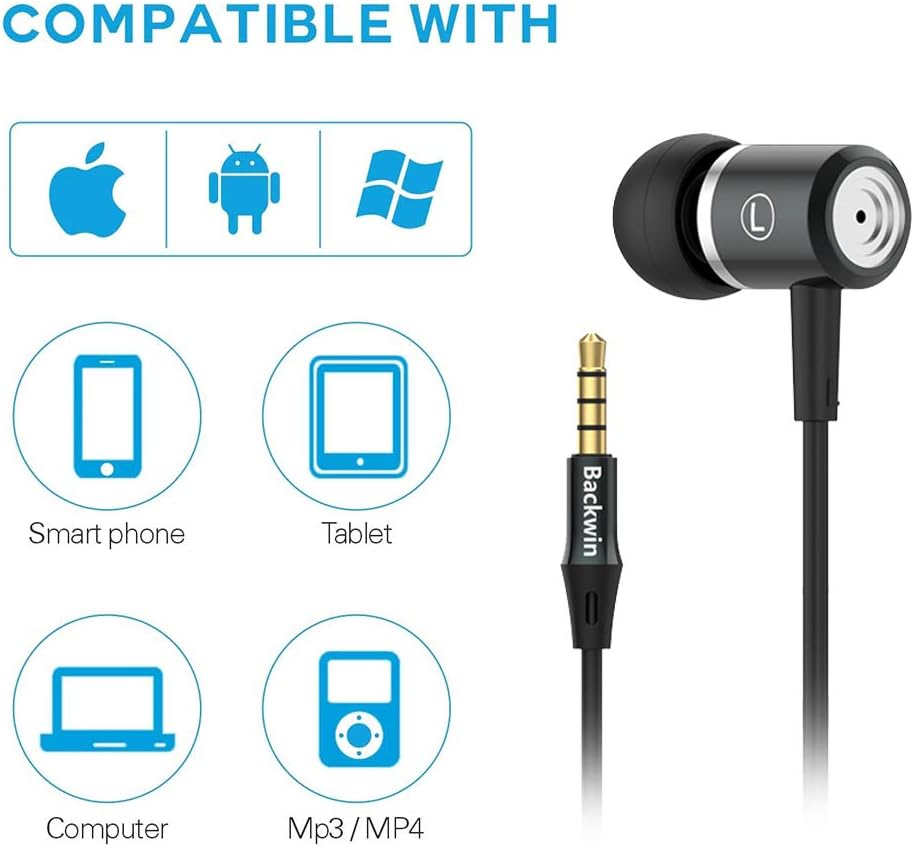
Image: Icons indicating compatibility with smartphones, tablets, computers, and MP3/MP4 players.
4. Інструкція з експлуатації
The in-line remote control allows for easy management of music playback and calls.

Image: Close-up of the in-line remote control, showing the volume up (+), volume down (-), and multi-function (center) buttons, along with the microphone.
4.1 Керування музикою
- Відтворення/пауза: Натисніть центральну кнопку один раз.
- Наступний трек: Двічі швидко натисніть центральну кнопку.
- Попередній трек: Тричі швидко натисніть центральну кнопку.
4.2 Керування дзвінками
- Відповісти/закінчити виклик: Натисніть центральну кнопку один раз.
- Відхилити виклик: Натисніть і утримуйте центральну кнопку.
4.3 Регулювання гучності
- Збільшення гучності: Натисніть кнопку «+».
- Зменшення гучності: Натисніть кнопку «-».
The built-in microphone ensures clear voice transmission during calls.
5. Технічне обслуговування та догляд
5.1 Очищення
- Gently wipe the earbuds and cable with a soft, dry cloth.
- Зніміть вушні насадки та за потреби помийте їх м’яким милом і водою. Переконайтеся, що вони повністю сухі, перш ніж знову прикріплювати їх.
- Не використовуйте агресивні хімікати або абразивні матеріали для чищення.
5.2 Зберігання
To prolong the life of your headphones:
- Store the headphones in a clean, dry place when not in use.
- Avoid wrapping the cable too tightly to prevent damage. The cable is designed to be tangle-free for convenience.
- Тримати подалі від екстремальних температур та прямих сонячних променів.

Зображення: Детальний view of the headphone cable's internal structure, highlighting its durable construction.
6. Вирішення проблем
| проблема | Можливе рішення |
|---|---|
| Ні звуку, ні низької гучності |
|
| Мікрофон не працює |
|
| Sound quality is poor or "tinny" |
|
| Earbuds are uncomfortable or fall out |
|
7. Технічні характеристики
| Особливість | Деталь |
|---|---|
| Бренд | БЕКВІН |
| Номер моделі | 0 |
| Технологія підключення | Дротовий (роз'єм 3.5 мм) |
| Технологія бездротового зв'язку | None (Not Bluetooth compatible) |
| Контроль шуму | Звукоізоляція, шумопоглинання |
| мікрофон | В комплекті |
| Тип управління | In-line Remote (Volume Control, Call Control) |
| Функція кабелю | Без заплутування |
| матеріал | пластик |
| Розташування вуха | Вухо |
| Форм-фактор | Вухо |
| Імпеданс | 32 Ом |
| Вага товару | 1.41 унцій (0.04 кілограма) |
| Розміри продукту | 47.24 x 0.14 x 0.14 дюймів |
| Сумісні пристрої | Phones, Tablets, Laptops, Smartphones with Android and iOS operating systems |
| UPC | 712215782502 |
8. Гарантія та підтримка
BACKWIN products undergo extensive quality verification to ensure reliability. If you encounter any issues or have questions regarding your headphones, please contact the seller directly via email for satisfactory after-sales service.
Please refer to your purchase documentation for specific warranty terms and conditions, as these may vary.