
вступ
This manual provides detailed instructions for the Califone 3066-USB Deluxe Multimedia Stereo Headset. Designed for clear audio communication and listening, this headset features a USB plug for easy connectivity, an omni-directional microphone, and noise-reducing earcups. Please read this manual thoroughly to ensure proper setup, operation, and maintenance of your device.
Вміст упаковки
Перевірте наявність усіх предметів у вашій упаковці:
- Califone 3066-USB Deluxe Multimedia Stereo Headset (Pack of 2)
- Integrated USB Cable (7-ft)
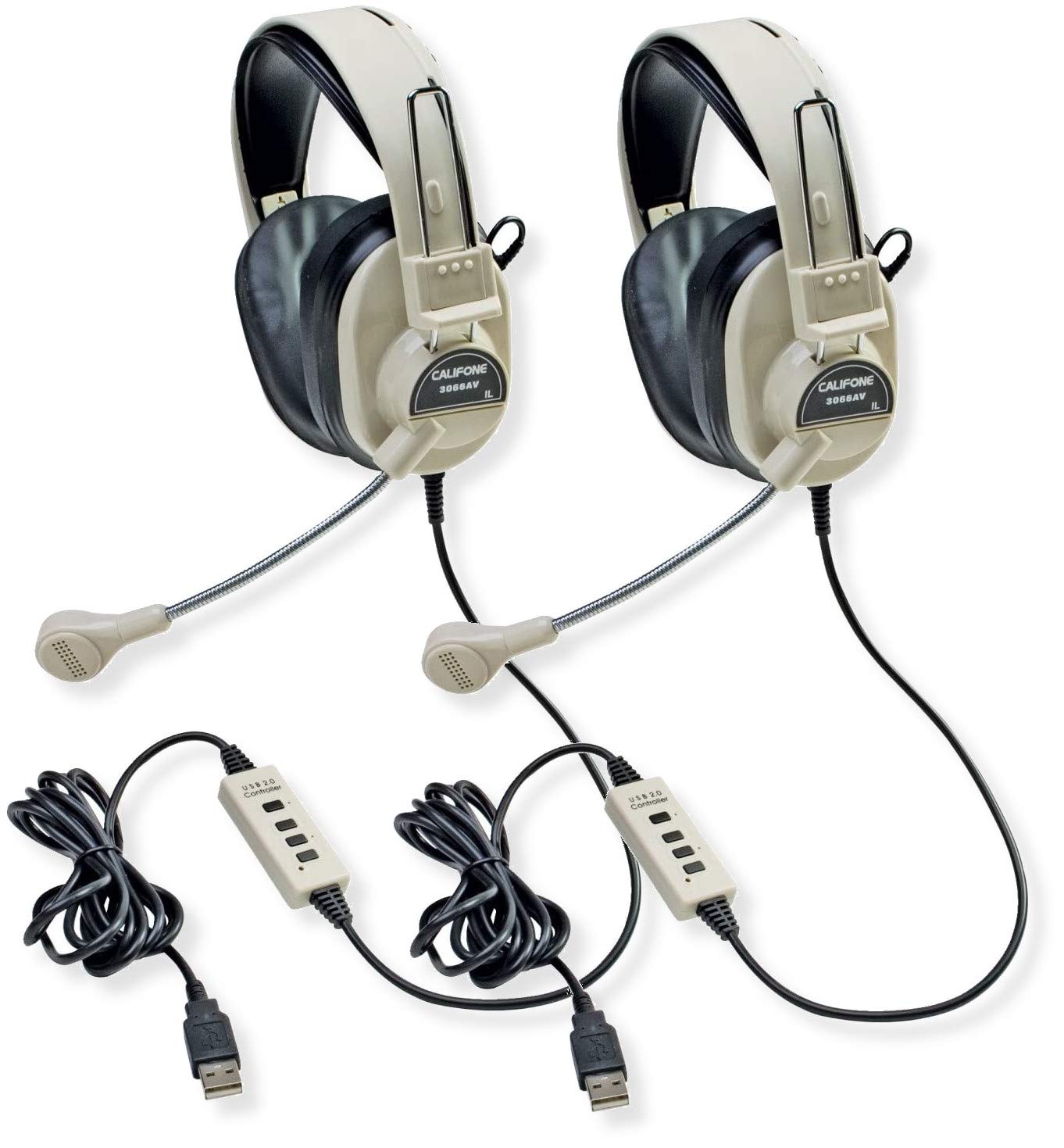
Image: Two Califone 3066-USB Deluxe Multimedia Stereo Headsets. Each headset features large, over-ear earcups, a flexible gooseneck microphone extending from the left earcup, and an integrated USB cable. The headsets are black and appear durable.
Налаштування
- Підключіть гарнітуру: Locate an available USB port on your computer or laptop. Insert the USB plug of the Califone 3066-USB headset into the USB port. The headset is designed for Plug and Play functionality, meaning your operating system should automatically detect and install the necessary drivers.
- Adjust the Headset: The headstrap is fully adjustable to fit various head sizes. Gently extend or retract the headstrap until the earcups sit comfortably over your ears.
- Розташуйте мікрофон: The microphone features a flexible gooseneck design. Position the microphone approximately 1-2 inches from your mouth for optimal voice capture.
- Перевірте налаштування аудіо: After connecting, check your computer's audio settings to ensure the Califone 3066-USB is selected as the default playback and recording device. This is typically found in your operating system's Sound or Audio settings.
Інструкція з експлуатації
The Califone 3066-USB headset features an in-line control unit on its 7-ft cord for convenient audio management.
- Регулювання гучності: Use the in-line volume control wheel to adjust the listening volume of the headphones. Rotate the wheel up to increase volume and down to decrease volume.
- Вимкнення мікрофона: The in-line control includes a switch for microphone on/off (mute). Flip the switch to the 'off' position to mute the microphone, preventing your voice from being transmitted. Flip it to the 'on' position to enable the microphone.
- Зменшення шуму: The earcups are designed to reduce ambient noise, providing a clearer listening experience. The omni-directional microphone includes a built-in windscreen to minimize the recording of unintended background sounds.
Технічне обслуговування
Правильне обслуговування забезпечує довговічність та оптимальну роботу вашої гарнітури.
- Прибирання: Use a soft, dry cloth to wipe down the earcups and headstrap. For stubborn dirt, a slightly damp cloth with mild soap can be used, but ensure no moisture enters the speaker or microphone components.
- Амбушюри: The leatherette ear cushions are replaceable. If they become worn or damaged, contact Califone support for replacement options.
- Догляд за кабелем: Avoid sharp bends or excessive pulling on the 7-ft cord. The reinforced connection is designed to resist accidental pull-out, but proper handling will prevent damage.
- Зберігання: Зберігайте гарнітуру в чистому, сухому місці, подалі від екстремальних температур та прямих сонячних променів, коли вона не використовується.
Усунення несправностей
If you encounter issues with your Califone 3066-USB headset, refer to the following common solutions:
- Немає звуку/не працює мікрофон:
- Ensure the USB plug is fully inserted into a working USB port. Try a different USB port.
- Check the in-line volume control and microphone mute switch. Ensure volume is up and mic is not muted.
- Verify that the Califone 3066-USB is selected as the default audio input and output device in your computer's sound settings.
- Перезавантажте комп'ютер.
- Погана якість звуку:
- Adjust the volume using the in-line control and your computer's system volume.
- Ensure the microphone is positioned correctly (1-2 inches from mouth) and not obstructed.
- Перевірте, чи немає ослаблених з’єднань.
- Комп'ютер не розпізнає гарнітуру:
- Try connecting the headset to a different USB port or another computer to rule out a port issue.
- Перевірте диспетчер пристроїв (Windows) або розділ «Інформація про систему» (macOS) вашого комп’ютера, щоб дізнатися, чи є пристрій у списку.
- Переконайтеся, що ваша операційна система оновлена.
Технічні характеристики
| Особливість | Деталь |
|---|---|
| Модель | 3066-USB |
| Підключення | Wired USB (Backwards compatible USB 2.0) |
| Розмір динаміка навушників | 40 мм лавсан |
| Відповідь на частоту навушників | 20-20000 Гц |
| Чутливість навушників | 110dB SPL ± 3dB at 1kHz |
| Тип мікрофона | Електретний конденсатор |
| Спрямованість мікрофона | всеспрямований |
| Частотна характеристика мікрофона | 20-16000 Гц |
| Чутливість мікрофона | -41dB (standard -38dB, max -35dB) |
| Довжина шнура | 7-ft (2.1 meters) |
| Елементи керування | In-line volume control, mic on/off switch |
| Амбушюри | Noise-reducing ABS plastic with replaceable leatherette cushions |
| Вага (кожен) | 0.75 фунта (12 унції) |
Гарантія та підтримка
For warranty information, technical support, or to inquire about replacement parts (such as ear cushions), please contact Califone customer service directly. Refer to the official Califone webсайт для отримання найактуальнішої контактної інформації та гарантійних умов.
You can visit the Califone store on Amazon for more product information: Califone Store


