
вступ
Дякуємо за покупкуasing the Hoco HC4 5.0 Wireless Bluetooth Sport Speaker. This manual provides detailed instructions for the proper setup, operation, and maintenance of your device. Please read this manual thoroughly before use to ensure optimal performance and to prevent damage.
Продукт закінченийview
The Hoco HC4 is a portable wireless speaker designed for outdoor and sport use, featuring Bluetooth 5.0 connectivity, multiple playback options, and a robust design.
Вміст упаковки:
- Hoco HC4 Wireless Bluetooth Speaker
- USB-кабель для зарядки
- Посібник користувача
Елементи керування та порти:
Ознайомтеся з кнопками та портами підключення динаміка:

зображення: Close-up of the Hoco HC4 speaker showing the AUX port, DC-5V charging port, USB port, TF card slot, and control buttons.
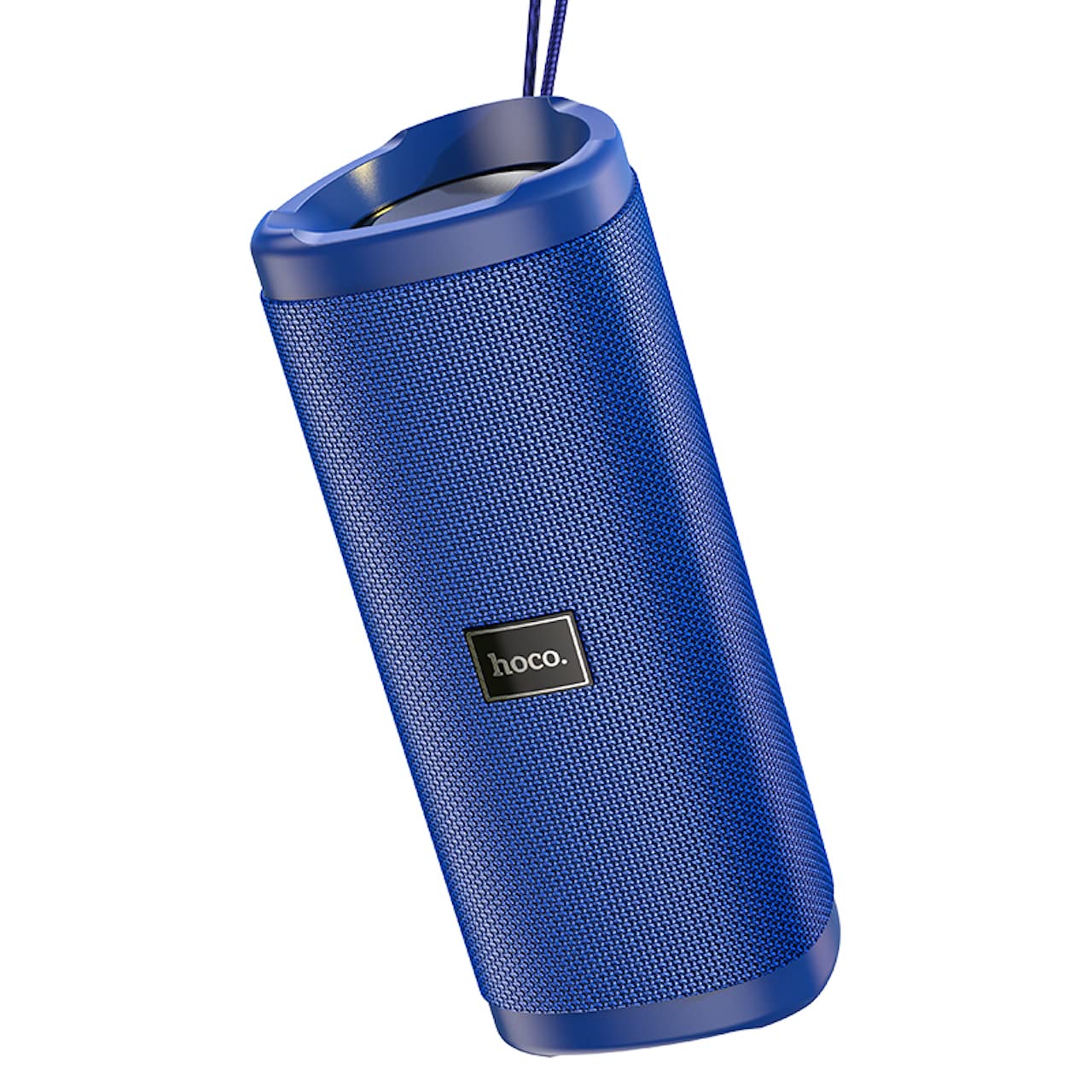
зображення: Кутовий view of the Hoco HC4 blue wireless speaker, highlighting its cylindrical design and fabric mesh.
- Кнопка живлення: Press and hold to power on/off. Short press to play/pause.
- Кнопка режиму (M): Коротке натискання для перемикання між режимами Bluetooth, FM-радіо, TF-карта, USB та AUX.
- Кнопка зменшення гучності / попереднього треку (-): Коротке натискання для попереднього треку, довге натискання для зменшення гучності.
- Кнопка збільшення гучності / наступного треку (+): Коротке натискання для наступного треку, довге натискання для збільшення гучності.
- Порт AUX: Для дротового аудіопідключення використовується аудіокабель 3.5 мм.
- DC-5V Port: Для заряджання динаміка використовується USB-кабель, що входить до комплекту.
- Порт USB: Для відтворення аудіо з USB-флеш-накопичувача.
- Слот для картки TF: Для відтворення аудіо з карти пам'яті TF (MicroSD).
Налаштування
Початкова зарядка:
- Перед першим використанням повністю зарядіть динамік.
- Connect the small end of the USB charging cable to the DC-5V port on the speaker.
- Connect the larger end of the USB cable to a USB power adapter (5V/1A recommended) or a computer's USB port.
- Індикатор заряджання світитиметься під час заряджання та вимкнеться після повного заряджання.
Інструкція з експлуатації
Увімкнення/вимкнення живлення:
- Щоб увімкнути: Натисніть і утримуйте кнопку живлення приблизно 3 секунди. Ви почуєте звуковий сигнал.
- Щоб вимкнути: Натисніть і утримуйте кнопку живлення приблизно 3 секунди. Ви почуєте звуковий сигнал.
Парування Bluetooth:
- Ensure the speaker is powered on and in Bluetooth mode (indicated by a flashing blue LED and an audible prompt). If not, short press the 'M' (Mode) button to switch to Bluetooth mode.
- Увімкніть Bluetooth на своєму мобільному пристрої (смартфоні, планшеті тощо).
- шукати available Bluetooth devices. Select "HC4" from the list.
- Once paired, the blue LED will stop flashing and remain solid, and you will hear a confirmation sound.
- Тепер ви можете відтворювати аудіо з вашого пристрою через динамік.
Режим FM -радіо:
- Short press the 'M' (Mode) button until you hear the FM radio prompt.
- To auto-scan and save available stations, short press the Power button. The speaker will scan and store stations automatically.
- Use the '-' and '+' buttons to navigate between saved stations.
Відтворення з TF-карти / USB:
- Insert a TF (MicroSD) card or USB flash drive into the respective slot.
- Динамік автоматично перейде в режим TF-карти або USB та почне відтворювати аудіо files. If not, short press the 'M' (Mode) button to select the correct mode.
- Use the Power button to play/pause, and the '-' and '+' buttons for track navigation and volume control.
Режим AUX:
- Підключіть один кінець аудіокабелю 3.5 мм (не входить до комплекту) до порту AUX на динаміку.
- Connect the other end to the audio output of your device (e.g., laptop, MP3 player).
- Short press the 'M' (Mode) button to switch to AUX mode.
- Audio will now play through the speaker. Volume can be controlled via the speaker or your connected device.
Функція True Wireless Stereo (TWS):
The TWS function allows you to pair two Hoco HC4 speakers together for a stereo sound experience.
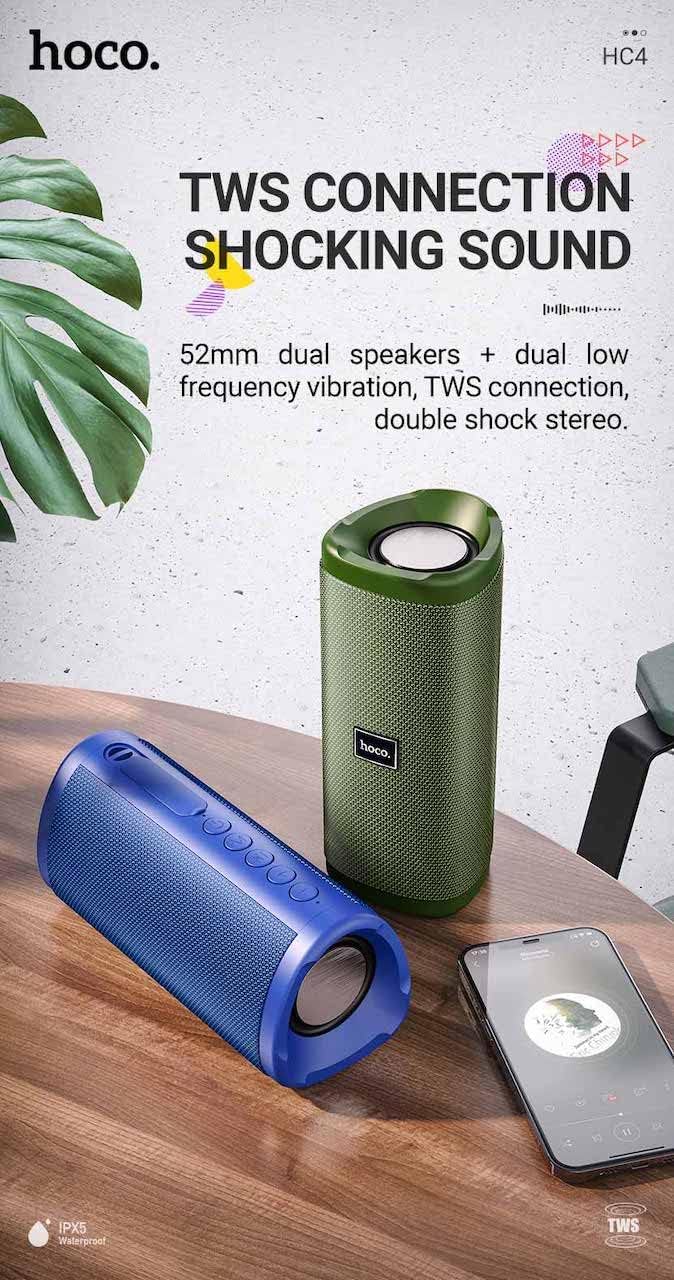
зображення: A promotional image showing two Hoco HC4 speakers (blue and green) connected via TWS, with a smartphone playing music. The image also highlights 'IPX5 Waterproof'.
- Ensure both HC4 speakers are powered on and in Bluetooth pairing mode (flashing blue LED).
- On one of the speakers (this will be the primary speaker), double-press the Power button. You will hear a tone indicating it is searching for another speaker.
- The two speakers will automatically connect to each other. Once connected, you will hear a confirmation sound, and the LED on the primary speaker will flash, while the secondary speaker's LED will be solid.
- Тепер підключіть свій мобільний пристрій до основного динаміка через Bluetooth, як описано в розділі «Спарювання через Bluetooth».
- Тепер аудіо відтворюватиметься стерео через обидва динаміки.
Зарядка
When the battery is low, the speaker will emit an audible warning. Connect the speaker to a power source using the provided USB cable to recharge. A full charge takes approximately 2-3 hours. The speaker provides up to 3 hours of playtime on a full charge, depending on volume level and usage.
Технічне обслуговування
Прибирання:
Протріть динамік м’якою сухою тканиною. Не використовуйте абразивні засоби для чищення, спирт або інші хімічні розчинники, оскільки вони можуть пошкодити поверхню.
Зберігання:
Store the speaker in a cool, dry place away from direct sunlight and extreme temperatures. If storing for an extended period, charge the battery at least once every three months to prolong its lifespan.
Водонепроникність (IPX5):
The Hoco HC4 speaker features an IPX5 water resistance rating, meaning it is protected against low-pressure water jets from any direction. This makes it suitable for outdoor use and resistant to splashes and light rain. Не занурюйте динамік у воду. Ensure the port cover is securely closed to maintain water resistance.
Усунення несправностей
| проблема | Можлива причина | Рішення |
|---|---|---|
| Динамік не вмикається | Низький заряд батареї; кнопка живлення натиснута недостатньо довго | Зарядіть динамік; натисніть і утримуйте кнопку живлення протягом 3 секунд |
| Ні звуку | Занадто низька гучність; неправильний режим; пристрій не підключено | Increase volume; Switch to correct mode (Bluetooth, AUX, etc.); Ensure device is paired/connected |
| Помилка з’єднання Bluetooth | Динамік не в режимі сполучення; Bluetooth пристрою вимкнено; Занадто далеко від динаміка | Ensure speaker is in Bluetooth mode (flashing LED); Turn on device Bluetooth; Move device closer (within 10m) |
| Не вдається створити пару TWS | Speakers not in TWS pairing mode; Too far apart | Ensure both speakers are in Bluetooth mode, then double-press Power button on one; Keep speakers close during TWS pairing |
Технічні характеристики

зображення: The Hoco HC4 speaker with its dimensions clearly marked: 20 cm in length, 8.8 cm in height, and 8.1 cm in width.
- Бренд: Hoco
- модель: HC4
- Версія Bluetooth: 5.0
- Вихідна потужність: 10 Вт
- Розмір динаміка: 52 мм
- Ємність батареї: 1500 мАг
- Час відтворення: Приблизно 3 години (при 80% гучності)
- Час зарядки: Приблизно 2-3 годин
- Розміри: 200 x 88 x 81 mm (Length x Height x Width)
- вага: 540 грами
- Варіанти підключення: Bluetooth, FM Radio, TF Card, USB, AUX
- Водонепроникність: IPX5 (захист від бризок)
- Тип управління: Кнопка
Інформація про безпеку
- Не піддавайте динамік впливу екстремальних температур або прямих сонячних променів протягом тривалого часу.
- Уникайте падіння та сильних ударів динаміка.
- Keep the speaker away from water and liquids, especially when ports are open.
- Do not attempt to disassemble, repair, or modify the speaker yourself. This will void the warranty and may cause damage.
- Використовуйте лише зазначений зарядний струмtage (DC 5V) and the provided charging cable.
- Зберігати в недоступному для дітей місці.
Гарантія та підтримка
This product is covered by a standard manufacturer's warranty. For specific warranty terms and conditions, please refer to the warranty card included with your purchase or contact your local retailer. For technical support or service inquiries, please contact Hoco customer service or the authorized distributor in your region.