
1. Вступ
This manual provides detailed instructions for the installation, operation, and maintenance of your Phonocar VM494 9.7" Full HD Mirror Dash Cam. This device integrates a front-facing camera, a rear camera, and a full HD display into a rearview mirror, offering enhanced safety and recording capabilities for your vehicle. Please read this manual thoroughly before using the product to ensure proper function and longevity.
2. Вміст упаковки
Перевірте, чи всі наступні елементи входять до вашої упаковки:
- 1 x Phonocar VM494 Mirror Dash Cam
- 1 x Rear Camera with 15-meter cable
- 1 x 12V Power Adapter (for cigarette lighter socket)
- 2 x Rubber Supports for fixing
- 1 x Інструкція з експлуатації (цей документ)
3. Продукт закінчивсяview
The Phonocar VM494 is a multifunctional rearview mirror with an integrated front camera and a separate rear camera. It features a 9.7-inch Full HD touchscreen display for intuitive control and clear viewінж.
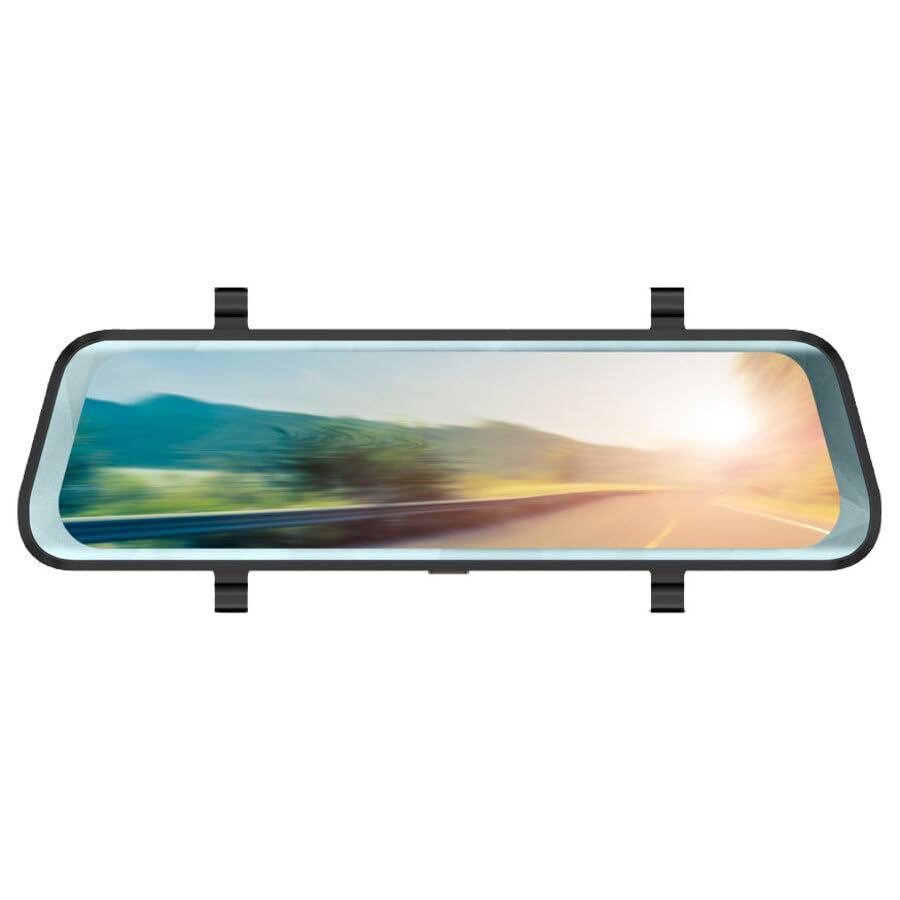
малюнок 1: Phonocar VM494 Mirror Dash Cam. This image illustrates the main unit, highlighting the 9.7-inch Full HD display, the integrated front camera, and the rear camera connection. Key features such as Full HD recording, cycle recording, G-Sensor, emergency lock, touchscreen, and 144-degree wide angle are also indicated.
Ключові компоненти:
- 9.7" Full HD Touchscreen Display: Забезпечує чітке view of recordings and real-time camera feeds, with touch control for settings.
- Integrated Front Camera: Adjustable in width, records in Full HD 1080P with a 144° wide-angle view.
- Вхід для задньої камери: Connects the included external rear camera for simultaneous recording and parking assistance.
- Гучномовець: Integrated 1 Watt mono loudspeaker.
- Мікрофон: Standard full-direction microphone for audio recording.
- Power/Stand-by Button: Located on the unit for power control.
4. Монтаж
The VM494 is designed for universal compatibility with 12V vehicles. Follow these steps for proper installation:
- Монтаж дзеркального відеореєстратора:
Attach the VM494 mirror dash cam over your vehicle's original rearview mirror using the provided rubber supports. Ensure it is securely fastened and does not obstruct your view.
- Підключення джерела живлення:
Connect the 12V power adapter cable to the dash cam and plug the other end into your vehicle's cigarette lighter socket. Route the cable neatly to avoid interference with driving controls.
- Встановлення задньої камери:
Встановіть задню камеру на задній частині вашого автомобіля, зазвичай над номерним знаком або всередині заднього скла, забезпечуючи чіткий огляд view. Connect the 15-meter cable from the rear camera to the designated input on the VM494 mirror dash cam. Route the cable carefully through the vehicle's interior trim.
- Adjusting the Front Camera:
Adjust the integrated front camera's position to ensure it captures the desired field of view through your windshield.
5. Операція
5.1 Power On/Off and Stand-by
- To power on the device, press the Power/Stand-by button.
- To put the device in stand-by mode or turn it off, press and hold the Power/Stand-by button.
5.2 DVR and G-Sensor Function
Once powered on, the device automatically begins recording with the front camera. It records in Full HD (1080P) with both the front and rear cameras simultaneously. The recording is continuous, utilizing a cycle recording feature with options for 1, 3, or 5-minute segments.
- Цикл запису: The dash cam records video in continuous loops, overwriting the oldest footage, коли карта пам’яті заповнена.
- G-сенсор: In the event of a sudden impact or collision, the built-in G-Sensor automatically detects the event and locks the current video file, preventing it from being overwritten during cycle recording. This ensures critical incident footagе зберігається.
- Аварійне блокування: Manually lock a recording by pressing the emergency lock button (if available, or via touchscreen menu) to protect it from being overwritten.
5.3 Automatic Rear Camera Display
When you engage reverse gear, the VM494 automatically displays the rear camera feed on the 9.7-inch screen, providing a clear view for safe parking and maneuvering.
5.4 Automatic Screen Off (Traditional Mirror Mode)
The screen will automatically turn off after 1 minute of inactivity. This allows the device to function as a traditional rearview mirror while the DVR recording functions (front and rear cameras) continue to operate in the background. The mirror features anti-glare blue glass when the screen is off.
5.5 Керування сенсорним екраном
Navigate through the device's settings and functions using the intuitive 9.7-inch touchscreen display.
6. Технічні характеристики
- Розмір екрана: 9.7 дюймів
- Роздільна здатність екрану: 1280x480 пікселів
- Фронтальна камера: Adjustable in width
- Viewкут нахилу: 144° (wide angle, also during recording)
- Роздільна здатність запису відео: Full HD 1080P
- Формат відео: 1080P, MOV 30 FPS
- Cycle Recording Options: 1, 3, 5 хвилин
- Формат фото: JPG/TIFF/PNG
- Тип дзеркала: Anti-glare blue glass (when screen is off)
- Rear Camera Activation: Automatic upon engaging reverse gear
- Гучномовець: 1 Watt mono
- Мікрофон: Standard full-direction
- Розміри: 7 х 25.5 см
- Джерело живлення: 12 В
- Особливості: G-Sensor, Touch Control
7. Вирішення проблем
If you encounter issues with your Phonocar VM494, please refer to the following common solutions:
- Пристрій не вмикається: Ensure the 12V power adapter is securely connected to both the dash cam and the vehicle's cigarette lighter socket. Check the vehicle's fuse for the cigarette lighter.
- Проблеми із записом: Verify that a compatible memory card is inserted and properly formatted. Check if the memory card is full; if so, it may need to be formatted or replaced. Ensure cycle recording is enabled.
- Задня камера не відображає: Check the connection of the rear camera cable to the main unit. Ensure the rear camera is properly installed and powered.
- Screen is black/off: The screen may be in automatic screen-off mode. Tap the screen to reactivate it. Ensure the device is powered on.
- Сенсорний екран не реагує: Спробуйте перезавантажити пристрій. Якщо проблема не зникає, переконайтеся, що екран чистий і на ньому немає бруду.
8. Технічне обслуговування
To ensure optimal performance and longevity of your VM494:
- Прибирання: Use a soft, dry cloth to clean the screen and lens. Avoid abrasive cleaners or solvents.
- температура: Уникайте тривалого перебування пристрою під екстремальними температурами, прямими сонячними променями або високою вологістю.
- Карта пам'яті: Periodically format the memory card (e.g., once a month) to maintain optimal recording performance and prevent data corruption. Back up any important recordings before formatting.
- Кабельні з'єднання: Переконайтеся, що всі кабелі надійно підключені та не перетиснуті та не пошкоджені.
9. Гарантія та підтримка
For technical assistance, warranty information, or service inquiries, please contact Phonocar customer support. Refer to the contact details below:
Phonocar SpAVia F.lli Cervi, 167/C
42124 Реджо -Емілія (Італія)
телефон: +39 0522 941621
Факс: +39 0522 1602093
Електронна пошта: info@phonocar.it
Webсайт: www.phonocar.com
Зберігайте підтвердження покупки для гарантійних претензій.