
вступ
This manual provides detailed instructions for setting up, operating, maintaining, and troubleshooting your HP 230 Wireless Keyboard and Mouse Combo. Please read this manual thoroughly before using the product to ensure optimal performance and longevity.
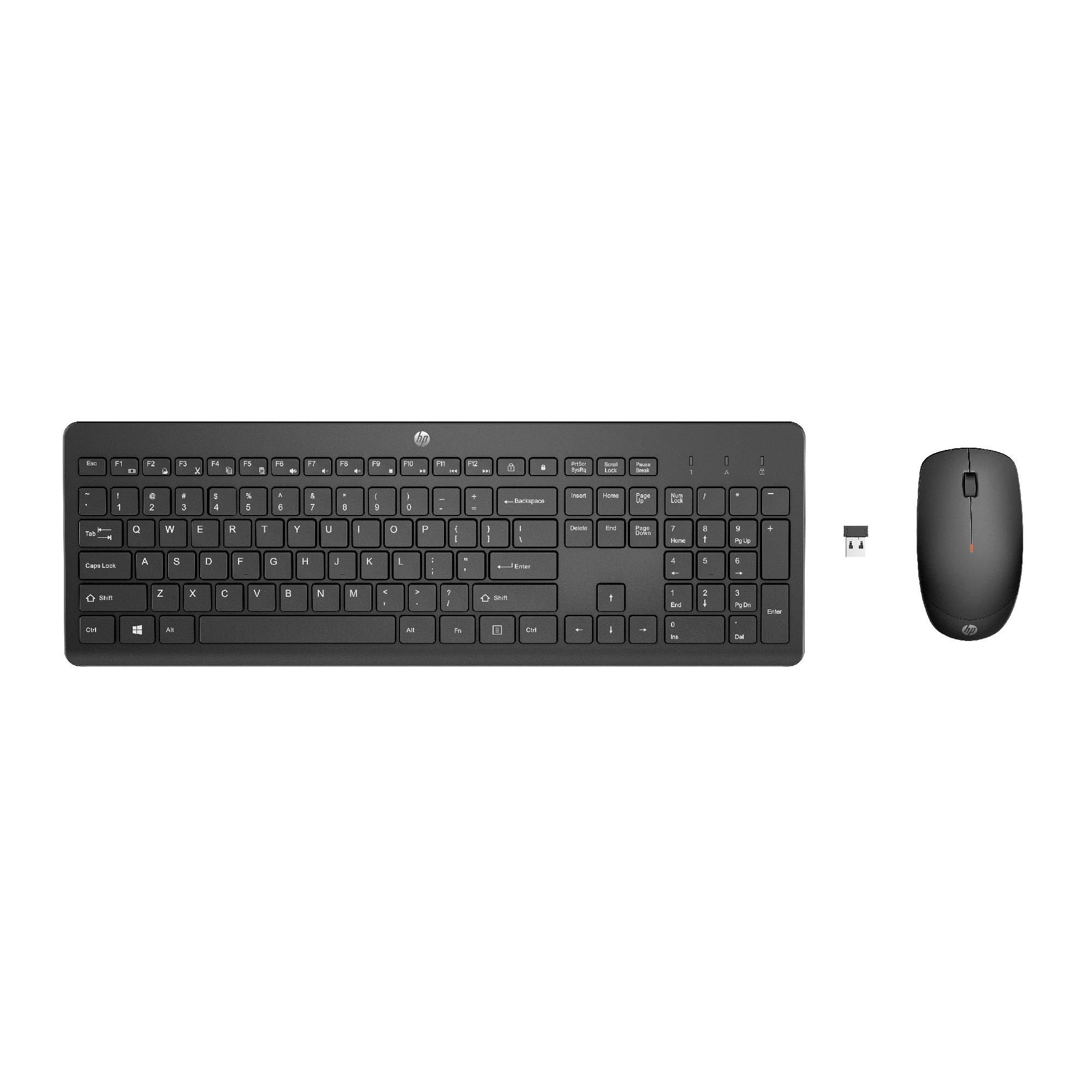
Image: The HP 230 Wireless Keyboard and Mouse Combo, showing both devices in black.
Вміст упаковки
Переконайтеся, що всі предмети присутні в упаковці:
- Бездротова клавіатура HP 230
- Бездротова миша HP 230
- USB-A Wireless Dongle (2.4 GHz)
- 2 батарейки типу AAA (для клавіатури)
- 1 батарейка типу АА (для миші)
- Product Information and Warranty Card
Інструкції з налаштування
1. Встановіть акумулятори
- Для клавіатури: Locate the battery compartment on the underside of the keyboard. Insert two AAA batteries, ensuring correct polarity (+/-).
- Для Миші: Знайдіть батарейний відсік на нижній стороні миші. Вставте одну батарейку типу АА, дотримуючись правильної полярності (+/-).
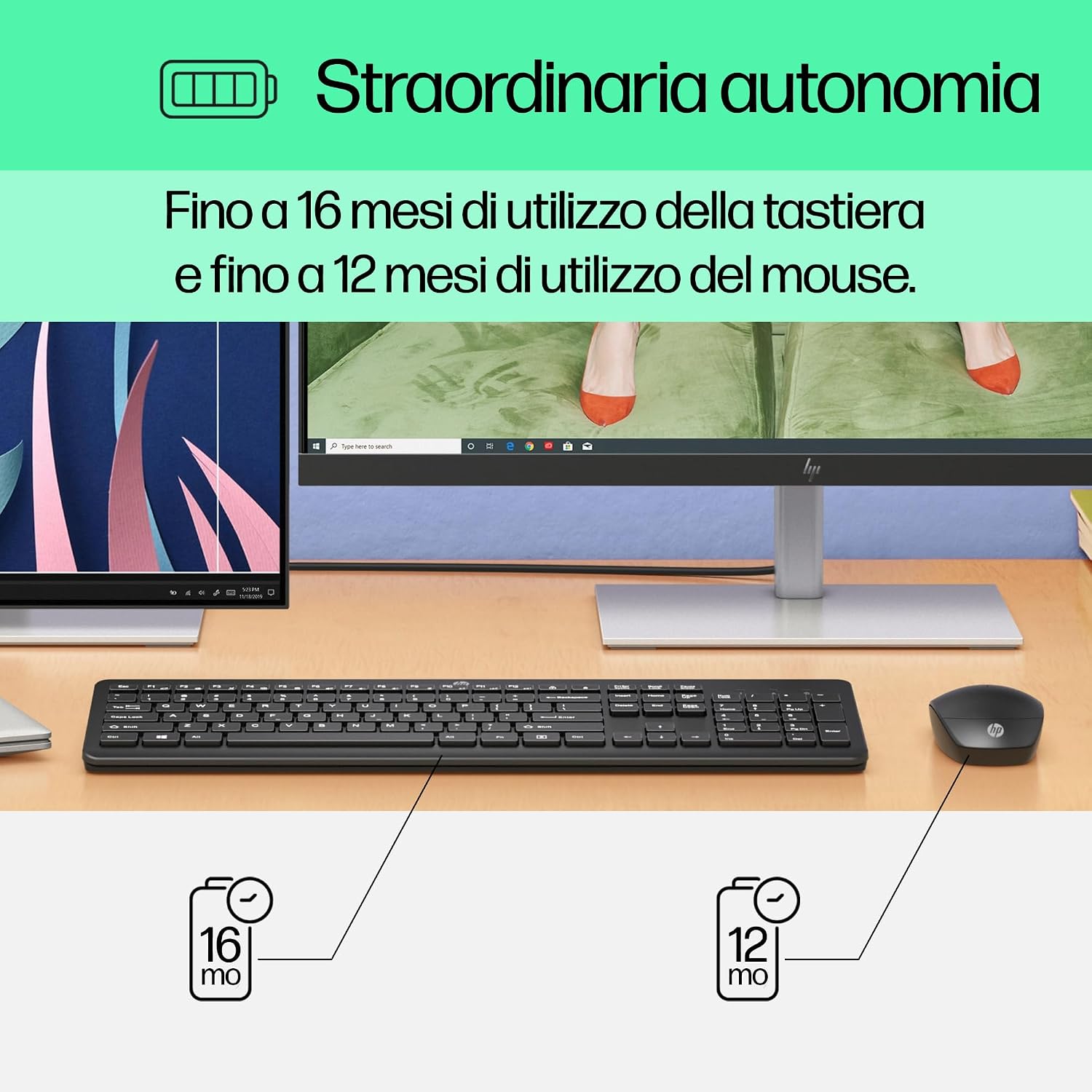
Image: Diagram illustrating battery life for the keyboard (16 months with 2 AAA) and mouse (12 months with 1 AA).
2. Connect the USB-A Wireless Dongle
- Locate the USB-A wireless dongle, typically stored in the mouse's battery compartment or included separately in the packaging.
- Insert the USB-A dongle into an available USB Type-A port on your computer (desktop, laptop, tablet, or All-in-One PC).
- Your computer should automatically detect and install the necessary drivers. This is a Plug and Play device, requiring no manual driver installation.

Image: The HP 230 wireless keyboard and mouse positioned next to a laptop, illustrating wireless connectivity.
The keyboard and mouse are pre-paired with the dongle and should be ready for use immediately after connection.
Операція
Функції клавіатури
The HP 230 Wireless Keyboard features a full-size layout with a numeric keypad and silent chicklet keys for comfortable and quiet typing.
- Безшумний друк: The keyboard is designed for reduced noise during typing, making it suitable for quiet environments.
- Fn Key Shortcuts: Використовуйте Fn key in combination with the F1-F12 function keys for quick access to various functions such as volume control, home page, bookmarks, and email.
- Цифрова клавіатура: Для ефективного введення даних передбачена спеціальна цифрова клавіатура.

Зображення: Детальне view of the HP 230 keyboard layout, highlighting function keys and silent chicklet keys, with dimensions.

Image: A close-up of the HP 230 keyboard showing the Fn keys and their associated shortcut icons, emphasizing productivity.
Функції миші
The HP 230 Wireless Mouse is designed for precise navigation and comfortable use.
- Точне відстеження: The mouse features a 1600 DPI optical sensor for accurate and smooth cursor movement.
- Колесо прокрутки: Use the scroll wheel for easy vertical navigation through documents and web сторінки.
- Ліва та права кнопки: Standard left and right-click functionality for interaction with your computer.
- Двосторонній дизайн: Підходить як для лівшів, так і для правшів.

Зображення: Зверху вниз view of the HP 230 mouse, showing its ergonomic design, scroll wheel, and 1600 DPI specification, with dimensions.

Image: Graphic illustrating the precise movement of the HP 230 mouse with up to 1600 DPI tracking.
Технічне обслуговування
Proper maintenance ensures the longevity and performance of your HP 230 combo.
- Прибирання:
- Злегка протріть м’якою тканиною без ворсу dampводою або м’яким миючим розчином для очищення поверхонь клавіатури та миші.
- Уникайте використання агресивних хімікатів, абразивів або розчинників.
- Для клавіатури використовуйте стиснене повітря, щоб видалити пил та сміття між клавішами.
- Заміна батареї:
- Замініть батарейки, коли погіршується їхня продуктивність або загоряється індикатор низького заряду батарейки (якщо є).
- Always use new, high-quality batteries of the specified type (AAA for keyboard, AA for mouse).
- Утилізуйте старі батарейки відповідно до місцевих правил.
- Зберігання: Якщо пристрої не використовуються протягом тривалого часу, виймайте батарейки, щоб запобігти витіканню. Зберігайте пристрої в прохолодному, сухому місці.
Усунення несправностей
If you encounter issues with your HP 230 Wireless Keyboard and Mouse Combo, try the following solutions:
| проблема | Рішення |
|---|---|
| Клавіатура або миша не реагують |
|
| Затримка або переривчасте з'єднання |
|
| Курсор миші рухається нерівномірно або неплавно |
|
Технічні характеристики
| Особливість | Деталь |
|---|---|
| Бренд | HP |
| Номер моделі | HP 230 |
| Колір | чорний |
| Технологія підключення | 2.4 GHz Radiofrequency (Wireless USB-A Dongle) |
| Розкладка клавіатури | QWERTY |
| Кількість клавіш (клавіатура) | 104 |
| Special Keyboard Feature | Silent Typing, Fn-key shortcuts |
| DPI миші | 1600 DPI |
| Дизайн миші | Амбідекстр |
| Сумісні операційні системи | Windows 10, Windows 11 (also Windows 7, Windows 8) |
| Minimum OS Requirement | Windows 10 |
| Тип батареї клавіатури | 2 х ААА батарейки |
| Тип батареї миші | 1 батарея типу АА |
| Estimated Keyboard Battery Life | До 16 місяців |
| Estimated Mouse Battery Life | До 12 місяців |
| Рекомендоване використання | Computer typing and navigation |
Інформація про гарантію
The HP 230 Wireless Keyboard and Mouse Combo comes with a Гарантія на виріб 2 років from the date of purchase. Please retain your proof of purchase for warranty claims. For detailed terms and conditions, refer to the warranty card included in your package or visit the official HP support webсайт.
EU spare parts availability: 1 year.
Підтримка
For further assistance, technical support, or to access updated drivers and documentation, please visit the official HP support webсайт:
You may also find helpful information and FAQs on the product's Amazon page or by contacting HP customer service directly.