
вступ
The Nanit Pro Smart Baby Monitor provides crystal-clear 1080p HD video, secure Wi-Fi streaming, and smart features to keep you connected to your baby. This manual provides detailed instructions for setting up, operating, and maintaining your Nanit Pro monitor, ensuring optimal performance and peace of mind.
Що включено
- Nanit Pro Smart Baby Monitor with 1080p HD video and 2-way audio
- Companion app for continuous monitoring
- ASTM-certified Floor Stand (Gen 1)
- Free trial of Nanit Insights Sleep Plan
Video: Unboxing and assembly of the Nanit Pro Smart Baby Monitor with Floor Stand components. This video demonstrates the components included in the package and the initial steps to put the stand together.
Налаштування
- Зберіть підлогову підставку: Connect the stand segments as instructed in the user guide. Ensure all connections are secure. The power cable is pre-threaded through the stand for a clean setup.
- Приєднайте камеру: Securely attach the Nanit Pro camera to the top of the assembled floor stand. The camera head can be rotated and twisted for optimal viewкути.
- Розташування монітора: Place the floor stand next to your baby's crib, ensuring the camera has an overhead view of the entire crib area. The stand features a rubber stopper to prevent wall marks if leaned against a wall.
- Підключення до живлення: Plug the power adapter into an electrical outlet and connect it to the monitor. The conduit helps manage the cable neatly.
- Download the Nanit App: Download the Nanit app from your device's app store (iOS or Android).
- Сполучення камери: Follow the in-app instructions to pair your Nanit Pro camera with your smartphone or tablet. This typically involves connecting via Bluetooth and then to your home Wi-Fi network.
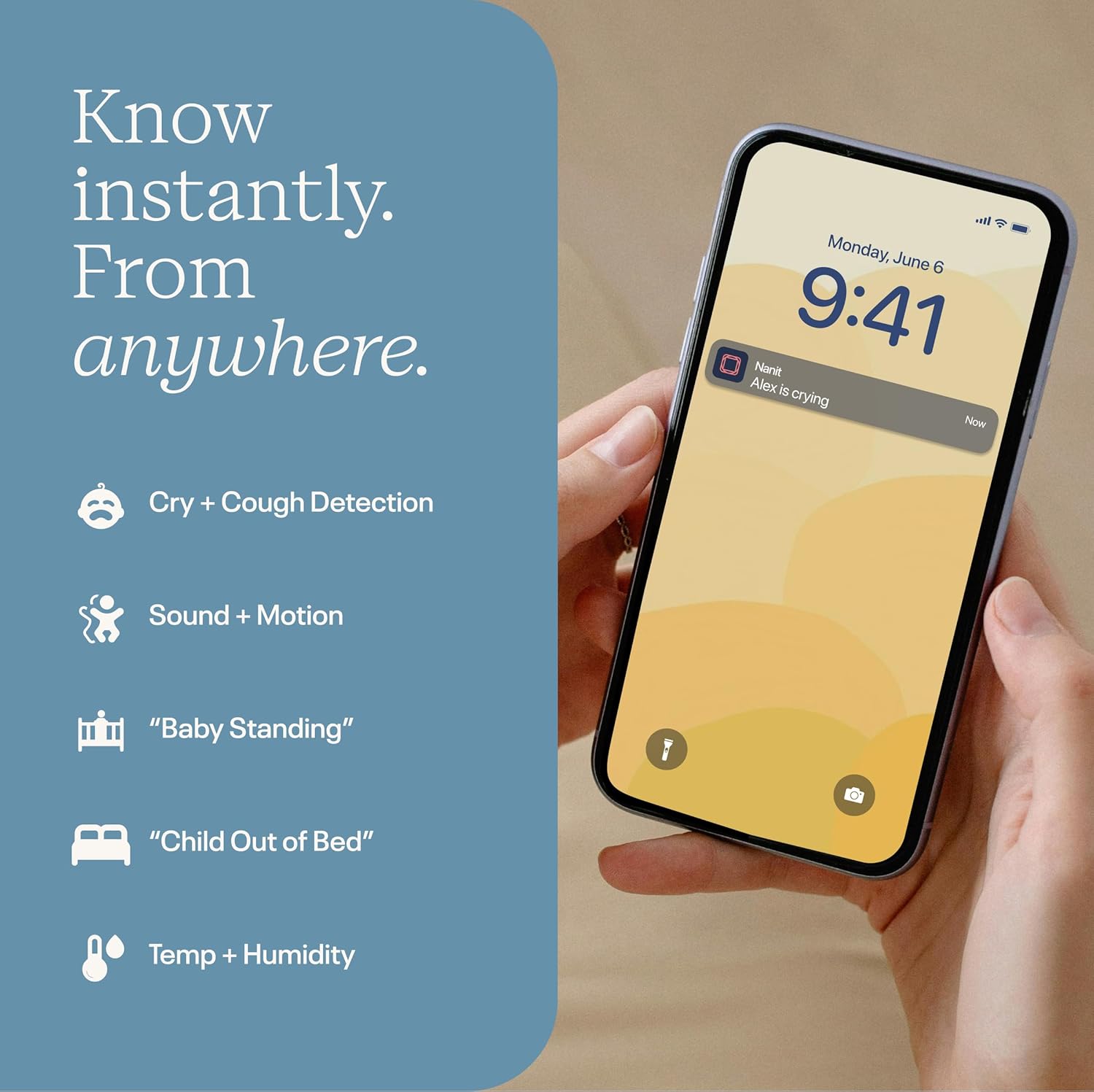
Image: The Nanit Pro Smart Baby Monitor with its floor stand, positioned to provide an overhead view of a baby's crib. The stand is designed for stability and optimal camera placement.
Інструкція з експлуатації
The Nanit Pro Smart Baby Monitor is operated primarily through the Nanit mobile application. Ensure your device is connected to the internet for full functionality.
- Жити View: Open the Nanit app to access the crystal-clear 1080p HD live video feed of your baby's crib.
- Двостороннє аудіо: Use the microphone icon in the app to speak to your baby through the monitor's speaker. This allows you to soothe your baby remotely.
- Нічне бачення: The monitor automatically switches to advanced night vision in low-light conditions, providing a clear view without disturbing your baby.
- Sound and Motion Notifications: Receive instant alerts on your phone for sounds, motion, or crying detected in the crib. Adjust sensitivity settings within the app.
- Температура і вологість: Monitor the room's temperature and humidity directly from the app to ensure a comfortable sleep environment.
- Sleep Tracking and Insights: Understand sleep patterns and improve routines (Nanit Insights subscription required for full features).
- Розділений екран: If you have multiple Nanit cameras, utilize the Split Screen feature in the app to view кілька каналів камери одночасно.
- Нічне світло: Control the integrated night light on the camera directly from the app, adjusting brightness and setting timers.
- Звуки природи: Play various nature sounds (birds, waves, white noise, wind) through the monitor to help soothe your baby to sleep.

Image: A smartphone screen displaying the Nanit app with various real-time notifications, including cry and cough detection, sound and motion alerts, and environmental readings.
Video: A demonstration of the Nanit app's live view, showing a baby in a crib. The video highlights features like two-way audio, night light control, and various sound options available through the app.
особливості
- HD-відео 1080p: Забезпечує чітке зображення високої чіткості view of your baby, day and night.
- 2-смугове аудіо: Allows you to hear your baby and speak to them through the monitor.
- Live Temp + Humidity Readings: Keeps you informed about the nursery environment.
- Функція розділеного екрана: Monitor multiple cameras simultaneously for comprehensive coverage.
- Сповіщення в реальному часі: Receive alerts for cry, cough, sound, and motion.
- Sleep Tracking and Personalized Insights: Understand sleep patterns and improve routines (Nanit Insights subscription required for full features).
- Захищені дані: 256-bit AES encryption and two-factor authentication protect your video feed and data.
- Мобільний доступ: Compatible with iOS and Android devices, allowing monitoring from anywhere.
Технічне обслуговування
- Прибирання: Gently wipe the camera lens and exterior with a soft, dry cloth. Avoid abrasive cleaners or solvents.
- Оновлення програмного забезпечення: Regularly check the Nanit app for software updates to ensure optimal performance and access to new features.
- Управління кабелем: Ensure all cables are securely routed and out of reach of children to prevent entanglement hazards.
- Зберігання: When not in use, store the monitor and its components in a cool, dry place away from direct sunlight.
Усунення несправностей
| проблема | Рішення |
|---|---|
| Немає відеопотоку в додатку | Check Wi-Fi connection, ensure camera is powered on, and restart the app. |
| Погана якість відео | Ensure strong Wi-Fi signal, check internet speed, and clean the camera lens. |
| Сповіщення не отримано | Verify app notification settings are enabled on your device and within the Nanit app. |
| Не працює двосторонній звук | Check microphone and speaker permissions for the Nanit app on your device. |
Технічні характеристики
- Бренд: Nanit
- Назва моделі: Nanit Pro Smart Baby Monitor & 1st Gen Floor Stand
- Номер моделі: N301US
- матеріал: пластик
- колір: Білий
- Сумісні пристрої: Смартфони (iOS та Android)
- Розміри продукту: 10 см (Д) x 6.25 см (Ш) x 4.25 см (В)
- Вага товару: 7.3 фунта
- Тип датчика: Рух
- Опис батареї: Lithium-Ion (for connected devices, not camera itself)
- UPC: 850017851115, 810108752646
Гарантія та підтримка
The Nanit Pro Smart Baby Monitor comes with a 2 роки гарантії від виробника. For detailed warranty information, product support, or to contact customer service, please visit the official Nanit website or refer to the contact information provided in your Nanit app.
For additional resources and community support, explore the Nanit app's "Community" and "About and help" sections.