
AMPIRE LDS-NBT-CP
AMPIRE LDS-NBT-CP Smartphone Interface User Manual
For BMW NBT Multimedia Systems with CarPlay and Android Auto
1. Вступ
Цей посібник містить детальні інструкції щодо встановлення, експлуатації та обслуговування AMPIRE LDS-NBT-CP Smartphone Interface. This device integrates your smartphone's functionalities, such as Apple CarPlay and Android Auto, directly into your BMW's NBT multimedia system, enhancing your in-car experience with navigation, communication, and entertainment features.
2. Продукт закінчивсяview
The AMPIRE LDS-NBT-CP is a plug-and-play smartphone interface designed for seamless integration with your vehicle's factory multimedia system. It displays content on the original factory monitor and routes audio through the vehicle's AUX input.

Зображення 2.1: спереду view з AMPIRE LDS-NBT-CP Smartphone Interface unit, showing various ports and indicators.
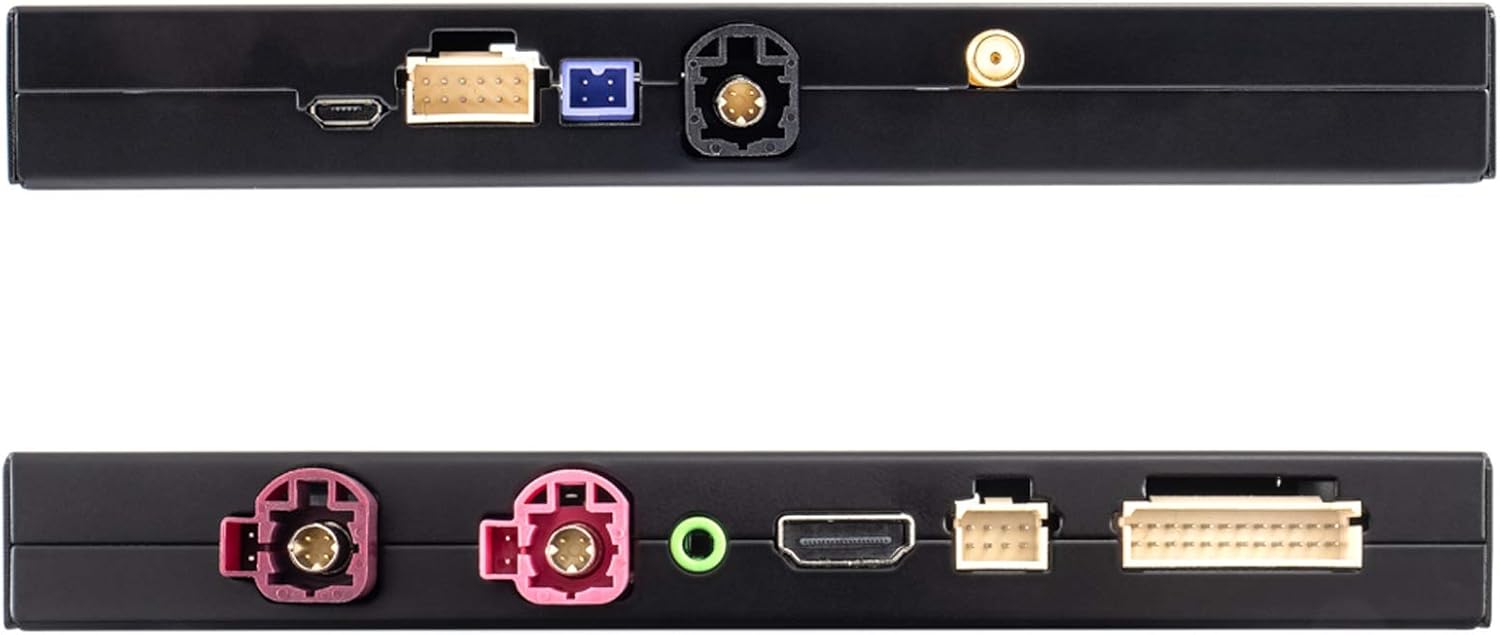
Зображення 2.2: Зверху та знизу views of the interface, highlighting connection ports for USB, WiFi, and other inputs/outputs.
3. Ключові характеристики
- Full Smartphone Integration: Seamlessly integrates Apple CarPlay and Android Auto into your vehicle's factory system.
- Навігація: Utilize navigation applications like Google Maps and Waze directly on your car's display.
- Відтворення мультимедіа: Access music streaming services such as Spotify and Amazon Prime Music.
- Дисплей з високою роздільною здатністю: Supports up to 1080p HD resolution for video and images.
- Бездротове підключення: Features wireless functions via 5.8G WLAN or Bluetooth. CarPlay can also be connected via cable.
- Входи камери: Includes inputs for front and rear view cameras (composite video).
- Обробка звуку: Integrated audio DSP with EQ for enhanced sound quality.
- Оновлення програмного забезпечення: Supports software updates via the USB input.
- КОНТРОЛЬ: Operates using the vehicle's existing buttons and control systems.
- Голосове керування: Siri voice control is available in CarPlay mode via the included microphone.
- Mirrorlink: Android users can utilize the Mirrorlink function to mirror their smartphone display.
4. Сумісність
This interface is compatible with BMW vehicles equipped with the NBT multimedia system. Please verify your vehicle's model and manufacturing date against the list below:
- BMW 1 серії: F20/21 (03/2013 - 03/2015)
- BMW 2 серії: F22 (11/2013 - 03/2015)
- BMW 3 серії: F30/31 (11/2012 - 07/2015), F34 (03/2013 - 07/2015), F80 (03/2014 - 07/2015)
- BMW 4 серії: F32 (07/2013 - 07/2015), F33 (11/2013 - 07/2015), F36 (03/2014 - 07/2015)
- BMW 5 серії: F07 (07/2012 onwards), F10/11/18 (09/2012 onwards)
- BMW 6 серії: F06/12/13 (03/2013 onwards)
- BMW 7 серії: F01/02/03 (07/2012 - 06/2015)
- BMW X3: F25 (04/2013 - 03/2016)
- BMW X4: F26 (04/2014 - 03/2016)
- BMW X5: F15 (08/2014 - 07/2016), F85 (12/2014 - 07/2016)
- BMW X6: F16 (08/2014 - 07/2016), F86 (12/2014 - 07/2016)
The interface is designed to work with smartphones for audio and video applications in the car.
5. Вміст упаковки
Upon opening the package, ensure all the following components are present and undamaged:

Зображення 5.1: закінченоview of all items included in the package, including the interface unit, various cables, and accessories.
- AMPIRE LDS-NBT-CP Smartphone Interface Unit
- Wiring Harness Set (Power, Video, USB, etc.)
- External Microphone for Voice Control
- WiFi антена
- Аудіокабель AUX

Image 5.2: Close-up of the main wiring harness, showing various connectors for integration into the vehicle's system.
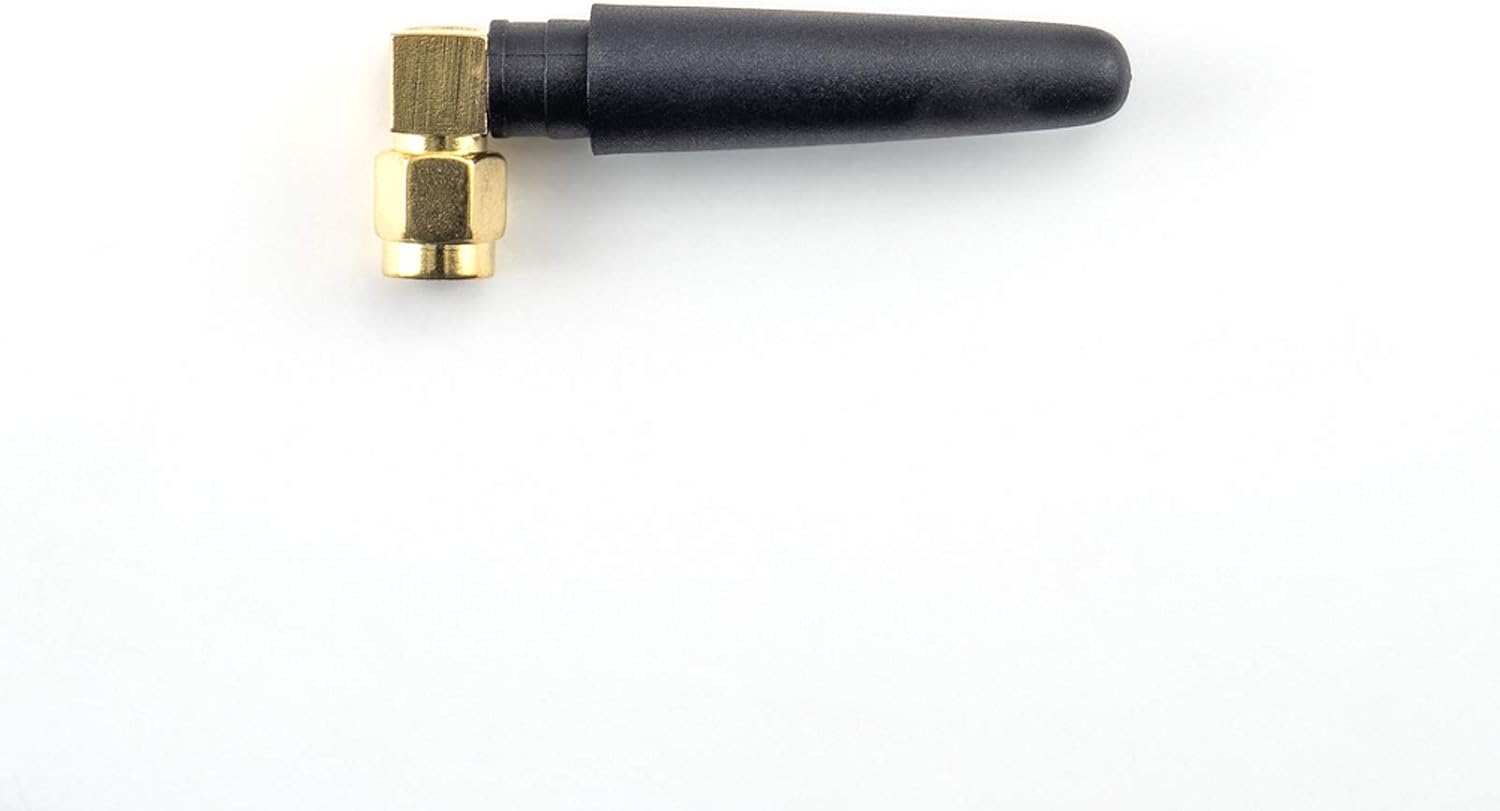
Image 5.3: The compact WiFi antenna, essential for wireless connectivity features.

Image 5.4: The external microphone, used for Siri voice commands and hands-free calling.

Image 5.5: The AUX audio cable, used to route sound from the interface to the vehicle's sound system.
6. Налаштування та встановлення
The AMPIRE LDS-NBT-CP Smartphone Interface is designed for integration into your vehicle's existing wiring and multimedia system. Due to the complexity of automotive electronics, professional installation by a qualified technician is highly recommended to ensure correct functionality and to avoid damage to your vehicle or the interface.
6.1. General Installation Steps (Consult a professional for detailed instructions):
- Розбирання транспортного засобу: Carefully remove necessary trim panels and the head unit to access the vehicle's wiring.
- Інтерфейс підключення: Connect the main wiring harness from the interface to the vehicle's head unit and power supply. This is typically a plug-and-play process, but specific connections must be identified.
- Підключення дисплея: Connect the video input/output cables between the interface and the vehicle's display.
- Аудіоз'єднання: Connect the AUX audio cable from the interface to the vehicle's AUX input. Ensure the vehicle's audio source is set to AUX for sound output from the interface.
- Периферійні підключення:
- Connect the external microphone for voice control. Position it optimally for clear audio capture.
- Attach the WiFi antenna for wireless connectivity.
- If installing front or rear cameras, connect them to the designated camera inputs on the interface.
- Connect any USB devices (e.g., for wired CarPlay or software updates) to the USB port.
- Тестування: Before reassembling the vehicle, perform thorough testing of all functions, including CarPlay, Android Auto, audio, and camera inputs.
- Повторне складання: Once all functions are verified, carefully reassemble the vehicle's trim panels.
Refer to your vehicle's specific service manual or consult a professional installer for precise wiring diagrams and disassembly procedures.
7. Інструкція з експлуатації
Після встановлення AMPIRE LDS-NBT-CP interface allows you to access smartphone functionalities through your BMW's NBT system.
7.1. Activating the Interface
The interface is typically activated by pressing and holding a specific button on your vehicle's iDrive controller or steering wheel. Consult your installer or vehicle documentation for the exact activation method.
7.2. Підключення смартфона
- Бездротовий CarPlay/Android Auto:
- Переконайтеся, що на вашому смартфоні ввімкнено Bluetooth та Wi-Fi.
- On the interface screen, navigate to the CarPlay or Android Auto option.
- Pair your smartphone with the interface via Bluetooth. Follow the on-screen prompts.
- Once paired, the system will automatically connect via Wi-Fi for wireless CarPlay/Android Auto.
- Дротовий CarPlay:
- Connect your iPhone to the interface's USB port using a certified USB cable.
- CarPlay should automatically launch on the vehicle's display.
7.3. Using CarPlay and Android Auto
Once connected, you can control CarPlay or Android Auto using your vehicle's factory controls (iDrive controller, steering wheel buttons). The interface mirrors your smartphone's display, allowing access to:
- Навігація: Use Apple Maps, Google Maps, Waze, etc.
- Телефонні дзвінки: Здійснюйте та приймайте дзвінки в режимі hands-free.
- Повідомлення: Надсилайте та отримуйте повідомлення за допомогою голосових команд.
- музика: Play music from your favorite apps.
- Голосові помічники: Use Siri (for CarPlay) or Google Assistant (for Android Auto) via the external microphone.
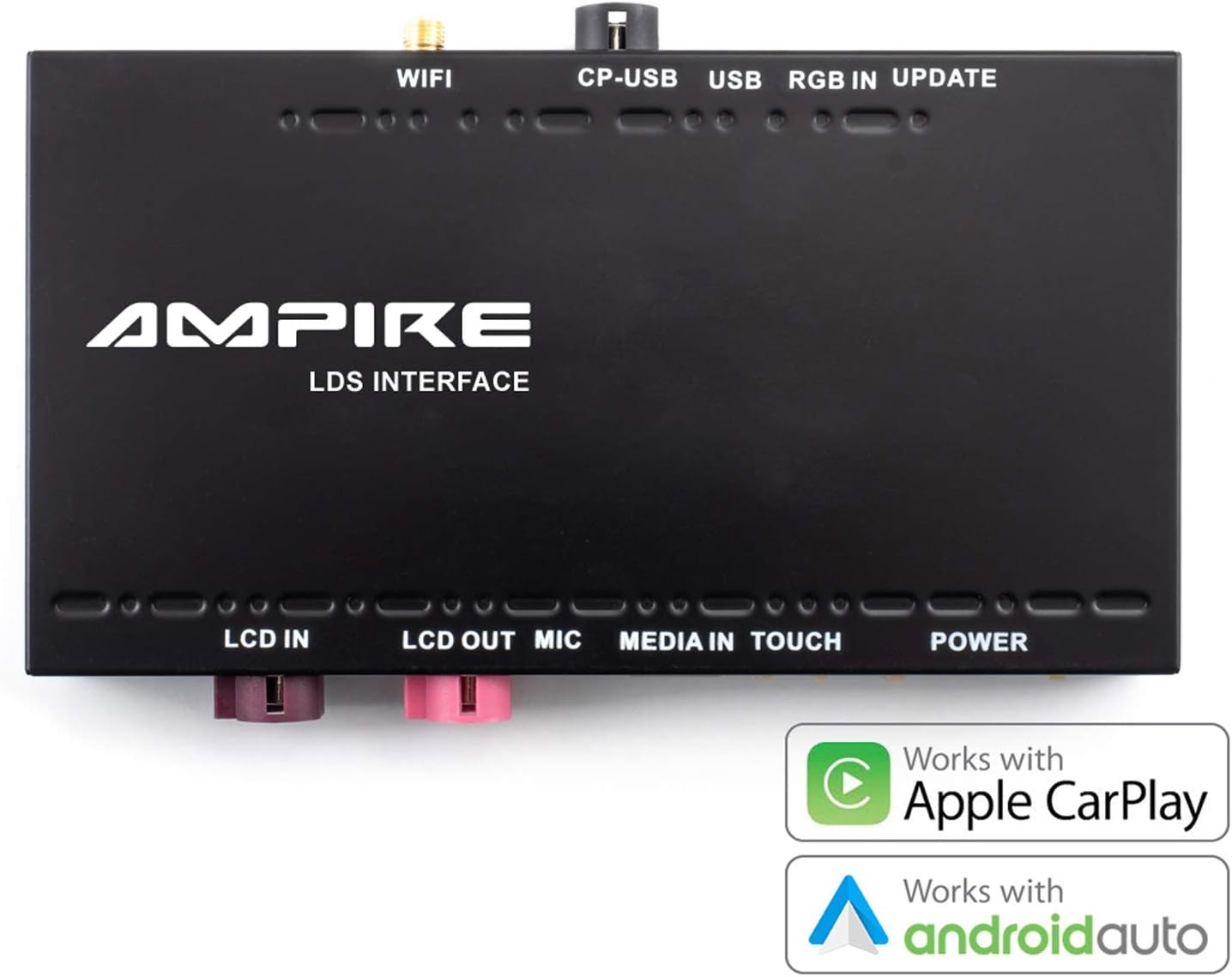
Image 7.1: The interface unit, emphasizing its compatibility with both Apple CarPlay and Android Auto.
7.4. Mirrorlink (Android Only)
For Android users, the Mirrorlink function allows you to mirror your smartphone's entire display onto the car's screen. This provides access to apps not natively supported by Android Auto. Refer to your smartphone's settings for Mirrorlink activation.
8. Технічне обслуговування
The AMPIRE LDS-NBT-CP Smartphone Interface is designed for reliable operation with minimal maintenance. Follow these guidelines to ensure its longevity:
- Прибирання: Keep the interface unit and connections free from dust and debris. Use a soft, dry cloth for cleaning. Do not use liquid cleaners directly on the unit.
- Оновлення програмного забезпечення: Періодично перевіряйте дані виробника website for available software updates. Updates can improve performance, add features, or resolve issues. Use the USB input for software updates as instructed by the manufacturer.
- Умови навколишнього середовища: Ensure the unit is installed in a location protected from extreme temperatures, direct sunlight, and moisture.
- Цілісність кабелю: Regularly inspect all connected cables for any signs of wear or damage. Replace damaged cables immediately to prevent malfunctions.
9. Вирішення проблем
Якщо у вас виникли проблеми з вашим AMPIRE LDS-NBT-CP interface, refer to the following common troubleshooting steps:
- Немає дисплея/чорний екран:
- Ensure the interface is powered on and correctly connected to the vehicle's display.
- Verify that the vehicle's display input is switched to the correct source (if applicable).
- Check all video cables for secure connections.
- Без звуку:
- Confirm the vehicle's audio source is set to AUX.
- Check the AUX audio cable connection between the interface and the vehicle.
- Ensure the volume on both your smartphone and the vehicle's system is turned up.
- CarPlay/Android Auto не підключається:
- For wireless connection, ensure Bluetooth and Wi-Fi are enabled on your smartphone and paired correctly.
- For wired CarPlay, try a different USB cable or USB port if available.
- Restart your smartphone and the vehicle's multimedia system.
- Переконайтеся, що операційна система вашого смартфона оновлена.
- Голосове керування не працює:
- Check if the external microphone is securely connected and positioned correctly.
- Ensure microphone permissions are granted on your smartphone for CarPlay/Android Auto.
- Переривчасте підключення:
- Перевірте наявність джерел перешкод (наприклад, інших бездротових пристроїв).
- Переконайтеся, що антена Wi-Fi надійно підключена.
If these steps do not resolve the issue, contact AMPIRE customer support or your professional installer for further assistance.
10. Технічні характеристики
| Особливість | Деталь |
|---|---|
| Бренд | AMPIRE |
| Номер моделі | LDS-NBT-CP |
| Сумісні пристрої | Смартфон |
| Specific Product Use | Автомобільна аудіо та відеосистема |
| Тип роз'єму | USB, Wi-Fi, AUX type A |
| Кількість портів | 3 (Note: This refers to primary user-accessible ports like USB, AUX. The device has more internal connections.) |
| Аудіовихід | Speakers (via vehicle's AUX input) |
| Потрібні батареї | немає |
| Вага товару | 1.14 кг |
| Колір | чорний |
| Перша доступна дата | 3 грудня 2021 р |
11. Гарантія та підтримка
The AMPIRE LDS-NBT-CP Smartphone Interface is built for durability and a long lifespan. For specific warranty details, please refer to the documentation provided with your purchase or contact AMPIRE customer support directly. For technical assistance or installation inquiries, it is recommended to consult with your professional installer or the AMPIRE support team.
Виробник: AMPIRE
Ask a question about this manual
Ask about setup, troubleshooting, compatibility, parts, safety, or missing instructions. Manuals+ will review the question and use this page’s manual context to help answer it.