
Zeegma Robo Next
ZEEGMA Zonder Robo Next Robot Vacuum Cleaner User Manual
Model: Robo Next | Brand: Zeegma
1. Вступ
Thank you for choosing the ZEEGMA Zonder Robo Next Robot Vacuum Cleaner. This manual provides essential information for the safe and efficient operation, maintenance, and troubleshooting of your device. Please read this manual thoroughly before using the product and retain it for future reference.
The Zonder Robo Next is an advanced robotic cleaning device designed for various floor types, offering multiple cleaning modes and powerful suction. Its intelligent features ensure thorough cleaning while navigating your home safely.
2. Інформація про безпеку
Щоб зменшити ризик травмування або пошкодження, дотримуйтесь наступних запобіжних заходів безпеки:
- Переконайтеся, що адаптер живлення гучнийtagсумісний з вашою місцевою електромережею.
- Не використовуйте робота у вологих середовищах або поблизу води.
- Тримайте робота подалі від відкритого вогню, джерел тепла та легкозаймистих матеріалів.
- Не дозволяйте дітям або домашнім тваринам гратися з роботом.
- Before operation, remove loose cables, small objects, and fragile items from the cleaning area.
- Не використовуйте робота для збирання великого сміття, гострих предметів або рідин.
- Only use manufacturer-approved accessories and replacement parts.
- If the robot is damaged, do not attempt to repair it yourself. Contact customer support.
3. Вміст упаковки
Перевірте наявність усіх елементів в упаковці:
- Робот-пилосос
- Docking Station with Power Supply
- Основна кисть
- 4 x щітки сторони
- Microfiber Mop
- Пульт дистанційного керування
- Фільтр HEPA
- Посібник користувача (цей документ)
4. Налаштування
4.1 Розміщення зарядної станції
Place the docking station against a wall in an open area, ensuring there are no obstacles within 1 meter (3 feet) to the sides and 2 meters (6 feet) in front of it. Connect the power supply to the docking station and plug it into a wall outlet. Ensure the station is always powered on.

Image: The robot vacuum automatically returns to its charging station. This image also highlights its smart device capabilities.
4.2 Початкове заряджання
Place the robot vacuum onto the charging station. Ensure the charging contacts on the robot align with those on the station. For first-time use, charge the robot for at least 6 hours to ensure the battery is fully conditioned. The battery indicator light will show charging status.

Image: The robot vacuum on a patterned rug, illustrating its 2600 mAh battery and strong suction power up to 2150 Pa.
4.3 Встановлення бічних щіток
Turn the robot over. Align the side brushes with the corresponding slots on the bottom of the robot and press them down until they click into place. Ensure they are securely attached.
4.4 Підключення до застосунку для смартфона
Download the dedicated ZEEGMA app from your smartphone's app store. Follow the in-app instructions to connect your robot vacuum to your home Wi-Fi network. This will enable advanced control, scheduling, and monitoring features.

Image: The robot vacuum operating on a tiled floor, highlighting its low noise mode and dedicated app control.
5. Операція
5.1 Увімкнення/вимкнення
Press and hold the power button on the robot or use the remote control/app to turn the robot on or off.
5.2 Режими очищення
The Zonder Robo Next offers 6 distinct operating modes to suit various cleaning needs:
- Автоматичне очищення: Робот інтелектуально орієнтується та очищає всю доступну зону.
- Точкове прибирання: Зосереджується на певній забрудненій ділянці, очищаючи по спіралі.
- Очищення краю: Прибирає вздовж стін та країв меблів.
- Вологе прибирання: Attaches the microfiber mop for wet cleaning.
- Dry Sweeping: Uses brushes to sweep debris.
- Пилососити: Engages the vacuum motor for dust and debris collection.

Image: The robot vacuum on a tiled floor, indicating its mop function capability.
5.3 Регулювання потужності всмоктування
Choose from 3 suction power levels (1500 Pa, 1800 Pa, 2150 Pa) via the app or remote control to match the cleaning intensity required for different surfaces and dirt levels.
5.4 Планування
Use the smartphone app to set cleaning schedules for specific times and days. The robot will automatically start cleaning according to your programmed schedule.

Image: The robot vacuum operating near a virtual wall strip, illustrating its scheduling function.
5.5 Інтеграція з розумним будинком
The Zonder Robo Next is compatible with Amazon Alexa and Google Home. Follow the instructions in the respective smart home apps to connect your robot for voice control.
5.6 Навігація та уникнення перешкод
Equipped with 15 anti-collision sensors, the robot navigates freely and safely, avoiding obstacles and drops. Its low profile (7.6 cm height) allows it to clean under most furniture.

Image: The robot vacuum cleaning under a sofa, demonstrating its compact height of 7.6 cm and its 15 anti-collision sensors.
6. Технічне обслуговування
Регулярне технічне обслуговування забезпечує оптимальну продуктивність та подовжує термін служби вашого робота-пилососа.
6.1 Спорожнення пилозбірника
The robot features an 800 ml dust container. Empty it after each cleaning cycle or when the indicator light signals it is full. Open the top cover, remove the dust container, and dispose of the collected debris.
6.2 Очищення фільтра HEPA
The washable HEPA filter captures up to 99.97% of allergens and fine particles. Remove the filter from the dust container and rinse it under running water. Allow it to air dry completely before reinserting. Replace the HEPA filter every 3-6 months, depending on usage.
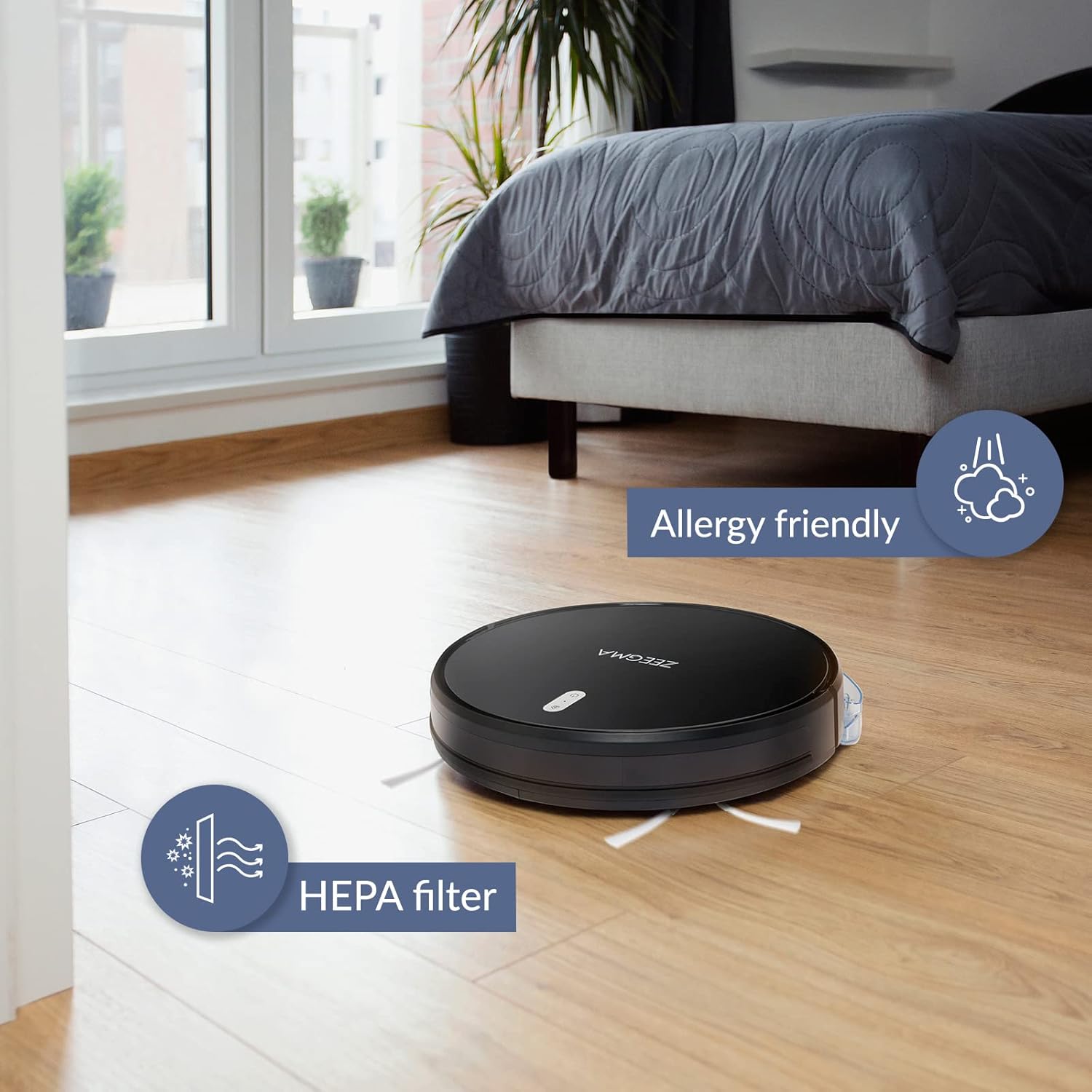
Image: The robot vacuum on a wooden floor, emphasizing its allergy-friendly design and HEPA filter system.
6.3 щітки для чищення
- Бічні щітки: Regularly check side brushes for tangled hair or debris. Remove and clean them. Replace if worn or damaged.
- Основна щітка: Remove the main brush cover and lift out the brush. Use the cleaning tool (if provided) to remove hair and debris.
6.4 Очищення датчиків та зарядних контактів
Wipe the anti-collision sensors and charging contacts on both the robot and the docking station with a dry, soft cloth to ensure proper function.
6.5 Mop Pad Maintenance
After wet mopping, remove the microfiber mop pad and wash it. Allow it to air dry completely before storing or reusing.
7. Вирішення проблем
If you encounter issues with your ZEEGMA Zonder Robo Next, refer to the following common problems and solutions:
| проблема | Можлива причина | Рішення |
|---|---|---|
| Робот не вмикається. | Низький заряд батареї; кнопка живлення натиснута неправильно. | Charge the robot; press and hold the power button. |
| Робот не заряджається. | Charging contacts are dirty; docking station not powered. | Clean charging contacts; ensure docking station is plugged in. |
| Робот часто застрягає. | Too many obstacles; sensors are dirty. | Clear the cleaning area; clean the sensors. |
| Погана ефективність очищення. | Dust container full; brushes tangled; filter clogged. | Empty dust container; clean brushes; clean/replace filter. |
| Проблеми з підключенням до програми. | Incorrect Wi-Fi password; robot out of Wi-Fi range. | Verify Wi-Fi credentials; move robot closer to router; restart robot and router. |
If the problem persists, please contact Zeegma customer support.
8. Технічні характеристики
| Особливість | Деталь |
|---|---|
| Бренд | Zeegma |
| Назва моделі | Robo Next |
| Розміри продукту (Д x Ш x В) | 32 Д x 32 Ш x 7.6 В см |
| Вага товару | 2.5 кг |
| Ємність акумулятора | 2600 мАг |
| Термін служби батареї | До 120 хвилин |
| Прибирання площі за плату | До 180 м² |
| Потужність всмоктування | 1500 to 2150 Pa (3 modes) |
| Рівень шуму | 50 dB (quiet operation) / 55 dB (general) |
| Ємність контейнера для пилу | 800 мл |
| Тип фільтра | Фільтр HEPA, який миється |
| Навігація | 15 anti-collision sensors |
| Тип управління | Wi-Fi, App (iOS), Voice (Amazon Alexa, Google Home), Remote Control |
| Особливості | 6 operating modes (wet/dry wiping, sweeping, vacuuming), Automatic return to base, Scheduling function, Virtual wall compatibility (implied by image) |
9. Підтримка клієнтів
For further assistance, technical support, or warranty information, please contact Zeegma customer service through their official webсайт або контактну інформацію, надану у вашій документації щодо покупки.
Ask a question about this manual
Ask about setup, troubleshooting, compatibility, parts, safety, or missing instructions. Manuals+ will review the question and use this page’s manual context to help answer it.