
1. Вступ
Дякуємо за покупкуasing the BESTISAN 28-inch Soundbar. This manual provides detailed instructions for setting up, operating, and maintaining your new soundbar to ensure optimal performance and an immersive audio experience. Please read this manual thoroughly before use and retain it for future reference.
2. Вміст упаковки
Перевірте, чи всі перелічені нижче предмети входять до вашої упаковки:
- Саундбар
- Пульт дистанційного керування
- Адаптер живлення
- Цифровий оптичний кабель
- Аудіокабель стерео RCA до 3.5 мм
- Керівництво користувача
- Mount Kits (Wall mount template, Mount screws, Wall mount brackets)

3. Продукт закінчивсяview
3.1. Елементи керування та індикатори на передній панелі

- Кнопка живлення: Short press to turn on, long press for 2 seconds to turn off. Short press to switch modes (BT-HDMI-AUX-OPT-BT).
- Volume + / Next Button: Short press to increase volume step by step, long press for the next song (in Bluetooth mode).
- Volume - / Previous Button: Short press to decrease volume step by step, long press for the previous song (in Bluetooth mode).
- Кнопка відтворення / паузи: Short press to play/pause songs (in Bluetooth mode).
- Mode LED Indicator: Displays the current input mode (Standby, Bluetooth, Optical, ARC, AUX, USB).
3.2. Підключення на задній панелі
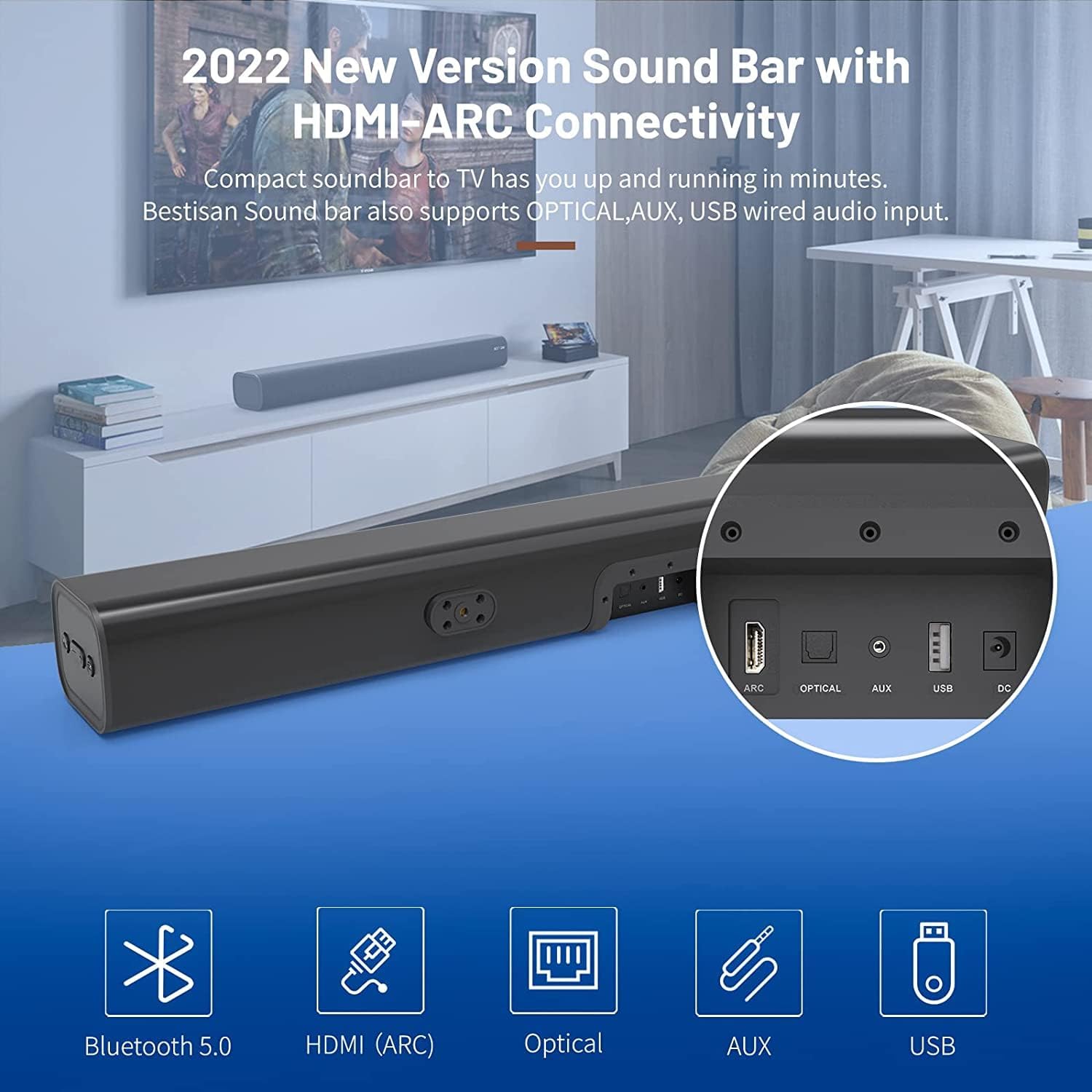
- HDMI ARC (TV): Connects to your TV's HDMI ARC port for high-quality audio transmission.
- ОПТИЧНИЙ: Цифровий оптичний аудіовхід.
- AUX IN: Додатковий аудіовхід 3.5 мм.
- USB: USB input for media playback.
- DC IN: Вхід живлення для саундбара.
4. Налаштування
4.1. Варіанти розміщення
The BESTISAN Soundbar offers flexible placement options to suit your home theater setup:
- Розміщення на робочому столі: Place the soundbar on a flat surface in front of your TV. Ensure it does not obstruct the TV's remote sensor.
- Настінне кріплення: Use the included wall mount kit to securely attach the soundbar to the wall below your TV. A wall mounting template is provided for easy installation.


4.2. Увімкніть живлення
- Connect the power cord to the DC IN port on the back of the soundbar.
- Підключіть інший кінець шнура живлення до розетки змінного струму.
- Press the Power button on the soundbar or the remote control to turn it on. The LED indicator will light up.
Відео 1: This video demonstrates the easy setup process for the soundbar, including connecting the power adapter and turning on the device. It highlights the various input options available on the back of the soundbar.
5. Підключення до телевізора
The soundbar offers multiple connection options for your TV. Choose the method that best suits your TV's available ports.
5.1. Підключення HDMI ARC
- Connect one end of the HDMI cable (not included) to the HDMI ARC port on the soundbar.
- Connect the other end of the HDMI cable to your TV's HDMI ARC port.
- On your TV settings, set the audio output to "HDMI ARC" and the digital sound format to "PCM" or "Passthrough".
5.2. Оптичне підключення
- Connect one end of the Digital Optical Cable (included) to the OPTICAL port on the soundbar.
- Connect the other end of the Digital Optical Cable to your TV's optical audio output port.
- On your TV settings, set the audio output to "Optical" and the digital sound format to "PCM".
5.3. Підключення AUX
- Connect one end of the Stereo RCA to 3.5mm Audio Cable (included) to the AUX IN port on the soundbar.
- Connect the RCA ends of the cable to your TV's RCA audio output ports (usually red and white).
- On your TV settings, ensure the audio output is set to "External Speakers" or "Headset".
5.4. Підключення Bluetooth
- Turn on the soundbar and press the "BT" button on the remote or the mode button on the soundbar until the LED indicator flashes blue, indicating Bluetooth pairing mode.
- Увімкніть Bluetooth на своєму мобільному пристрої (смартфоні, планшеті тощо).
- шукати "BESTISAN" or "ST08" in the list of available Bluetooth devices and select it to pair.
- Після підключення світлодіодний індикатор світитиметься синім світлом.
6. Керування саундбаром
6.1. Використання пульта дистанційного керування
The included remote control provides full functionality for your soundbar:
- Потужність: Увімкнення/вимкнення саундбара.
- Вимкнути звук: Вимкнути/увімкнути звук.
- Гучність +/-: Відрегулюйте рівень гучності.
- Відтворення/пауза: Play or pause audio (Bluetooth mode).
- Попередній/Наступний: Skip to the previous or next track (Bluetooth mode).
- Mode Selection (OPT, BT, ARC, AUX, USB): Перемикання між джерелами вхідних даних.
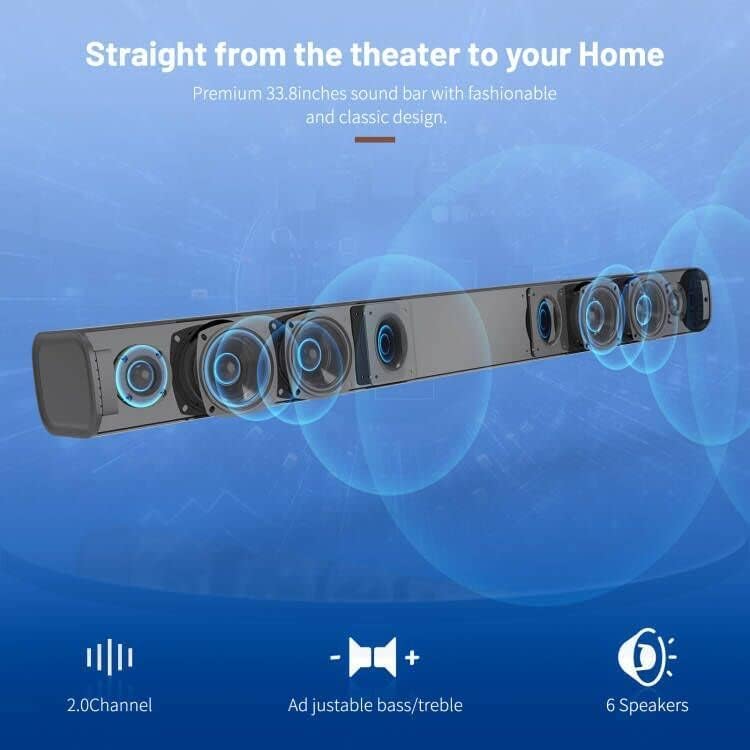
- Sound Modes (Movie, Music, Dialogue): Select optimized equalizer settings for different content types.
- Високі частоти +/-: Налаштуйте рівні високих частот.
- Низькі частоти +/-: Налаштуйте рівень басів.
6.2. Sound Modes (DSP Technology)
The soundbar features DSP (Digital Signal Processing) technology with three preset equalizer modes:
- Режим фільму: Enhances cinematic audio with dynamic range and impactful bass.
- Музичний режим: Оптимізує аудіо для відтворення музики, забезпечуючи збалансований звук.
- Режим діалогу: Clarifies speech, making conversations easier to understand.

7. Технічне обслуговування
- Clean the soundbar with a soft, dry cloth. Do not use liquid cleaners or aerosols.
- Avoid exposing the soundbar to extreme temperatures, humidity, or direct sunlight.
- Не намагайтеся розбирати або ремонтувати пристрій самостійно. Зверніться до служби підтримки клієнтів для отримання допомоги.
8. Вирішення проблем
| проблема | Можливе рішення |
|---|---|
| Немає живлення | Переконайтеся, що адаптер живлення надійно підключений до саундбара та справної розетки. |
| Ні звуку |
|
| Проблеми зі створенням пари Bluetooth |
|
| Пульт не працює |
|
9. Технічні характеристики
- Бренд: БЕСТИСАН
- Назва моделі: ST08, SE08
- Тип динаміка: Саундбар
- Технологія підключення: HDMI (ARC), Optical, Aux, USB, Bluetooth 5.0
- Режим аудіовиходу: Стерео
- Максимальна вихідна потужність динаміка: 100 Вт
- Розміри продукту: 3.4" Г x 33.79" Ш x 4.4" В
- Вага товару: 5.19 фунта
- Тип монтажу: Настінне кріплення
- Особливість: Bass Boost, DSP Technology (Dialogue, Movie, Music modes)
10. Гарантія та підтримка
For warranty information, technical support, or customer service inquiries, please refer to the contact details provided in your User's Guide or visit the official BESTISAN webсайт.
Виробник: Бестісан
Дата першої доступності: 3 листопада 2020 р