
1. Вступ
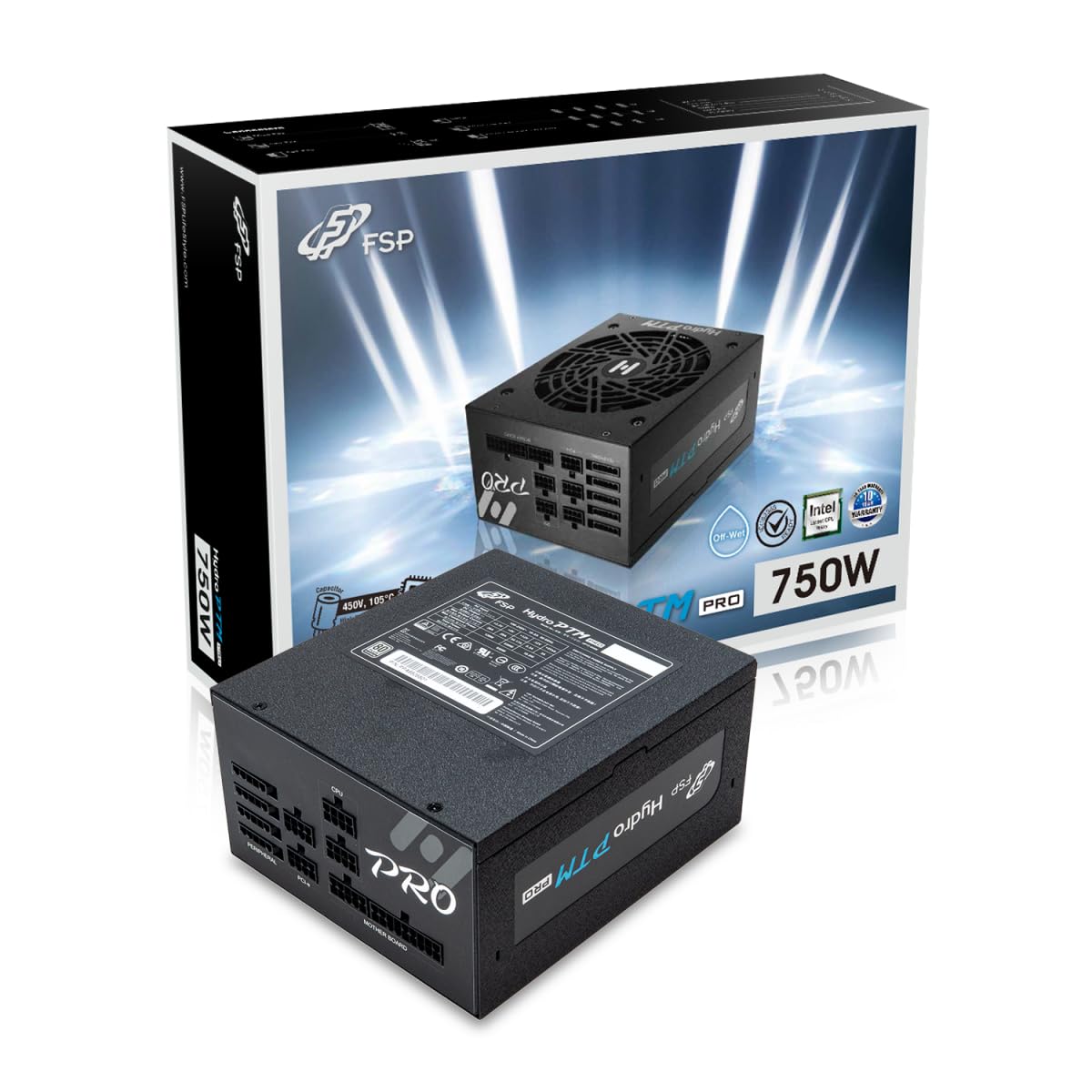
This manual provides detailed instructions for the installation, operation, and maintenance of your FSP Hydro PTM Pro 750W 80 Plus Platinum Full Modular ATX 12V Power Supply (Model: HPT2-750M). Please read this manual thoroughly before using the product to ensure proper function and safety.
The FSP Hydro PTM Pro series is designed for high efficiency and durability, featuring a conformal coating for protection against dust, humidity, and stains. It includes a semi-fanless Eco Mode for quiet operation under low loads and fully modular black ribbon cables for flexible system builds.
2. Інформація про безпеку
УВАГА: Improper installation or use can result in serious injury or damage to the power supply and other components. Always follow these safety guidelines:
- Не відкривайте блок живлення. Висока гучністьtagВсередині присутні пошкодження, і немає деталей, які може обслуговувати користувач. Відкриття пристрою призведе до анулювання гарантії.
- Перед встановленням або технічним обслуговуванням переконайтеся, що блок живлення відключено від розетки змінного струму.
- Встановіть блок живлення в добре провітрюваному приміщенні.
- Use only the modular cables provided with this power supply. Using incompatible cables may cause damage to the power supply and connected components.
- This product is designed for use in personal computers. Do not use it for any other purpose.
- Keep the power supply away from water, moisture, and extreme temperatures.
- Перш ніж увімкнути систему, переконайтеся, що всі з’єднання надійні.

3. Вміст упаковки
Перевірте наявність усіх предметів у вашій упаковці:
- FSP Hydro PTM Pro 750W Power Supply Unit (HPT2-750M)
- Шнур живлення змінного струму
- Modular Cable Set (refer to the "Cable Length and Connectors" section for details)
- Монтажні гвинти
- Посібник користувача (цей документ)
4. Налаштування та встановлення
4.1 Фізичне встановлення
- Підготуйте свою систему: Переконайтеся, що ваш комп'ютер повністю вимкнено та від'єднано від розетки.
- Видаліть старий блок живлення (якщо є): Від’єднайте всі кабелі від старого блоку живлення та вийміть його з корпусу ПК.
- Встановлення блоку живлення: Insert the FSP Hydro PTM Pro 750W into the power supply bay of your PC case. Secure it with the provided mounting screws.
- Підключення кабелів материнської плати:
- Connect the 20+4 Pin ATX cable to your motherboard's main power connector.
- Connect the 4+4 Pin CPU (EPS) cable(s) to your motherboard's CPU power connector(s).
- Підключення периферійних кабелів:
- Connect the 6+2 Pin PCI-E cables to your graphics card(s).
- Підключіть кабелі живлення SATA до SSD, HDD та оптичних приводів.
- Connect Molex cables to any other peripherals requiring them.
- Безпечні з'єднання: Ensure all modular cables are firmly seated into both the power supply and the respective components.
- Підключіть джерело змінного струму: Plug the AC power cord into the power supply's AC inlet and then into a wall outlet or surge protector.
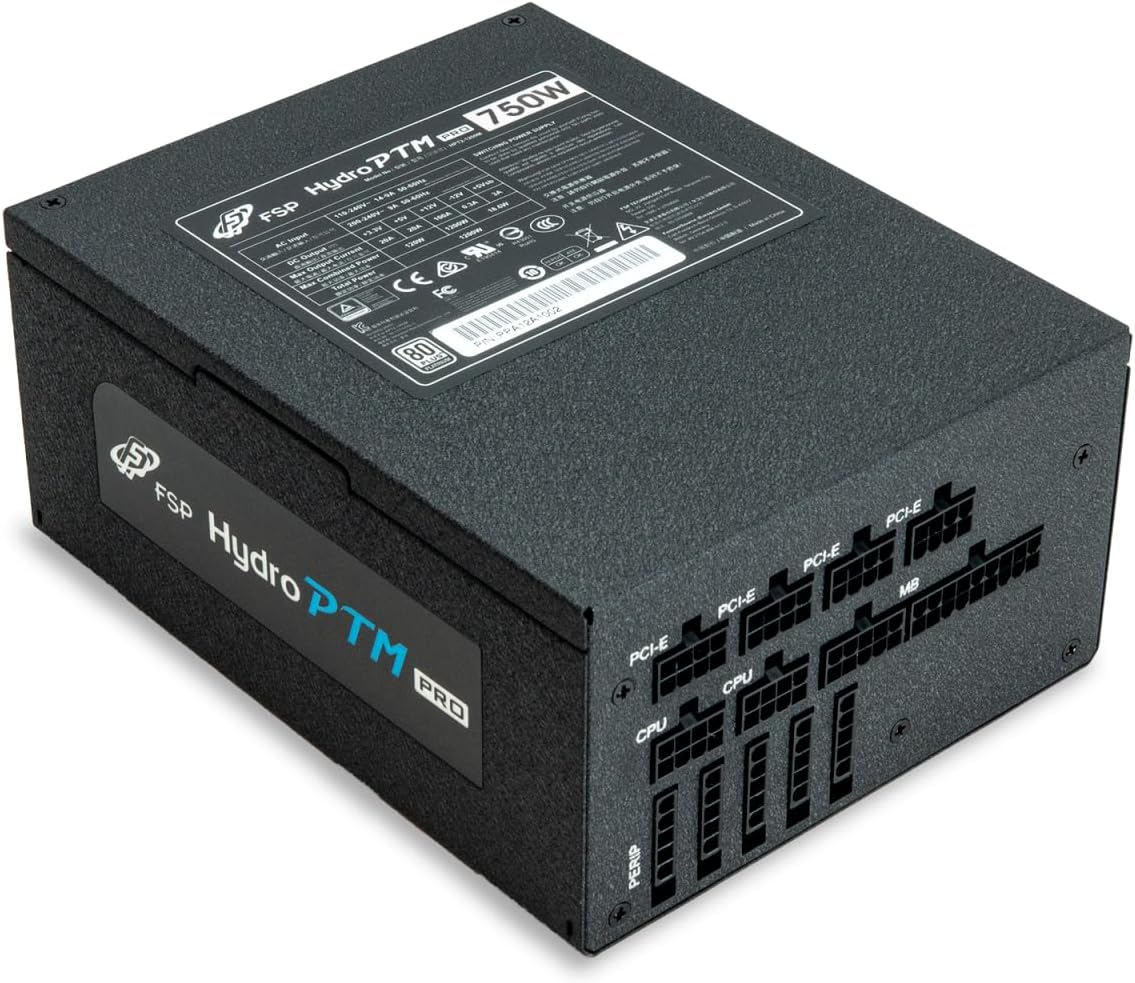
4.2 Cable Length and Connectors
The FSP Hydro PTM Pro 750W comes with a set of fully modular black ribbon cables. Refer to the diagram below for connector types and approximate lengths.

5. Операція
5.1 Увімкнення/вимкнення
After completing the installation, ensure the main power switch on the back of the power supply is in the "ON" (I) position. You can then power on your computer using its case power button.
5.2 Екорежим
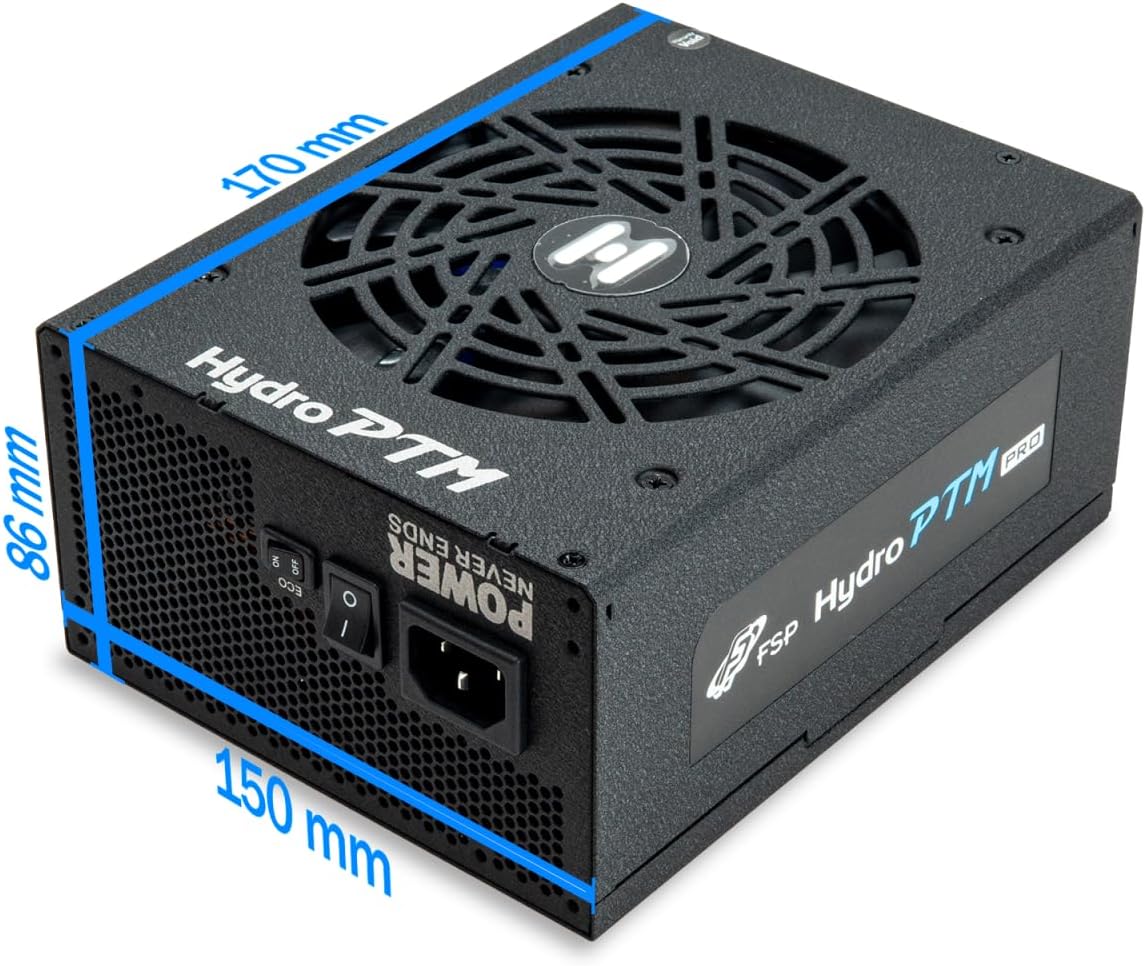
The Hydro PTM Pro features a semi-fanless Eco Mode. When enabled, the power supply fan will remain off until the system load exceeds approximately 30%. This provides silent operation during low-power tasks.
- To activate Eco Mode: Locate the "ECO" switch next to the main power switch on the rear of the power supply and set it to the "ON" position.
- To disable Eco Mode: Set the "ECO" switch to the "OFF" position. The fan will operate continuously based on temperature.
Відео: Оверview of the FSP Hydro PTM Pro series, highlighting features like conformal coating, Eco Mode, and modular design. This video is provided by FSP GROUP USA.
6. Технічне обслуговування
6.1 Очищення
To maintain optimal performance and longevity, periodically clean your power supply:
- Ensure the power supply is completely powered off and unplugged from the AC outlet before cleaning.
- Use compressed air to gently remove dust from the fan grille and ventilation openings.
- Протріть зовнішню частину м’якою сухою тканиною. Не використовуйте рідкі засоби для чищення або розчинники.
6.2 Охорона навколишнього середовища
The FSP Hydro PTM Pro features a proprietary conformal coating that protects internal components from dust, humidity, and stains. This allows the power supply to reliably operate in environments with up to 95% relative humidity. While this coating offers enhanced protection, it is still recommended to operate the power supply in a clean, dry environment for best results.
7. Вирішення проблем
Якщо у вас виникли проблеми з блоком живлення, зверніться до наступних поширених проблем та способів їх вирішення:
| проблема | Можлива причина | Рішення |
|---|---|---|
| Система не вмикається. |
|
|
| Система вмикається, але одразу вимикається. |
|
|
| Fan is not spinning (Eco Mode off). |
|
|
If the problem persists after attempting these solutions, please contact FSP customer support.
8. Технічні характеристики
| Особливість | Деталь |
|---|---|
| Назва моделі | Hydro PTM Pro (HPT2-750M) |
| Бренд | FSP |
| Вихідна ватtage | 750 Вт |
| 80 Plus Certification | Платина |
| Форм-фактор | ATX |
| Конструкція джерела живлення | Повністю модульний |
| Спосіб охолодження | Повітря (135-мм вентилятор) |
| Вхідний об'ємtage | 115-240 Вольт |
| Розміри (Д x Ш x В) | 170 x 150 x 86 мм (6.7 x 5.9 x 3.4 дюймів) |
| Огородження | OCP, OVP, SCP, OPP, UVP, OTP |
| конденсатори | Japanese-made Electrolytic Capacitors |
| PFC | Active PFC ≥ 99% |
| Конформне покриття | Yes (Dust, Humidity, Stain protection) |
9. Гарантія та підтримка
9.1 Інформація про гарантію
The FSP Hydro PTM Pro 750W power supply is covered by a Гарантія 10 рік з дати покупки. Ця гарантія поширюється на дефекти матеріалів та виготовлення за умов нормального використання. Будь ласка, збережіть підтвердження покупки для пред'явлення претензій за гарантією.
Гарантія не поширюється на пошкодження, спричинені:
- Неправильний монтаж або експлуатація.
- Accidental damage, abuse, or misuse.
- Несанкціонований ремонт або модифікація.
- Natural disasters or external causes.
9.2 Підтримка клієнтів
For technical assistance, troubleshooting, or warranty inquiries, please contact FSP customer support. Refer to the official FSP webсайт для отримання найактуальнішої контактної інформації.
FSP GROUP USA
Visit the FSP Store on Amazon