
1. Вступ
Дякуємо за покупкуasing the JVC XS-N2239TC Wireless Stereo Speaker System. This manual provides essential information for the safe and efficient use of your new speaker system. Please read these instructions thoroughly before operating the device and retain them for future reference.
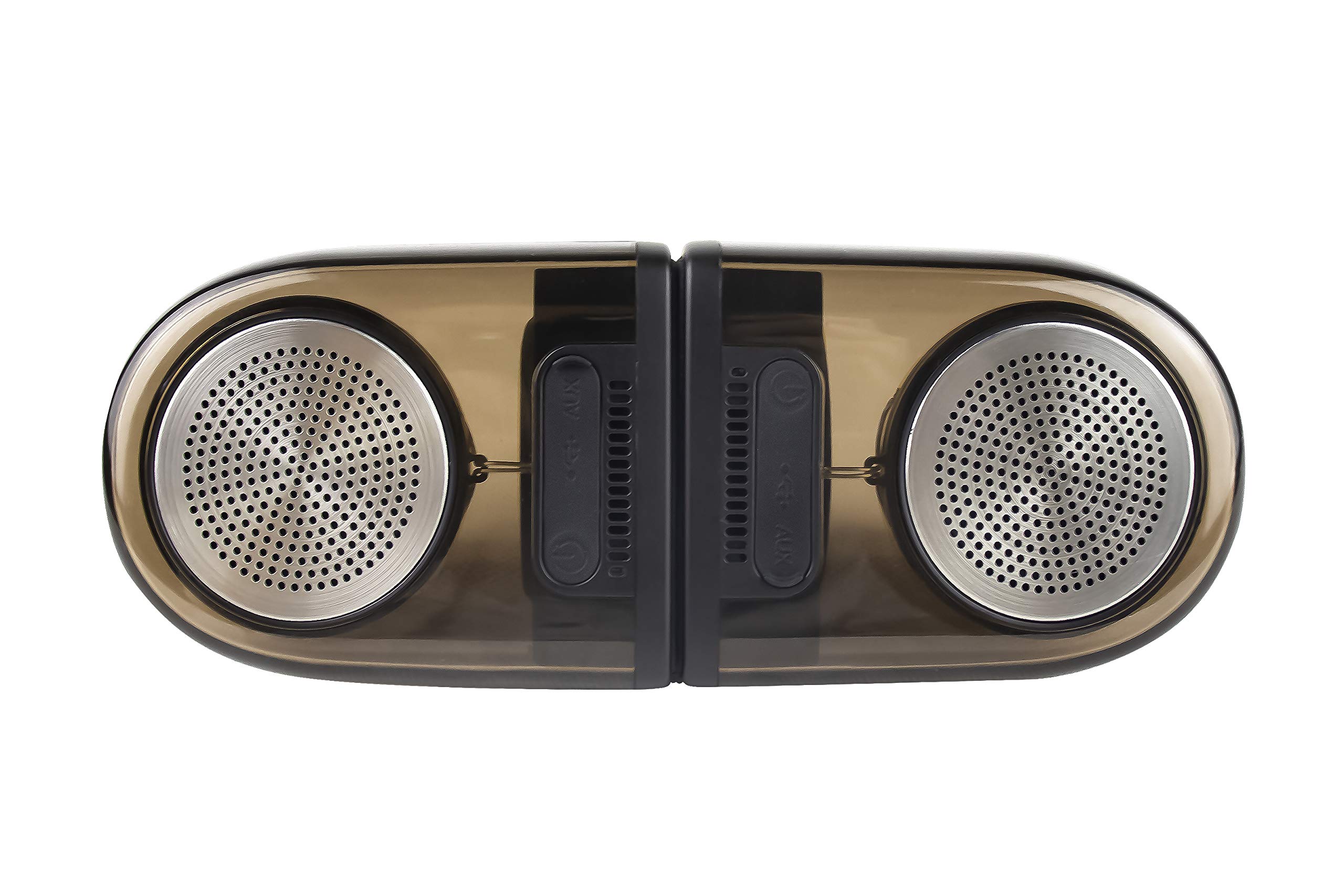
Image of the JVC XS-N2239TC speaker system, showcasinйого конструкцію та компоненти.
2. Зміст коробки
Будь ласка, перевірте, чи всі наступні предмети входять до вашої упаковки:
- 1 x JVC XS-N2239TC Speaker Unit
- 1 x AUX кабель
- 1 x Посібник користувача (цей документ)
- 1 x кабель для зарядки
- 1 х гарантійний талон
3. Налаштування
3.1 Розміщення
The JVC XS-N2239TC speakers are designed for versatile placement, suitable as Bookshelf or Floor Standing units. Ensure the speakers are placed on a stable, flat surface or floor, away from direct sunlight, heat sources, and moisture. For optimal stereo sound, position the two speakers appropriately within your listening area.
3.2 Підключення живлення
- Connect the charging cable to the speaker's power input port.
- Підключіть інший кінець зарядного кабелю до відповідної розетки.
- Ensure the speaker is fully charged before initial use for optimal battery life.
4. Інструкція з експлуатації
4.1 Увімкнення/вимкнення
Locate the power button on the speaker unit. Press and hold the button for a few seconds to power the speaker on or off. An indicator light will typically confirm the power status.
4.2 Підключення
4.2.1 Бездротове підключення
The speaker supports wireless streaming. To connect wirelessly:
- Ensure the speaker is powered on and in pairing mode (refer to the speaker's indicator lights for status).
- On your device (e.g., smartphone, tablet, television), enable wireless functionality.
- шукати available devices and select "JVC XS-N2239TC" from the list.
- Once connected, you can stream audio wirelessly to the speaker system.
4.2.2 Підключення USB
The speaker features a plug-and-play USB card reader. Insert a USB storage device containing audio files into the designated USB port on the speaker. The speaker will automatically detect and begin playing compatible audio files.
4.2.3 З'єднання AUX
Use the provided AUX cable to connect the speaker to devices with a 3.5mm audio output jack, such as televisions or other audio sources. Plug one end of the AUX cable into the speaker's AUX input and the other end into your audio source's output.
4.3 Елементи керування
4.3.1 Multifunctional Panel Keys
The speaker unit is equipped with multifunctional panel keys. These keys allow you to:
- Adjust volume (increase/decrease).
- Відтворення/призупинення відтворення аудіо.
- Navigate tracks (forward/backward) when playing from USB or wireless sources.
4.3.2 Пульт дистанційного керування
The included remote control provides convenient access to various functions from a distance. Use the remote to:
- Увімкнення/вимкнення динаміка.
- Відрегулюйте гучність.
- Control playback (play, pause, skip tracks).
- Switch input modes (e.g., Wireless, USB, AUX).
5. Технічне обслуговування
5.1 Очищення
To clean the speaker, use a soft, dry cloth. Do not use abrasive cleaners, waxes, or solvents as they may damage the finish. Ensure the speaker is powered off and unplugged before cleaning.
5.2 Водонепроникність
The JVC XS-N2239TC speaker is designed with water resistance. While it can withstand splashes, it is not intended for submersion. Avoid exposing the speaker to excessive moisture or direct water jets to prevent damage.
6. Вирішення проблем
If you encounter issues with your speaker system, please refer to the following common solutions:
- Немає живлення: Ensure the charging cable is securely connected to both the speaker and a working power outlet. Check if the power button has been pressed correctly.
- Немає звуку: Verify the volume level on both the speaker and your connected device. Ensure the correct input mode (Wireless, USB, AUX) is selected. Check all cable connections.
- Проблеми з бездротовим підключенням: Make sure the speaker is within range of your device. Try unpairing and re-pairing the speaker with your device. Ensure no other devices are interfering with the wireless signal.
- Проблеми з відтворенням USB: Confirm the USB device is formatted correctly and contains compatible audio fileс. Спробуйте інший USB-пристрій.
- Пульт дистанційного керування не працює: Check the remote control's batteries and replace them if necessary. Ensure there are no obstructions between the remote and the speaker's sensor.
Якщо проблема не зникає, зверніться до служби підтримки клієнтів.
7. Технічні характеристики
| Особливість | Деталь |
|---|---|
| Бренд | JVC |
| Назва моделі | JVC XS-N2239TC |
| Технологія підключення | USB, бездротовий |
| Тип бездротової технології | Бездротовий |
| Протокол підключення | USB |
| Режим аудіовиходу | Стерео |
| Тип динаміка | Книжкова полиця |
| Тип монтажу | Постійна поверхня |
| Особливості продукту | Пульт дистанційного керування |
| Спосіб контролю | Дистанційний |
| Сумісні пристрої | телебачення |
| Кількість аудіоканалів | 2.1 |
| Розмір динаміка | 7.5 сантиметра |
| Subwoofer Speaker Diameter | 5 дюймів |
| Tweeter Driver Diameter | 1 дюймів |
| Тип аудіо драйвера | Динамічний драйвер |
| колір | чорний |
| Є водонепроникним | ПРАВДА |
| Рівень водонепроникності | Водостійкий |
| Конкретне використання продукту | Домашні розважальні системи |
| Середній термін служби батареї | 6 години |
| Вага товару | 0.56 кілограма |
8. Гарантія та підтримка
8.1 Інформація про гарантію
Цей продукт поставляється з a Гарантія 1 рік надається виробником з дати покупки. Будь ласка, збережіть чек про покупку та гарантійний талон для будь-яких гарантійних претензій.
8.2 Підтримка клієнтів
For any complaints, technical assistance, or support regarding your JVC XS-N2239TC speaker system, please contact JVC customer care:
- Номер служби підтримки клієнтів: +91-9910332380
Будь ласка, підготуйте номер моделі вашого продукту та інформацію про покупку, коли звертаєтесь до служби підтримки.