
1. Вступ
Thank you for choosing the Sharkoon CA300T ATX PC Case. This full tower case is designed for high-performance gaming systems, offering extensive compatibility, efficient cooling, and advanced cable management features. This manual provides essential information for the proper setup, operation, and maintenance of your new PC case.
2. Інформація про безпеку
- Always disconnect the power supply from the wall outlet before installing or removing any components inside the PC case.
- Handle components with care to avoid damage from electrostatic discharge. Consider using an anti-static wrist strap.
- Зберігайте дрібні деталі та пакувальні матеріали подалі від дітей.
- Avoid placing the PC case in direct sunlight, near heat sources, or in environments with high humidity.
- Do not attempt to modify the case structure, as this may void your warranty and cause damage.
3. Вміст упаковки
Будь ласка, перевірте вміст упаковки, щоб переконатися, що всі елементи присутні:
- Корпус для ПК Sharkoon CA300T ATX
- Accessory box (screws, cable ties, standoffs, etc.)
- RGB lighting controller (if applicable)
- Інструкція з експлуатації (цей документ)
4. Продукт закінчивсяview і особливості
The Sharkoon CA300T is a premium full tower ATX PC case designed for enthusiasts. It features a modern design with robust construction, tempered glass panels, and advanced cooling options.
Ключові характеристики:
- Full Tower Design: Ample space for high-end components and custom liquid cooling solutions.
- Панелі із загартованого скла: Side panels made of tempered glass for a clear view внутрішніх компонентів.
- RGB освітлення: Integrated RGB lighting for customizable aesthetics.
- Оптимізований потік повітря: Includes three 120mm fans and supports multiple radiators for superior cooling.
- Розширене керування кабелями: Features an openable cable pocket/channel and ample routing options for a clean build.
- Пилові фільтри: Three-layer top plate with a dust filter to maintain system cleanliness.
- Широкі можливості підключення: Front panel includes 2x USB 3.0 ports and additional USB ports.
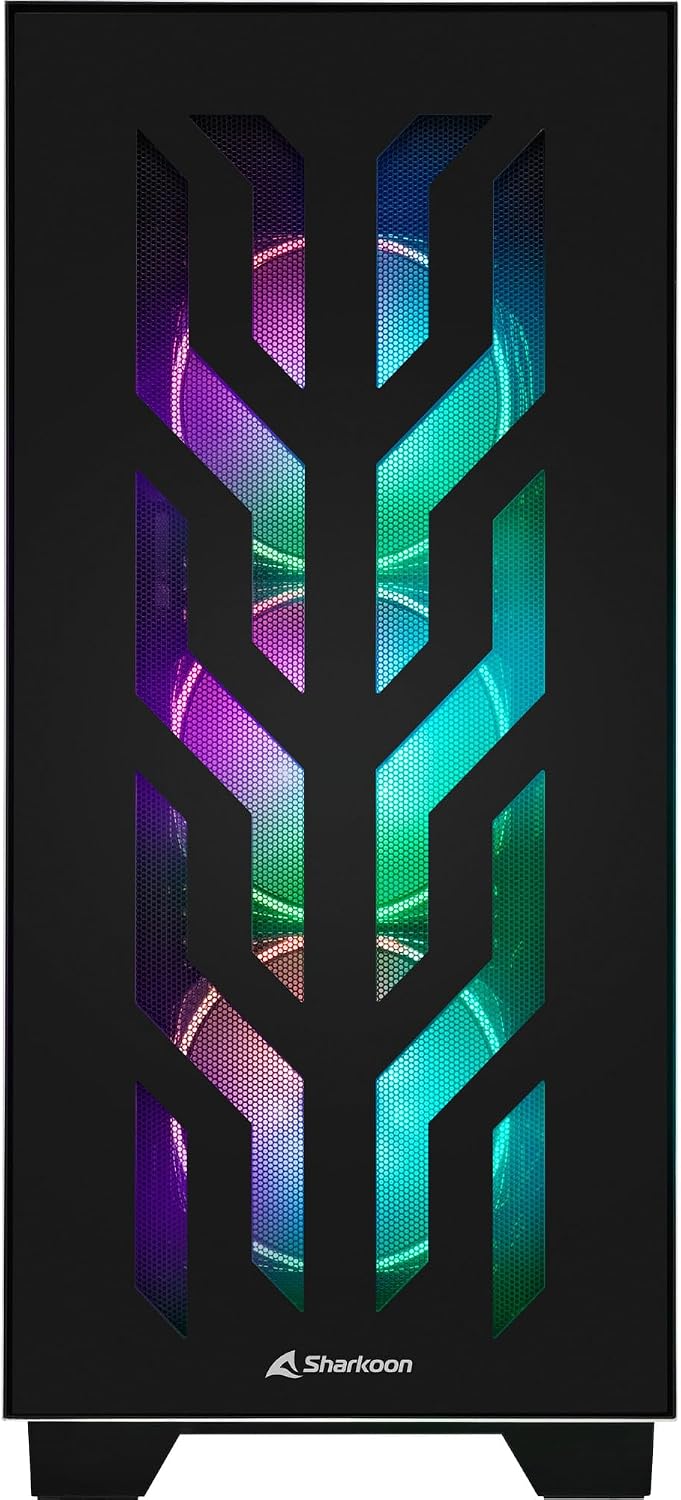
Малюнок 4.1: Спереду view of the Sharkoon CA300T PC case, showcasing the illuminated RGB fans behind the mesh panel.
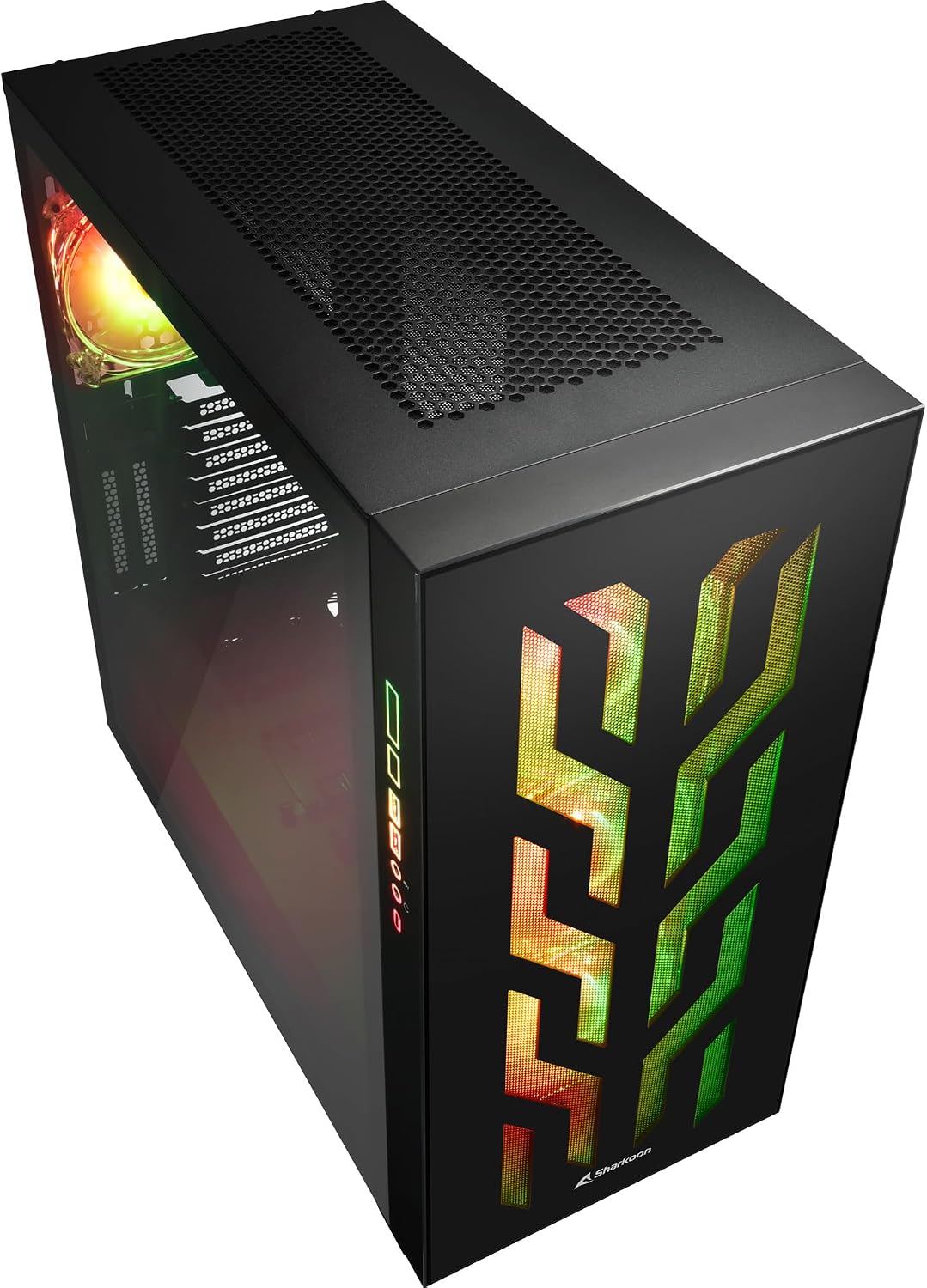
Рисунок 4.2: Кутовий view of the Sharkoon CA300T PC case, showing the tempered glass side panel and the vibrant RGB lighting from the interior.
5. Налаштування
5.1 Розпакування
- Обережно вийміть корпус ПК з упаковки.
- Inspect the case for any signs of damage during transit. Contact your retailer if any damage is found.
- Locate the accessory box inside the case, which contains screws and other installation hardware.
5.2 Зняття бічних панелей
The Sharkoon CA300T features tempered glass side panels for easy access to components.
- Locate the two screws on the rear of the case securing the side panel.
- Відкрутіть ці два гвинти.
- Gently pull the panel upwards and away from the case to remove it. Repeat for the other side if necessary.

Рисунок 5.1: Інтер'єр view of the Sharkoon CA300T PC case, showing the main compartment with the left tempered glass panel removed, ready for component installation.

Рисунок 5.2: Інтер'єр view of the Sharkoon CA300T PC case with the left side panel completely removed, exposing the motherboard tray and various mounting points.
5.3 Встановлення материнської плати
- Install the necessary standoffs onto the motherboard tray according to your ATX motherboard's screw holes.
- Carefully place your ATX motherboard onto the standoffs, aligning the screw holes.
- Закріпіть материнську плату за допомогою наданих гвинтів.
5.4 Встановлення блоку живлення (БП)
The CA300T supports bottom-mounted power supplies.
- Вставте блок живлення у відведений для нього відсік у нижній задній частині корпусу.
- Закріпіть блок живлення до корпусу гвинтами ззаду.
5.5 Встановлення приводу
The case provides internal bays for 3.5-inch and 2.5-inch drives.
- Locate the drive cages or mounting points for your 3.5-inch or 2.5-inch drives.
- Mount your drives using the appropriate screws or tool-less mechanisms.
5.6 Встановлення відеокарти та плати розширення
The case offers multiple expansion slots and supports vertical GPU mounting.
- Зніміть необхідні кришки слотів розширення із задньої частини корпусу.
- Вставте відеокарту або інші карти розширення у слоти PCIe на материнській платі.
- Secure the cards with screws. For vertical GPU mounting, an additional riser cable (not included) is required.
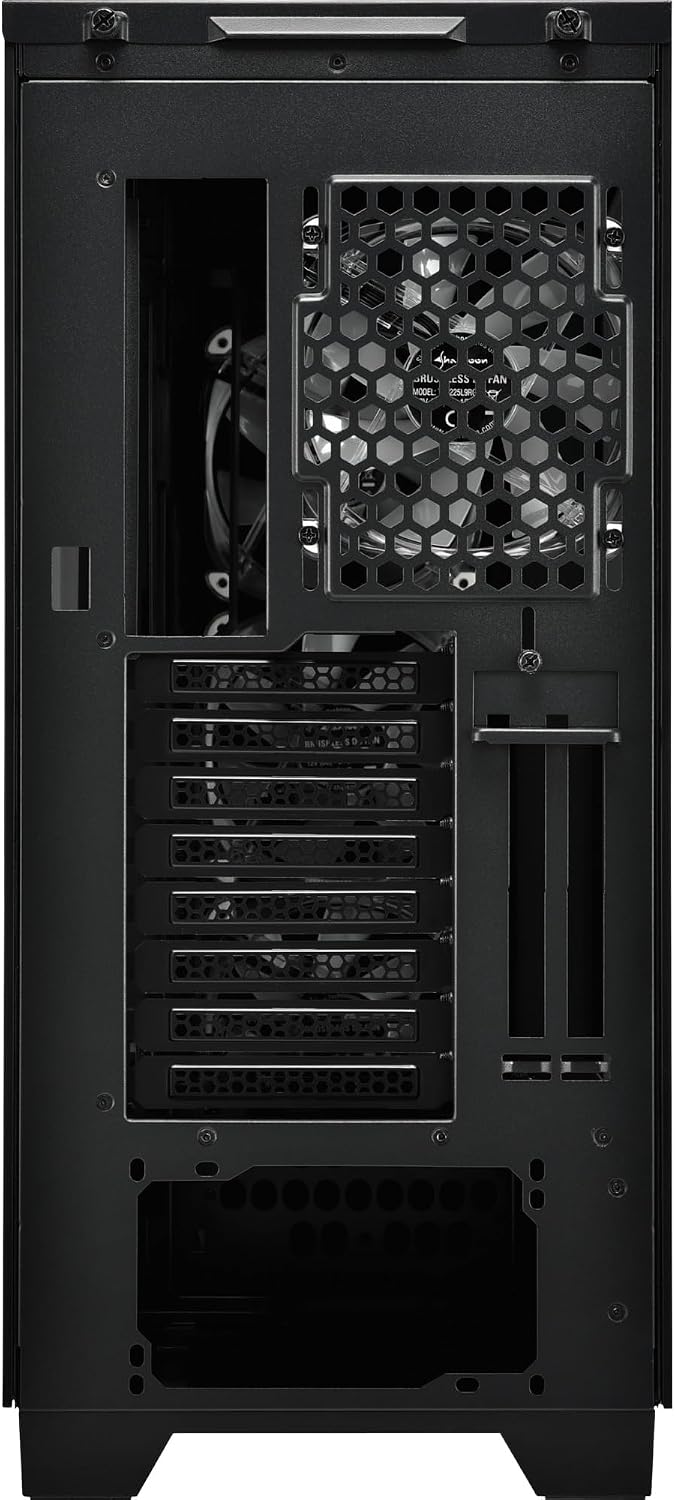
Малюнок 5.3: Задня частина view of the Sharkoon CA300T PC case, illustrating the expansion slots, rear fan mount, and PSU opening.
5.7 Організація кабелів
Utilize the cable routing channels and tie-down points behind the motherboard tray to organize cables for improved airflow and aesthetics.

Рисунок 5.4: Задня частина салону view of the Sharkoon CA300T PC case, highlighting the dedicated cable management area behind the motherboard tray.
6. Операційна
6.1 Увімкнення/вимкнення живлення
After all components are installed and cables are connected, press the power button on the front panel to turn on your system. Press it again to turn off, or use your operating system's shutdown function.
6.2 Керування RGB-підсвічуванням
The integrated RGB lighting can be controlled via the dedicated RGB controller (if included) or through compatible motherboard software, depending on how the RGB components are connected. Refer to your motherboard manual for software control options.
7. Технічне обслуговування
7.1 Очищення пилових фільтрів
The Sharkoon CA300T features a three-layer top plate with a dust filter. Regularly clean all dust filters to maintain optimal airflow and cooling performance.
- Turn off and unplug your PC.
- Carefully remove the dust filters (e.g., from the top, front, and bottom).
- Clean the filters using compressed air or by gently washing them with water. Ensure they are completely dry before reinstallation.
7.2 Загальний догляд
- Протріть зовнішню частину корпусу м’якою тканиноюamp тканина. Уникайте абразивних очищувачів.
- Ensure all cables are securely connected and not obstructing airflow.
8. Вирішення проблем
Якщо у вас виникли проблеми зі збіркою ПК, розгляньте такі поширені кроки для усунення несправностей:
- Немає живлення: Ensure the power supply is properly connected to the wall outlet and the motherboard. Check all power cables (24-pin, CPU, GPU).
- Вентилятори не обертаються: Verify that all fan headers are correctly connected to the motherboard or fan controller. Check BIOS settings for fan control.
- Немає дисплея: Confirm that your monitor is connected to the graphics card (not the motherboard's integrated graphics, unless intended). Reseat the graphics card and RAM modules.
- RGB не працює: Check RGB cable connections to the motherboard or controller. Ensure any necessary software is installed and configured.
- Перегрів: Ensure all fans are spinning correctly and dust filters are clean. Verify proper thermal paste application on the CPU cooler.
For more complex issues, consult the manuals for your individual components (motherboard, GPU, PSU) or seek professional assistance.
9. Технічні характеристики
| Особливість | Специфікація |
|---|---|
| Бренд | Шаркун |
| Назва моделі | CA300T |
| Тип корпусу | Повна вежа |
| Сумісність материнської плати | ATX |
| Рекомендоване використання | Ігри |
| Колір | чорний |
| матеріал | метал |
| Power Supply Mount Type | Нижнє кріплення |
| Спосіб охолодження | повітря |
| Розмір вентилятора | 120 мм |
| Кількість шанувальників | 3 |
| Total Expansion Slots | 4 |
| Total USB 3.0 Ports | 2 |
| Загальна кількість портів USB | 3 |
| Особливості | RGB Lighting, Openable Cable Pocket, Three-layer Top Plate with Dust Filter |
| HDD Bay Size | 3.5 дюймів |
| Number of Internal Bays | 4 |
| Сумісні пристрої | ATX Motherboards, 3.5-inch Hard Drives |
| Світлий колір | RGB |
| Вага товару | 14.7 кілограма |
10. Гарантія
The Sharkoon CA300T PC Case comes with a 2-річна гарантія виробника. Please retain your proof of purchase for warranty claims. The warranty covers defects in materials and workmanship under normal use. It does not cover damage caused by misuse, accidents, unauthorized modifications, or improper installation.
11. Підтримка
For technical support, warranty inquiries, or further assistance, please visit the official Sharkoon website or contact their customer service department. You may find contact information and FAQs on their support pages.
Офіційний Webсайт: www.sharkoon.com