
1. Вступ
Дякуємо за покупкуasing the Casio IQ-1106J Radio Wave Wall Clock. This clock features an analog display within an octagonal wooden frame, designed to provide accurate timekeeping through radio wave reception. This manual will guide you through the installation, operation, and maintenance of your new clock.
Ключові характеристики:
- Radio Wave Reception: Automatically adjusts time for precision.
- Аналоговий дисплей: Classic and easy-to-read time presentation.
- Octagonal Wooden Frame: Adds a warm and elegant touch to any room.
- Step Second Hand: Provides clear second-by-second movement.

Зображення: Крупний план view of the clock face, highlighting the warm wooden frame and the step second hand movement.
2. Вміст упаковки
Будь ласка, переконайтеся, що всі наступні предмети включені до вашого пакету:
- Casio IQ-1106J Wall Clock
- AA Alkaline Battery (x1)
- Гвинти для кріплення на стіну
- Підвісна фурнітура
- Інструкція з експлуатації (цей документ)
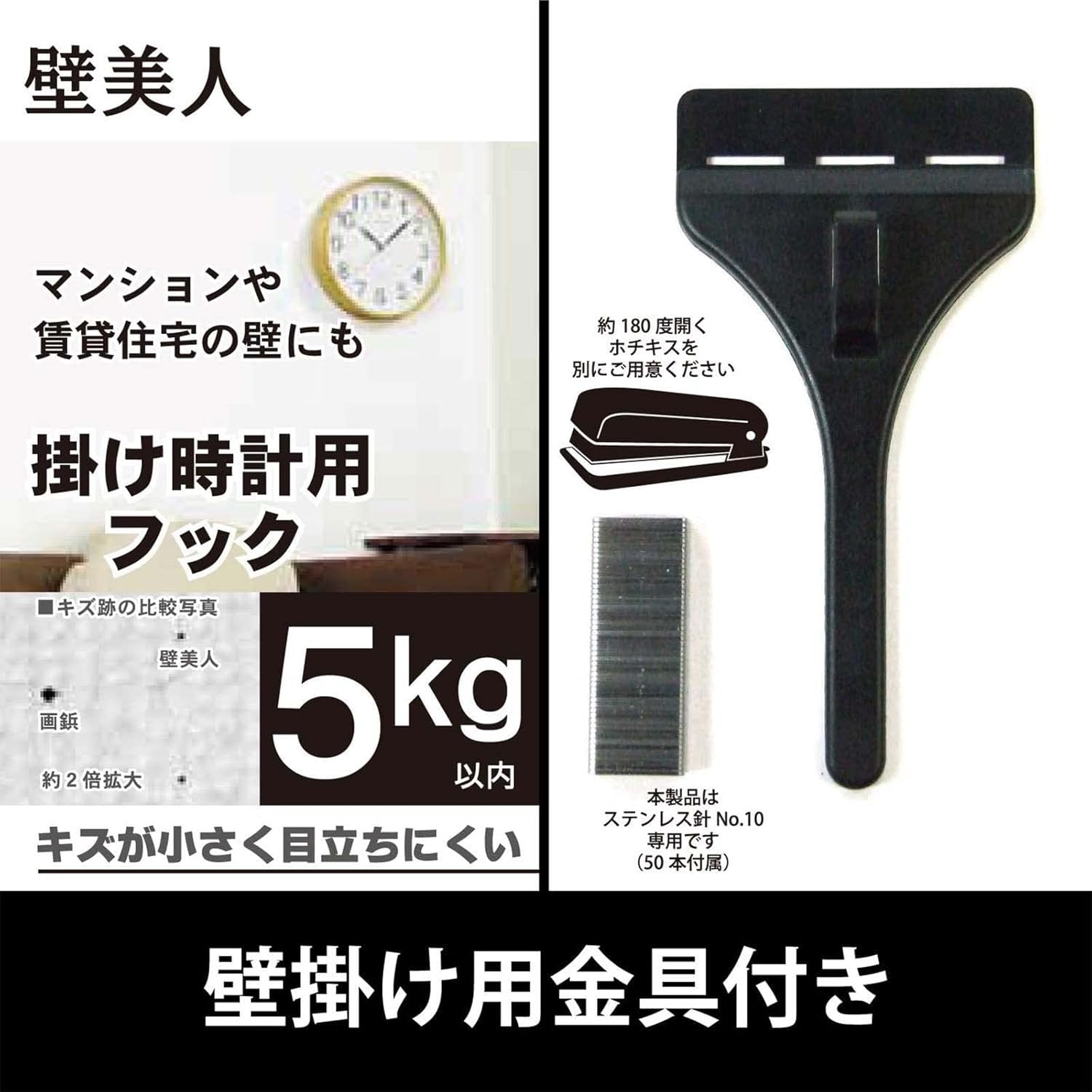
Image: The included wall hanging hardware, designed for secure installation.
3. Інформація про безпеку
- Безпека батареї: Use only the specified AA alkaline battery. Do not mix old and new batteries, or different types of batteries. Remove batteries if the clock will not be used for an extended period. Dispose of batteries according to local regulations.
- Безпека монтажу: Ensure the wall surface is strong enough to support the clock's weight (approximately 940g) and the hanging hardware. Use appropriate tools and follow mounting instructions carefully to prevent the clock from falling.
- Розміщення: Avoid placing the clock in direct sunlight, near strong magnetic fields, or in areas with extreme temperatures or high humidity, as this may affect performance and longevity.
4. Налаштування
4.1 Встановлення батареї
- Знайдіть батарейний відсік на задній панелі годинника.
- Відкрийте кришку батарейного відсіку.
- Insert one (1) AA alkaline battery, ensuring the positive (+) and negative (-) terminals are aligned correctly according to the diagram inside the compartment.
- Надійно закрийте кришку батарейного відсіку.

Зображення: Задня частина view of the clock, indicating the battery compartment and control buttons.
4.2 Initial Time Setting and Radio Wave Reception
After installing the battery, the clock will automatically attempt to receive the time calibration signal. This process may take several minutes. Place the clock in an area with good signal reception, away from electronic devices that may cause interference.
- The clock hands will move to the 12 o'clock position and then begin searching for the radio signal.
- A radio wave reception lamp (if present, refer to the back of the clock) will indicate the status of the reception.
- Once the signal is successfully received, the clock will automatically set itself to the correct time.
4.3 Настінне кріплення
Use the provided hanging hardware and screws to securely mount the clock on a wall.
- Виберіть відповідне місце на міцній стіні.
- Mark the desired position for the hanging hardware.
- Install the wall mounting screws and hanging hardware according to the instructions provided with the hardware, ensuring it is firmly secured. The hook can hold up to approximately 5kg.
- Carefully hang the clock onto the installed hardware, ensuring it is stable and level.
5. Інструкція з експлуатації
5.1 Radio Reception Function
The Casio IQ-1106J clock is equipped with a radio wave reception function to maintain accurate time.
- Автоматичний прийом: The clock will periodically attempt to receive the time calibration signal to ensure accuracy. This typically occurs overnight.
- Ручний прийом: If you need to force a time adjustment, you can initiate manual reception. Refer to the buttons on the back of the clock (e.g., 'WAVE CEPTOR' or 'RECEIVE' button) and press it to start manual reception. The radio wave reception lamp will indicate the reception status.
- Radio Wave Reception ON/OFF Function: Some models may include a switch or button to enable or disable the radio wave reception. If you are in an area with poor reception or wish to conserve battery life, you may turn this function OFF. Remember to turn it ON for automatic time synchronization.

Image: The 'Wave Ceptor' feature, illustrating the clock's ability to receive radio signals for precise timekeeping.
5.2 Відображення часу
The clock features a clear analog display with hour, minute, and second hands. The time is automatically adjusted via radio wave reception, eliminating the need for manual time setting under normal operating conditions.
6. Технічне обслуговування
6.1 Очищення
- Протріть поверхню годинника м’якою сухою тканиною.
- Для стійких забруднень злегка dampпротріть тканину водою з м’яким мийним засобом, а потім негайно витріть насухо.
- Do not use abrasive cleaners, solvents, or chemical sprays, as these can damage the finish and internal components.
6.2 Заміна батареї
When the clock hands stop moving or the time becomes inaccurate despite good radio reception, it is likely time to replace the battery.
- Зніміть годинник зі стіни.
- Відкрийте батарейний відсік на задній панелі.
- Remove the old AA alkaline battery.
- Insert a new AA alkaline battery, observing the correct polarity (+/-).
- Close the battery compartment and re-hang the clock. The clock will then attempt to receive the time signal.
7. Вирішення проблем
| проблема | Можлива причина | Рішення |
|---|---|---|
| Clock hands do not move or display incorrect time. | Low battery; Poor radio signal reception; Radio reception OFF. | Replace battery. Move clock to a location with better signal (e.g., near a window, away from electronics). Ensure radio reception function is ON. Initiate manual reception. |
| Radio wave reception lamp does not light up or flashes. | Weak or no radio signal. | Relocate the clock to an area with stronger signal. Wait for automatic reception or attempt manual reception. |
| Годинник або відстає, або випереджає час. | Interference with radio signal; Faulty battery; Malfunction. | Ensure clock is not near strong interference sources. Replace battery. If problem persists, contact customer support. |
8. Технічні характеристики
| Особливість | Деталь |
|---|---|
| Номер моделі | IQ-1106J |
| Розміри продукту (В x Ш x Г) | прибл. 11.6 x 11.6 x 2.4 дюймів (29.5 x 29.5 x 6.0 см) |
| вага | прибл. 32.0 унції (940 г) |
| Матеріали | Wood, Resin, Glass |
| Тип дисплея | Аналоговий |
| Рух | Кварц |
| Джерело живлення | 1 лужні батареї типу АА |
| Особливості | Radio reception function (automatic/manual), Radio wave reception ON/OFF function, Radio wave reception lamp |
| Використання в приміщенні/зовні | закритий |

Image: The clock displaying its physical dimensions and weight for reference.
9. Гарантія та підтримка
Casio products are manufactured to high-quality standards. For information regarding warranty coverage, please refer to the warranty card included with your purchase or visit the official Casio webсайт.
For further assistance, troubleshooting, or to inquire about replacement parts, please contact Casio customer support or visit the official Casio store online: