
1. Вступ
This manual provides instructions for the setup, operation, maintenance, and troubleshooting of your ROCCAT Vulcan TKL Mechanical PC Gaming Keyboard. The Vulcan TKL is a tenkeyless mechanical keyboard designed for PC gaming, featuring Linear Titan Switches, per-key AIMO RGB lighting, an anodized aluminum top plate, and a detachable USB-C cable.
Ключові особливості:
- Tenkeyless form factor for increased desk space and mouse movement.
- Titan Switch Mechanical with linear actuation for responsive keystrokes.
- Durable construction with a 50 million keystroke lifecycle.
- Ультранизький професіоналfile design to reduce wrist strain.
- Key stabilizer technology for solid and sturdy keys.
- AIMO intelligent lighting engine for customizable RGB effects.
- Mixer-style volume dial and dedicated media controls.
2. Що в коробці
Перевірте наявність усіх компонентів в упаковці:
- ROCCAT Vulcan TKL Mechanical PC Gaming Keyboard
- Знімний кабель USB-C
- Короткий посібник (не входить до цього посібника)
3. Налаштування
Follow these steps to set up your ROCCAT Vulcan TKL keyboard:
- Підключіть кабель USB-C: Locate the USB-C port on the back of the keyboard. Connect the smaller end of the provided USB-C cable to this port.
- Підключення до ПК: Plug the standard USB-A end of the cable into an available USB port on your computer.

Image 3.1: Connecting the detachable USB-C cable to the keyboard.

Image 3.2: Close-up of the USB-C port on the keyboard.
- Встановлення драйвера: Ваша операційна система повинна автоматично виявити та встановити необхідні драйвери.
- Install ROCCAT Swarm Software: For full customization of lighting, key assignments, and macros, download and install the ROCCAT Swarm software from the official ROCCAT website. This software allows you to configure advanced features and update firmware.
4. Інструкція з експлуатації
The ROCCAT Vulcan TKL keyboard offers a range of functions for gaming and general use.
4.1 Розташування та функції клавіш
The keyboard features a UK layout with standard alphanumeric keys, function keys (F1-F12), and dedicated media controls.

Зображення 4.1: закінченоview of the ROCCAT Vulcan TKL keyboard layout.
- Функціональні клавіші (F1-F12): These keys can have secondary functions when pressed in combination with the FN key. Refer to the keycaps for specific secondary functions (e.g., media playback, volume, lighting adjustments).
- Регулятор гучності: Located in the upper right corner, this dial allows for quick adjustment of system volume. Rotate clockwise to increase volume, counter-clockwise to decrease.

Image 4.2: The mixer-style volume dial for audio control.
4.2 AIMO RGB Lighting
The keyboard features per-key AIMO intelligent RGB lighting. This lighting system can be customized extensively using the ROCCAT Swarm software. AIMO reacts to your input and other compatible ROCCAT devices to create dynamic lighting effects.
- Налаштування: Use the ROCCAT Swarm software to select from various lighting effects, adjust brightness, and create custom lighting profiles.
- Вбудована пам'ять: The keyboard supports on-board profile storage, allowing you to save your preferred settings directly to the keyboard for use on different systems without the Swarm software.
4.3 Titan Switch Mechanical
The Vulcan TKL utilizes ROCCAT's Titan Switch Mechanical with linear actuation. This design provides a smooth and consistent keystroke, optimized for speed and responsiveness in gaming scenarios.

Зображення 4.3: Детальний опис view of the Titan Switch Mechanical.
4.4 Ергономічний дизайн
The keyboard features an ultra-low profile design, which helps to reduce wrist strain during extended use by allowing a more natural hand position.
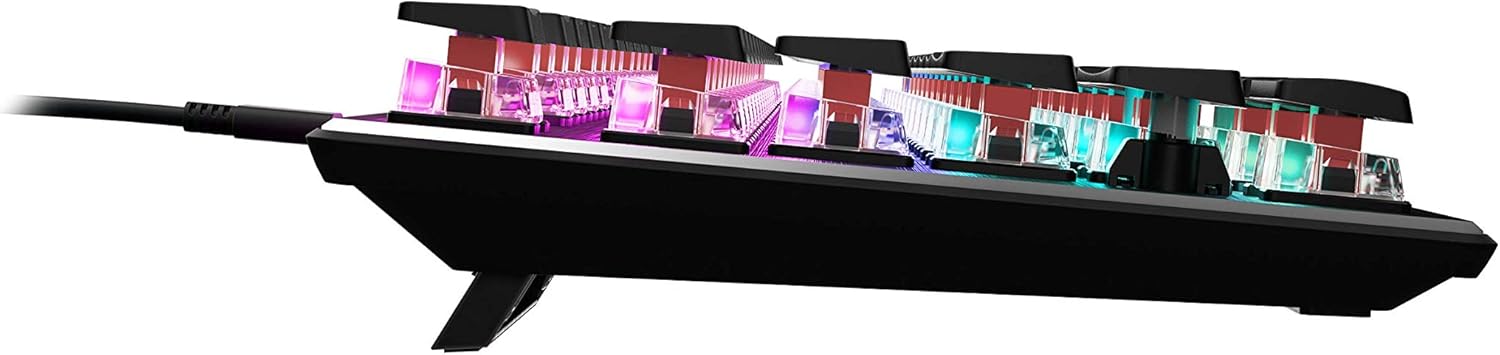
Зображення 4.4: Бічний професіоналfile of the keyboard demonstrating its low-profile дизайн.
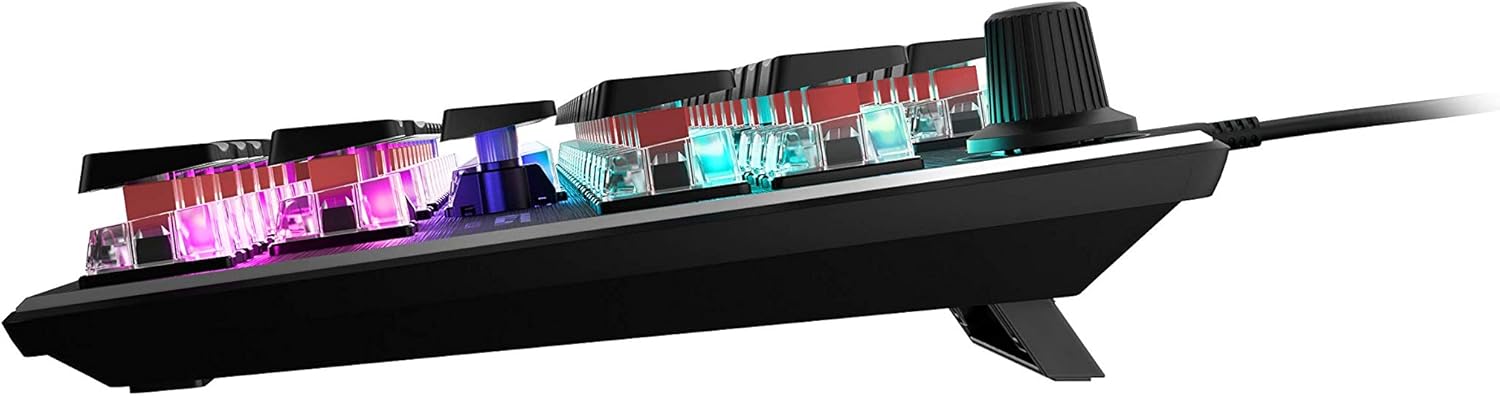
Зображення 4.5: Збоку view showing the keyboard's adjustable feet for ergonomic tilt.
5. Технічне обслуговування
Правильне обслуговування забезпечує довговічність та оптимальну роботу вашої клавіатури.
- Очищення клавіатури: Regularly clean the keyboard surface and between keycaps to prevent dust and debris buildup. Use a soft, lint-free cloth, slightly dampened with water or a mild cleaning solution. For deeper cleaning, you may carefully remove keycaps (refer to online guides for safe keycap removal for your specific switch type) and use compressed air to clear debris. Ensure the keyboard is disconnected from your PC before cleaning.
- Догляд за кабелем: The detachable USB-C cable should be handled with care. Avoid sharp bends or excessive pulling to prevent damage to the cable or the keyboard's port.
- Зберігання: Якщо клавіатура не використовується протягом тривалого часу, зберігайте її в чистому, сухому місці, подалі від екстремальних температур.
6. Вирішення проблем
If you encounter issues with your ROCCAT Vulcan TKL keyboard, try the following troubleshooting steps:
- Клавіатура не реагує:
- Переконайтеся, що кабель USB-C надійно підключено як до клавіатури, так і до ПК.
- Спробуйте підключити клавіатуру до іншого USB-порту на вашому ПК.
- Test the keyboard on another computer to determine if the issue is with the keyboard or your PC.
- Перезавантажте комп'ютер.
- Keys Double-Typing or Not Registering:
- Ensure the keyboard firmware is up to date via the ROCCAT Swarm software.
- Clean the affected key switches using compressed air to remove any debris.
- If the issue persists, it may indicate a hardware fault. Refer to the Warranty and Support section.
- Проблеми з RGB-підсвічуванням:
- Verify that the ROCCAT Swarm software is running and the keyboard is detected.
- Check lighting settings within Swarm to ensure desired effects are enabled.
- Update the keyboard's firmware through Swarm.
- ROCCAT Swarm Software Not Detecting Keyboard:
- Ensure the keyboard is properly connected to your PC.
- Restart the Swarm software.
- Перевстановіть програмне забезпечення ROCCAT Swarm.
- Check for any conflicting software or drivers.
7. Технічні характеристики
| Бренд | ROCCAT |
| Назва моделі | Vulcan TKL |
| Номер моделі | РПЦ-12-274 |
| Технологія підключення | USB-C (знімний) |
| Опис клавіатури | Механічна ігрова клавіатура |
| Тип перемикача | Механічний перемикач Titan (лінійний) |
| Освітлення | Підсвічування AIMO RGB для кожної клавіші |
| матеріал | Верхня пластина з анодованого алюмінію |
| Розміри (ДxШxВ) | 14.17 x 5.25 x 1.34 дюйми (36 x 13.3 x 3.4 см) |
| Вага товару | 2.2 фунта (1 кг) |
| Сумісні пристрої | PC |
| Особливість | Ergonomic, Tenkeyless Design |
8. Інформація про гарантію
ROCCAT products are covered by a manufacturer's warranty against defects in materials and workmanship. The specific terms and duration of your warranty may vary by region and product. Please retain your proof of purchase for warranty claims.
For detailed warranty information, please visit the official ROCCAT support webсайт.
9. Підтримка
Для отримання додаткової допомоги, технічної підтримки або завантаження найновіших драйверів та програмного забезпечення, будь ласка, відвідайте офіційний сайт підтримки ROCCAT. webсайт:
Ви також можете знайти розділи поширених запитань та форуми спільноти на сторінці підтримки.