
ASUS USB-BT500
ASUS USB-BT500 Bluetooth 5.0 USB Adapter User Manual
Model: USB-BT500
1. Продукт закінчивсяview
The ASUS USB-BT500 is a compact Bluetooth 5.0 USB adapter designed to provide wireless connectivity for a wide range of devices. It upgrades your system to the latest Bluetooth 5.0 technology, offering enhanced speed and range compared to previous Bluetooth versions. This adapter is backward compatible with Bluetooth 2.1, 3.x, and 4.x devices, ensuring broad compatibility.

Image: The ASUS USB-BT500 Bluetooth 5.0 USB Adapter, a small black and gold device.
2. Ключові характеристики
- Bluetooth 5.0 for Faster, Further Coverage: Experience data transfer speeds up to twice as fast and a range up to four times greater in Bluetooth Low Energy (BLE) mode.
- Wireless Connection, Free of Limitation: Enables seamless wireless communication with various Bluetooth-enabled devices.
- Повна сумісність: Backward compatible with Bluetooth 2.1, 3.x, and 4.x standards.
- Power Saving for Devices: Utilizes Bluetooth Low Energy technology for efficient and energy-saving wireless connectivity.
- Ultra-small Design: Highly portable and easy to use, with a compact form factor.

Image: A diagram showing 'up to 2X Faster Data Transfer Rate' and 'up to 4X Wider Data Transfer Range' with Bluetooth Low Energy Mode.
3. Що в коробці
Відкривши упаковку, ви повинні виявити такі предмети:
- USB-BT500 Adapter
- Гарантійний талон
4. Посібник із налаштування
4.1 Встановлення обладнання
- Знайдіть вільний USB-порт на вашому настільному комп'ютері або ноутбуці.
- Carefully insert the ASUS USB-BT500 adapter into the USB port. Ensure it is fully seated.

Image: The ASUS USB-BT500 adapter shown inserted into the USB port of a laptop.
4.2 Встановлення драйвера
For most modern operating systems (Windows 10/11), the necessary drivers for the ASUS USB-BT500 will be installed automatically upon connecting the device. Please ensure your computer is connected to the internet during the initial setup to allow for automatic driver download and installation.
If automatic installation does not occur or if you experience issues, you may need to manually install drivers:
- Відвідайте офіційну службу підтримки ASUS website for the USB-BT500 model.
- Завантажте найновіші драйвери, сумісні з вашою операційною системою.
- Дотримуйтеся вказівок на екрані, щоб завершити встановлення драйвера.
Важлива примітка: If your computer has existing built-in Bluetooth functionality, it is recommended to disable it in your system's Device Manager before installing the ASUS USB-BT500 to prevent potential conflicts.
5. Інструкція з експлуатації
5.1 Сполучення пристроїв Bluetooth
Once the adapter is installed and drivers are active, you can pair your Bluetooth devices:
- Ensure the Bluetooth adapter is plugged into your computer.
- Go to your computer's Bluetooth settings (e.g., in Windows: Settings > Devices > Bluetooth & other devices).
- Увімкніть Bluetooth, якщо він ще не ввімкнений.
- Put your Bluetooth device (headphones, speaker, keyboard, mouse, controller, etc.) into pairing mode. Refer to your device's manual for specific instructions on how to do this.
- On your computer, click "Add Bluetooth or other device" and select "Bluetooth".
- Виберіть свій пристрій зі списку виявлених пристроїв і виконайте будь-які підказки на екрані, щоб завершити процес сполучення.
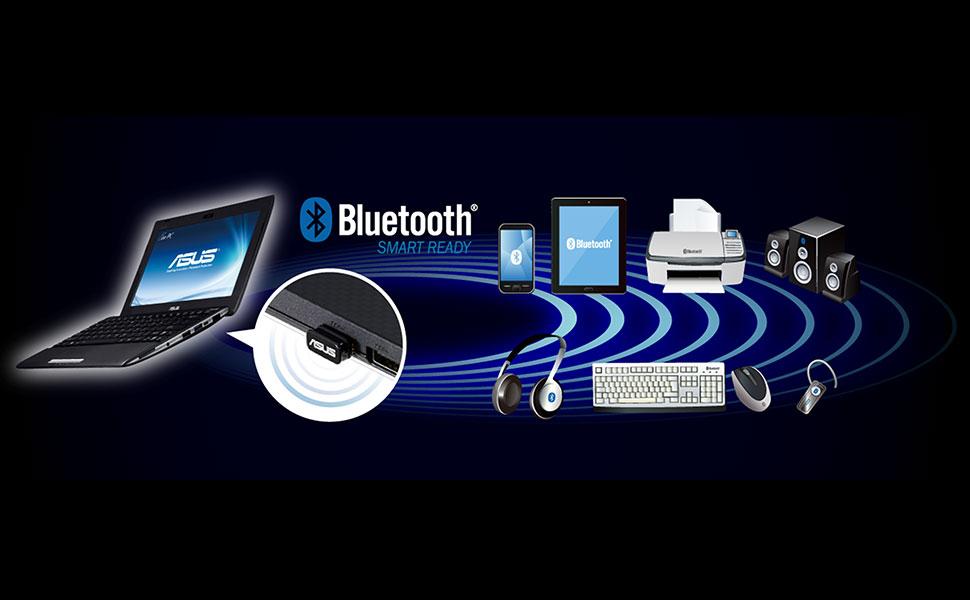
Image: A laptop with the ASUS USB-BT500 adapter wirelessly connected to multiple Bluetooth devices.
5.2 Загальні поради щодо використання
- діапазон: While Bluetooth 5.0 offers extended range, obstacles like walls and other electronic devices can affect signal strength. For optimal performance, keep paired devices within reasonable proximity.
- Перешкоди: Other wireless devices operating on the 2.4 GHz frequency (e.g., Wi-Fi routers, cordless phones) can cause interference. Try to minimize such interference for stable connections.
- Кілька пристроїв: The adapter supports connecting to multiple Bluetooth devices simultaneously, though performance may vary depending on the type and number of connected devices.
6. Технічне обслуговування
The ASUS USB-BT500 adapter requires minimal maintenance:
- Тримайте адаптер чистим і без пилу. Використовуйте м’яку суху тканину для очищення.
- Уникайте впливу екстремальних температур, вологості або прямих сонячних променів на адаптер.
- Не намагайтеся розбирати або ремонтувати адаптер самостійно, оскільки це призведе до анулювання гарантії.
- Зберігайте адаптер у безпечному місці, коли він не використовується, щоб запобігти фізичним пошкодженням.
7. Вирішення проблем
7.1 Адаптер не розпізнано
- Спробуйте підключити адаптер до іншого USB-порту на вашому комп'ютері.
- Перезавантажте комп'ютер.
- Check Device Manager (Windows) to see if the Bluetooth adapter is listed and if there are any error indicators. If so, try updating or reinstalling the drivers.
7.2 Cannot Pair or Connect to Devices
- Ensure your Bluetooth device is in pairing mode and within range.
- Turn off and then turn on Bluetooth on your computer.
- Remove the device from your computer's Bluetooth settings and try pairing again.
- Check if there are other wireless devices causing interference.
- Переконайтеся, що операційна система вашого комп’ютера оновлена.
7.3 Connection is Unstable or Choppy
- Зменште відстань між адаптером та підключеним пристроєм Bluetooth.
- Remove any physical obstructions between the adapter and the device.
- Ensure there are no strong sources of interference nearby.
- Update the adapter's drivers to the latest version from the ASUS webсайт.
8. Технічні характеристики
| Номер моделі | USB-BT500 |
| Апаратний інтерфейс | Bluetooth, USB |
| Версія Bluetooth | 5.0 (Backward compatible with 2.1/3.x/4.x) |
| Протокол зв'язку даних | Bluetooth |
| Швидкість передачі даних | До 4 мегабіт за секунду |
| Розміри продукту | 0.59 x 0.28 x 0.69 дюйми (1.5 x 0.7 x 1.75 см) |
| Вага товару | 0.16 унцій (4.54 г) |
| Колір | чорний |
| Сумісні пристрої | Desktop, Headphone, Laptop, Speaker, etc. |
| UPC | 192876476772 |
9. Гарантія та підтримка
9.1 Інформація про гарантію
This product comes with a warranty provided by ASUS. Please refer to the included warranty card for specific terms, conditions, and duration of the warranty. Keep your proof of purchase for warranty claims.
9.2 Підтримка клієнтів
Щоб отримати технічну допомогу, завантажити драйвери або отримати додаткову підтримку, відвідайте офіційний сайт підтримки ASUS. webсайт. Зазвичай там можна знайти поширені запитання, посібники з усунення несправностей та контактну інформацію служби підтримки клієнтів.
9.3 Юридична відмова від відповідальності
Actual data throughput and WiFi coverage will vary from network conditions and environmental factors, including the volume of network traffic, building material and construction, and network overhead, resulting in lower actual data throughput and wireless coverage.
Ask a question about this manual
Ask about setup, troubleshooting, compatibility, parts, safety, or missing instructions. Manuals+ will review the question and use this page’s manual context to help answer it.