
Yenkee YSP 2025
Yenkee YSP 2025 2.0 PC Speaker System User Manual
Model: YSP 2025
1. Вступ
Дякуємо за покупкуasing the Yenkee YSP 2025 2.0 PC Speaker System. This manual provides detailed instructions for setting up, operating, and maintaining your new speakers. Please read this manual thoroughly before use to ensure proper operation and to maximize the lifespan of your product.
The Yenkee YSP 2025 speaker system is designed to enhance your multimedia audio experience with powerful and clear sound. It features versatile connectivity options including Bluetooth 5.0, 3.5mm audio input, TF card reader, and USB port for various audio sources.
2. Інформація про безпеку
Для забезпечення безпечної роботи та запобігання пошкодженням, будь ласка, дотримуйтесь наступних запобіжних заходів:
- Не піддавайте динаміки впливу води, вологи або екстремальних температур.
- Не розміщуйте динаміки поблизу джерел тепла, таких як радіатори, обігрівачі, печі чи інші прилади (включаючи ampліфікатори), які виробляють тепло.
- Використовуйте лише насадки/аксесуари, зазначені виробником.
- Відключайте цей пристрій від мережі під час грози або якщо він не використовується протягом тривалого часу.
- Звертайтеся до кваліфікованого сервісного персоналу. Обслуговування потрібне, якщо пристрій було пошкоджено будь-яким чином, наприклад, пошкоджено шнур живлення або вилка, була пролита рідина або всередину пристрою потрапили предмети, пристрій піддався впливу дощу або вологи, не працює належним чином , або було видалено.
- Не блокуйте вентиляційні отвори. Встановлюйте відповідно до інструкцій виробника.
- Захищайте шнур живлення від наступання або защемлення, особливо біля вилок, розеток і в місці виходу з пристрою.
3. Вміст упаковки
Будь ласка, перевірте вміст упаковки після розпакування. Якщо будь-які елементи відсутні або пошкоджені, зверніться до продавця.
- Yenkee YSP 2025 2.0 PC Speaker System (2 speakers)
- Пульт дистанційного керування
- Аудіокабель 3.5 мм
- Кабель живлення
- Посібник користувача
4. Продукт закінчивсяview
Familiarize yourself with the components and controls of your Yenkee YSP 2025 speaker system.

малюнок 4.1: Фронт view of the Yenkee YSP 2025 speakers, showing the main speaker with control panel on the side and the secondary speaker.
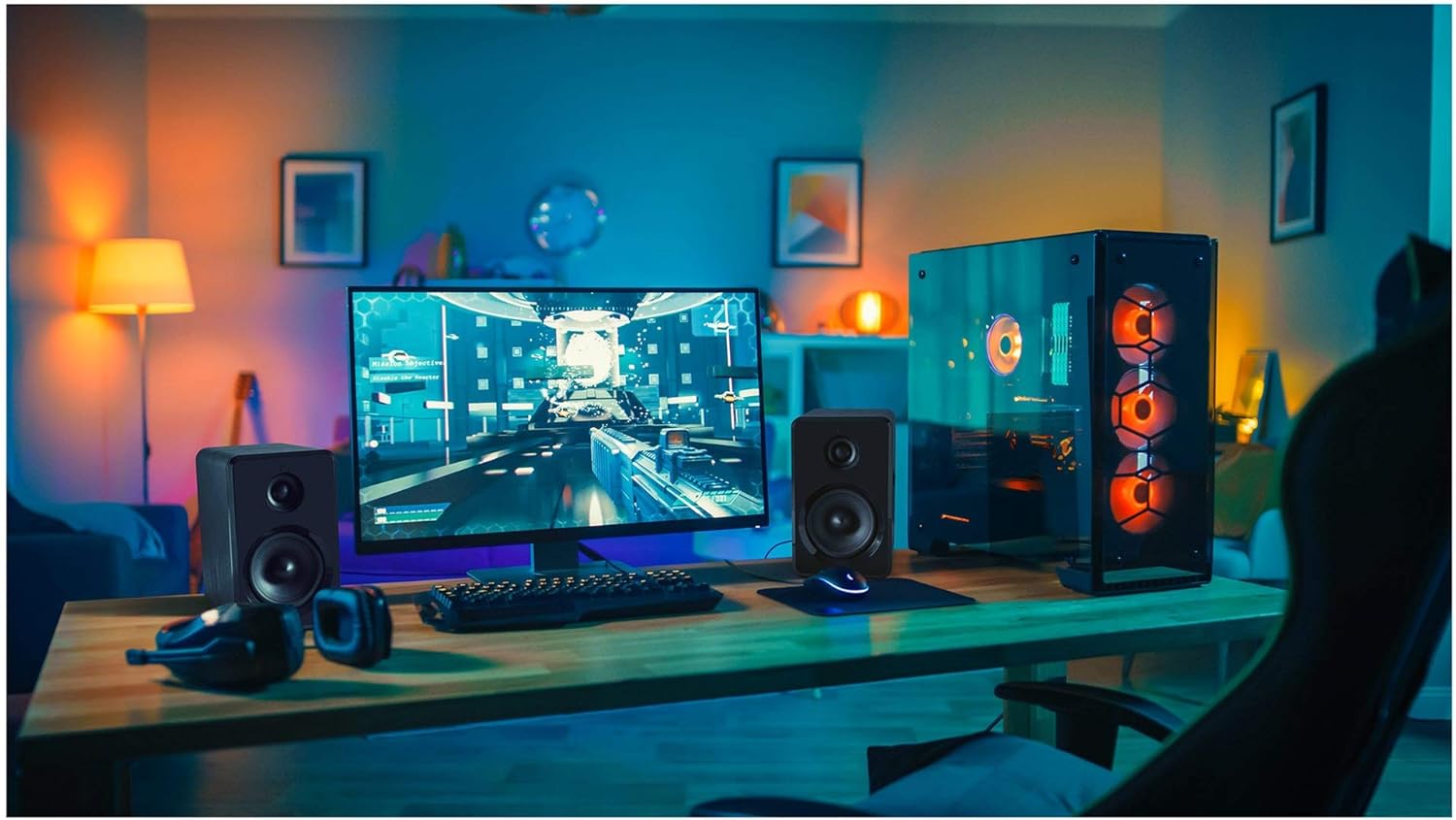
малюнок 4.2: Yenkee YSP 2025 speakers integrated into a typical desktop computer setup, demonstrating their compact size and placement beside a monitor.

малюнок 4.3: The retail packaging for the Yenkee YSP 2025 speakers, highlighting key features and including an image of the remote control.
4.1 Main Speaker Controls and Ports
The main speaker houses the primary controls and connectivity ports:
- Регулятор гучності: Регулює загальну гучність.
- Кнопка режиму: Cycles through input modes (Bluetooth, AUX, USB, TF).
- Кнопка відтворення/паузи: Controls playback in Bluetooth, USB, and TF modes.
- Кнопки попереднього/наступного треку: Navigates tracks in Bluetooth, USB, and TF modes.
- Порт USB: Для відтворення з USB-флеш-накопичувача.
- Слот для картки TF: Для відтворення з карт TF (microSD).
- Вхід AUX (3.5 мм): Для підключення зовнішніх аудіопристроїв за допомогою кабелю.
- Споживана потужність: Підключається до адаптера живлення.
- Вихід динаміка: Connects to the secondary speaker.
4.2 Пульт дистанційного керування
Пульт дистанційного керування, що входить до комплекту, забезпечує зручний доступ до різних функцій:
- Увімкнення/вимкнення живлення
- Вибір режиму
- Збільшення/зменшення гучності
- Вимкнути звук
- Відтворення/Пауза
- Попередній/наступний трек
- Пресетні налаштування еквалайзера (якщо доступні)
5. Налаштування
5.1 Розміщення динаміків
For optimal sound quality, place the speakers on a stable, flat surface. Position them equidistant from your listening position, forming an equilateral triangle for the best stereo imaging. Ensure there is adequate ventilation around the speakers.
5.2 Підключення динаміків
- Connect the cable from the secondary speaker to the "Speaker Output" port on the main speaker.
- Connect the power cable to the "Power Input" on the main speaker, then plug the other end into a standard wall outlet (100-240V).
5.3 Підключення аудіоджерел
5.3.1 З'єднання AUX
Use the included 3.5mm audio cable to connect your device (e.g., computer, smartphone, MP3 player) to the "AUX Input" port on the main speaker.
5.3.2 USB/TF Card Connection
Insert a USB flash drive or TF (microSD) card into the respective port on the main speaker. The system will automatically switch to USB/TF mode and begin playing supported audio files.
6. Інструкція з експлуатації
6.1 Увімкнення/вимкнення живлення
Press the Power button on the remote control or the main speaker to turn the speakers on or off.
6.2 Вибір режиму
Press the "MODE" button on the main speaker or the remote control to cycle through the available input modes: Bluetooth, AUX, USB, and TF.
6.3 Регулювання гучності
Rotate the volume knob on the main speaker clockwise to increase volume and counter-clockwise to decrease. Alternatively, use the Volume Up/Down buttons on the remote control.
6.4 Створення пари Bluetooth
- Switch the speaker system to Bluetooth mode. The indicator light will flash, indicating it's ready for pairing.
- On your Bluetooth-enabled device (e.g., smartphone, tablet, computer), enable Bluetooth and search for available devices.
- Select "Yenkee YSP 2025" from the list of devices.
- Once paired, the indicator light will stop flashing and remain solid. You can now play audio wirelessly from your device.
6.5 USB/TF Playback
When a USB flash drive or TF card is inserted, the speakers will automatically switch to the corresponding mode and begin playing audio files. Use the Play/Pause and Previous/Next Track buttons on the main speaker or remote control to manage playback.
7. Технічне обслуговування
Правильне обслуговування забезпечує довговічність та продуктивність ваших динаміків:
- Прибирання: Use a soft, dry cloth to clean the speaker surfaces. Do not use abrasive cleaners, waxes, or solvents.
- Зберігання: If storing the speakers for an extended period, unplug them from the power outlet and store them in a cool, dry place, away from direct sunlight and extreme temperatures.
- Вентиляція: Переконайтеся, що вентиляційні отвори не заблоковані, щоб запобігти перегріванню.
8. Вирішення проблем
If you encounter issues with your Yenkee YSP 2025 speakers, refer to the following common problems and solutions:
| проблема | Можлива причина | Рішення |
|---|---|---|
| Ні звуку |
|
|
| Спотворений звук |
|
|
| Проблеми зі створенням пари Bluetooth |
|
|
| USB/TF-карта не відтворюється |
|
|
9. Технічні характеристики
Detailed technical specifications for the Yenkee YSP 2025 speaker system:
| Номер моделі | YSP 2025 |
| Тип динаміка | 2.0 PC Speaker System |
| Вихідна потужність (RMS) | 40 Вт |
| АЧХ | 60 Гц - 20 кГц |
| Версія Bluetooth | 5.0 |
| Параметри підключення | Bluetooth, 3.5mm AUX, USB, TF Card |
| Розміри (на динамік) | 115 x 185 x 159 мм (Ш x В x Г) |
| Загальна вага | 2.5 кг |
| Джерело живлення | Змінний струм 100-240 В |
| Спосіб контролю | Кнопка, пульт дистанційного керування |
| Колір | чорний |
10. Гарантія та підтримка
Yenkee products are manufactured to the highest quality standards. For information regarding warranty terms and conditions, please refer to the warranty card included with your product or contact your local retailer. Keep your purchase receipt as proof of purchase.
For technical support or service inquiries, please contact the retailer where you purchased the product or visit the official Yenkee webсайт для контактної інформації.
Ask a question about this manual
Ask about setup, troubleshooting, compatibility, parts, safety, or missing instructions. Manuals+ will review the question and use this page’s manual context to help answer it.