
iKiKin L3
iKiKin OBD2 Car HUD Display L3 Instruction Manual
Модель: L3
1. Продукт закінчивсяview
The iKiKin OBD2 Car HUD Display L3 is a head-up display system designed to project essential driving information directly onto your car's windshield. This device enhances driving safety by allowing drivers to view speed, RPM, voltage, and other critical data without diverting their eyes from the road. It features a clear 3D display, multiple display interfaces, and various alarm functions to alert the driver to potential issues.
2. Вміст упаковки
Будь ласка, перевірте, чи всі перелічені нижче предмети входять до вашої упаковки:
- 1x iKiKin Car HUD Display (Model L3)
- 1x OBD2 Cable
- 1x Non-slip Mat
- 1x Посібник користувача
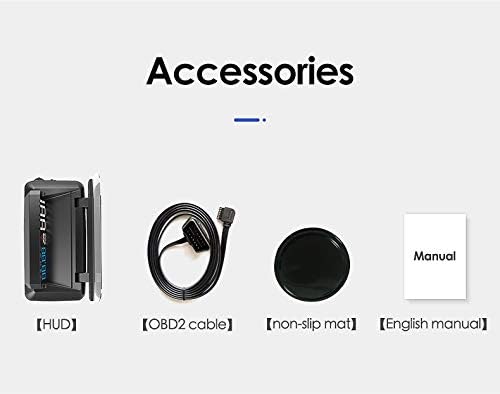
Image: The package includes the HUD unit, an OBD2 cable, a non-slip mat, and a user manual.
3. особливості
- 3D Display Technology: Projects information clearly onto the windshield without creating a double image, ensuring optimal readability.
- Багатофункціональний дисплей: Offers six different display interfaces to show various combinations of speed, clock, water temperature, engine RPM, fuel consumption, and single driving distance.
- Five Alarm Functions: Includes speed alarm, high water temperature alarm, low voltage alarm, fatigue driving alarm, and engine fault alarm to enhance driving safety.
- Інтегрований екран від відблисків: Designed with a glare shield to improve visibility in bright conditions and reduce reflections.
- Updated Software: Incorporates updated software for reliable performance and accurate data display.

Image: Comparison showing the clear 3D display of the L3 HUD without double imaging, contrasted with other HUDs that may produce double images.
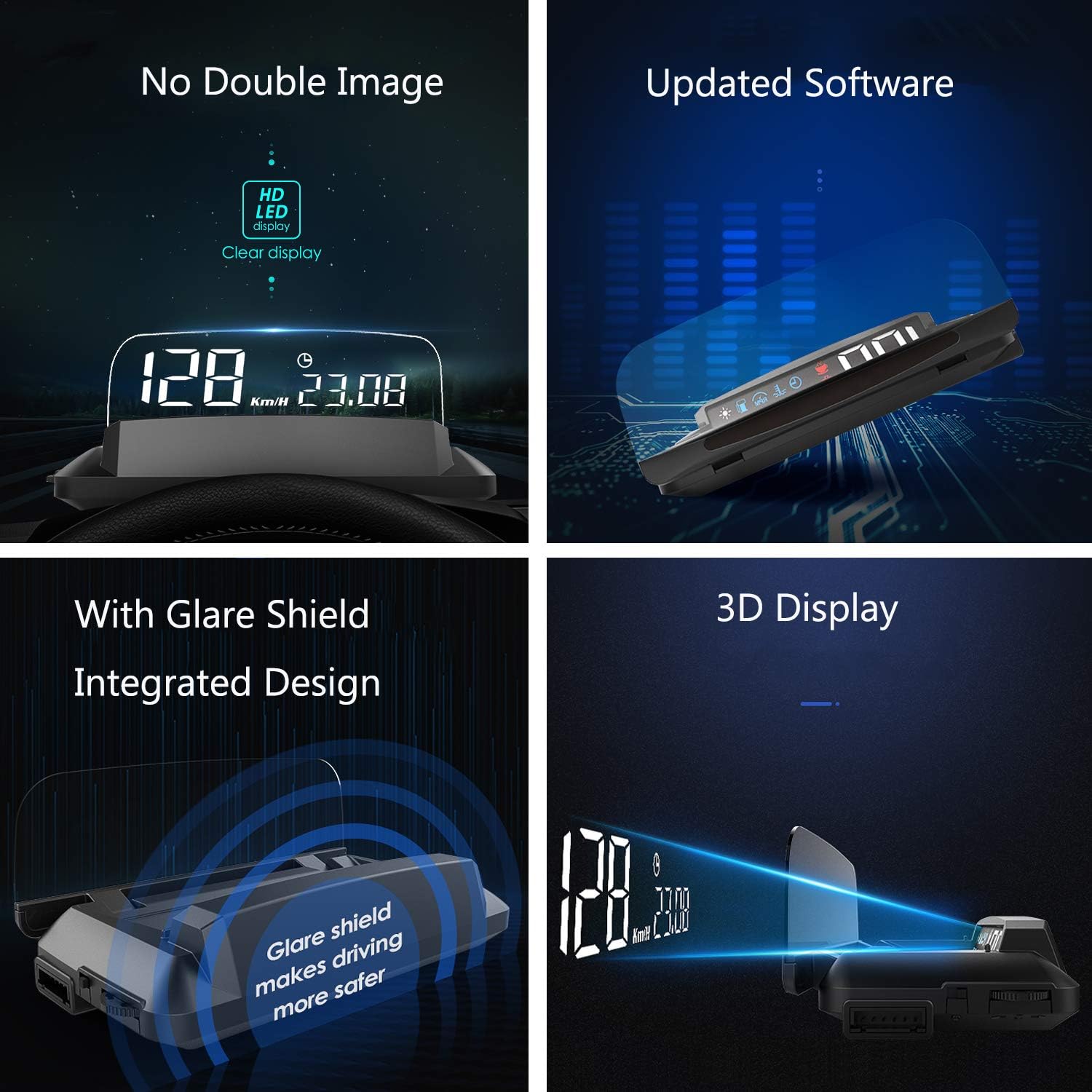
Image: A collage highlighting key features including no double image, updated software, integrated glare shield, and 3D display technology.
4. Налаштування
- Знайдіть порт OBD2: Identify your vehicle's OBD2 diagnostic port. This is typically located under the dashboard on the driver's side, near the steering wheel.
- Connect the OBD2 Cable: Plug one end of the provided OBD2 cable into the vehicle's OBD2 port and the other end into the iKiKin HUD unit. Ensure a secure connection.
- Розташування HUD: Place the HUD unit on your dashboard. Use the included non-slip mat to prevent it from moving during driving. Position it so that the projected display is clearly visible on your windshield without obstructing your view дороги.
- Увімкнення: Заведіть двигун вашого автомобіля. Пристрій HUD має увімкнутися автоматично та почати відображати інформацію.
- Налаштувати Viewкут нахилу: Adjust the angle of the HUD unit or your seating position to achieve the clearest possible projection on the windshield. The integrated glare shield can be adjusted to minimize reflections.
5. Інструкція з експлуатації
The iKiKin HUD L3 is designed for simple operation. Once powered on, it will automatically display driving data. Use the control buttons on the unit (refer to the physical unit for exact button locations) to navigate through different display modes and settings.
5.1. Режими відображення
The HUD offers six distinct display interfaces. You can cycle through these modes using the designated button on the unit to find your preferred information layout:
- Режим 1: швидкість
- Режим 2: Швидкість + годинник
- Режим 3: Speed + Water Temperature
- Режим 4: Speed + Engine RPM
- Режим 5: Speed + Fuel Consumption
- Режим 6: Single Driving Distance

Image: Visual representation of the six different display interfaces available on the iKiKin HUD L3, showing various combinations of driving data.
5.2. Функції сигналізації
The HUD is equipped with five alarm functions to alert you to critical vehicle conditions:
- Сигналізація швидкості: Попереджає вас, коли ваш автомобіль перевищує встановлене обмеження швидкості.
- Сигналізація високої температури води: Notifies you if the engine's water temperature becomes excessively high.
- Низька гучністьtage Будильник: Warns you if the vehicle's battery voltagе падає нижче безпечного рівня.
- Сигналізація втоми водіння: Reminds you to take a break after a prolonged period of driving.
- Сигналізація несправності двигуна: Indicates a detected engine fault, prompting you to check your vehicle.
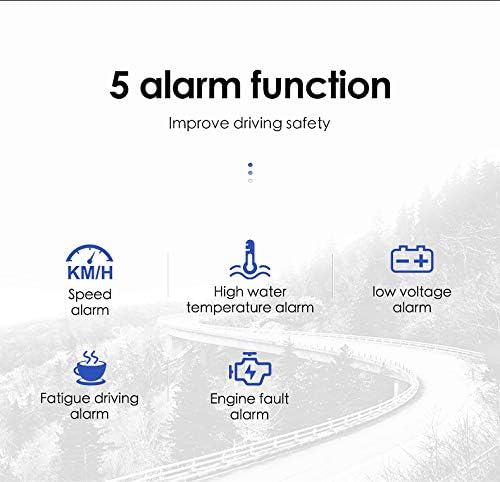
Image: Icons representing the five alarm functions: Speed alarm, High water temperature alarm, Low voltage alarm, Fatigue driving alarm, and Engine fault alarm.
6. Технічне обслуговування
- Прибирання: Use a soft, dry cloth to clean the HUD unit and its display surface. Avoid using abrasive cleaners or solvents that could damage the device.
- температура: Do not expose the unit to extreme temperatures (hot or cold) for extended periods, as this may affect its performance and lifespan.
- Зберігання: If storing the device for a long time, disconnect it from the OBD2 port and store it in a cool, dry place.
7. Вирішення проблем
- Немає дисплея/немає живлення:
- Ensure the OBD2 cable is securely connected to both the HUD unit and the vehicle's OBD2 port.
- Verify that the vehicle's engine is running.
- Check the vehicle's fuse box for any blown fuses related to the OBD2 port.
- Inaccurate Speed/RPM Readings:
- The HUD typically calibrates automatically. If readings are consistently off, consult the full user manual for specific calibration steps or factory reset options.
- Ensure your vehicle is compatible with OBD2 standards.
- Подвійне зображення на лобовому склі:
- The L3 model is designed to minimize double imaging. Ensure the unit is positioned correctly and the glare shield is adjusted.
- Some windshields may have properties that contribute to reflections.

Image: Visual comparison demonstrating the iKiKin HUD L3's clear display in sunlight and its integrated display board that eliminates the need for a reflection film, enhancing safety.
8. Технічні характеристики
| Бренд | iKiKin |
| Модель | L3 |
| ASIN | B089Y68ZLL |
| Виробник | iKiKin |
| Підключення | OBD2 |
| Тип дисплея | 3D LED Display |
| Розміри (прибл.) | 135 мм (Д) x 67 мм (Ш) x 54 мм (В) |
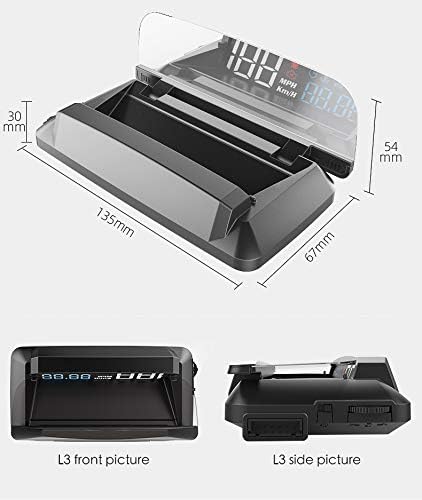
Image: Diagram illustrating the approximate dimensions of the iKiKin HUD L3 unit: 135mm length, 67mm width, and 54mm height.
9. Гарантія та підтримка
For warranty information and technical support, please refer to the contact details provided in the original product packaging or visit the official iKiKin webсайт. Зберігайте чек про покупку як підтвердження покупки для будь-яких гарантійних претензій.
Ask a question about this manual
Ask about setup, troubleshooting, compatibility, parts, safety, or missing instructions. Manuals+ will review the question and use this page’s manual context to help answer it.