
вступ
The Bietrun UMKF01 is a versatile USB condenser microphone designed for clear audio capture across various applications, including gaming, streaming, podcasting, and studio recording. Its plug-and-play functionality ensures easy setup, while features like noise cancellation, a cardioid pickup pattern, and integrated controls enhance the user experience. This manual provides detailed instructions for setting up, operating, and maintaining your microphone.
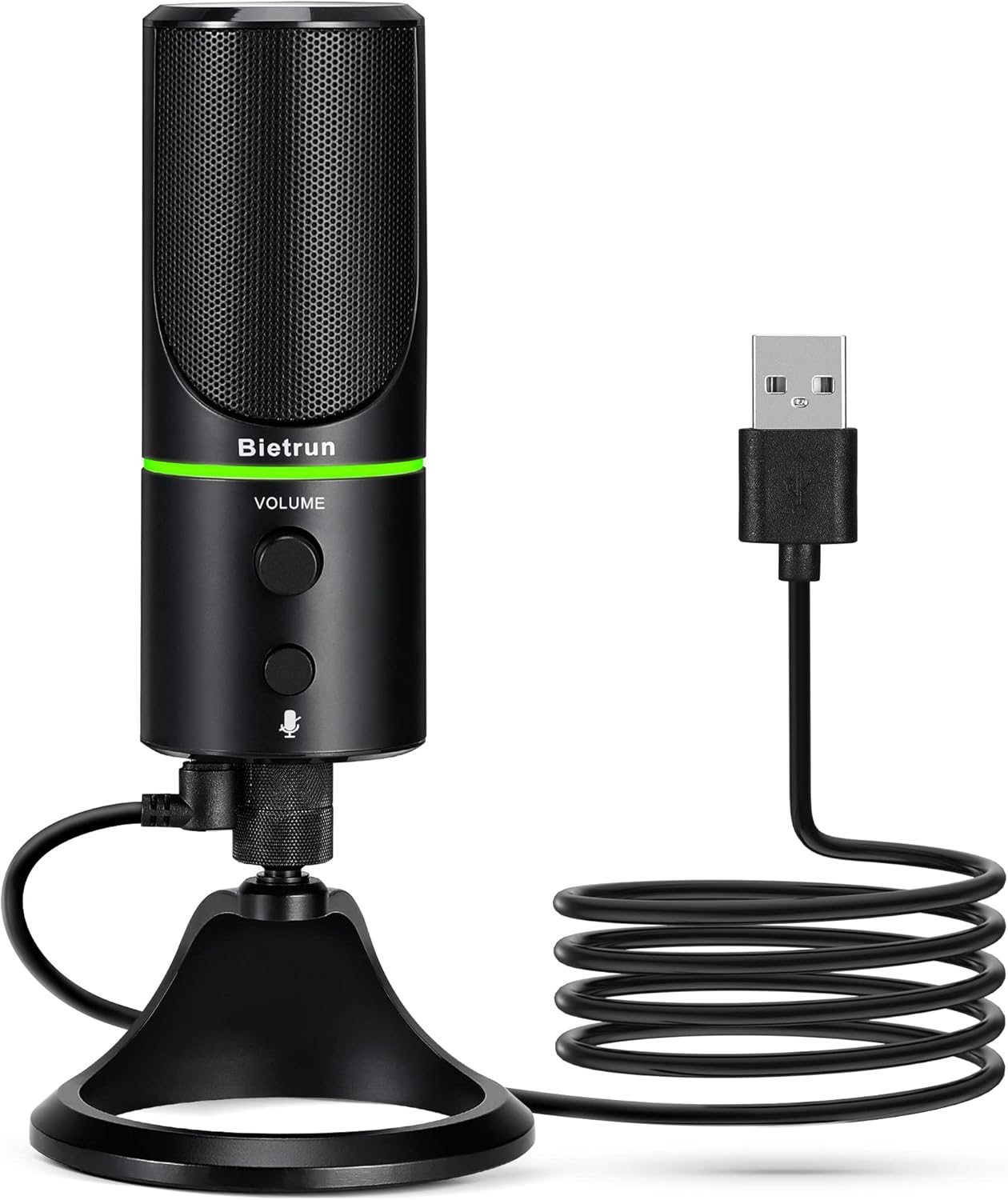
Figure 1: Bietrun UMKF01 USB Condenser Microphone
Вміст упаковки
Перевірте наявність усіх предметів у вашій упаковці:
- USB мікрофон
- USB кабель
- Гарантійний талон

Малюнок 2: Вміст пакета
Особливості продукту
- Plug and Play USB Microphone: Comes with a 59-inch (1.5m) USB cable, requiring no additional driver or software. Ideal for gaming, streaming, podcasting, recording, and online meetings.
- Зменшення шуму: Effectively reduces background noises such as typing, clicking, and ambient sounds, ensuring clear and crisp audio.
- Кардіоїдна діаграма: Features a cardioid pickup pattern and a 16mm condenser capsule, providing focused vocal sound and minimizing off-axis noise.
- Headphone Jack & Mute Button: Allows for real-time voice monitoring via a headphone jack with adjustable volume. A dedicated button toggles between normal (green), noise-canceling (yellow), and mute (red) modes, indicated by an LED.
- Adjustable Heavy-Duty Stand: Ensures microphone stability and offers flexible angle adjustment. The microphone can also be detached and mounted on a boom arm with a 3/8" thread.
Налаштування
- Attach the Microphone to the Stand: Screw the microphone onto the included desktop stand. Ensure it is securely fastened. The stand allows for 360° rotation for optimal positioning.
- Підключіть кабель USB: Plug the micro-USB end of the provided cable into the port at the bottom of the microphone.
- Підключення до пристрою: Plug the USB-A end of the cable into an available USB port on your computer (Desktop/Laptop), PS4, or PS5. The microphone is plug-and-play and should be recognized automatically by your operating system.
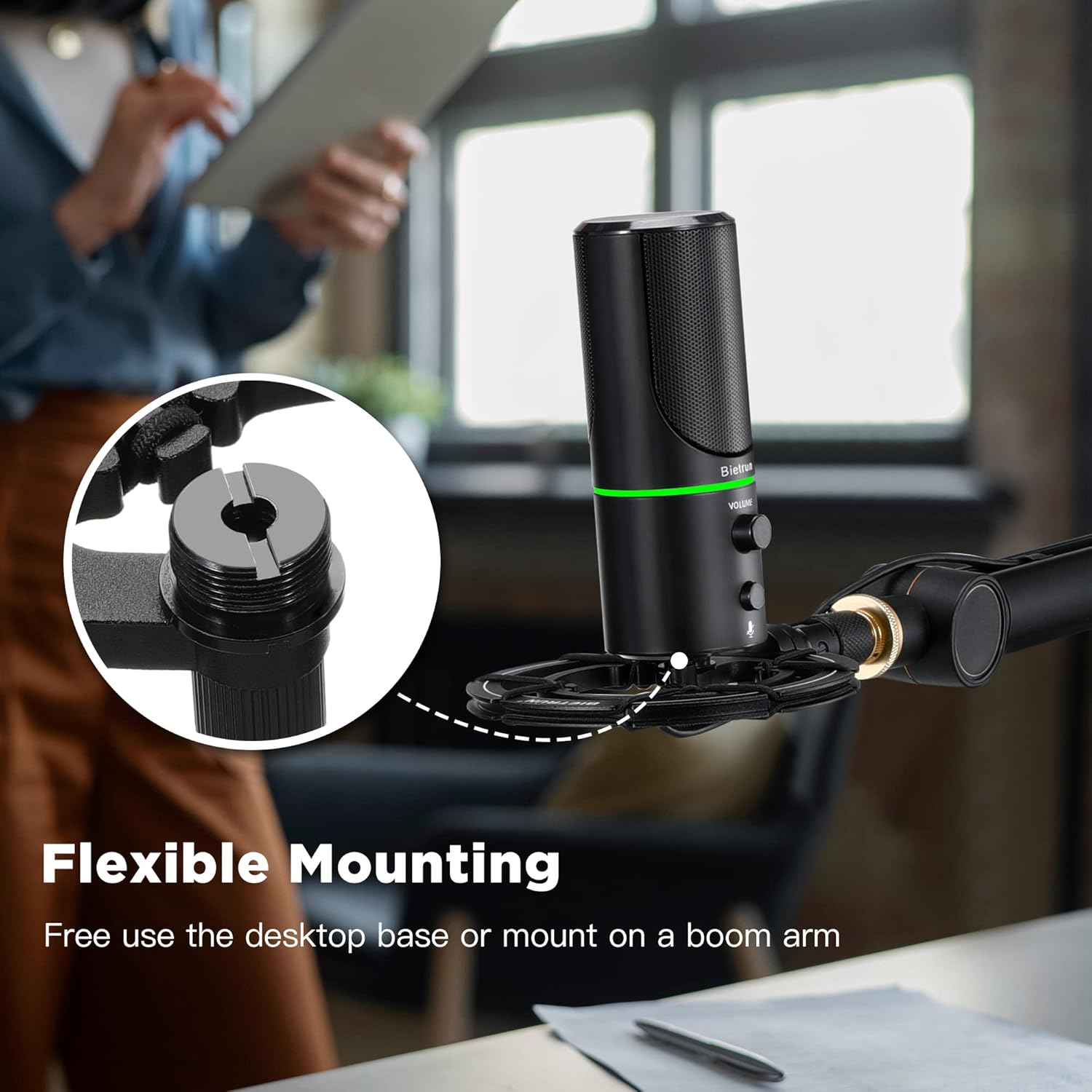
Рисунок 3: Гнучкі варіанти монтажу

Figure 4: Plug & Play Multi-system Compatibility
Інструкція з експлуатації
- Увімкнення/вимкнення та вибір режиму: The microphone features an LED indicator that shows its status. Press the mute button (microphone icon) to cycle through modes:
- Зелений світлодіод: Нормальний режим роботи.
- Жовтий світлодіод: Noise-canceling mode.
- Червоний світлодіод: Muted mode.
- Регулювання гучності: Rotate the 'VOLUME' knob on the microphone to adjust the output volume of your headphones connected to the microphone.
- Моніторинг навушників: Plug your headphones into the 3.5mm audio jack located at the bottom of the microphone to monitor your audio in real-time.

Figure 5: Microphone Controls and LED Indicators

Figure 6: Headphone Monitoring Jack
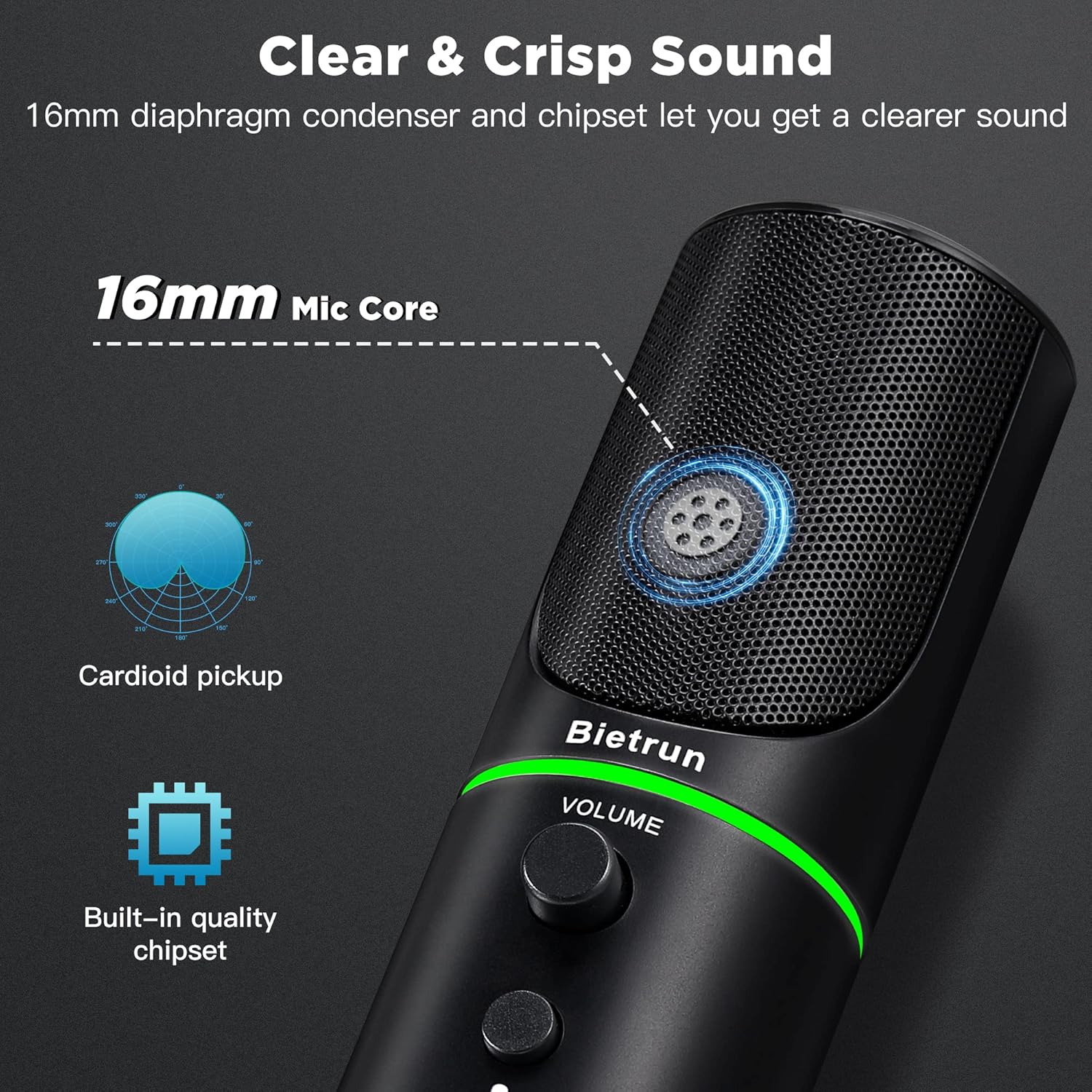
Figure 7: Cardioid Pickup Pattern for Clear Audio
Video 1: Demonstration of Noise Cancelling Feature
This video demonstrates the noise-canceling capabilities of the Bietrun UMKF01 USB Microphone, highlighting its effectiveness in reducing ambient sounds for clearer recordings and communication.
Технічне обслуговування
- Прибирання: Використовуйте м’яку суху тканину для протирання поверхні мікрофона. Уникайте використання рідких засобів для чищення або абразивних матеріалів.
- Зберігання: Зберігайте мікрофон у прохолодному, сухому місці, подалі від прямих сонячних променів та екстремальних температур, коли він не використовується.
- Догляд за кабелем: Уникайте різких вигинів або зламів USB-кабелю, щоб запобігти його пошкодженню.
Усунення несправностей
| Випуск | Можливе рішення |
|---|---|
| Мікрофон не розпізнається пристроєм | Ensure the USB cable is securely connected to both the microphone and your device. Try a different USB port. Check your device's sound settings to ensure 'Bietrun UMKF01' is selected as the input device. |
| Ні звуку, ні низької гучності | Check if the microphone is muted (red LED). Adjust the volume knob on the microphone. Verify input levels in your device's sound settings. Ensure headphones are properly connected if monitoring. |
| Poor sound quality or background noise | Ensure the microphone is in noise-canceling mode (yellow LED). Position the microphone closer to your mouth. Minimize ambient noise in your environment. |
Технічні характеристики
| Особливість | Деталь |
|---|---|
| Назва моделі | UMKF01 |
| Технологія підключення | USB |
| Тип роз'єму | USB Type-A |
| Полярний візерунок | Однонаправлений (кардіоїд) |
| Форм-фактор мікрофона | Масив таблиць |
| Аудіо Чутливість | 110 децибели |
| Співвідношення сигнал-шум | 49 дБ |
| АЧХ | 48 кГц |
| Сумісні пристрої | Laptop, PS4/5, Personal Computer |
| Особливості | Mute Function, Volume Control, Noise Cancellation |
| Колір | чорний |
| матеріал | Акрилонітрилбутадієнстирол, метал |
| Вага товару | 10.9 унції (310 грама) |
| Розміри продукту (Д x Ш x В) | 3.54 x 3.54 x 7.68 дюймів |

Figure 8: Microphone Dimensions
Гарантія та підтримка
Your Bietrun UMKF01 USB Condenser Microphone comes with a warranty. Please refer to the included Warranty Card for specific terms and conditions. For technical support, troubleshooting assistance, or any inquiries regarding your product, please contact Bietrun customer service through their official channels.