
вступ
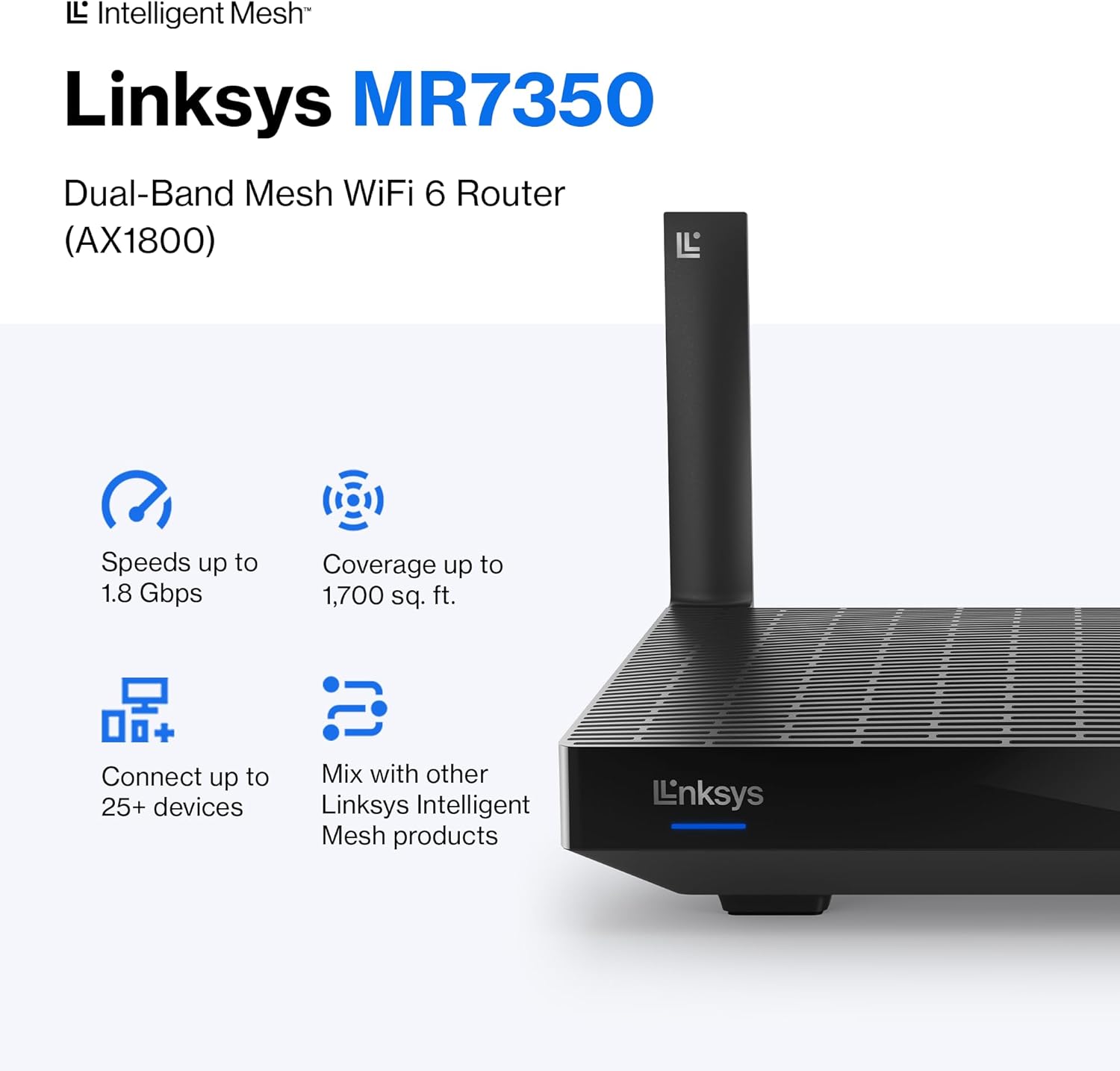
The Linksys MR7350 Dual-Band Mesh WiFi 6 Router is designed to provide robust and reliable wireless connectivity throughout your home. Featuring Intelligent Mesh Technology and WiFi 6 (802.11ax) standard, this router delivers high speeds and extended coverage for multiple devices simultaneously. It is ideal for streaming, gaming, and managing a connected smart home environment.

Figure 1: Linksys MR7350 Dual-Band Mesh WiFi 6 Router
Що в коробці
Перевірте наявність усіх елементів в упаковці:
- Linksys Dual-Band Mesh WiFi 6 Router (MR7350)
- Короткий посібник
- Кабель Ethernet
- Адаптер живлення
- Гарантійна та нормативна документація
Налаштування
Setting up your Linksys MR7350 router is designed to be quick and straightforward using the Linksys App. Follow these steps for initial installation:
- Підключіть роутер: Plug the power adapter into the router and an electrical outlet. Connect one end of the provided Ethernet cable to the yellow 'Internet' port on the back of the MR7350 router and the other end to your modem.
- Увімкнення: Turn on your modem and then the Linksys MR7350 router. Wait for the router's LED indicator to show a solid blue light, indicating it's ready for setup.
- Завантажте застосунок Linksys: Download and install the free Linksys App on your iOS or Android smartphone.
- Налаштування запуску: Open the Linksys App and follow the on-screen instructions to begin the setup process. The app will guide you through creating your Wi-Fi network name (SSID) and password.
- Add to Mesh Network (Optional): If you are expanding an existing Linksys Intelligent Mesh network, log in to the Linksys App, find "Set Up a New Product" from the menu, and select "Add Another Node."

Figure 2: Easy Setup via the Linksys App
Інструкція з експлуатації
Once your Linksys MR7350 router is set up, you can manage and optimize your network using the Linksys App or through a web інтерфейс браузера.
Network Management via Linksys App
- View Підключені пристрої: See all devices connected to your network.
- Пріоритетність пристрою: Prioritize specific devices for optimal performance during high-bandwidth activities like gaming or streaming.
- Гостьовий доступ: Створіть окрему мережу Wi-Fi для гостей, захищену паролем.
- Батьківський контроль: Manage internet access for specific devices, set schedules, and block webсайти.
- Автоматичні оновлення прошивки: Ensure your network is always secure and up-to-date with automatic updates.
Фізичні зв'язки
The back of the router features several ports for wired connections:
- Інтернет-порт (жовтий): Підключається до вашого модему для доступу до Інтернету.
- Порти Ethernet (1-4): Four Gigabit Ethernet ports for wired devices such as computers, gaming consoles, or smart TVs.
- Порт USB 3.0: Connect a storage device to share files у вашій мережі.
- Кнопка WPS: For easy, secure connection of WPS-compatible devices.
- Кнопка скидання: Використовується для відновлення заводських налаштувань маршрутизатора.
- Перемикач увімкнення/вимкнення живлення: To manually turn the router on or off.
Малюнок 3: Задня частина view of the Linksys MR7350 with ports
особливості
The Linksys MR7350 is packed with features to enhance your home network experience:
- Intelligent Mesh Technology: Dynamically maximizes speed and eliminates dead zones, adapting to your Wi-Fi needs for full-strength signal throughout your entire home.
- Стандарт Wi-Fi 6 (802.11ax): Delivers faster speeds (up to 1.8 Gbps AX1800), increased capacity (25+ devices), and improved efficiency for a seamless experience.
- Дводіапазонне підключення: Operates on both 2.4 GHz and 5 GHz bands for optimal performance and device compatibility.
- Чотириядерний процесор: A powerful processor for extremely fast data transfer and multiple simultaneous data streams.
- Технологія формування променя: Optimizes performance and reduces interference by focusing wireless signals directly to connected devices.
- Розширений захист: Захищає вашу мережу за допомогою бездротового шифрування WPA3 та брандмауера SPI.
- Розширювана система: Easily expand your Wi-Fi coverage by adding any Linksys Mesh compatible products.

Figure 4: Full House Coverage with Intelligent Mesh Technology

Figure 5: WiFi Standards Evolution
Технічні характеристики
| Атрибут | Значення |
|---|---|
| Бренд | Linksys |
| Номер моделі | MR7350 |
| Генерація Wi-Fi | Wi-Fi 6 (802.11ax) |
| Клас діапазону частот | Дводіапазонний (2.4 ГГц, 5 ГГц) |
| Швидкість передачі даних | До 1.8 гігабіт за секунду (AX1800) |
| Покриття | До 1700 квадратних футів |
| Кількість підтримуваних пристроїв | 25+ пристроїв |
| Кількість портів Ethernet | 5 (1 Internet, 4 LAN) |
| Пропускна здатність порту локальної мережі | 1 Гбіт/с |
| порт USB | USB 3.0 |
| Протокол безпеки | WPA3-PSK |
| Спосіб контролю | Додаток Linksys |
| Тип антени | Retractable (2 Antennas) |
| Розміри предмета (Д x Ш x В) | 5.9 см (Д) x 8.07 см (Ш) x 5.4 см (В) |
| Вага товару | 2 фунта |
| Колір | Білий |
Технічне обслуговування
To ensure optimal performance and longevity of your Linksys MR7350 router, consider the following maintenance tips:
- Оптимальне розміщення: Place the router in a central location in your home, away from obstructions and devices that may cause interference (e.g., microwaves, cordless phones).
- Оновлення прошивки: Enable automatic firmware updates via the Linksys App to ensure your router has the latest security patches and performance enhancements.
- Звичайні перезавантаження: Periodically reboot your router (unplug from power for 10 seconds, then plug back in) to clear its memory and refresh the network connection.
- Прибирання: Keep the router clean and free of dust to prevent overheating. Use a soft, dry cloth to wipe the exterior.
- Моніторинг мережі: Use the Linksys App to monitor network activity and identify any unusual behavior or connected devices.
Усунення несправностей
If you encounter issues with your Linksys MR7350 router, try the following troubleshooting steps:
- Немає підключення до Інтернету: Check the cable connections between your modem and router. Ensure the 'Internet' port LED on the router is solid blue. Reboot both your modem and router.
- Повільні швидкості: Ensure your devices are connected to the appropriate Wi-Fi band (5 GHz for faster speeds, 2.4 GHz for longer range). Check for interference from other electronic devices. Use the Linksys App to prioritize devices.
- Розірвані з'єднання: Update device drivers for your wireless adapters. Ensure your router's firmware is up-to-date. Adjust antenna orientation for better signal.
- Немає доступу до налаштувань маршрутизатора: Ensure your device is connected to the router's Wi-Fi network. Try accessing the Linksys App or the web interface (usually 192.168.1.1) after a router reboot.
- Заводські налаштування: If all else fails, press and hold the 'Reset' button on the back of the router for 10-15 seconds until the LED blinks. This will restore factory default settings, and you will need to re-run the setup process.
Гарантія та підтримка
The Linksys MR7350 Dual-Band Mesh WiFi 6 Router comes with an 18-Month Warranty. For technical assistance, product information, or warranty claims, please refer to the Warranty and Regulatory Documentation included in your package.
Linksys also offers 24/7 customer support. You can find contact information and additional resources on the official Linksys website or through the Linksys App.
Щоб отримати додаткову допомогу, відвідайте Linksys Store.