
SelfieShow L03
Інструкція користувача штативу для селфі-палки для мобільного телефону SelfieShow L03
Model: L03 | Brand: SelfieShow
1. Вступ
This manual provides detailed instructions for the proper use and maintenance of your SelfieShow L03 Cell Phone Selfie Stick Tripod. This versatile device functions as both an extendable selfie stick and a stable tripod, complete with a detachable wireless remote control. Please read this manual thoroughly before operating the product to ensure optimal performance and longevity.
2. Вміст упаковки
Перевірте наявність усіх предметів у вашій упаковці:
- SelfieShow L03 Selfie Stick Tripod
- Detachable Wireless Remote Control (with 1 C battery included)
- Посібник користувача (цей документ)
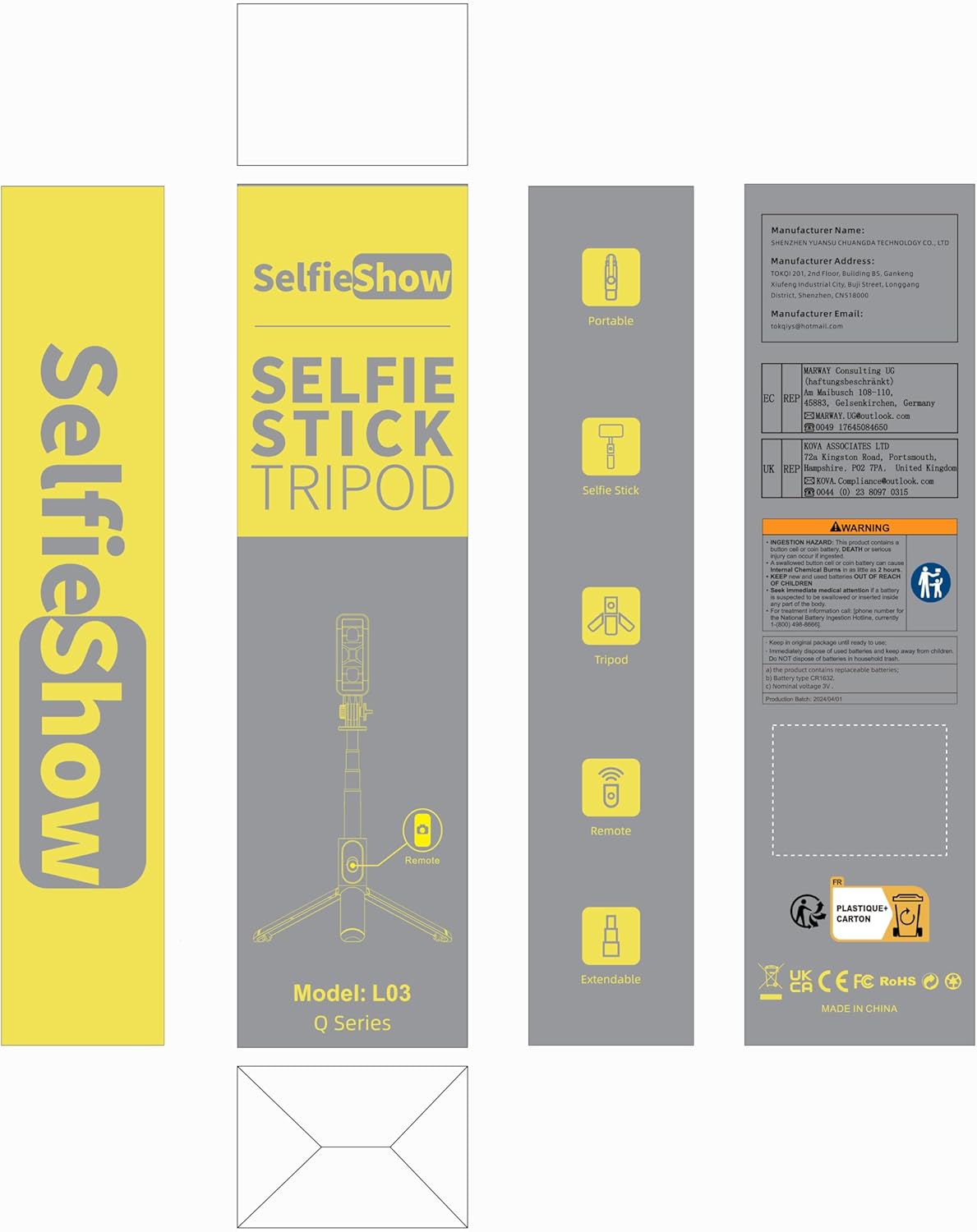
Image: Product packaging for the SelfieShow L03, showing the selfie stick, remote, and tripod components.
3. Продукт закінчивсяview
Familiarize yourself with the main components of your SelfieShow L03 device:

Image: Diagram illustrating the key components of the SelfieShow L03, including the detachable phone mount, aluminum alloy rod, stable tripod, detachable remote control, and anti-slip pads.
- Detachable Phone Mount: Securely holds your smartphone. Features anti-slip pads for grip.
- Aluminum Alloy Rod: Extendable and retractable for selfie stick functionality.
- База штатива: Foldable legs provide a stable stand for tabletop or ground use. Includes anti-slip pads.
- Знімний бездротовий пульт дистанційного керування: For remote photo and video capture. Stores conveniently in the handle.
- Rotary Lock: Allows for 360° rotation and 270° adjustment of the phone mount.
4. Інструкції з налаштування
4.1. Підключення телефону
- Gently pull the top section of the phone mount upwards to expand it.
- Place your smartphone into the mount, ensuring it is securely held by the anti-slip pads. The mount supports phones with a width between 6.5cm and 9.5cm.
- The phone mount can also be detached and used as a separate phone stand. To detach, slide the phone mount upwards from the selfie stick.

Image: Step-by-step guide on detaching the phone mount and using it as a standalone phone stand.
4.2. Сполучення бездротового пульта дистанційного керування
- Remove the wireless remote control from its slot in the selfie stick handle.
- Натисніть і утримуйте кнопку на пульті дистанційного керування, доки індикатор не почне блимати, що вказує на перехід у режим сполучення.
- На вашому смартфоні перейдіть до налаштувань Bluetooth.
- шукати available devices and select "SelfieShow" (or similar name like "Liangdianpai") to connect. The indicator light on the remote will stop flashing once successfully paired.
- The remote is compatible with Android 4.4+ and iOS 5.1+ devices.

Image: Visual guide for pairing the wireless remote control with a smartphone via Bluetooth.
5. Інструкція з експлуатації
5.1. Режим селфі-палиці
- Ensure your phone is securely mounted.
- Extend the aluminum alloy rod to your desired length. The stick can extend up to 34.4 inches (87.5 cm).
- Use the paired wireless remote control to capture photos or start/stop video recording.
5.2. Режим штатива
- From the folded position, gently unfold the three legs at the bottom of the handle to form a stable tripod base.
- Place the tripod on a flat, stable surface. For maximum stability, keep the extension rod as short as possible.
- Adjust the height by extending the aluminum rod.
- Use the wireless remote for hands-free operation.
5.3. Adjusting Angle and Rotation
- The phone mount allows for 360° rotation. Loosen the rotary lock knob, adjust the phone to horizontal or vertical orientation, and then tighten the knob to secure.
- The phone mount also offers 270° adjustment for tilting the phone up or down. Loosen the rotary lock, set the desired angle, and tighten the knob.
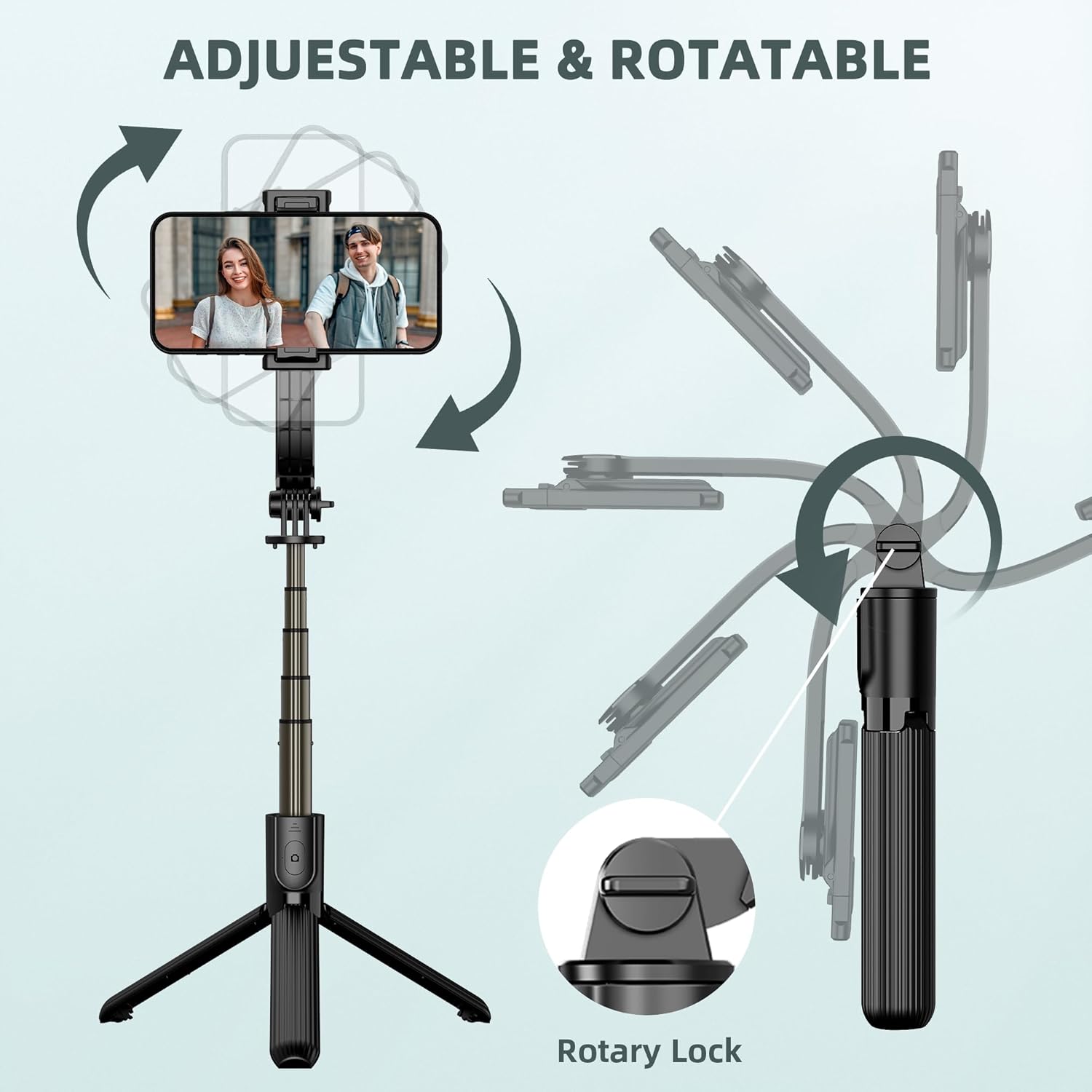
Image: Illustration demonstrating the 360° rotation and 270° tilt adjustment capabilities of the phone mount, secured by a rotary lock.
6. Технічне обслуговування
- Прибирання: Протирайте пристрій м’якою сухою тканиною. Уникайте використання агресивних хімікатів або абразивних матеріалів.
- Зберігання: When not in use, fold the selfie stick tripod to its compact size (7.4 inches / 19 cm) and store it in a cool, dry place away from direct sunlight.
- Заміна батареї: The remote control uses a replaceable C battery. If the remote's performance degrades, replace the battery.
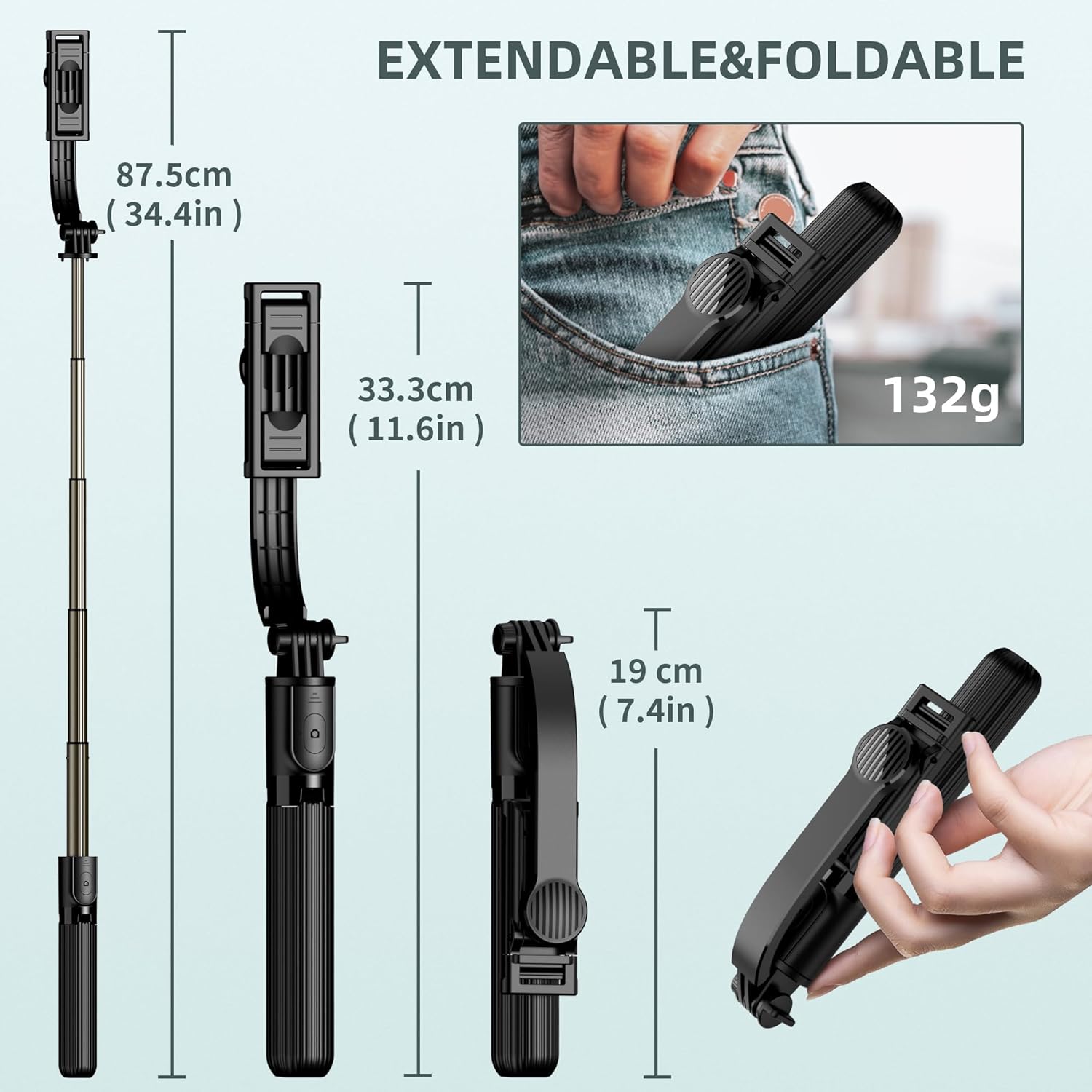
Image: Dimensions of the SelfieShow L03 when extended (34.4 inches) and folded (7.4 inches), highlighting its portability.
7. Вирішення проблем
- Пульт дистанційного керування не підключається:
- Ensure the remote control battery is not depleted. Replace if necessary.
- Переконайтеся, що на вашому смартфоні увімкнено Bluetooth.
- Try unpairing and re-pairing the remote control in your phone's Bluetooth settings. - Нестабільність штатива:
- Ensure the tripod legs are fully extended and locked into position.
- Use the tripod on a flat, level surface.
- For increased stability, keep the extension rod at a shorter length. - Phone Not Fitting in Holder:
- Verify your phone's width is within the supported range of 6.5cm to 9.5cm (2.5 to 3.7 inches). - GoPro Compatibility:
- The selfie stick includes an adapter for GoPro cameras. Note that the wireless remote control is designed for smartphones and may not sync with GoPro devices for remote capture.

Image: Diagram showing the phone holder's width compatibility (6.5-9.5cm) and the inclusion of a GoPro adapter for mounting action cameras.
8. Технічні характеристики
| Особливість | Специфікація |
|---|---|
| Номер моделі | L03 |
| Розміри продукту | 1.85 x 1.3 x 7.48 дюйма (у складеному вигляді) |
| Вага товару | 5.6 унції (0.35 фунта) |
| матеріал | Алюміній |
| Максимальна висота | 860 міліметри (34.4 дюймів) |
| Мінімальна висота | 190 міліметри (7.4 дюймів) |
| Обмеження ваги | 158 грамів |
| Сумісна ширина телефону | 6.5cm - 9.5cm (2.5 - 3.7 inches) |
| Батарея пульта дистанційного керування | 1 батарейка типу C (в комплекті) |
| Діапазон дистанційного керування | До 10 метрів |
| Сумісні пристрої | Most smartphones (iPhone 15/14/13/12/11 series, Samsung Galaxy S/Note series, Google Pixel, OnePlus, etc.) and GoPro cameras. |
9. Гарантія та підтримка
The SelfieShow L03 Cell Phone Selfie Stick Tripod comes with a one-year warranty. If you encounter any issues or require assistance with your product, please refer to the contact information provided with your purchase or visit the official SelfieShow brand store for support.
Для отримання додаткової допомоги, будь ласка, відвідайте SelfieShow Store on Amazon.
Ask a question about this manual
Ask about setup, troubleshooting, compatibility, parts, safety, or missing instructions. Manuals+ will review the question and use this page’s manual context to help answer it.