вступ
This manual provides detailed instructions for the installation, operation, and maintenance of your Podofo Android Double Din Car Stereo. This unit features a 10.1-inch touch screen, 2GB RAM, 32GB ROM, GPS navigation, Bluetooth, Wi-Fi, USB mirror link, FM radio, and supports a rear view камера. Будь ласка, уважно прочитайте цей посібник перед використанням, щоб забезпечити належну функціональність та безпеку.
Що в коробці
Перед початком встановлення перевірте наявність усіх компонентів:
- 1 х кабель живлення
- 1 x GPS антена
- 1 x вхідний кабель камери
- 1 x Комплект вхідних та вихідних кабелів RCA
- 2 x USB кабель
- 2 x металева рама
- 4 х гвинти
- 1 х Інструкція з експлуатації
- 1 х задній View Camera (12 LEDs, IP68 waterproof)

Image: Package contents including the main unit, power cable, GPS antenna, camera input, RCA cables, USB cables, metal frames, screws, instruction manual, and rear view камера.
Налаштування та встановлення
Електропроводка
Proper wiring is crucial for the stereo's functionality. Refer to the diagram below for connecting the power, audio, and camera inputs.

Image: Wiring diagram illustrating connections for front/rear speakers, subwoofer, video out, video in, AUX in/out, microphone, and power.
Задня View Установка камери
Задня частина в комплекті view camera enhances safety during reversing. Connect the camera as shown in the diagram and video below. Ensure the camera's positive wire is connected to the reversing lamp's positive pole, and the negative wire to ground.

Зображення: Задня частина view camera wiring diagram, showing connections to the car stereo's camera input, reversing lamp, and ground.
Video: Demonstration of connecting the rear view camera to the car stereo system.
Інструкція з експлуатації
Інтерфейс користувача та дисплей
The 10.1-inch touch screen with 1024*600 resolution provides a clear and responsive interface. The Android operating system ensures smooth operation and quick app launches.
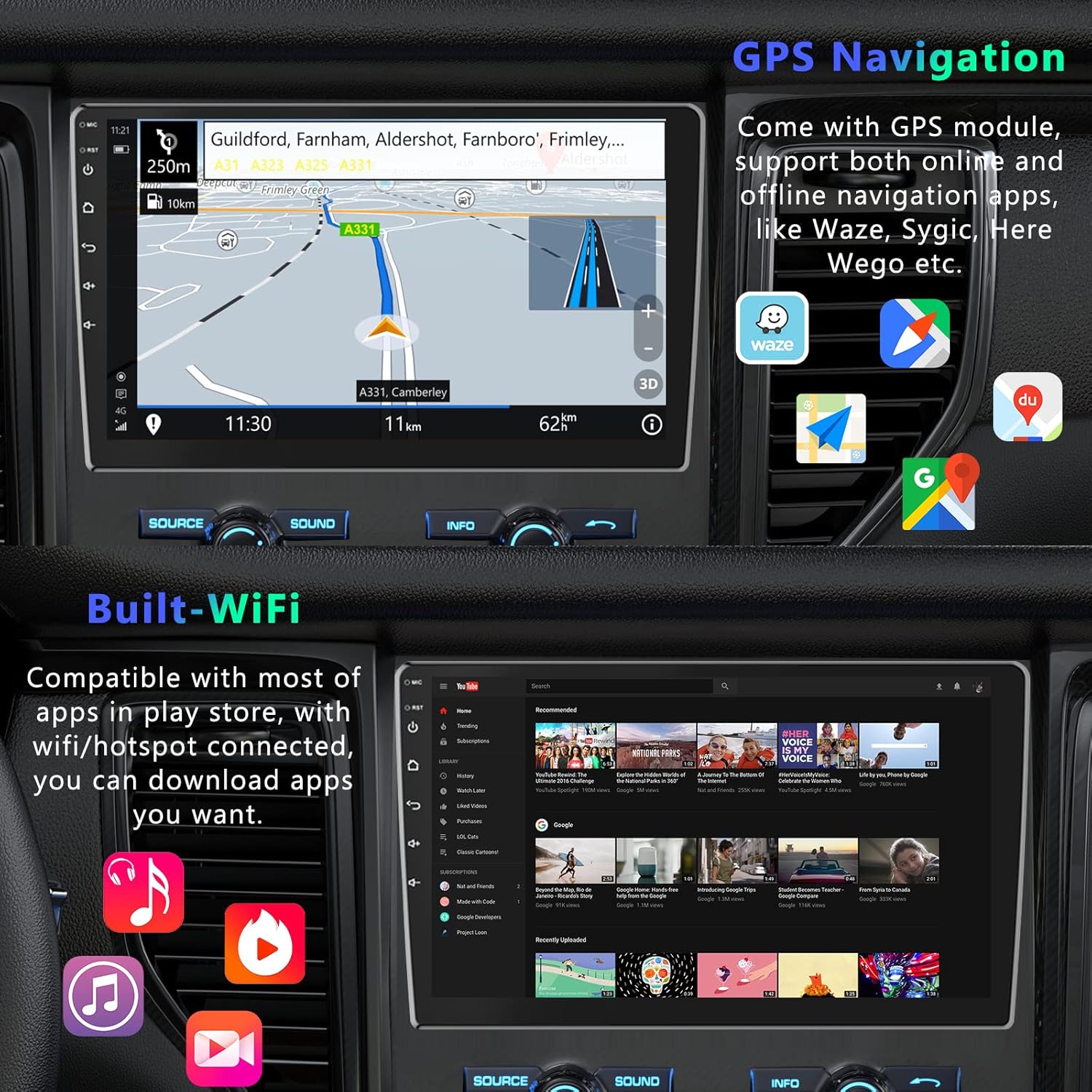
Image: Various home screen layouts and app icons on the 10.1-inch touchscreen car stereo.
GPS навігація
The built-in GPS receiver supports both online and offline navigation. North American maps are pre-installed for offline use. Connect to Wi-Fi or a mobile hotspot to download additional navigation apps like Sygic, Tomtom, or Waze for real-time traffic and weather updates.

Image: GPS navigation display with map, route, and navigation app icons.
Підключення Bluetooth
Integrated Bluetooth with A2DP allows for hands-free calling and music streaming. Pair your smartphone to make and receive calls directly from the stereo, and enjoy your favorite music wirelessly.

Image: Bluetooth hands-free calling interface on the car stereo.
Функціональність дзеркального посилання
Mirror Link allows you to display your smartphone's screen directly on the car stereo. This feature supports both Android (via USB or Wi-Fi) and iPhone (via Wi-Fi).

Image: Phone Link feature displaying a mirrored smartphone screen on the car stereo.
Video: Demonstration of Mirror Link functionality for Android and iOS smartphones.
Підключення Wi-Fi
Connect the stereo to Wi-Fi or a mobile hotspot to access online features, download apps from the Play Store, and browse the internet.

Image: Wi-Fi connected screen showing YouTube and other applications.
Smart Split Screen
The split-screen feature allows you to display two applications simultaneously, such as navigation and music playback, for enhanced multitasking.
Image: Smart Split Screen feature showing navigation and music player simultaneously.
Управління кермом
Configure your steering wheel controls to quickly switch functions, adjust volume, and manage calls without taking your hands off the wheel.
Image: Steering Wheel Control settings interface.
Технічні характеристики
| Бренд | Подофо |
| Тип обслуговування автомобіля | автомобіль |
| Розмір екрана | 10.1 дюймів |
| Особливість | Сенсорний екран |
| Технологія підключення | Bluetooth, WiFi |
| Тип карти | Північна Америка |
| Режим аудіовиходу | Стерео |
| Тип монтажу | Панельне кріплення |
| роздільна здатність | 1024 х 600 |
| Операційна система | Android |
| Ємність пам'яті | 32 ГБ |
| Тип сенсорного екрана | Ємнісні |
| Тип дисплея | LED |
| Вхід через людський інтерфейс | Кнопки, мікрофон, сенсорний екран |
| Сумісні пристрої | Смартфон |
| Спосіб контролю | Додаток, дотик |
| Підтримувана система супутникової навігації | GPS |
Технічне обслуговування
Щоб забезпечити довговічність та оптимальну роботу вашої автомобільної стереосистеми, дотримуйтесь цих правил технічного обслуговування:
- Прибирання: Використовуйте м’яку суху тканину для очищення екрана та зовнішньої поверхні. Уникайте абразивних засобів для чищення або розчинників.
- температура: Не піддавайте пристрій впливу екстремальних температур, прямих сонячних променів протягом тривалого часу або високої вологості.
- Оновлення програмного забезпечення: Periodically check for and install software updates to ensure the best performance and access to new features.
- Кабельні з'єднання: Переконайтеся, що всі кабелі надійно підключені, щоб запобігти періодичним проблемам.
Усунення несправностей
If you encounter issues with your Podofo car stereo, refer to the following common troubleshooting steps:
- Немає живлення: Check all power connections. Ensure the car's ignition is on and the fuse is not blown.
- Немає звуку: Verify speaker connections. Check volume levels and audio settings. Ensure the correct audio source is selected.
- Сенсорний екран не реагує: Спробуйте перезавантажити пристрій. Якщо проблема не зникає, може знадобитися скидання до заводських налаштувань (примітка: це призведе до видалення всіх даних користувача).
- GPS не працює: Переконайтеся, що GPS-антена правильно встановлена та має чіткий сигнал view неба. Перевірте налаштування навігаційної програми.
- Проблеми з підключенням Bluetooth: Переконайтеся, що Bluetooth увімкнено як на стереосистемі, так і на вашому пристрої. Видаліть попередні сполучення та спробуйте підключитися знову.
- Задня View Камера не відображає: Check the camera's power and video input connections. Ensure the reverse gear is engaged.
For further assistance, please contact Podofo customer support.
Гарантія та підтримка
Podofo offers a 2-year warranty for this product. For any concerns regarding installation, operation, or technical support, please reach out to us directly via Amazon. Our professional team is dedicated to providing specialized support and assistance.

Image: Podofo brand commitment to customer satisfaction, including warranty and support details.