
1. Вступ
Thank you for choosing the MoesGo BHT-002-GBLWB-MG Wi-Fi Smart Thermostat. This manual provides detailed instructions for the installation, operation, and maintenance of your new thermostat. Please read this manual thoroughly before installation and use to ensure proper function and safety. This thermostat is designed for 16A electric underfloor heating systems.

The MoesGo Wi-Fi Smart Thermostat features a clear LCD display and touch controls, with remote management capabilities via a smartphone application.
2. Особливості продукту
- Гнучке управління: Offers fully automated or manual settings. Control your device manually or connect to Wi-Fi and adjust heating schedules and temperature via a smartphone application.
- Electric Underfloor Heating: Specifically designed for smart electric underfloor heating systems, providing maximum comfort and convenience. Current load capacity is 16A.
- Advanced Memory & Control: Equipped with power-off memory to retain settings such as dates, languages, address, and time zones. Features voice control and device sharing for centralized or multi-channel control. Supports adding multiple rooms for a connected smart home experience.
- Програмовані розклади: Includes six programmable periods (5+1+1 days) allowing you to adjust heating based on your weekly schedule (weekdays, Saturday, Sunday). This ensures optimal comfort and energy savings when you are away.
- Precise & User-Friendly: Provides highly precise temperature control with 0.5 °C accuracy. The programming range is 5 °C to 35 °C. Features an LCD screen with touch buttons, easy to read even in low light conditions.
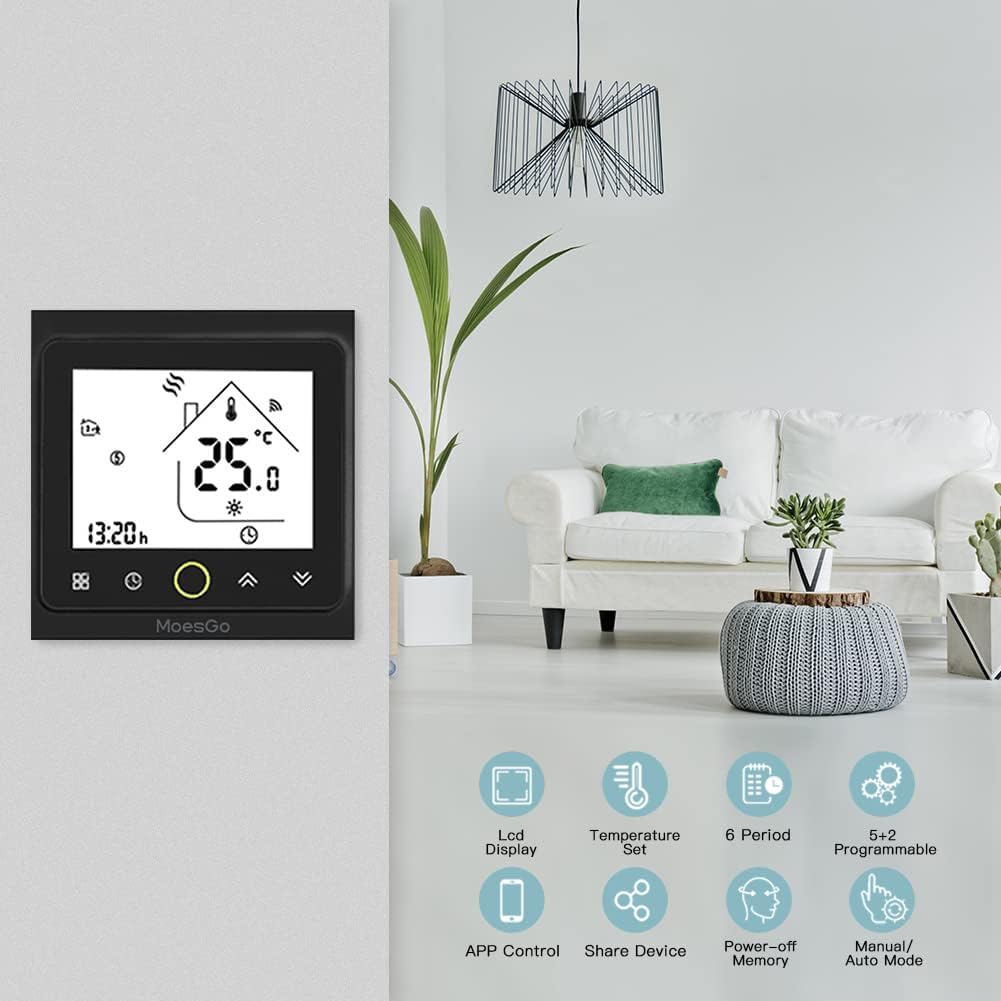
This image illustrates the MoesGo Smart Thermostat seamlessly integrated into a home environment, showcasing its primary functions such as programmable schedules, app control, and power-off memory.
3. Технічні характеристики
| Специфікація | Деталь |
|---|---|
| Бренд | MoesGo |
| Номер моделі | BHT-002-GBLWB-MG |
| Колір | чорний |
| Розміри продукту (Д x Ш x В) | 8.6 x 8.6 x 3.76 см (3.39 x 3.39 x 1.48 дюйма) |
| вага | 279 грами |
| томtage | 240 вольт |
| потужність | 3.84E+3 (likely 3840W for 16A at 240V) |
| матеріал | Полікарбонат (ПК) |
| Точність температури | 0.5 °C |
| Діапазон програмування | від 5 °C до 35 °C |
| Applicable System Type | GB for Electric Underfloor Heating |

Detailed product dimensions are provided for installation planning, showing the thermostat's compact size.
4. Налаштування та встановлення
Важливо: Installation should be performed by a qualified electrician to ensure safety and compliance with local electrical codes. Always turn off power at the main circuit breaker before beginning any electrical work.
4.1 System Type Verification
Ensure your heating system is compatible with the 'GB' type thermostat, which is designed for electric underfloor heating.

The MoesGo BHT-002-GBLWB-MG thermostat is specifically designed for 'GB' type electric underfloor heating systems, as shown in this diagram.
4.2 Інструкції з підключення
Follow the wiring diagram carefully. Connect the Live (L) and Neutral (N) wires from your power supply to the corresponding terminals on the thermostat. Connect the heating load wires to the 'LOAD' terminals. If an external NTC floor sensor is used, connect it to terminals 5 and 6.

This wiring diagram provides instructions for connecting the MoesGo GB type thermostat to an electric underfloor heating system, including power supply, load, and NTC sensor connections. Professional installation is recommended.
4.3 Висота встановлення
For optimal performance and clear data display, the thermostat should be installed at a height of 1.2 to 1.4 meters (approximately 4 to 4.6 feet) from the floor.
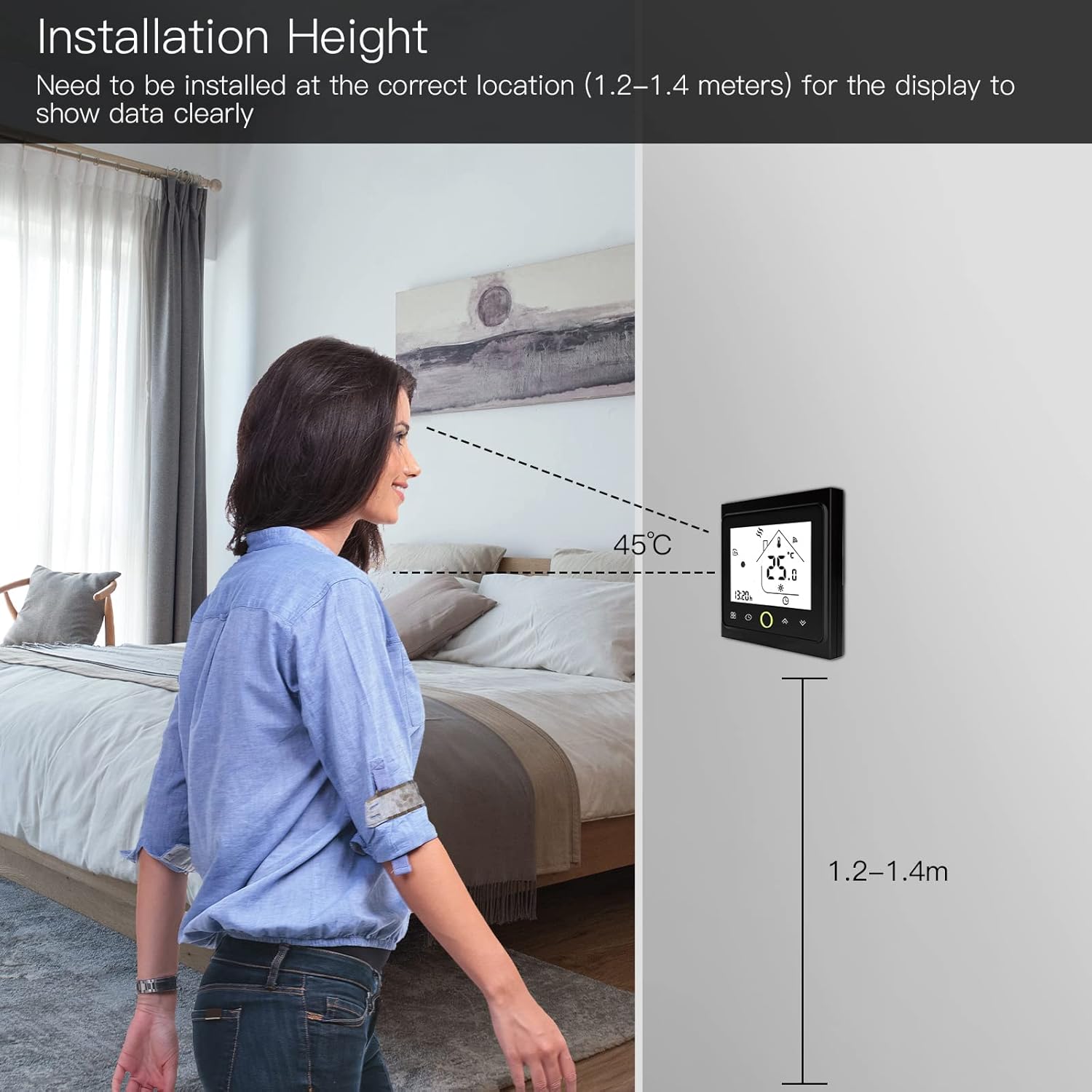
For optimal performance and clear data display, the thermostat should be installed at a height of 1.2 to 1.4 meters from the floor.
5. Інструкція з експлуатації
5.1 Основна операція
The thermostat features a touch-sensitive LCD display. To power on/off, press the power button. Adjust the temperature using the up and down arrows. The display shows the current temperature and time.
5.2 Вибір режиму
Switch between manual and automatic (programmable) modes by pressing the mode button. In manual mode, the thermostat maintains the set temperature. In automatic mode, it follows the programmed schedule.
6. Підключення та інтелектуальні функції
6.1 Wi-Fi Connection and App Control
To enable remote control, connect your thermostat to your home Wi-Fi network. Download the 'Smart Life' or 'Tuya Smart' application on your smartphone. Follow the in-app instructions to add your device and configure settings. This allows you to adjust temperature, set schedules, and monitor your heating from anywhere.

Remote control via the Smart Life/Tuya Smart app enables temperature adjustments from anywhere, ensuring comfort upon arrival.
6.2 Голосове керування
The MoesGo thermostat is compatible with Amazon Alexa and Google Home. Once connected to the app, link your Smart Life/Tuya Smart account to your voice assistant. You can then use voice commands to control your thermostat, for example, "Alexa, set room temperature to 22 degrees."
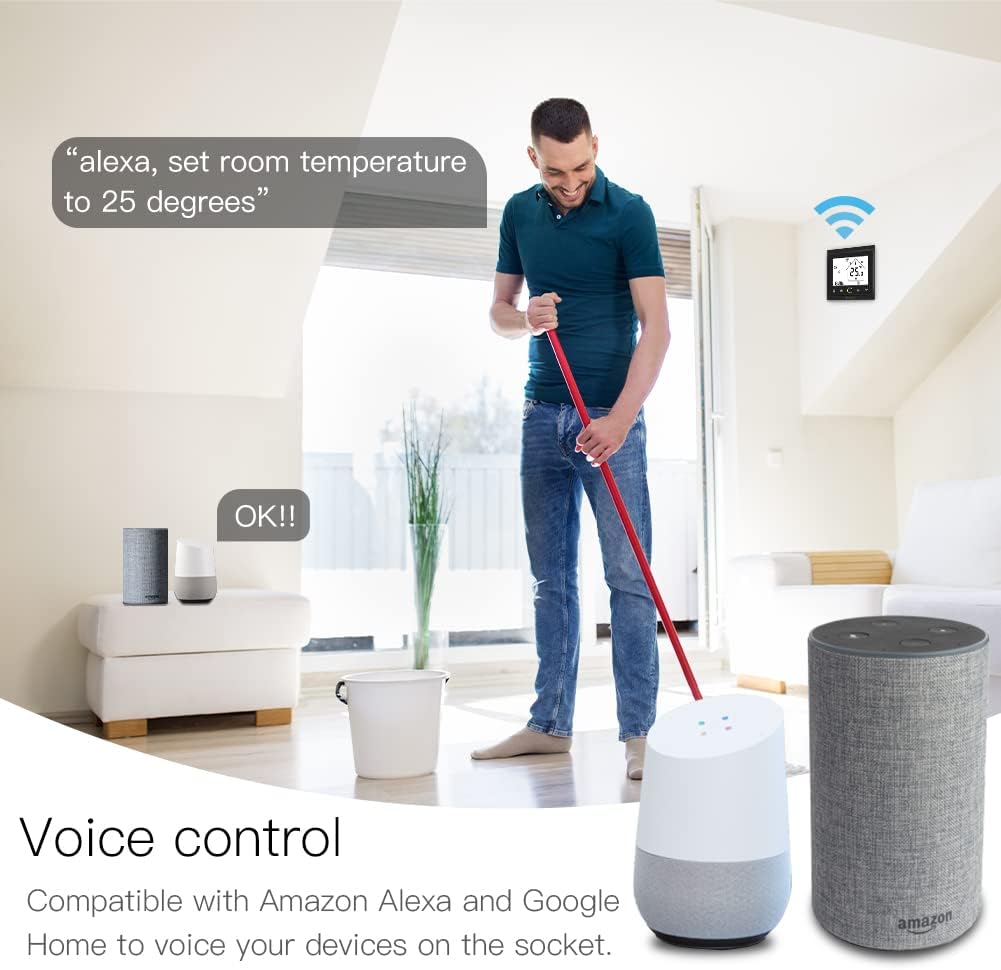
The thermostat supports voice control through Amazon Alexa and Google Home, allowing users to adjust settings with simple voice commands.
7. Programming Modes
The thermostat offers flexible programming options to optimize energy usage and comfort. You can set up to six distinct time periods and temperatures for different days of the week:
- 5+1+1 Day Mode: Program separate schedules for weekdays (Monday-Friday), Saturday, and Sunday.
- 7-Day Mode: Program individual schedules for each day of the week.
- 6+1 Day Mode: Program separate schedules for Monday-Saturday and Sunday.
Refer to the app or the thermostat's advanced settings menu for detailed instructions on setting up your preferred programming mode.

The thermostat offers flexible programming modes (5+2, 6+1, or 7 days) allowing users to set specific heating schedules for different times of the day and week.
8. Технічне обслуговування
To ensure the longevity and optimal performance of your MoesGo Smart Thermostat, follow these simple maintenance guidelines:
- Прибирання: Обережно протріть екран і casinм’якою сухою тканиною. Уникайте використання абразивних засобів для чищення, розчинників або хімічних спреїв, оскільки вони можуть пошкодити поверхню або внутрішні компоненти.
- Уникайте перешкод: Ensure that the thermostat's vents (if any) are not blocked by furniture, curtains, or other objects, as this can affect temperature readings.
- Умови навколишнього середовища: Keep the thermostat away from direct sunlight, drafts, or heat sources that could interfere with its temperature sensing accuracy.
9. Вирішення проблем
If you encounter issues with your MoesGo Smart Thermostat, please refer to the following common problems and solutions:
- Термостат не вмикається:
- Check the main circuit breaker to ensure power is supplied to the thermostat.
- Verify all wiring connections are secure according to the installation diagram.
- Incorrect Time Display / Time Drifting:
- If the time on the thermostat is incorrect or drifts significantly, carefully remove the display unit from its base.
- Check the connector on the back of the display unit and ensure it is fully seated and clicked into place. A loose connection can cause timekeeping issues. Re-seat the connector firmly.
- After re-seating, reset the time if necessary.
- Проблеми з підключенням до Wi-Fi:
- Ensure your Wi-Fi network is 2.4GHz, as the thermostat may not support 5GHz networks.
- Check that the thermostat is within range of your Wi-Fi router.
- Перезавантажте Wi-Fi роутер і термостат.
- Follow the pairing instructions in the Smart Life/Tuya Smart app carefully.
- Неточні показники температури:
- Ensure the thermostat is not exposed to direct sunlight, drafts, or other heat sources that could affect its internal sensor.
- If an external floor sensor is used, verify its connection and ensure it is properly installed in the floor.
- Обігрів не вмикається:
- Перевірте встановлену температуру; вона має бути вищою за поточну температуру в приміщенні, щоб обігрів увімкнувся.
- Verify the thermostat is in the correct operating mode (e.g., not in 'off' or 'manual' mode with a low setpoint).
- Inspect the heating system's circuit breaker.
10. Гарантія та підтримка
For warranty information and technical support, please contact your retailer or the manufacturer, WENZHOU NOVA NEW ENERGY CO.,LTD. Keep your purchase receipt as proof of purchase. Please refer to the product packaging or the seller's webсайт для отримання конкретних гарантійних умов та контактної інформації.