
вступ
The August Audar Smart Band KERi is a versatile health and fitness tracker designed to monitor various aspects of your well-being. This manual provides detailed instructions for setting up, operating, maintaining, and troubleshooting your device to ensure optimal performance and a seamless user experience. Please read this manual thoroughly before using your Smart Band.
Налаштування
1. Заряджання смарт-браслета
Before initial use, fully charge your Audar Smart Band KERi. The device features a convenient integrated USB charger. Simply remove the strap from one end of the tracker to reveal the USB connector.

Image: The Audar Smart Band KERi being plugged into a USB port for charging. The image highlights the integrated USB connector on the device.

Зображення: Детальний view of the Audar Smart Band KERi's integrated USB charging port, showing how it connects to a power source.
- Connect the USB connector to any standard USB charging port (e.g., computer, USB wall adapter).
- Індикатор заряду батареї на екрані показуватиме процес заряджання.
- A full charge can provide up to 30 days of battery life.
2. Installing the Audar App
To unlock the full potential of your Smart Band and view your health data, download the official Audar app on your smartphone.
- Scan the QR code provided in the product packaging or search for "Audar" in your device's app store.
- The app is compatible with both Android and iPhone devices.

Image: Screenshot of the Audar app interface, displaying health data and showing icons for Google Play and Apple App Store downloads.
3. Сполучення зі смартфоном
- Переконайтеся, що Bluetooth увімкнено на вашому смартфоні.
- Open the Audar app and follow the on-screen instructions to search for and connect to your KERi Smart Band.
- Confirm the pairing request on both your phone and the Smart Band if prompted.
4. Початкова конфігурація
- Once paired, the app will guide you through setting up your personal profile, including age, height, weight, and gender, for accurate data tracking.
- Synchronize the time and date with your phone.
Інструкція з експлуатації
1. Основна навігація
The Audar Smart Band KERi features a color touchscreen display for easy navigation.
- Торкніться: To select an option or wake the screen.
- Проведіть пальцем: To scroll through different menus and data screens.
2. Відстеження активності
The Smart Band automatically tracks your daily activity.

Image: A person running outdoors with the Audar Smart Band KERi on their wrist, showing the display with steps, distance, and calorie data.
- Кроки: Рахує кількість кроків, зроблених протягом дня.
- Відстань: Estimates the distance covered based on your steps and profile даних.
- Калорії: Calculates calories burned during activity.
- GPS відстеження: When connected to your smartphone, the app can use your phone's GPS to map your route during outdoor activities.
3. Моніторинг здоров'я
The KERi Smart Band provides continuous and on-demand health monitoring.
- Монітор серцевого ритму: Measures your heart rate in real-time. Access this feature from the band's menu or through the app.
- Монітор артеріального тиску: Provides an estimate of your blood pressure. For accurate medical readings, consult a healthcare professional.
- Монітор кисню в крові: Вимірює рівень насичення крові киснем.
- Монітор сну: Автоматично відстежує ваші режими сну, включаючи глибокий сон, легкий сон і час пробудження. View detailed analysis in the Audar app.
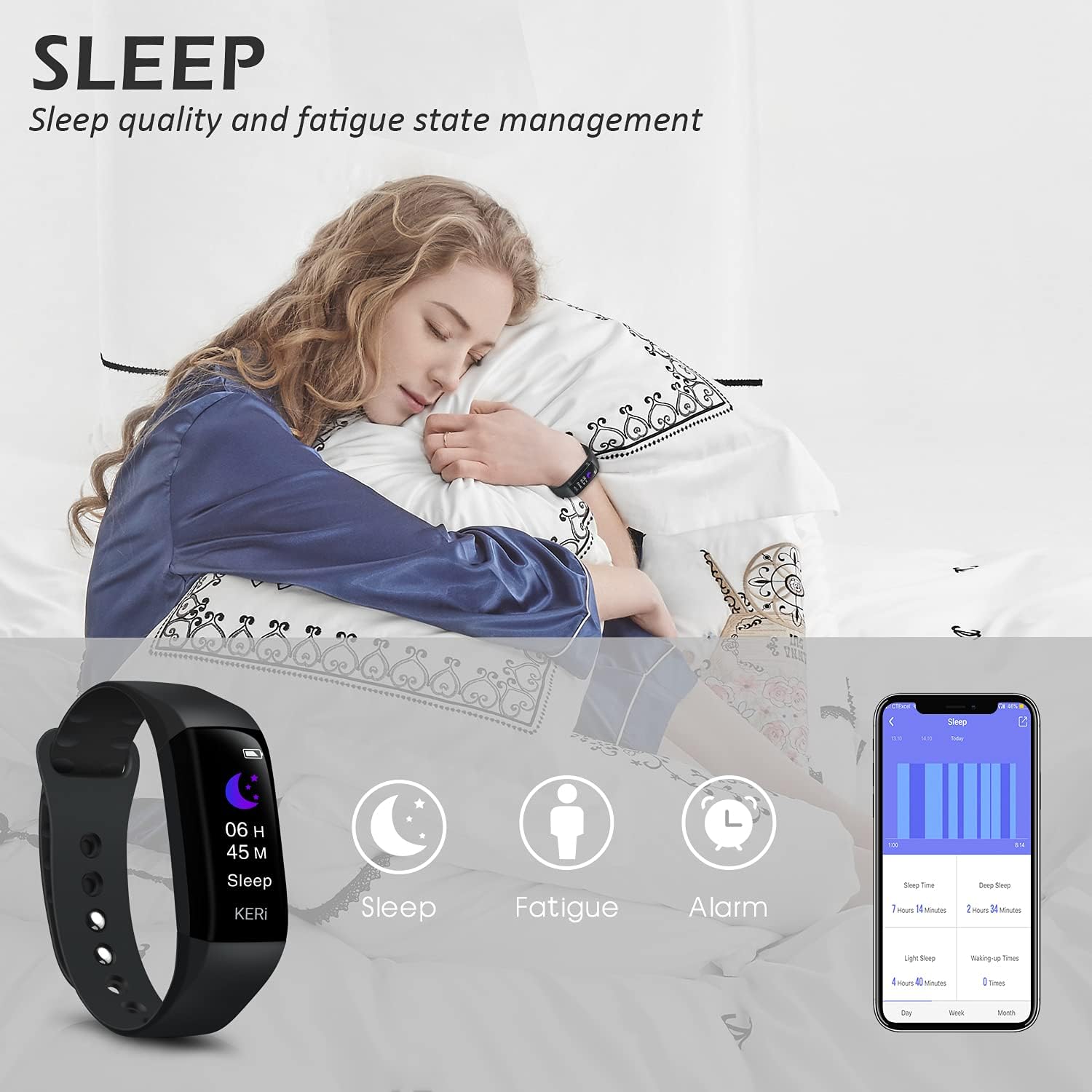
Image: A person sleeping with the Audar Smart Band KERi on their wrist, showing the band's display indicating sleep duration and an accompanying smartphone app displaying sleep analysis.
4. Повідомлення
Receive alerts directly on your wrist when connected to your smartphone.

Image: A close-up of a wrist wearing the Audar Smart Band KERi, with the screen showing an incoming call notification.
- Сповіщення про дзвінки: Displays incoming call notifications.
- Сповіщення про повідомлення: Shows notifications for SMS, WhatsApp, Messenger, and other selected apps.
- Configure which app notifications you wish to receive through the Audar app settings.
5. Додаткові функції
- Remote Camera Control (Shake Shooting): Use the band to remotely trigger your smartphone's camera by shaking your wrist.
- Знайти мій телефон: Activate this feature from the band to make your paired phone ring, helping you locate it.
- Будильник: Встановіть безшумні вібраційні будильники через додаток.
- CareMate Function: Share your health data with family members through the app, allowing them to monitor your well-being remotely.

Image: Screenshots of the Audar app demonstrating the CareMate function, showing how users can subscribe to and view family members' health data.
Технічне обслуговування
1. прибирання
- Регулярно очищуйте смарт-браслет і ремінець, щоб запобігти подразненню шкіри та підтримувати гігієну пристрою.
- Протріть пристрій м’якою, damp тканина. Уникайте використання агресивних хімікатів або абразивних засобів для чищення.
- Перед заряджанням переконайтеся, що зарядні контакти чисті та сухі.
2. Водонепроникність
The Audar Smart Band KERi is IP67 waterproof.

Image: The Audar Smart Band KERi being splashed with water, illustrating its IP67 waterproof capability. Icons for heart rate, calories, steps, distance, SMS alerts, and blood oxygen are also visible.
- It is resistant to rain, sweat, and can be submerged up to 1 meter underwater for a limited time.
- It is suitable for showering and swimming in shallow water.
- Avoid prolonged exposure to hot water, steam, or high-velocity water.
3. Зберігання
- Зберігайте пристрій у прохолодному сухому місці, коли він не використовується.
- Уникайте екстремальних температур.
Усунення несправностей
If you encounter issues with your Audar Smart Band KERi, refer to the following common solutions:
| проблема | Можлива причина | Рішення |
|---|---|---|
| Device does not turn on or respond | Низький заряд батареї | Заряджайте пристрій не менше 30 хвилин. |
| Не вдається підключити пристрій до смартфона | Bluetooth off, app issue, device out of range | Ensure Bluetooth is on. Restart phone and band. Reinstall app. Move band closer to phone. |
| Неточні показники здоров'я | Improper fit, movement during measurement, sensor obstruction | Ensure band is snug but comfortable. Remain still during measurements. Clean sensor on back of band. |
| No data synchronization to app | Bluetooth connection lost, app not running in background | Check Bluetooth connection. Ensure app has necessary permissions and is running. Manually sync from app. |
| Короткий час автономної роботи | Frequent notifications, continuous monitoring, old battery | Reduce notification frequency. Disable continuous monitoring for certain features. Ensure full charge. |
If the problem persists, please refer to the support section for further assistance.
Технічні характеристики

Image: A diagram illustrating the dimensions of the Audar Smart Band KERi, including screen size and band length.
| Особливість | Деталь |
|---|---|
| Назва моделі | KERi |
| Бренд | серпень |
| Розмір екрана | 0.96 дюймів |
| Тип дисплея | ЖК |
| роздільна здатність | 240 х 240 |
| Технологія підключення | Bluetooth, USB |
| Стандарт бездротового зв'язку | Bluetooth |
| Операційна система | Android (Compatible with Android & iPhone) |
| Вимірювані показники | Heart Rate, Blood Pressure, Sleep Duration, Blood Oxygen |
| Особливості | Alarm Clock, Calorie Tracker, Notifications, GPS (via phone), Remote Camera Control |
| Рівень водонепроникності | IP67 (Водонепроникний до 1 метра) |
| Тип батареї | Літій-полімер |
| Середній термін служби батареї | До 30 днів |
| Тип матеріалу стрічки | Rubber or Silicone |
| Тип матеріалу корпусу | Керамічний |
| Вага товару | 29 грамів |
| Розміри предмета | 25.8 х 2.2 х 1.3 сантиметрів |
| Довжина стрічки | 130 - 190 Millimetres |
| Колір | чорний |
Інформація про гарантію
For detailed warranty information regarding your August Audar Smart Band KERi, please refer to the warranty card included in your product packaging or visit the official August webсайт. Гарантійні умови можуть відрізнятися залежно від регіону та продавця.

Image: The contents of the Audar Smart Band KERi product box, showing the smart band, charging cable, and instruction manuals.
Підтримка клієнтів
If you require further assistance or have questions not covered in this manual, please contact August customer support through one of the following channels:
- Інтернет-підтримка: Visit the official August webсайт із поширеними запитаннями, статтями служби підтримки та контактними формами.
- Підтримка електронною поштою: Refer to your product packaging or the August webсайт для адреси електронної пошти служби підтримки клієнтів.
- Фірмовий магазин: Ви також можете відвідати Фірмовий магазин August щоб отримати додаткову інформацію про продукт і ресурси підтримки.